



ADVERTISEMENT
ADVERTISEMENT

WICShopper WICShopper
Category
ShoppingVersion
V5.2.16
Tag
wic | wicshopper | ewic
Rate
4.80
★★★★★
Reviews
500 +
Installs
1M +
Developer
JPMA, Inc
Content Rating
Everyone
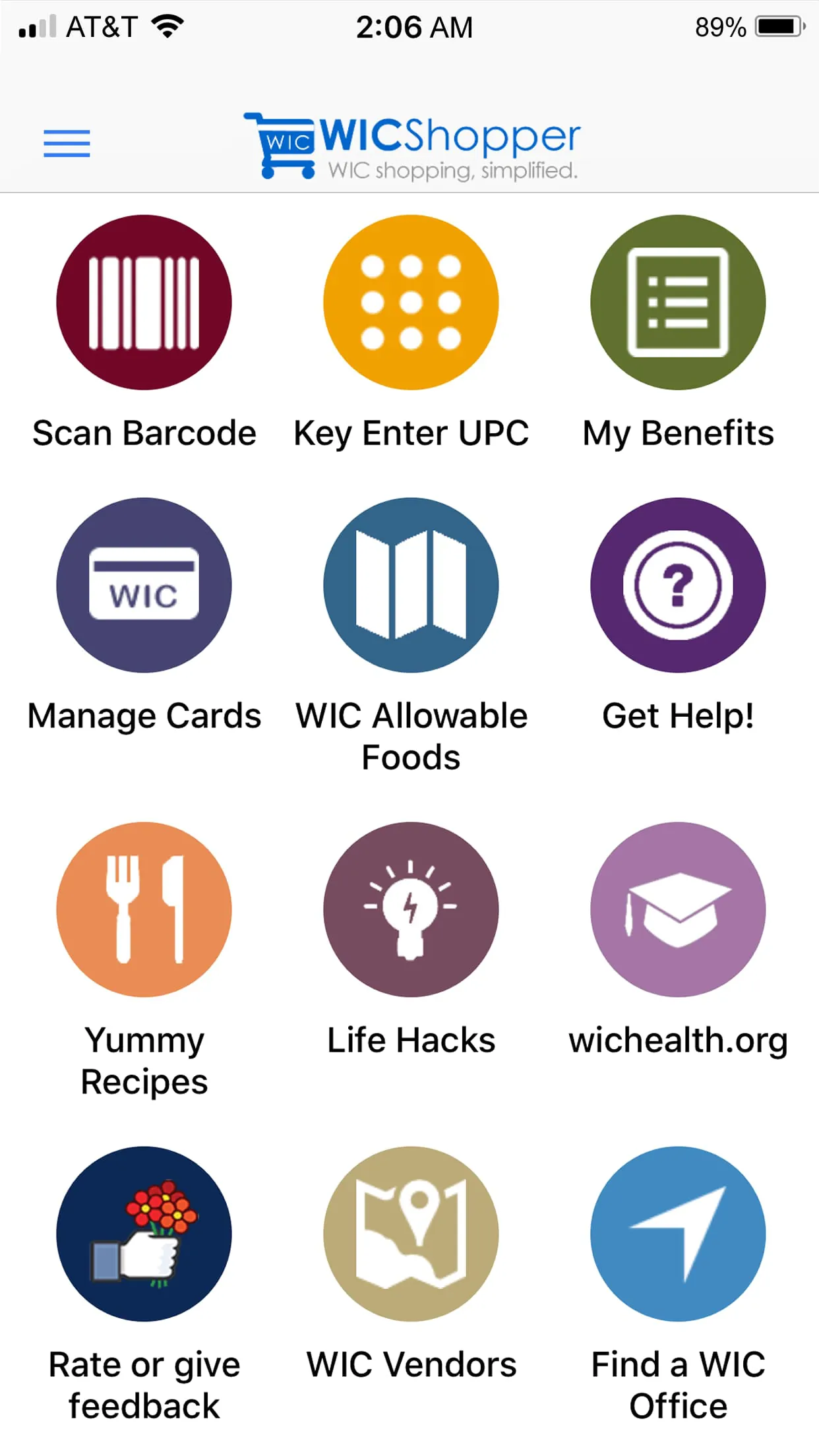
<p style="line-height: 2;">WICShopper is a mobile application designed to help participants of the Special Supplemental Nutrition Program for Women, Infants, and Children (WIC) make the most of their benefits by simplifying grocery shopping and ensuring compliance with WIC-approved food lists. Available for both iOS and Android devices, this user-friendly tool connects directly with state WIC systems in many regions, allowing users to scan product barcodes in-store, view real-time balance information, and receive reminders about appointment dates and nutrition education resources.</p>
<h2>Key Features</h2>
<ul>
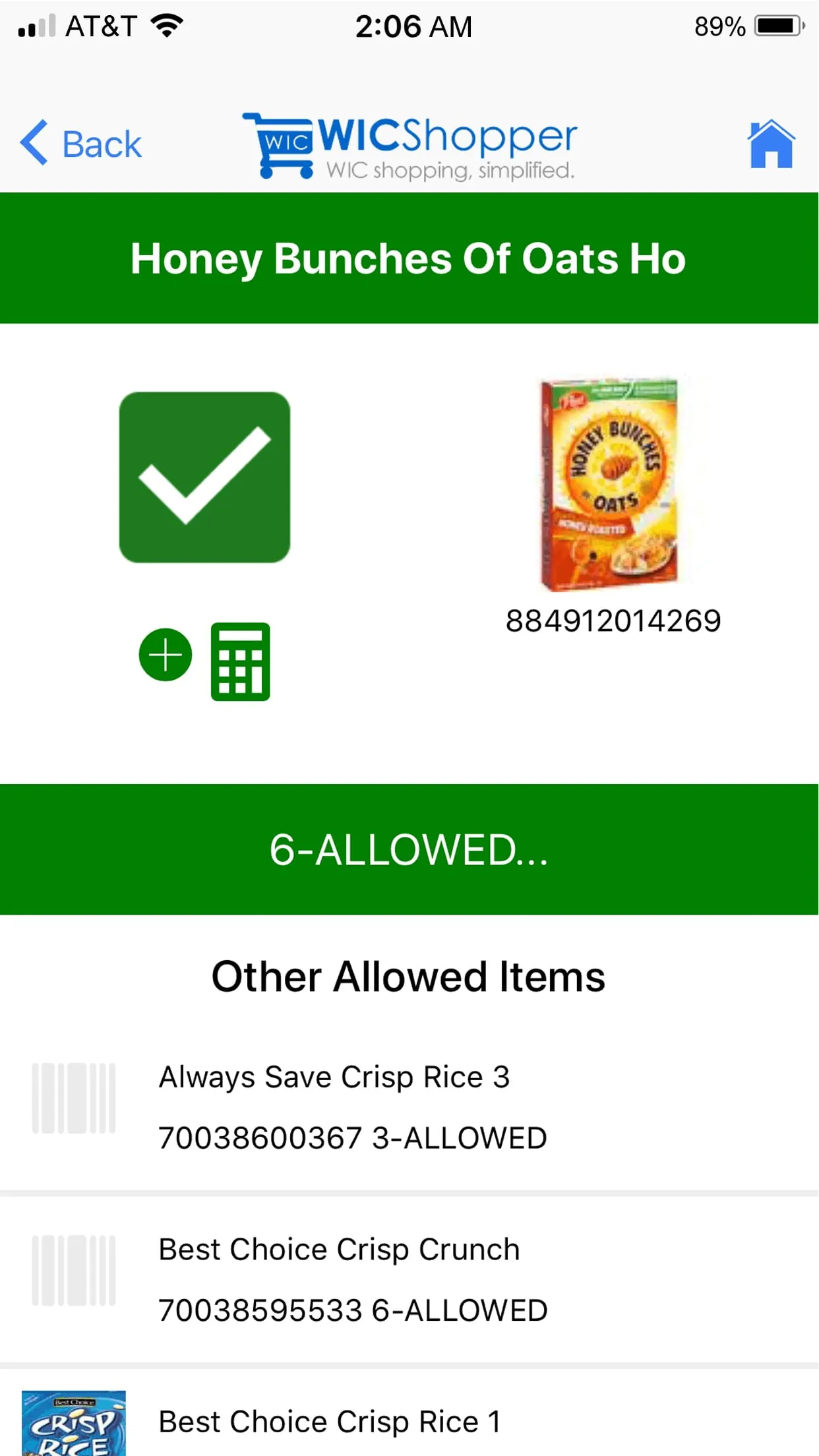
<li>Barcode scanning to instantly verify if an item is WIC-approved.</li>
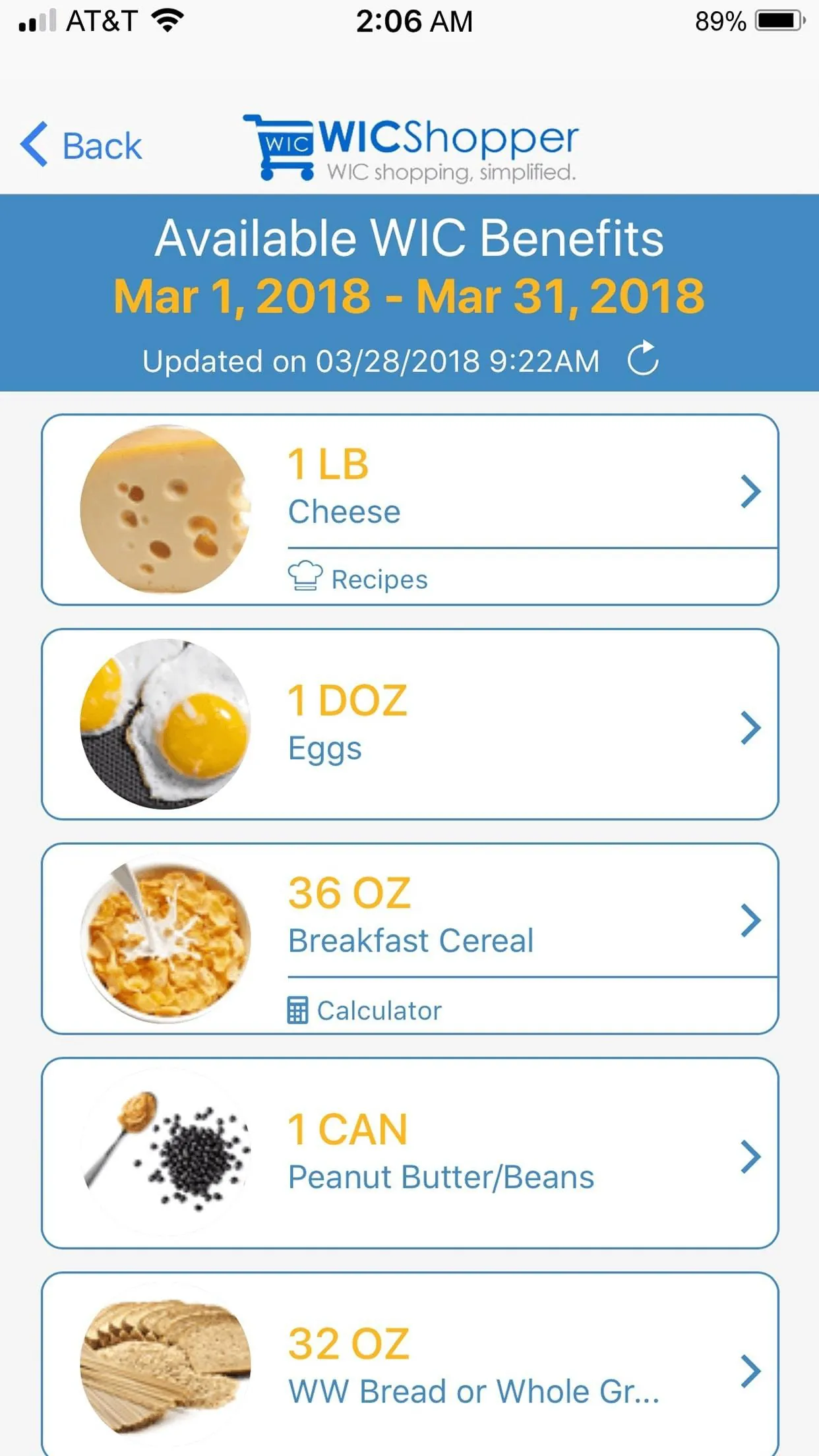
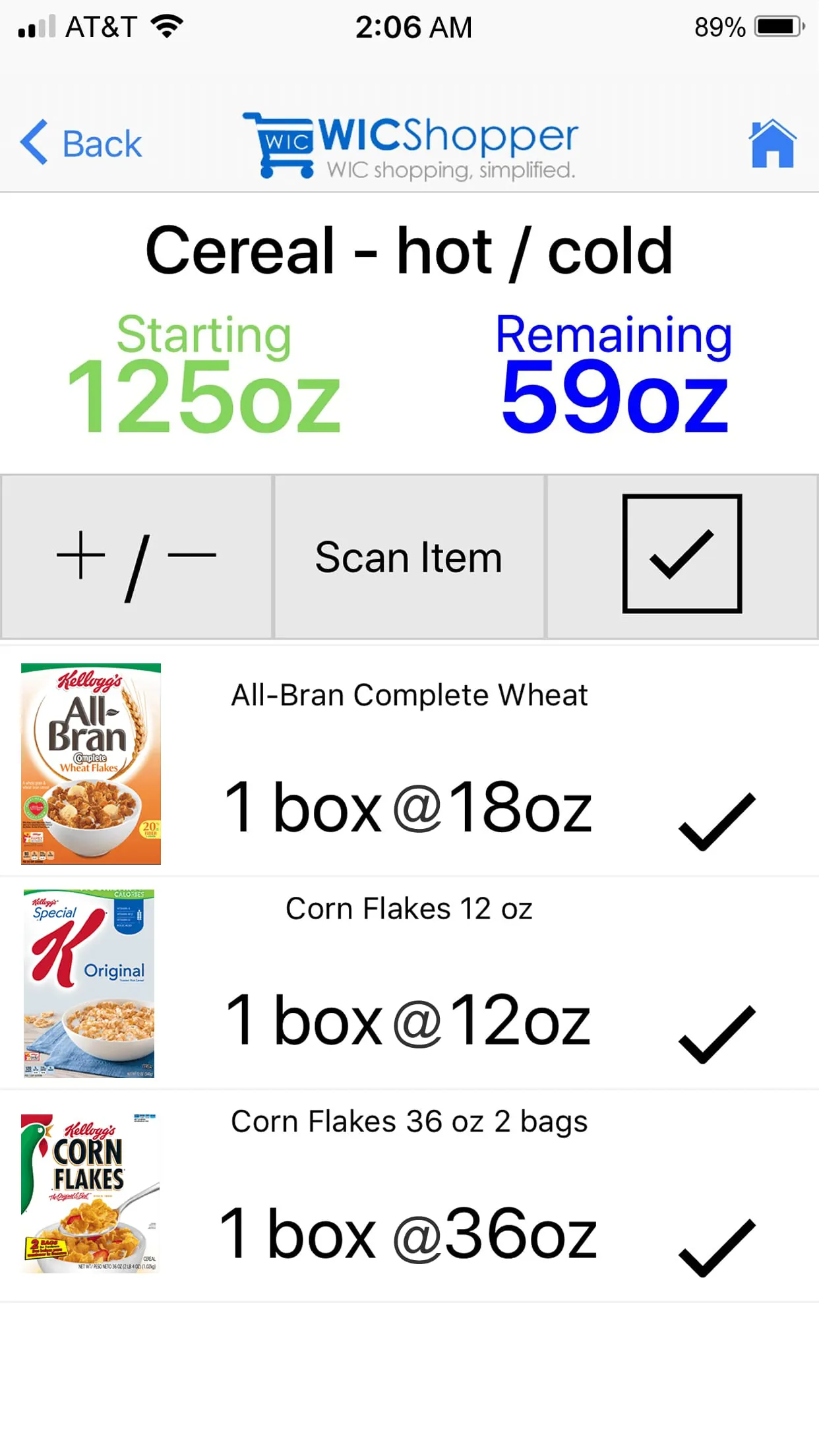
<li>Real-time benefit balance tracking for easier budgeting.</li>
<li>Appointment reminders to help avoid missed visits.</li>
<li>Store locator to find nearby WIC-authorized retailers.</li>
<li>Integrated recipe suggestions based on available benefits.</li>
<li>Multilingual support to accommodate diverse communities.</li>
</ul>
<h2>Pros & Cons</h2>
<ul>
<li>Pros:
<ul>
<li>Reduces confusion at checkout by confirming eligible items in advance.</li>
<li>Saves time with quick scans instead of manual list checking.</li>
<li>Encourages healthier choices through built-in recipes and tips.</li>
</ul>
</li>
<li>Cons:
<ul>
<li>Not all states or regions support full feature integration.</li>
<li>Requires a smartphone and basic tech familiarity.</li>
<li>Occasional syncing delays with state WIC databases.</li>
</ul>
</li>
</ul>
<h2>Functions</h2>
<ul>
<li>Verifies product eligibility using UPC barcode scanning technology.</li>
<li>Displays current WIC food balances specific to each household member.</li>
<li>Provides alerts for upcoming appointments, certification periods, and nutrition education deadlines.</li>
<li>Offers a searchable database of WIC-allowed foods by category.</li>
<li>Connects users to local WIC offices and authorized vendor locations.</li>
<li>Supports digital access to nutrition guidance and healthy meal planning tools.</li>
</ul>
<h2>How to Use</h2>
<p style="line-height: 2;">Click the button "Check All Versions" below to download and install it. Once installed, open the app and select your state or region to connect securely to your WIC account. You can then scan product barcodes while shopping to confirm eligibility, monitor your remaining benefits, and receive timely notifications. Use the store locator to find approved vendors nearby, explore recipe ideas tailored to your benefits, and keep track of important program dates. Regular updates ensure accurate data, so enabling notifications will help you stay informed about changes to your benefits or WIC policies.</p>
 APK
APK  Google Play
  iOS
iOS  4.80
4.80ADVERTISEMENT
ADVERTISEMENT
Author's Review
appspicked Review
Screenshots
Additional Information
Category
ShoppingVersion
V5.2.16
Tag
wic | wicshopper | ewic
Rate
4.80
★★★★★
Reviews
500 +
Installs
1M +
Developer
JPMA, Inc
Content Rating
Everyone
<p style="line-height: 2;">WICShopper is a mobile application designed to help participants of the Special Supplemental Nutrition Program for Women, Infants, and Children (WIC) make the most of their benefits by simplifying grocery shopping and ensuring compliance with WIC-approved food lists. Available for both iOS and Android devices, this user-friendly tool connects directly with state WIC systems in many regions, allowing users to scan product barcodes in-store, view real-time balance information, and receive reminders about appointment dates and nutrition education resources.</p>
<h2>Key Features</h2>
<ul>
<li>Barcode scanning to instantly verify if an item is WIC-approved.</li>
<li>Real-time benefit balance tracking for easier budgeting.</li>
<li>Appointment reminders to help avoid missed visits.</li>
<li>Store locator to find nearby WIC-authorized retailers.</li>
<li>Integrated recipe suggestions based on available benefits.</li>
<li>Multilingual support to accommodate diverse communities.</li>
</ul>
<h2>Pros & Cons</h2>
<ul>
<li>Pros:
<ul>
<li>Reduces confusion at checkout by confirming eligible items in advance.</li>
<li>Saves time with quick scans instead of manual list checking.</li>
<li>Encourages healthier choices through built-in recipes and tips.</li>
</ul>
</li>
<li>Cons:
<ul>
<li>Not all states or regions support full feature integration.</li>
<li>Requires a smartphone and basic tech familiarity.</li>
<li>Occasional syncing delays with state WIC databases.</li>
</ul>
</li>
</ul>
<h2>Functions</h2>
<ul>
<li>Verifies product eligibility using UPC barcode scanning technology.</li>
<li>Displays current WIC food balances specific to each household member.</li>
<li>Provides alerts for upcoming appointments, certification periods, and nutrition education deadlines.</li>
<li>Offers a searchable database of WIC-allowed foods by category.</li>
<li>Connects users to local WIC offices and authorized vendor locations.</li>
<li>Supports digital access to nutrition guidance and healthy meal planning tools.</li>
</ul>
<h2>How to Use</h2>
<p style="line-height: 2;">Click the button "Check All Versions" below to download and install it. Once installed, open the app and select your state or region to connect securely to your WIC account. You can then scan product barcodes while shopping to confirm eligibility, monitor your remaining benefits, and receive timely notifications. Use the store locator to find approved vendors nearby, explore recipe ideas tailored to your benefits, and keep track of important program dates. Regular updates ensure accurate data, so enabling notifications will help you stay informed about changes to your benefits or WIC policies.</p>
ADVERTISEMENT
ADVERTISEMENT
Previous Versions
ZIP files require a Split APKs Installer (e.g., SAI) from Google Play to install. Steps: 1. Download SAI from Google Play; 2. Open SAI and tap "Install APKs"; 3. Select the ZIP file; 4. Complete installation.
V5.2.16

Package Name
com.jpma.EBTShopper
Version Name
V5.2.16
Version Code
V5.2.16
File Size
23.05 MB
Update time
2024-4-3
V5.2.14
Package Name
com.jpma.EBTShopper
Version Name
V5.2.14
Version Code
V5.2.14
File Size
23.02 MB
Update time
2023-9-22
V5.2.13
Package Name
com.jpma.EBTShopper
Version Name
V5.2.13
Version Code
V5.2.13
File Size
22.97 MB
Update time
2023-9-7
V5.2.12
Package Name
com.jpma.EBTShopper
Version Name
V5.2.12
Version Code
V5.2.12
File Size
21.4 MB
Update time
2023-6-14
V5.2.11
Package Name
com.jpma.EBTShopper
Version Name
V5.2.11
Version Code
V5.2.11
File Size
21.34 MB
Update time
2023-5-10
V5.2.0
Package Name
com.jpma.EBTShopper
Version Name
V5.2.0
Version Code
V5.2.0
File Size
22.1 MB
Update time
2022-1-28
V5.1.5
Package Name
com.jpma.EBTShopper
Version Name
V5.1.5
Version Code
V5.1.5
File Size
27.6 MB
Update time
2021-11-18
V5.1.3
Package Name
com.jpma.EBTShopper
Version Name
V5.1.3
Version Code
V5.1.3
File Size
29.3 MB
Update time
2021-10-11
V5.1.2
Package Name
com.jpma.EBTShopper
Version Name
V5.1.2
Version Code
V5.1.2
File Size
29.3 MB
Update time
2021-6-30
V5.1.0
Package Name
com.jpma.EBTShopper
Version Name
V5.1.0
Version Code
V5.1.0
File Size
24.1 MB
Update time
2021-5-4
ADVERTISEMENT
You Might Like









