



ADVERTISEMENT
ADVERTISEMENT

Inky Inky
Category
Art & DesignTag
Android app | Vector Graphics | Open Source | Inkscape | SVG format
Rate
2.80
★★★★★
Reviews
500 +
Installs
10k +
Developer
UserLAnd Technologies
Content Rating
Everyone
Inky runs Inkscape on Android devices and Chromebooks
 APK
APK  Google Play
  iOS
iOS  2.80
2.80ADVERTISEMENT
ADVERTISEMENT
Author's Review
appspicked Review
Inkscape is a robust, free, and open-source vector graphics editor that empowers users to create and manipulate vector images, primarily in the Scalable Vector Graphics (SVG) format. This application stands out as a versatile tool for both amateur and professional graphic designers, offering a comprehensive suite of features comparable to industry-standard software like Adobe Illustrator and CorelDRAW. Its open-source nature ensures that it remains accessible to anyone, fostering a collaborative environment where developers and users contribute to its ongoing improvement and expansion. Inkscape's capabilities extend beyond basic vector creation, encompassing a wide range of functionalities that allow for intricate and detailed artwork. The software supports the rendering of primitive vector shapes, including rectangles, ellipses, polygons, arcs, spirals, stars, and 3D boxes, providing a foundational toolkit for building complex designs. These shapes can be customized with solid colors, patterns, and gradients, offering an extensive palette for visual expression. The gradients, in particular, can be either radial or linear, allowing for nuanced color transitions and depth. Furthermore, the borders of these objects can be stroked with adjustable transparency, adding another layer of detail and customization. One of Inkscape's significant advantages is its ability to embed and trace raster graphics. This feature enables users to import photos and other raster-based images and convert them into vector graphics. The tracing functionality analyzes the raster image and creates vector paths that follow the outlines and shapes within the image. This is particularly useful for creating logos, icons, and other designs from scanned images or low-resolution graphics. The resulting vector graphics can then be scaled to any size without losing quality, a crucial benefit for designs intended for various media, from print to web. In addition to its creation and conversion capabilities, Inkscape offers a variety of tools for manipulating shapes and objects. Transformations such as moving, rotating, scaling, and skewing allow users to precisely adjust the position, size, and orientation of elements within their designs. These transformations can be applied individually or in combination, providing a high degree of control over the final appearance. Inkscape's user interface is designed to be intuitive and accessible, with a clear layout and a comprehensive set of tools and options. The software supports multiple layers, allowing users to organize their designs into manageable sections and easily edit individual elements without affecting others. The layering system also enables the creation of complex compositions with overlapping elements and effects. Inkscape's text handling capabilities are also noteworthy. The software allows users to add text to their designs and format it with various fonts, sizes, and styles. Text can be converted to paths, enabling further manipulation and customization. This is particularly useful for creating unique typographic designs and incorporating text into logos and illustrations. Inkscape's support for the SVG format ensures that its files are compatible with other vector graphics software and web browsers. SVG is a widely used standard for vector graphics on the web, making Inkscape an ideal tool for creating web graphics and illustrations. The software also supports other formats, allowing users to import and export files in various formats, including PDF, EPS, and PNG. Inkscape's active community of users and developers provides a wealth of resources and support. The Inkscape website offers extensive documentation, tutorials, and examples, helping users to learn the software and master its features. The community forums are a valuable resource for asking questions, sharing tips, and getting feedback on designs. Inkscape's open-source nature also means that it is constantly being updated and improved, with new features and bug fixes being added regularly. This ensures that the software remains a cutting-edge tool for vector graphics creation.
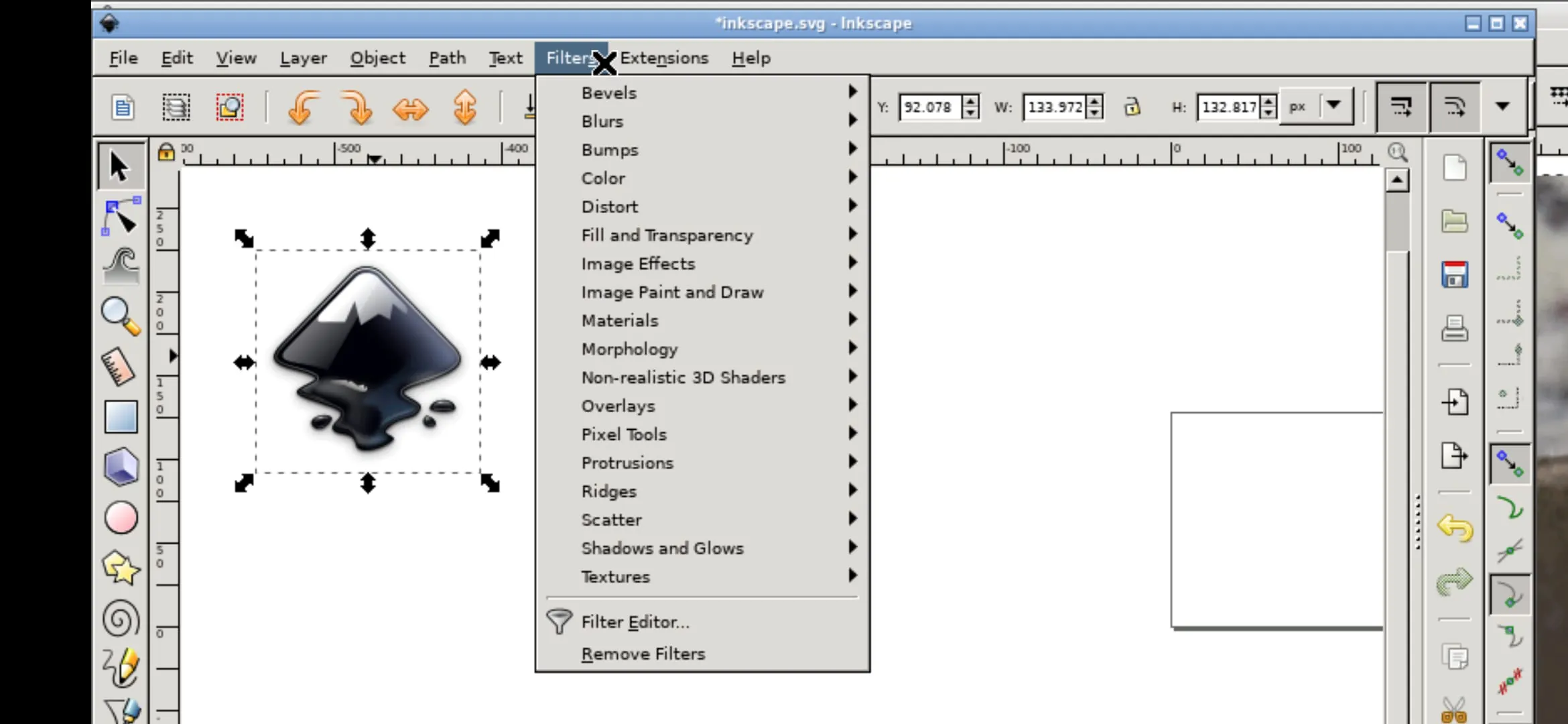
The Inkscape application for Android brings the full functionality of the desktop version to mobile devices, offering users the ability to create and edit vector graphics on the go. This adaptation is particularly useful for designers who need to work on their projects while traveling or who prefer the flexibility of a mobile workflow. The Android version of Inkscape retains all the features of the desktop version, including the ability to create and manipulate shapes, apply colors and gradients, and import and trace raster graphics. However, the user interface has been adapted to suit the touch-based environment of Android devices. The app utilizes a combination of taps, gestures, and on-screen controls to provide an intuitive and efficient workflow. One of the key challenges in adapting Inkscape to Android is the limited screen size of mobile devices. To address this, the app provides a variety of zoom and pan options, allowing users to focus on specific areas of their designs and navigate around the canvas with ease. Pinch-to-zoom is supported, as well as press-and-hold-and-slide gestures for panning. These gestures allow users to quickly zoom in and out and move around the canvas without having to use on-screen controls. The app also includes a set of icons that provide quick access to common functions, such as undo, redo, and save. These icons can be customized to suit the user's preferences. In addition to the standard touch-based controls, the Android version of Inkscape also supports the use of a stylus. This can provide a more precise and natural drawing experience, particularly for complex designs. The app is compatible with a variety of styluses, including those from Samsung and Wacom. To further enhance the user experience, the Android version of Inkscape includes a number of features that are specific to the mobile environment. For example, the app can automatically detect the device's orientation and adjust the user interface accordingly. It also supports the use of the device's camera for importing images and creating textures. The Android version of Inkscape also integrates with other Android apps, allowing users to easily share their designs with others. Designs can be exported in a variety of formats, including SVG, PNG, and PDF, and shared via email, social media, or cloud storage services. The app also supports the use of Android's built-in file manager, allowing users to easily access and manage their Inkscape files. In addition to the paid version of the app, there is also a free version available. The free version is limited in terms of features and functionality, but it provides a good way to try out the app and see if it meets your needs. The paid version unlocks all of the app's features and provides access to additional resources and support. The Android version of Inkscape is a powerful and versatile tool for creating and editing vector graphics on the go. It retains all the features of the desktop version while adapting the user interface to suit the touch-based environment of Android devices. Whether you are a professional graphic designer or a casual user, the Android version of Inkscape can help you create stunning vector graphics on your mobile device.
The provided text highlights the accessibility and utility of Inkscape on Android devices, emphasizing its full-featured capabilities and professional support. It caters to users who seek a cost-effective alternative to the paid version or encounter compatibility issues. The application extends beyond basic vector creation, encompassing a wide range of functionalities that allow for intricate and detailed artwork. The app's ability to seamlessly access files from other Android directories, such as Documents and Pictures, streamlines workflows by eliminating the need for import or export procedures. This direct access simplifies file management and ensures that users can quickly incorporate existing assets into their Inkscape projects. The licensing terms, under the GPLv3, underscore its commitment to open-source principles, providing users with the freedom to modify and distribute the software. The availability of the source code on GitHub encourages community contributions and transparency. The text clarifies that this Android adaptation is distinct from the main Inkscape development team, emphasizing its role as a specialized version tailored for mobile use. This distinction highlights the efforts of independent developers in extending Inkscape's reach to new platforms. In summary, the text effectively communicates Inkscape's accessibility, functionality, and open-source nature, highlighting its value as a versatile vector graphics editor for both desktop and mobile use. The adaptation of Inkscape for Android devices represents a significant advancement in mobile graphic design, offering users a powerful and versatile tool for creating and editing vector graphics on the go. This adaptation retains the core functionality of the desktop version while optimizing the user interface for touch-based interaction. The Android version of Inkscape supports a variety of gestures, including taps, swipes, and pinches, allowing users to easily navigate the canvas, zoom in and out, and manipulate objects. The app also includes a set of on-screen controls that provide access to common functions, such as undo, redo, and save. In addition to the touch-based controls, the Android version of Inkscape also supports the use of a stylus. This can provide a more precise and natural drawing experience, particularly for complex designs. The app is compatible with a variety of styluses, including those from Samsung and Wacom. The Android version of Inkscape also integrates with other Android apps, allowing users to easily share their designs with others. Designs can be exported in a variety of formats, including SVG, PNG, and PDF, and shared via email, social media, or cloud storage services. The app also supports the use of Android's built-in file manager, allowing users to easily access and manage their Inkscape files. The Android version of Inkscape is a powerful and versatile tool for creating and editing vector graphics on the go. It retains all the features of the desktop version while adapting the user interface to suit the touch-based environment of Android devices. Whether you are a professional graphic designer or a casual user, the Android version of Inkscape can help you create stunning vector graphics on your mobile device.
Screenshots
 Download
 Additional Information
Category
Art & DesignVersion
Unknown
Tag
Android app | Vector Graphics | Open Source | Inkscape | SVG format
Rate
2.80
★★★★★
Reviews
500 +
Installs
10k +
Developer
UserLAnd Technologies
Content Rating
Everyone
Inky runs Inkscape on Android devices and Chromebooks
ADVERTISEMENT
ADVERTISEMENT
Previous Versions
ZIP files require a Split APKs Installer (e.g., SAI) from Google Play to install. Steps: 1. Download SAI from Google Play; 2. Open SAI and tap "Install APKs"; 3. Select the ZIP file; 4. Complete installation.
ADVERTISEMENT
You Might Like









