TeamSpeak 3 is a sophisticated voice over internet protocol (VoIP) application designed primarily for online communication among groups, such as gaming teams, project collaborators, and online communities. It focuses on delivering crystal-clear, low-latency voice chat through a client-server architecture, giving users full control to host and manage their own private communication servers with robust security and administrative features.
Key Features
The application stands out for its exceptional audio quality and minimal system footprint. It uses advanced codecs to ensure voice is transmitted clearly even on slower internet connections. A hallmark of TeamSpeak 3 is its high level of customization and control, allowing server administrators to set detailed permissions, create complex channel hierarchies, and integrate with various game overlays. Its cross-platform compatibility ensures seamless communication between users on different operating systems.
Pros & Cons
The strengths of TeamSpeak 3 are quite pronounced. It offers unparalleled audio clarity and stability, which is critical for competitive gaming. The privacy and security of hosting your own server are major advantages, and its permission system is incredibly granular. However, these benefits come with trade-offs. The interface is often considered dated and less intuitive compared to modern alternatives. The requirement to set up, manage, and often pay for a separate server can be a significant barrier for casual users who prefer an all-in-one, free solution like those offered by competitors.
Functions
TeamSpeak 3 provides a comprehensive suite of functions centered around secure group communication. At its core, it enables high-fidelity voice chat in organized channels and sub-channels. Key functions include:
- 3D positional audio for an immersive in-game experience.
- File transfer capabilities between users and to channels.
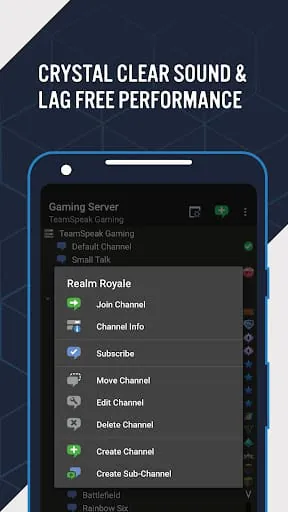
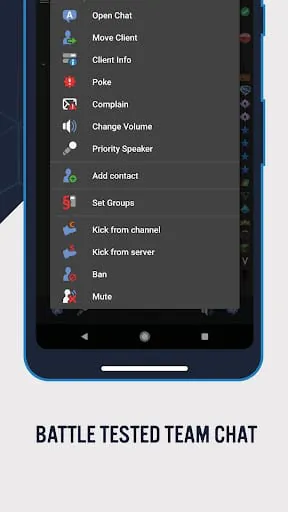
- Powerful server administration tools for user bans, channel management, and permission groups.
- Client volume normalization and background noise reduction.
- Full encryption for all data transmission to ensure private conversations.
How to Use
Click the button "Check All Versions" below to download and install it. Once installed, you will need the address, server password (if set), and a nickname to connect to a specific TeamSpeak 3 server. Upon joining, you can see the channel structure, switch between channels by double-clicking, and use push-to-talk or voice activation for speaking. To fully utilize its features, you can right-click on your own name or the server/channel to access settings for permissions, audio setup, and server bookmarks for quick reconnection.





 APK
APK  Google Play
  iOS
iOS  3.00
3.00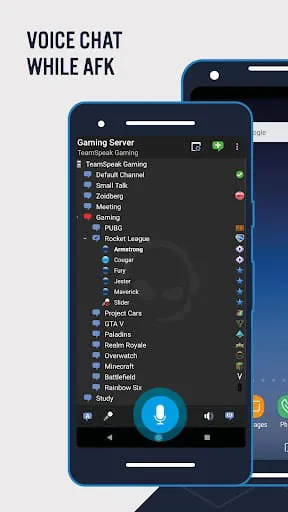
 Download








