Svea Pay provides a streamlined solution for online and in-store transactions, offering users a convenient and versatile platform to manage their payments. The application consolidates various payment methods, allowing customers to settle their dues swiftly and efficiently. This holistic approach not only simplifies the payment process but also enhances the overall user experience by providing a centralized hub for all financial transactions. By integrating multiple payment options, Svea Pay caters to a broad spectrum of user preferences, ensuring that customers can choose the method that best suits their individual needs and circumstances. The platform’s flexibility extends beyond mere payment options, offering users the choice to pay the full amount immediately or opt for a monthly payment plan, providing greater financial control and flexibility. This adaptability is crucial in today’s dynamic economic landscape, where consumers increasingly demand personalized and customizable financial solutions. Moreover, Svea Pay’s intuitive design and user-friendly interface contribute to its widespread appeal. The application is designed to be accessible to users of all technical backgrounds, ensuring that everyone can navigate the platform with ease. Clear and concise instructions, coupled with a visually appealing layout, make managing payments a seamless and straightforward process. In addition to its user-friendly design, Svea Pay prioritizes security, employing robust encryption and authentication protocols to protect user data and financial information. This commitment to security is paramount in building trust and confidence among users, particularly in an era where cyber threats are increasingly prevalent. By providing a secure and reliable payment platform, Svea Pay fosters a sense of security and peace of mind among its users, encouraging them to embrace digital payment solutions. Furthermore, Svea Pay’s integration with popular payment methods such as Swish, VIPPS, Google Pay, Visa, and Mastercard underscores its commitment to providing a comprehensive and versatile payment solution. By supporting a wide range of payment options, Svea Pay ensures that users can transact seamlessly, regardless of their preferred method. This interoperability is essential in facilitating smooth and efficient transactions, both online and in-store. In conclusion, Svea Pay represents a significant advancement in the realm of digital payment solutions, offering users a convenient, versatile, and secure platform to manage their financial transactions. Its user-friendly design, coupled with its support for multiple payment methods, makes it an attractive option for consumers seeking a streamlined and hassle-free payment experience.
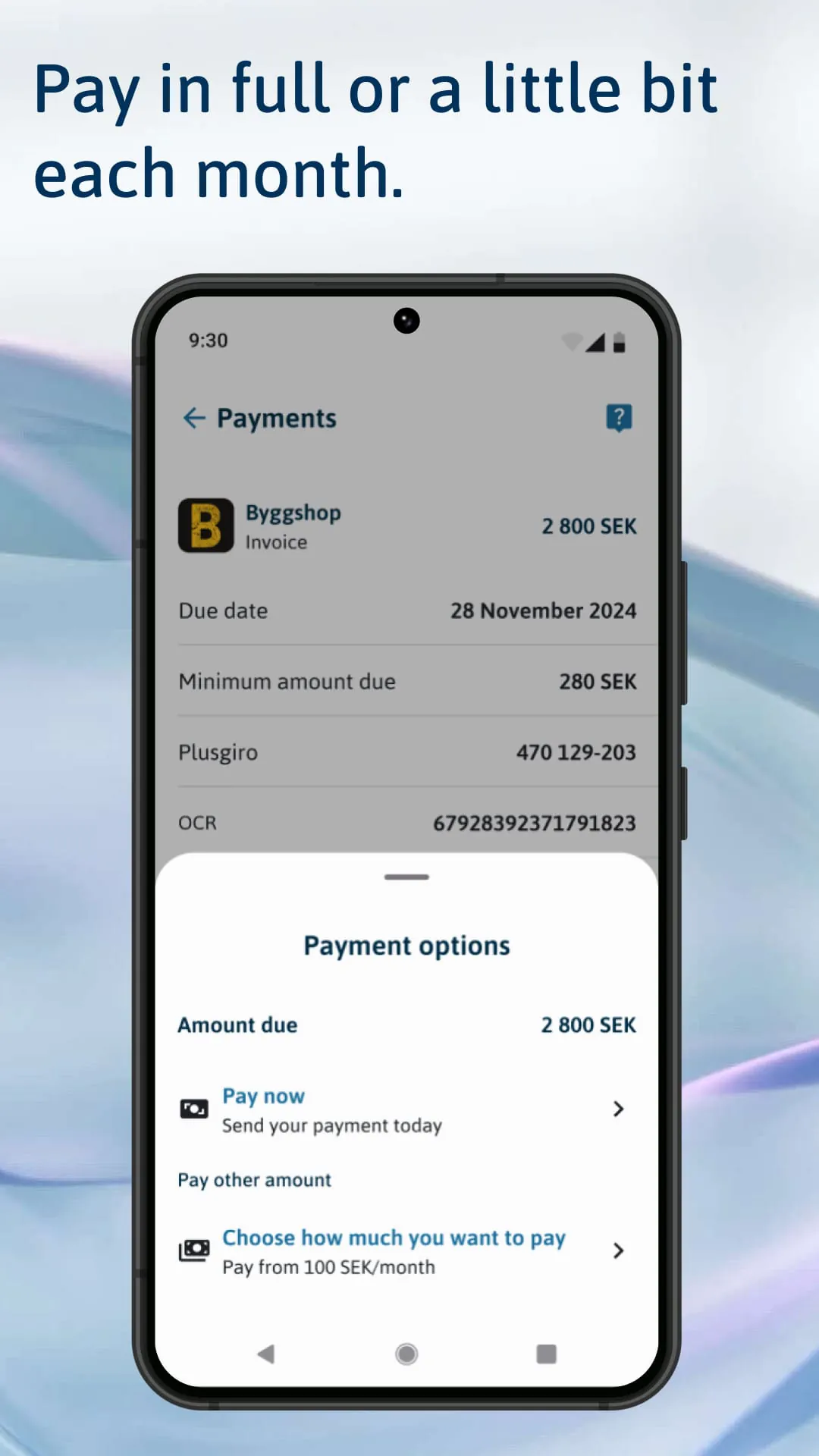
The Svea Pay app offers users a comprehensive overview of their payment activities, enabling them to access detailed information and settle their dues directly within the application. This feature provides unparalleled transparency and control, empowering users to manage their finances effectively. By consolidating all payment-related information in one place, Svea Pay eliminates the need for users to navigate multiple platforms or contact customer support for assistance. This streamlined approach saves time and effort, allowing users to focus on other aspects of their lives. The ability to view payment details directly within the app enhances user convenience and accessibility. Users can easily track their spending habits, monitor their outstanding balances, and review their transaction history, all from the comfort of their mobile devices. This level of transparency fosters a sense of financial awareness and empowers users to make informed decisions about their spending. In addition to providing a comprehensive overview of payment activities, the Svea Pay app also offers users the flexibility to choose how they want to pay. Users can opt to pay the full amount immediately or spread their payments over time with a monthly payment plan. This flexibility is particularly valuable for individuals who may be facing financial constraints or prefer to manage their cash flow more strategically. The ability to choose a payment plan that aligns with their individual needs and circumstances empowers users to take control of their finances and avoid unnecessary debt. Moreover, the Svea Pay app supports a wide range of payment methods, including Swish (Sweden), VIPPS (Norway), Google Pay, Visa, and Mastercard. This comprehensive support ensures that users can pay with their preferred method, regardless of their location or financial institution. By accommodating a diverse range of payment options, Svea Pay caters to a broad spectrum of user preferences and ensures that everyone can transact seamlessly. This interoperability is essential in facilitating smooth and efficient transactions, both online and in-store. In conclusion, the Svea Pay app provides users with a powerful and versatile tool for managing their payments. Its comprehensive features, flexible payment options, and support for multiple payment methods make it an attractive option for consumers seeking a convenient and user-friendly payment solution.
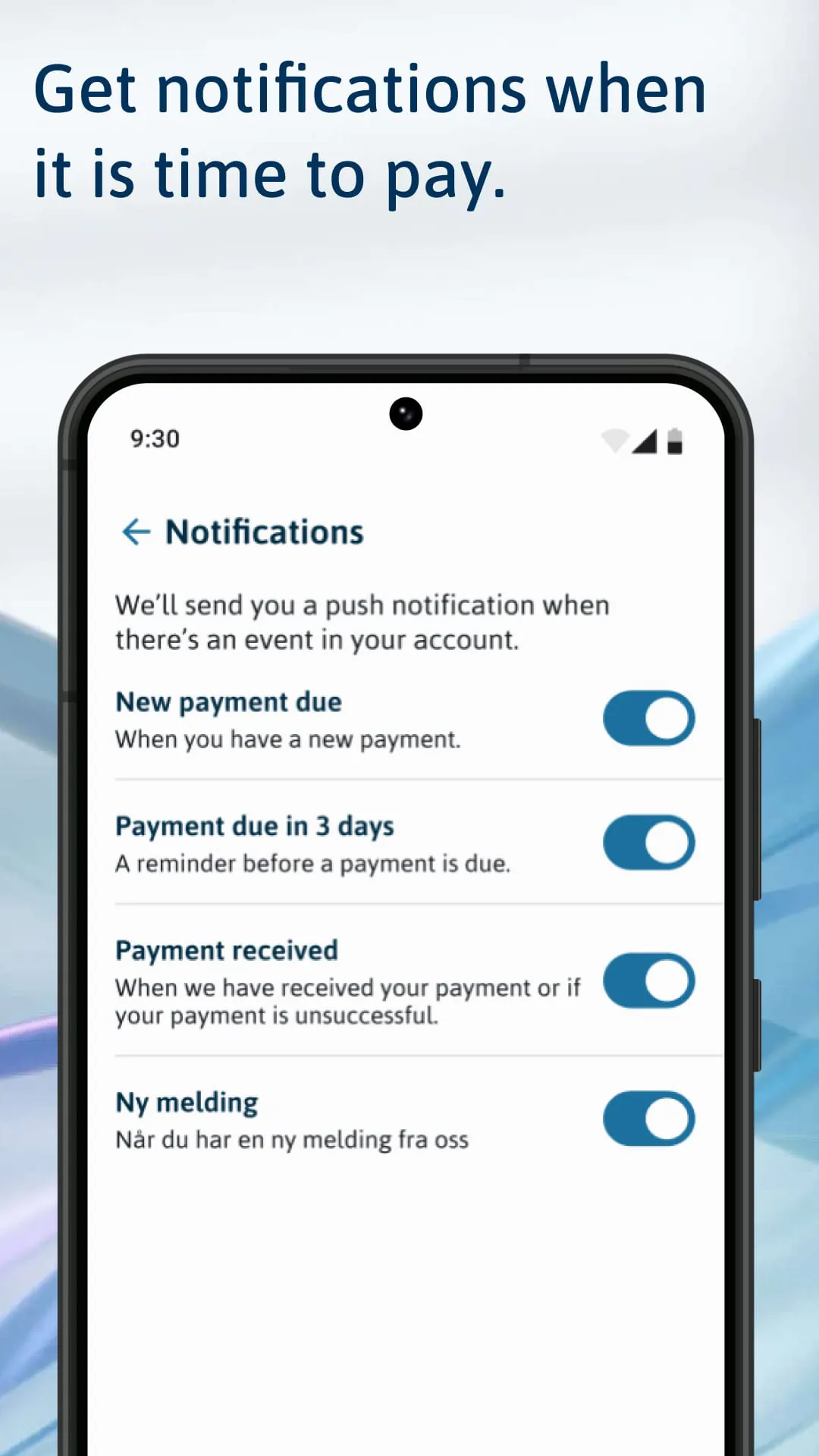
To ensure users never miss a payment, Svea Pay offers the option to activate push notifications, which provide timely reminders when payments are due. This proactive approach helps users avoid late fees and maintain a positive credit score. By sending push notifications directly to users' mobile devices, Svea Pay ensures that they are always aware of their upcoming payment obligations. This feature is particularly valuable for individuals who may have busy schedules or struggle to keep track of their finances. The ability to receive timely reminders helps users stay organized and avoid the stress and inconvenience of missed payments. In addition to preventing late fees, Svea Pay's push notification feature also promotes financial responsibility. By reminding users of their payment obligations, the app encourages them to prioritize their finances and make timely payments. This can help users build good credit habits and improve their overall financial well-being. Moreover, Svea Pay's commitment to user convenience extends beyond its push notification feature. The app also offers a variety of other features designed to make managing payments as easy and seamless as possible. These features include the ability to view payment details, choose a payment plan, and pay with a preferred method. By providing a comprehensive and user-friendly payment solution, Svea Pay empowers users to take control of their finances and manage their payments with ease. In today's fast-paced world, convenience and efficiency are paramount. Svea Pay recognizes this and has designed its platform to meet the evolving needs of modern consumers. Its user-friendly interface, coupled with its comprehensive features and proactive notifications, makes it an ideal choice for individuals seeking a streamlined and hassle-free payment experience. In conclusion, Svea Pay's push notification feature is a valuable tool for helping users avoid late fees, maintain a positive credit score, and promote financial responsibility. When combined with the app's other comprehensive features, it creates a powerful and user-friendly payment solution that empowers users to take control of their finances and manage their payments with ease.





 APK
APK  Google Play
  iOS
iOS  0.00
0.00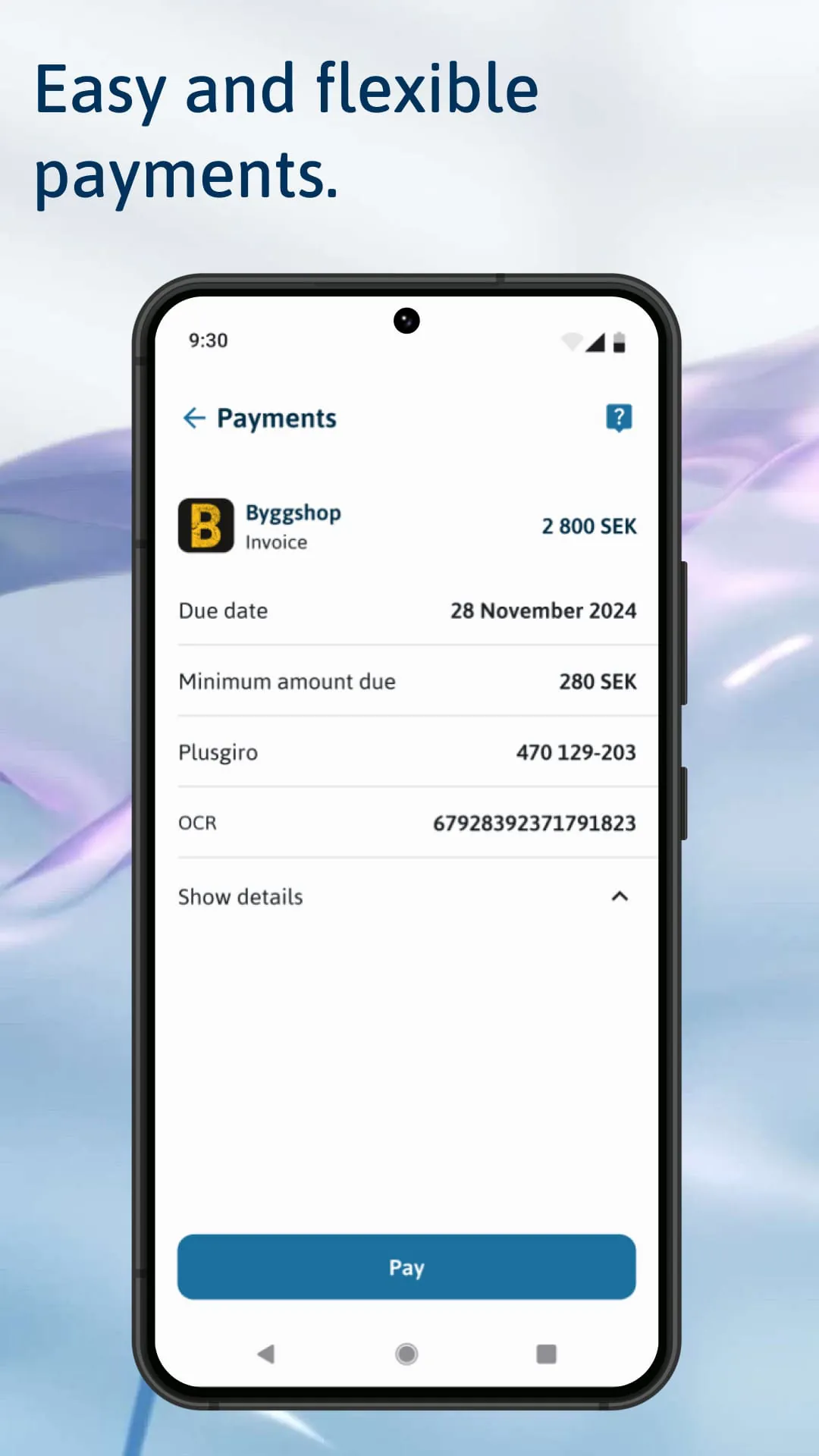
 Download








