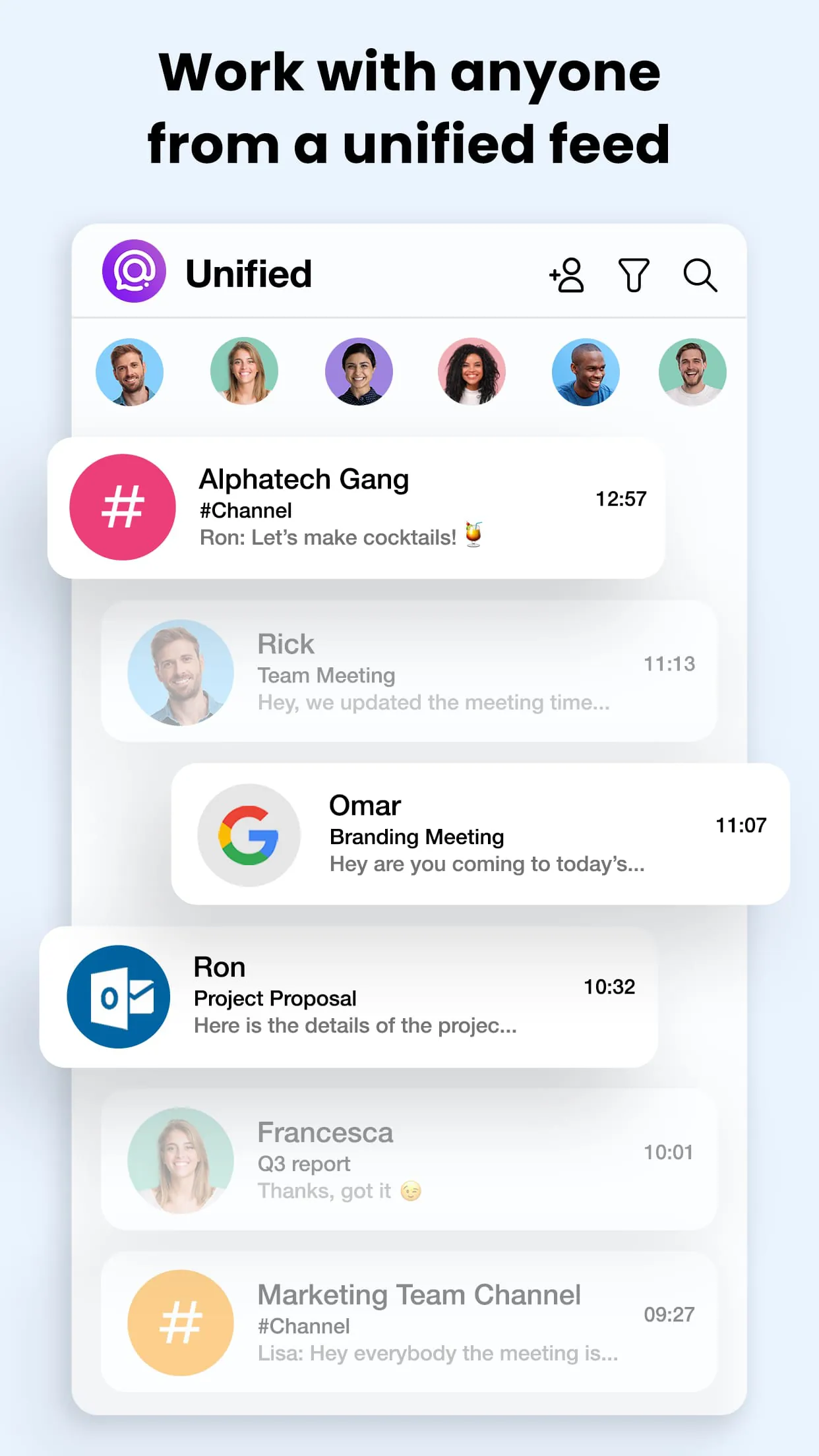
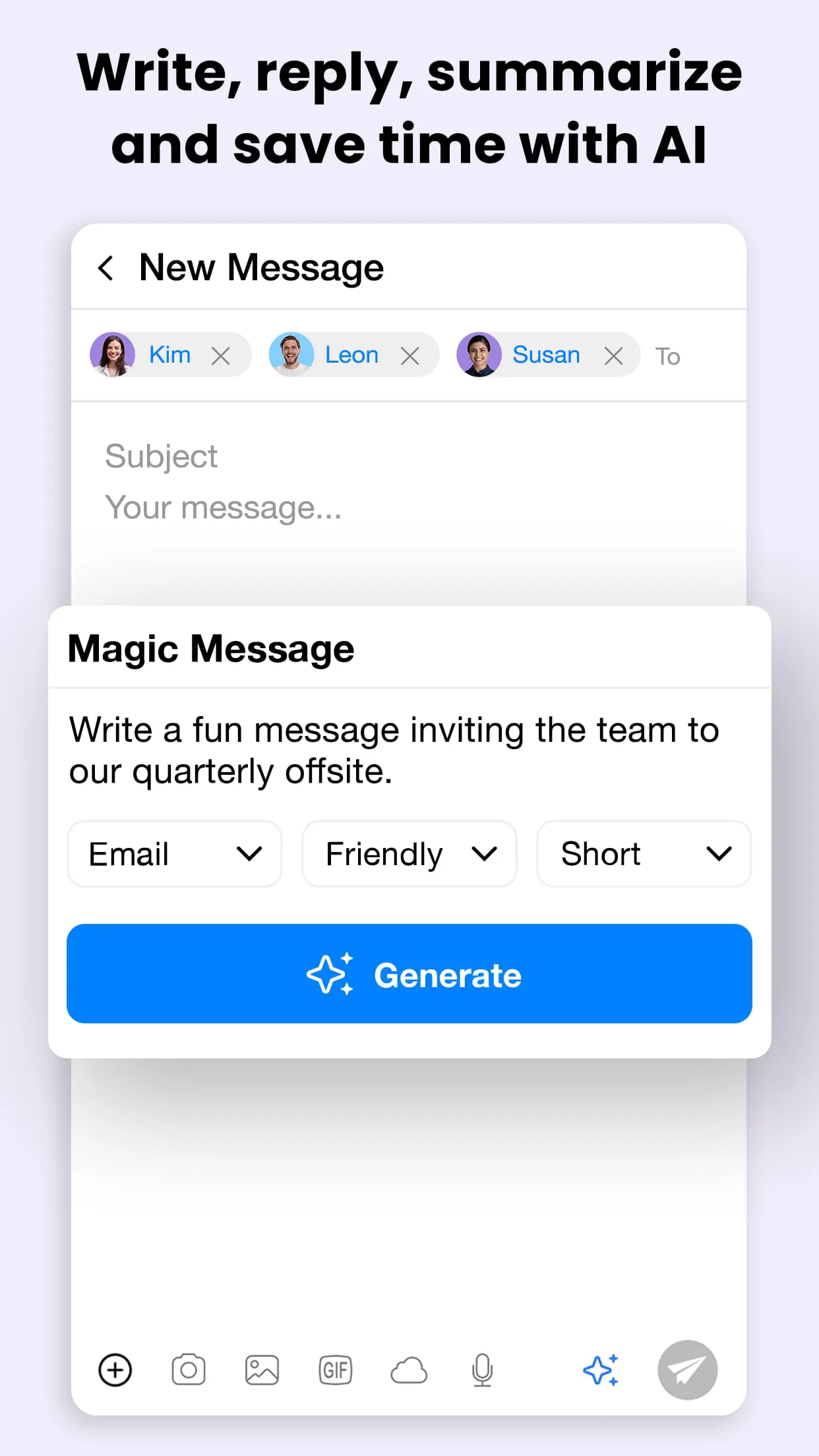
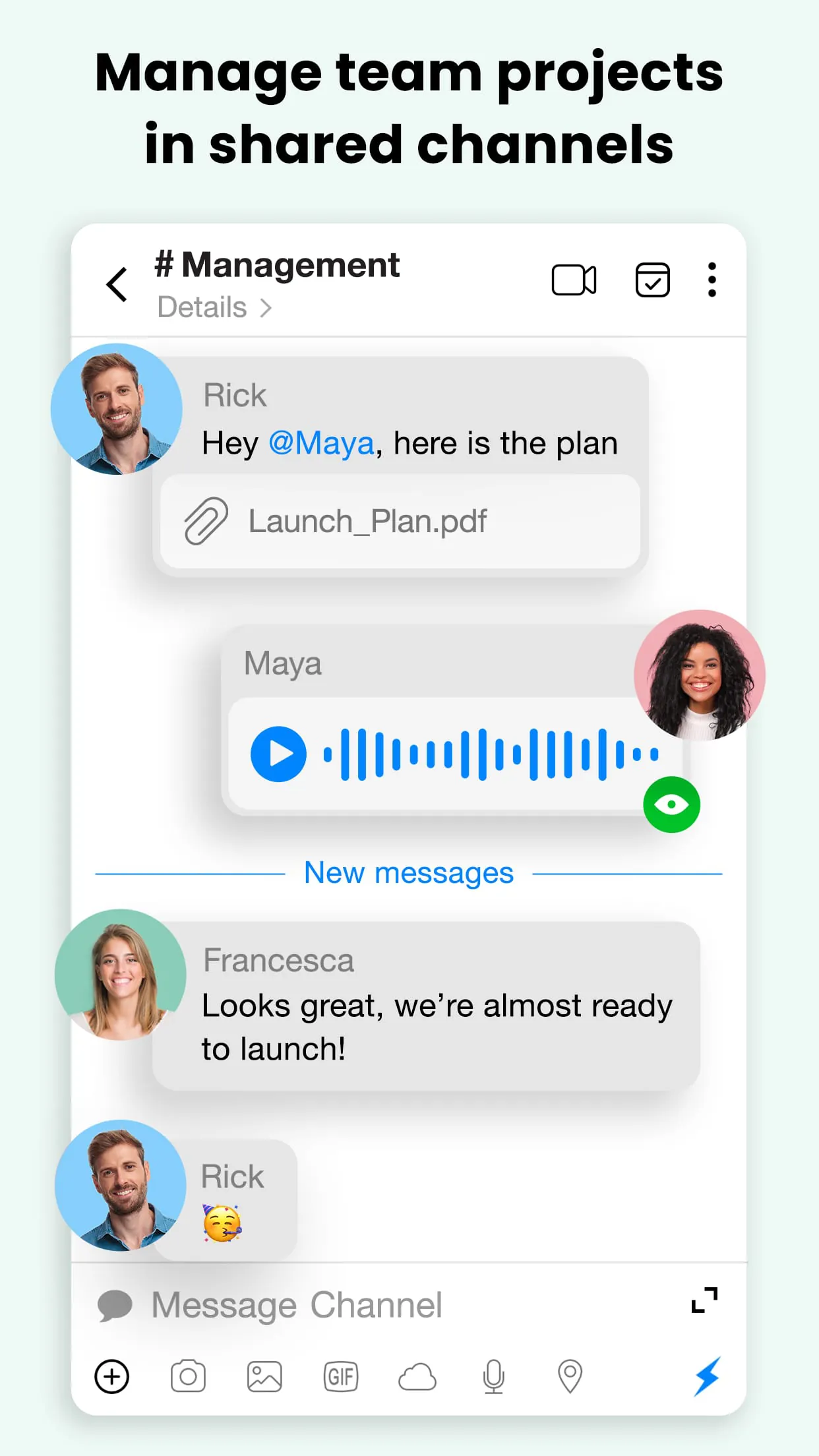
Spike is an innovative email application that reimagines traditional inbox management by converting emails into a conversational, chat-like interface, allowing users to handle messages, collaborative notes, and tasks seamlessly within a unified workspace designed to enhance team productivity and streamline communication flows effortlessly.
Key Features
The application stands out through its unique blend of messaging and email functionalities. It integrates group chats, video calls, and collaborative documents directly into the email thread, eliminating the need to switch between different platforms. Its AI capabilities prioritize important messages and can summarize long threads. Furthermore, it offers:
- Real-time collaboration on notes and tasks within any email.
- Voice and video meeting scheduling and launching directly from a chat.
- Smart Inbox that automatically sorts newsletters and promotional emails.
- Seamless integration with popular tools like Google Drive, Trello, and Asana.
Pros & Cons
Like any tool, Spike presents a balanced set of advantages and potential drawbacks. On the positive side, it significantly reduces inbox clutter and transforms slow, formal email exchanges into quick, informal conversations, which can dramatically speed up project cycles. The built-in collaboration features reduce dependency on multiple other apps. However, some users might find the transition from a traditional email layout challenging, and the freemium model may limit access to some advanced features, which could be a consideration for larger teams.
- Pros: Unified workspace, intuitive chat-style interface, powerful built-in collaboration tools, effective email prioritization.
- Cons: Steep learning curve for traditional email users, some premium features locked behind a paywall, may feel overwhelming at first due to feature density.
Functions
Spike’s core functions are centered on transforming communication from a linear process into a dynamic, interactive experience. It functions as a complete workspace where you can not only send and receive emails but also engage in live group discussions, co-edit documents, manage shared to-do lists, and host online meetings. The platform effectively merges the functionality of an email client, a messenger, a cloud storage service, and a video conferencing tool into a single, cohesive environment, making it a powerful hub for both internal team coordination and external client communication.
How to Use
Click the button "Check All Versions" below to download and install it. After installation, launch Spike and begin by adding your existing email accounts; the setup wizard supports a wide range of providers like Gmail, Outlook, and iCloud. Once your inbox is connected, you can immediately start exploring the chat view for your emails. To collaborate, simply open any email and use the integrated tools to create a note, assign an action item, or start a video call. You can also create new "Group Chats" that function as email threads for people both inside and outside your organization, enabling seamless collaboration without requiring the recipients to have the app installed.





 APK
APK  Google Play
  iOS
iOS  4.20
4.20