



PDF Reader PDF Reader
Category
ToolsTag
PDF reader | PDF Editor | AI Scan | Document Management | File Conversion
Rate
4.10
★★★★★
Reviews
500 +
Installs
1M +
Developer
Eternal Mobile Labs
Content Rating
Everyone
PDF Reader: PDF Viewer can read, view, split & manage your PDF, DOC, EXCEL, PPT
 APK
APK  Google Play
  iOS
iOS  4.10
4.10 Author's Review
Appspicked Review
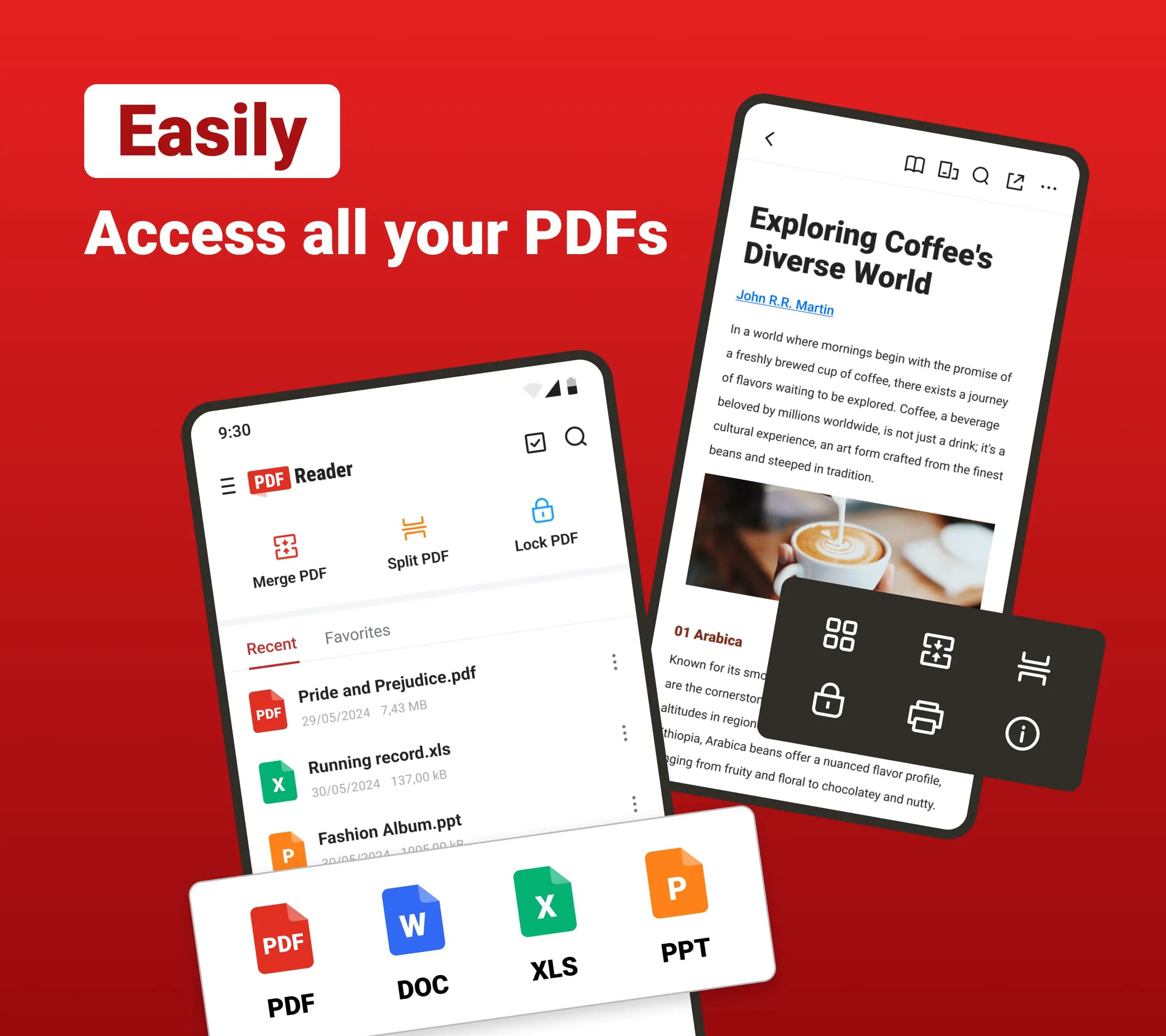
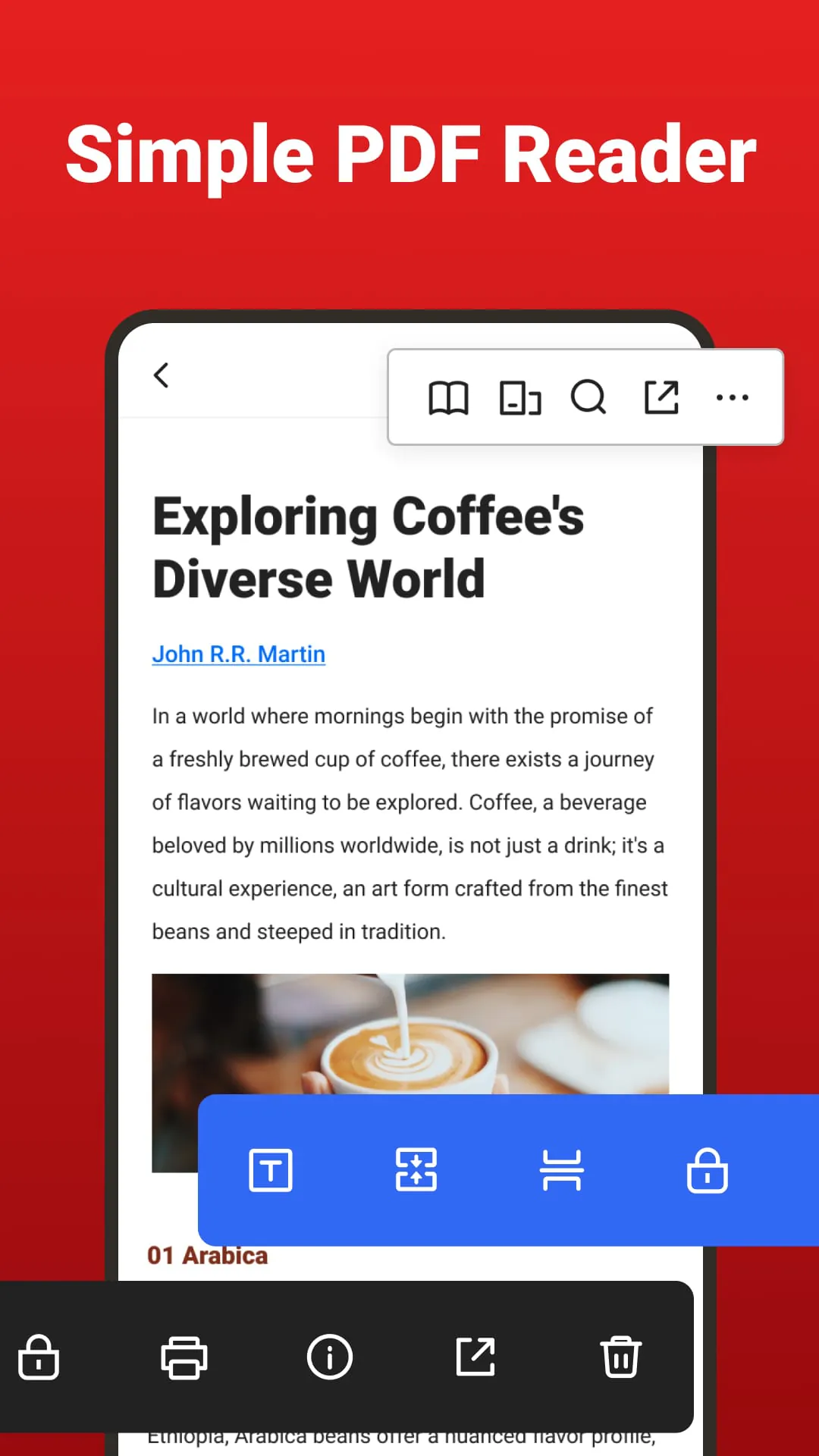
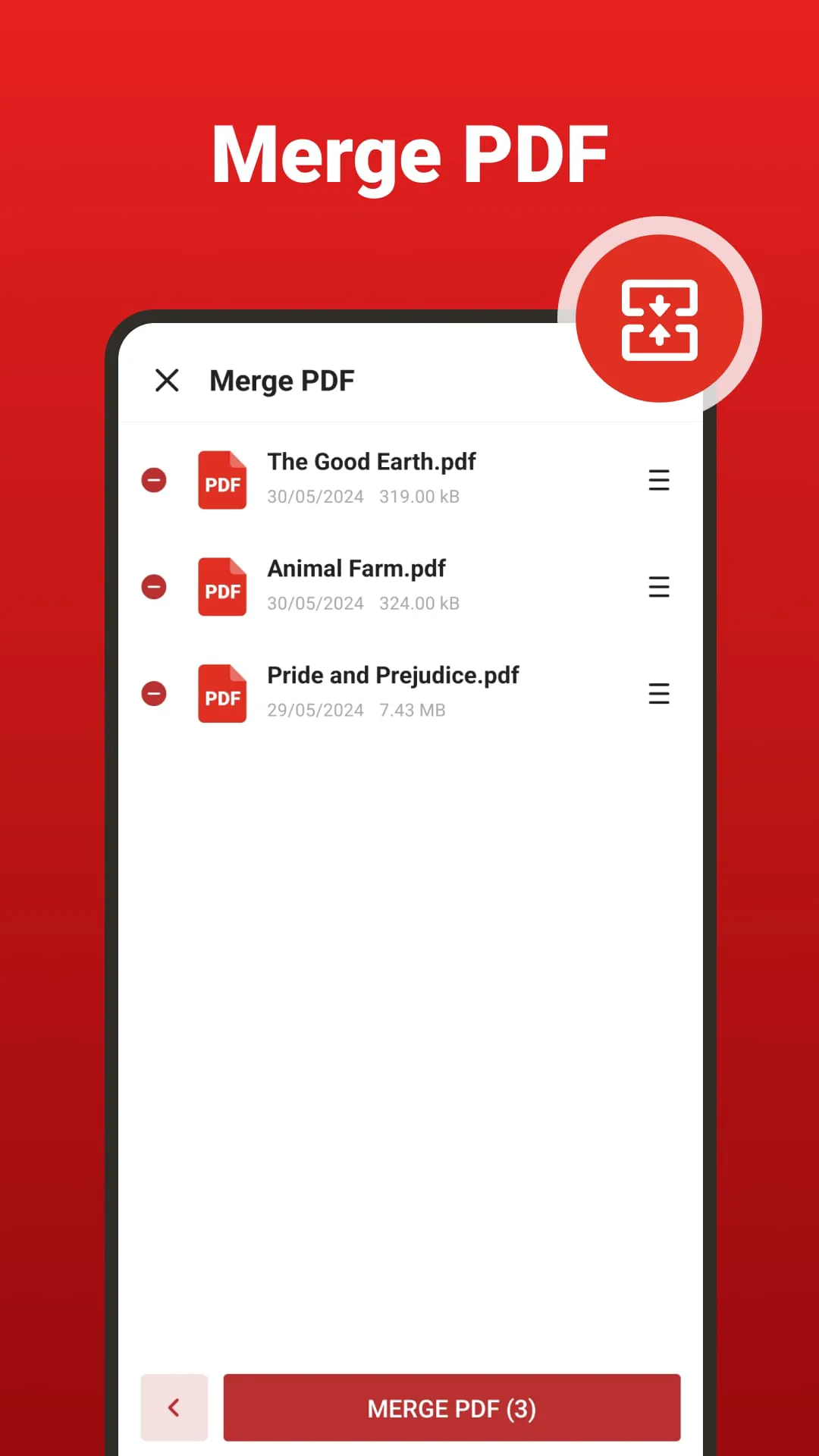
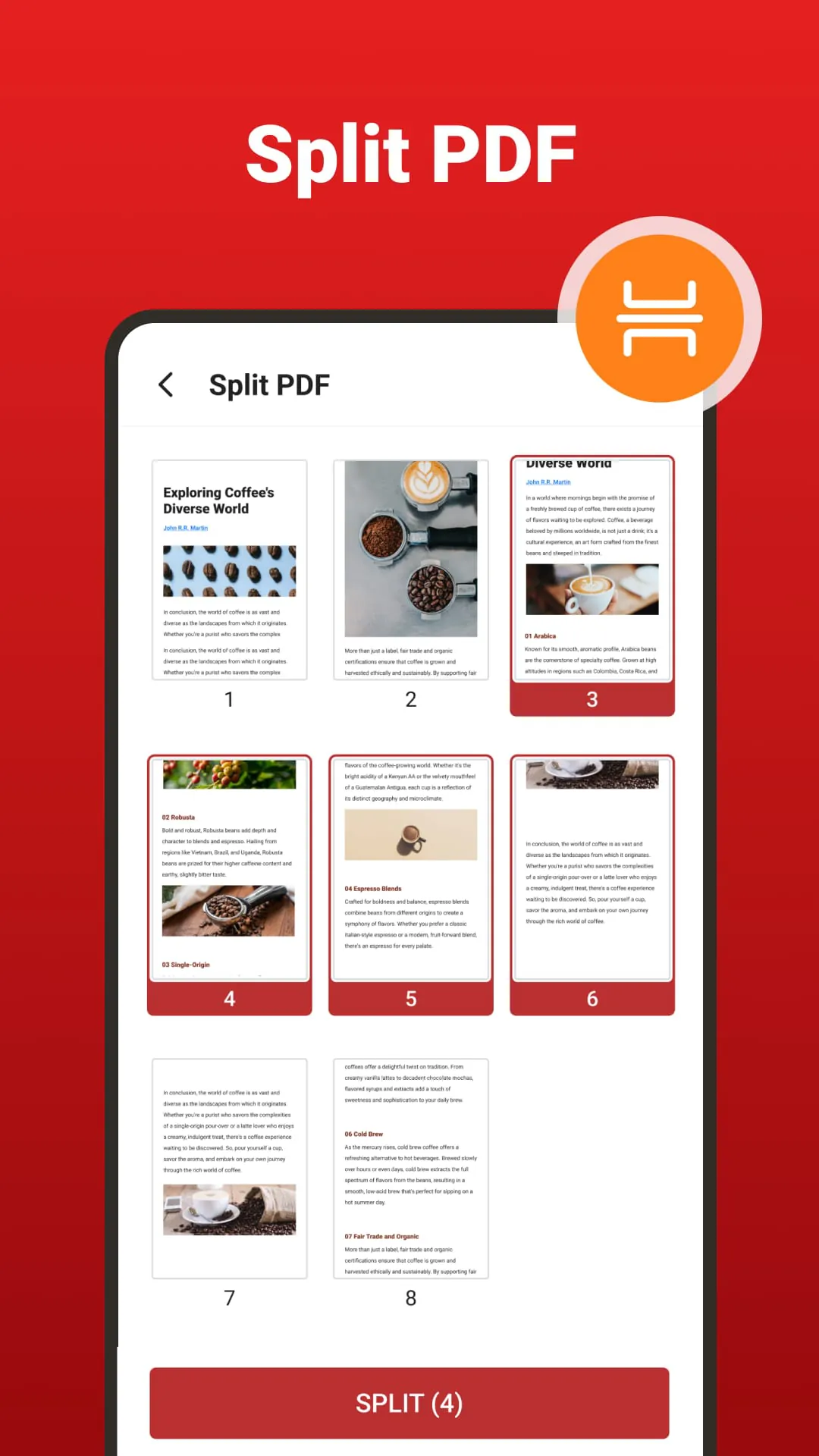
This comprehensive PDF Reader application is designed to streamline and enhance the user experience with PDF documents and various other file formats. It serves as a versatile tool for managing, editing, and reading documents on mobile devices, catering to a wide range of user needs from basic reading to advanced document manipulation. The application's core functionality revolves around its ability to automatically scan and list all PDF files on a device, providing users with an organized and easily navigable interface. This feature eliminates the need for manual searching and ensures that all PDF documents are readily accessible. Beyond PDFs, the application supports a multitude of file formats including DOC, DOCX, XLS, XLSX, PPT, EPUB, and more, making it a one-stop solution for handling various types of documents. The reading experience is optimized through multiple reading modes, allowing users to customize the display to their preferences and improve readability. Direct access to specific pages is also facilitated, enhancing navigation within large documents. The search function enables users to quickly locate files, eliminating the time-consuming process of scrolling through numerous documents. Annotating important PDF files is made simple with features such as highlighting, underlining, and adding notes. Recently viewed files are easily accessible, further streamlining the workflow. The application also offers basic file management functions, allowing users to rename, delete, and share PDF files with ease. Sharing can be done via other applications, providing seamless integration with existing workflows. The application also functions as a powerful PDF manager, offering a suite of tools to manipulate and optimize PDF documents. One of its key features is the ability to merge multiple PDF files into a single document, simplifying the process of consolidating information from various sources. The reverse functionality, splitting PDFs, is also available, allowing users to extract specific pages or sections from large documents. Security is a priority, and the application allows users to password-protect their PDF files, ensuring that sensitive information remains confidential. File size optimization is another significant feature, with the ability to compress PDF files while maintaining text and image clarity. This is particularly useful for sharing files via email or uploading them to cloud storage services. The application also offers a range of conversion tools, including the ability to convert images to PDF files and vice versa. The image-to-PDF conversion allows users to create PDF documents from scanned images or photographs, while the PDF-to-image conversion enables the extraction of images from PDF files. The latter feature can be used to save specific pages as images or extract embedded images directly to the device's gallery. The integration of AI technology further enhances the application's capabilities, particularly in the areas of scanning, document recognition, and summarization. The AI scan function leverages advanced algorithms to quickly recognize and enhance documents, transforming paper files, business cards, and receipts into digital formats with precision. This feature automatically refines details, ensuring high-quality scans every time. The AI scan function also intelligently identifies text, converting it into polished PDF documents, thereby boosting productivity. The AI summary feature provides users with concise summaries of documents at the tap of a button, enabling them to quickly grasp the key points. In addition to its management and AI capabilities, the application offers practical editing functions that further enhance its utility. Users can highlight, underline, and strikethrough important information within documents, making it easy to emphasize key points. The ability to copy text snippets allows users to extract content from PDFs for use in other applications or documents. The application also supports handwritten signatures, enabling users to sign electronic documents using their finger or a stylus. This feature is particularly useful for finalizing contracts, invoices, and other important files. Furthermore, the application allows users to insert and overlay text directly onto PDF forms without the need for conversion, streamlining the process of filling out and submitting documents. Whether used in a professional or academic setting, the PDF Reader application aims to be a reliable mobile office, providing users with the tools they need to manage, edit, and read documents on the go. Its user-friendly interface, comprehensive feature set, and integration of AI technology make it a valuable asset for anyone who works with PDF documents and other file formats.
The application’s user-friendly interface is designed for intuitive navigation and ease of use, ensuring that users of all technical levels can quickly adapt and utilize its features effectively. The automatic scanning feature simplifies the process of locating and organizing PDF files, eliminating the need for manual searches and allowing users to focus on their core tasks. The support for multiple file formats, including DOC, DOCX, XLS, XLSX, PPT, and EPUB, makes the application a versatile tool for handling a wide range of document types. This eliminates the need for multiple applications and streamlines the document management process. The customizable reading modes enhance the reading experience, allowing users to adjust the display settings to their preferences and optimize readability in various lighting conditions. This feature is particularly useful for users who spend extended periods reading on their mobile devices. Direct access to specific pages within a PDF document improves navigation and efficiency, allowing users to quickly locate the information they need without having to scroll through entire documents. The search function enables users to quickly find files by name or content, saving time and effort. The annotation tools, including highlighting, underlining, and strikethrough, facilitate collaboration and knowledge sharing by allowing users to mark important information and add notes to PDF documents. The recent files list provides quick access to previously viewed documents, further streamlining the workflow and improving productivity. The file management functions, such as renaming and deleting files, provide users with control over their document library. The ability to share PDF files via other applications simplifies collaboration and allows users to easily distribute documents to colleagues, clients, or friends. The PDF merging and splitting features provide users with the ability to consolidate multiple documents into a single file or extract specific pages from a large document. This is particularly useful for organizing information and creating customized documents. The password protection feature ensures the security of sensitive information by allowing users to encrypt their PDF files and prevent unauthorized access. The file compression feature reduces the size of PDF files without compromising quality, making them easier to share and store. The image-to-PDF and PDF-to-image conversion tools provide users with the flexibility to convert between different file formats, allowing them to create PDF documents from images or extract images from PDF files. The AI-powered scanning feature automates the process of converting paper documents into digital formats, improving accuracy and efficiency. The AI-powered summary feature provides users with concise summaries of PDF documents, allowing them to quickly grasp the key points and save time. The text insertion and editing tools allow users to modify PDF documents directly, without having to convert them to other formats. The handwritten signature feature enables users to sign documents electronically, eliminating the need for printing, signing, and scanning. The application’s compatibility with various mobile devices and operating systems ensures that users can access and manage their documents from anywhere. The continuous updates and improvements to the application provide users with access to the latest features and security enhancements. The application’s offline access allows users to view and edit PDF documents even without an internet connection. The integration with cloud storage services, such as Google Drive and Dropbox, allows users to store and access their documents from any device. The application’s support for multiple languages makes it accessible to users around the world. The application’s customer support team provides assistance and troubleshooting for any issues that users may encounter.
The core strength of the PDF Reader lies in its comprehensive set of features that address a wide range of document management needs. The application's ability to seamlessly integrate with various file formats, coupled with its user-friendly interface, makes it an invaluable tool for both personal and professional use. The automatic scanning feature simplifies the process of organizing and accessing PDF files, saving users valuable time and effort. The customizable reading modes enhance the user experience by providing a comfortable and personalized reading environment. The direct access to specific pages and the search function enable users to quickly locate the information they need, improving efficiency and productivity. The annotation tools facilitate collaboration and knowledge sharing, allowing users to mark important information and add notes to PDF documents. The file management functions, such as renaming, deleting, and sharing files, provide users with control over their document library and streamline their workflow. The PDF merging and splitting features offer users the ability to consolidate multiple documents into a single file or extract specific pages from a large document, enhancing organization and customization. The password protection feature ensures the security of sensitive information, safeguarding valuable data from unauthorized access. The file compression feature reduces the size of PDF files without compromising quality, making them easier to share and store, particularly when dealing with large documents. The image-to-PDF and PDF-to-image conversion tools provide users with the flexibility to convert between different file formats, enabling them to create PDF documents from images or extract images from PDF files. The AI-powered scanning feature automates the process of converting paper documents into digital formats, improving accuracy and efficiency. The AI-powered summary feature provides users with concise summaries of PDF documents, allowing them to quickly grasp the key points and save time. The text insertion and editing tools allow users to modify PDF documents directly, without having to convert them to other formats, streamlining the editing process. The handwritten signature feature enables users to sign documents electronically, eliminating the need for printing, signing, and scanning, and promoting a paperless workflow. The application’s compatibility with various mobile devices and operating systems ensures that users can access and manage their documents from anywhere. The continuous updates and improvements to the application provide users with access to the latest features and security enhancements, ensuring a seamless and reliable user experience. The application’s offline access allows users to view and edit PDF documents even without an internet connection, providing flexibility and convenience for users on the go. The integration with cloud storage services, such as Google Drive and Dropbox, allows users to store and access their documents from any device, enhancing collaboration and data synchronization. The application’s support for multiple languages makes it accessible to users around the world, catering to a diverse global audience. The application’s customer support team provides assistance and troubleshooting for any issues that users may encounter, ensuring a positive and satisfactory user experience.
Screenshots
 Download
 Additional Information
Category
ToolsVersion
Unknown
Tag
PDF reader | PDF Editor | AI Scan | Document Management | File Conversion
Rate
4.10
★★★★★
Reviews
500 +
Installs
1M +
Developer
Eternal Mobile Labs
Content Rating
Everyone
PDF Reader: PDF Viewer can read, view, split & manage your PDF, DOC, EXCEL, PPT
Previous Versions
ZIP files require a Split APKs Installer (e.g., SAI) from Google Play to install. Steps: 1. Download SAI from Google Play; 2. Open SAI and tap "Install APKs"; 3. Select the ZIP file; 4. Complete installation.
You Might Like









