



ADVERTISEMENT
ADVERTISEMENT
PDF Reader and PDF Editor PDF Reader and PDF Editor
Category
ProductivityTag
PDF reader | PDF Editor | Document Annotation | PDF File Management | Electronic Signatures
Rate
4.40
★★★★★
Reviews
500 +
Installs
1M +
Developer
Tmobi
Content Rating
Everyone
Smart PDF opener app for ebook reader, file manager, PDF viewer & edit PDF file.
 APK
APK  Google Play
  iOS
iOS  4.40
4.40ADVERTISEMENT
ADVERTISEMENT
Author's Review
appspicked Review
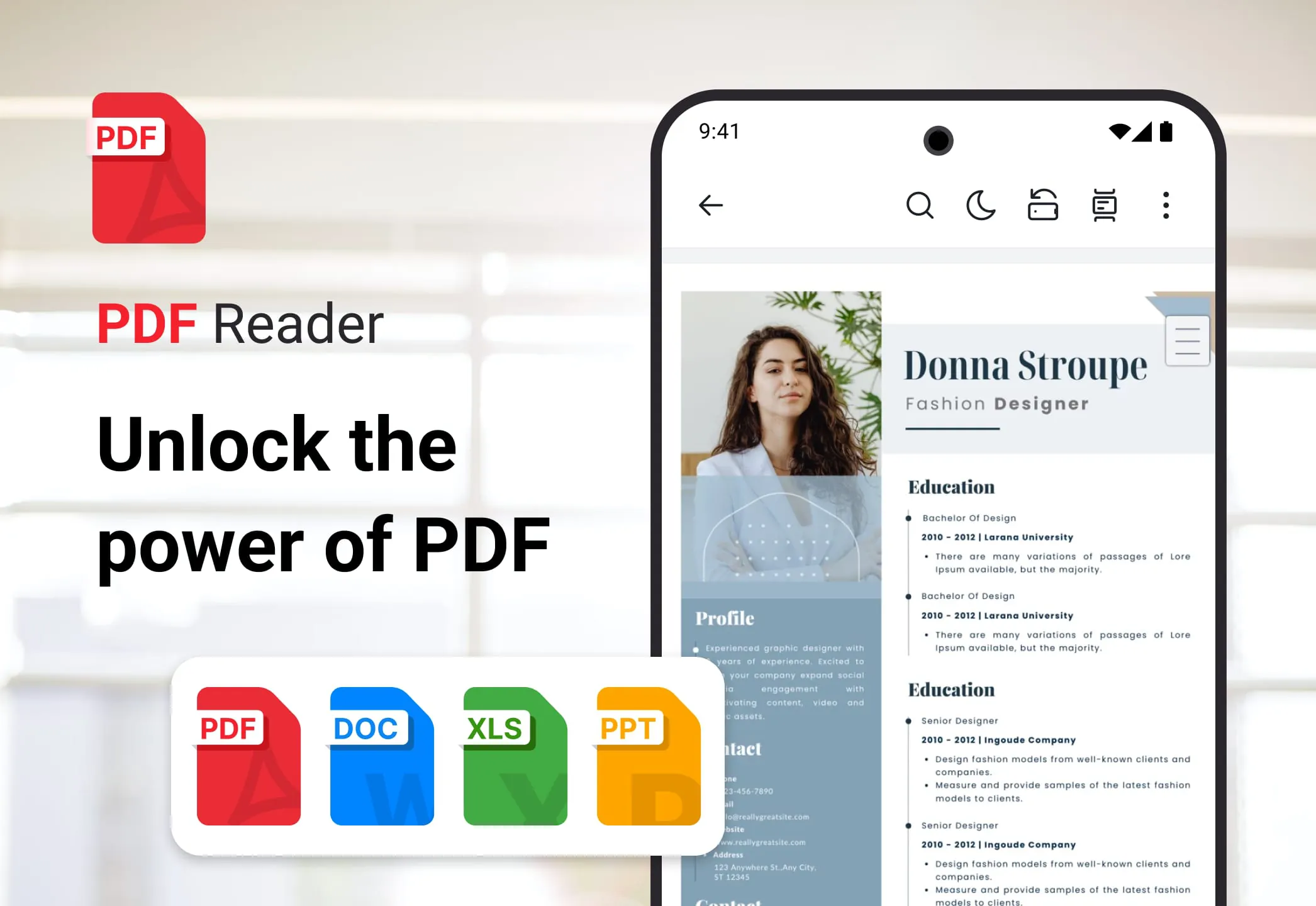
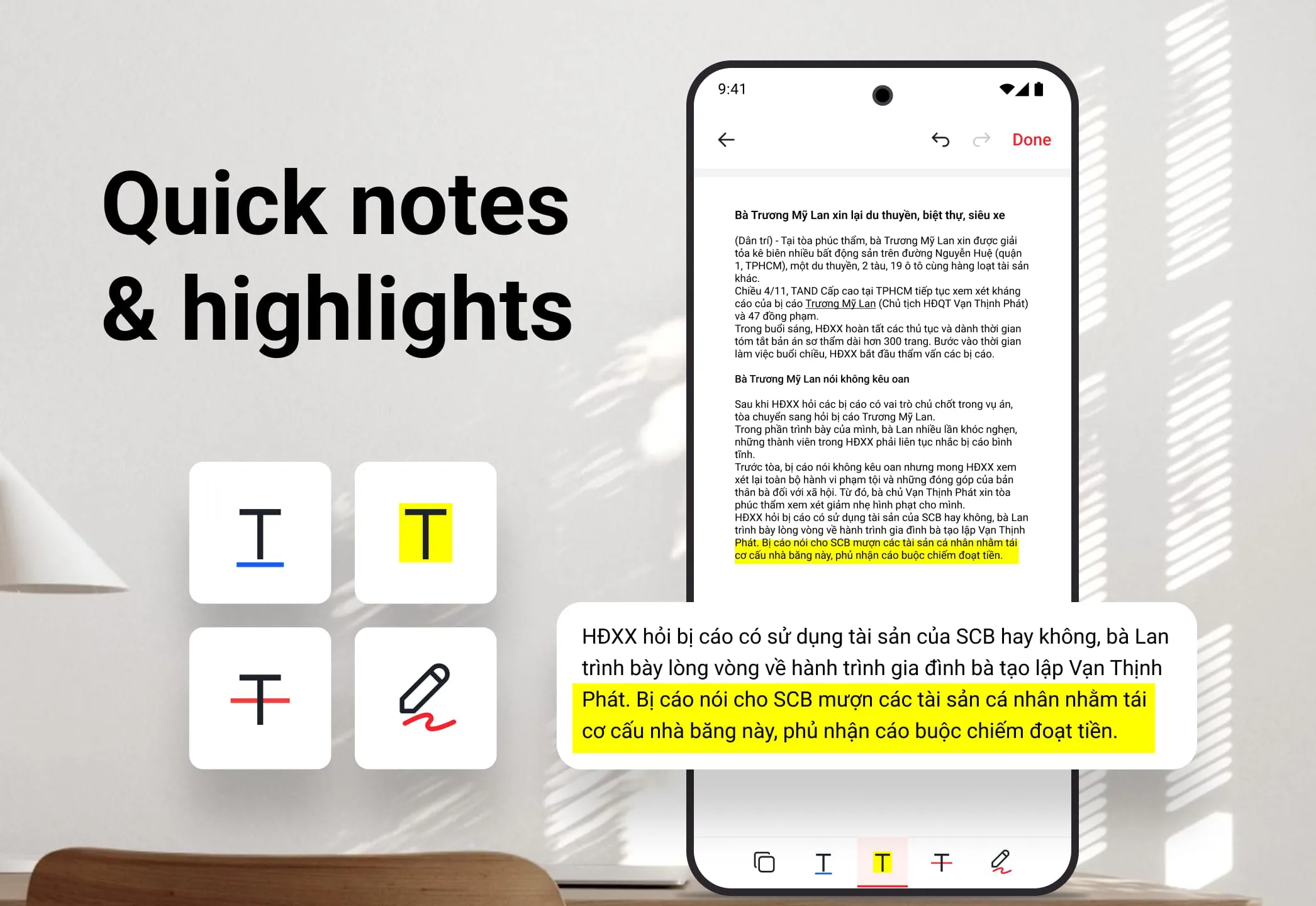
PDF Reader - PDF Editor stands out as a versatile and efficient office application designed to streamline the management of PDF files and enhance overall productivity. The app is equipped with a comprehensive suite of features tailored to simplify PDF-related tasks, making it an indispensable tool for both professional and personal use. At its core, the app excels as a smart PDF reader, offering users a flexible and user-friendly experience. One of the key highlights is the ability to switch seamlessly between light and dark modes, ensuring optimal readability in any lighting condition. This feature is particularly beneficial for users who spend long hours reading documents, as it reduces eye strain and enhances comfort. Furthermore, the app provides intuitive zoom controls, allowing users to zoom in for detailed views or zoom out for broader overviews of content. This level of control is essential for examining intricate diagrams, fine print, or complex layouts within PDF documents. Navigation is made effortless with the ability to jump to specific pages by entering the page number, saving valuable time and eliminating the need to scroll through entire documents. The PDF viewer also supports both horizontal and vertical orientation options, catering to individual preferences and ensuring maximum comfort during reading. This adaptability makes it suitable for a wide range of devices and reading scenarios. Beyond its capabilities as a PDF reader, the app boasts powerful PDF editor tools that empower users to take control of their PDF files. One of the most notable features is the ability to edit text and content directly within the PDF document. This functionality eliminates the need to convert files to other formats for editing, streamlining the workflow and saving time. The highlight PDF file tool allows users to emphasize important points, drawing attention to key information and facilitating better focus. Additional editing options include underline and strikethrough, which are useful for emphasizing content, making corrections, or adding annotations. The ability to select and copy any content or text from the PDF document further enhances its versatility, enabling users to extract information for use in other applications or documents. The app also offers the convenience of adding a personal or professional touch by inserting signatures seamlessly. This feature is particularly valuable for signing contracts, agreements, or other important documents, eliminating the need for printing, signing, and scanning. The fast search functionality of the PDF Reader - PDF Editor app is another standout feature, enabling users to find what they need in seconds. The intelligent PDF opener and search tools allow for effortless location of specific files by searching by word. The fast in-text keyword search saves valuable time by quickly identifying relevant information within documents. This is especially useful for large PDF files or documents with extensive content. The app is designed to enhance both work and life by providing a range of practical applications. For work, it enables users to annotate and edit contracts, reports, and meeting notes directly. The ability to highlight key sections in presentations or technical documents ensures that important information is easily accessible and emphasized. The addition of electronic signatures streamlines approvals and paperwork, making it easier to manage documents and collaborate with colleagues. For study, the app allows users to organize and annotate eBooks, research papers, and lecture notes. The highlight and underline tools facilitate focus on essential information, while the ability to quickly retrieve and review content is invaluable for assignments or exams. For personal use, the app serves as a file manager and PDF editor for personal files, invoices, and important records. The ability to share signed documents easily with friends, family, or service providers simplifies communication and ensures that documents are securely transmitted. The app also helps users organize their digital archive for effortless access to any document, making it easier to manage and retrieve important files. Overall, PDF Reader - PDF Editor is a comprehensive and versatile app that caters to a wide range of PDF-related needs. Its smart reading capabilities, powerful editing tools, fast search functionality, and practical applications make it an indispensable tool for anyone who works with PDF files regularly. By streamlining workflows, enhancing productivity, and providing a user-friendly experience, the app empowers users to take control of their documents and achieve their goals more efficiently.
The PDF Reader - PDF Editor application is engineered to revolutionize the way users interact with PDF files, positioning itself as a cornerstone tool for productivity, convenience, and versatility. This application is not merely a PDF viewer; it is a comprehensive suite designed to address a spectrum of needs, from basic reading and annotation to advanced editing and document management. Its design philosophy centers around user empowerment, providing tools that enhance efficiency and streamline workflows, regardless of whether the user is a student, a professional, or someone managing personal documents. One of the application's most lauded features is its adaptability as a PDF reader. It provides an immersive reading experience that can be customized to suit individual preferences and environmental conditions. The inclusion of both light and dark modes is a thoughtful touch, catering to users who read in various lighting scenarios. Dark mode, in particular, is beneficial for reducing eye strain during nighttime reading, while light mode is suitable for well-lit environments. Furthermore, the application's zoom capabilities allow users to examine documents in detail or gain a broader perspective, accommodating complex layouts and intricate graphics. Navigation is made intuitive through the page jump feature, enabling users to quickly access specific sections of a document without the need for extensive scrolling. The option to rotate the PDF viewer between horizontal and vertical orientations enhances comfort and adaptability, catering to different reading preferences and device types. Beyond its reading capabilities, the PDF Reader - PDF Editor truly shines as a PDF editor. It empowers users to modify and annotate documents directly, eliminating the need for cumbersome conversions to other formats. The ability to edit text and content within a PDF is a game-changer, allowing for real-time corrections, updates, and revisions. The highlight tool is invaluable for emphasizing key points and drawing attention to important information, while the underline and strikethrough options provide additional ways to annotate and mark up text. The ability to select and copy content from a PDF is also a significant advantage, enabling users to extract text and graphics for use in other applications or documents. The inclusion of an electronic signature feature streamlines the signing process, allowing users to add their signatures to contracts, agreements, and other documents with ease. This eliminates the need for printing, signing, and scanning, saving time and effort. The application's fast search functionality is another key differentiator, enabling users to quickly locate specific information within their PDF files. The intelligent search algorithms efficiently scan documents for keywords and phrases, providing instant results. This is particularly useful for large documents or those containing extensive amounts of text. The application's utility extends beyond individual tasks, enhancing both professional and personal aspects of life. In the workplace, it facilitates seamless collaboration on contracts, reports, and presentations. The ability to annotate and edit documents directly streamlines the review process, while the electronic signature feature expedites approvals and paperwork. For students, the application serves as a valuable tool for organizing and annotating eBooks, research papers, and lecture notes. The highlight and underline tools aid in focusing on essential information, while the fast search functionality enables quick retrieval of relevant content for assignments and exams. In personal use, the application simplifies the management of personal files, invoices, and important records. The ability to share signed documents easily ensures secure and efficient communication with friends, family, and service providers. The application also aids in organizing digital archives, providing easy access to any document whenever needed. Overall, the PDF Reader - PDF Editor application is a comprehensive and versatile tool that caters to a wide range of PDF-related needs. Its intuitive interface, powerful features, and seamless integration make it an indispensable asset for anyone who works with PDF files on a regular basis. Whether you are a student, a professional, or simply someone looking to manage your personal documents more effectively, this application is sure to enhance your productivity and simplify your life.
The PDF Reader - PDF Editor application is meticulously crafted to serve as an all-encompassing solution for managing and manipulating PDF documents, positioning itself as a vital tool in both professional and personal spheres. This application transcends the basic functionality of a mere PDF viewer, offering a robust suite of features designed to streamline workflows, enhance productivity, and provide a seamless user experience. Its core mission is to empower users with the ability to efficiently handle PDF-related tasks, regardless of complexity or scale. At the heart of the application lies its sophisticated PDF reading capabilities, providing users with a highly customizable and immersive reading experience. Recognizing that reading environments and preferences vary widely, the application incorporates both light and dark modes. This feature is particularly beneficial for users who spend extended periods reading documents, as it allows them to adapt the display to minimize eye strain and maximize comfort. In addition to mode selection, the application offers intuitive zoom controls, enabling users to zoom in for detailed examinations of intricate diagrams or zoom out for a broader overview of entire pages. This level of control is essential for accommodating documents with varying levels of detail and complexity. Navigation is further enhanced by the page jump feature, which allows users to quickly navigate to specific pages within a document without the need for tedious scrolling. The application also supports both horizontal and vertical orientation options, catering to different reading preferences and device form factors. This adaptability ensures that users can comfortably read documents on a wide range of devices, from smartphones to tablets to desktop computers. Beyond its reading capabilities, the PDF Reader - PDF Editor truly distinguishes itself through its comprehensive PDF editing tools. These tools empower users to directly modify and annotate PDF documents, eliminating the need for cumbersome conversions to other formats. The ability to edit text and content within a PDF is a transformative feature, allowing users to make real-time corrections, updates, and revisions without disrupting the document's original formatting. The highlight tool serves as an invaluable aid for emphasizing key points and drawing attention to important information, while the underline and strikethrough options provide additional means of annotating and marking up text. The ability to select and copy content from a PDF is also a significant advantage, enabling users to extract text and graphics for use in other applications or documents. The integration of an electronic signature feature further streamlines document workflows, allowing users to securely and efficiently sign contracts, agreements, and other important documents. This feature eliminates the need for printing, signing, and scanning, saving time and reducing paper consumption. The application's fast search functionality is another key differentiator, enabling users to quickly locate specific information within their PDF files. The intelligent search algorithms efficiently scan documents for keywords and phrases, providing instant results. This is particularly useful for large documents or those containing extensive amounts of text. The utility of the PDF Reader - PDF Editor extends beyond individual tasks, enhancing both professional and personal aspects of life. In the workplace, it facilitates seamless collaboration on contracts, reports, and presentations. The ability to annotate and edit documents directly streamlines the review process, while the electronic signature feature expedites approvals and paperwork. For students, the application serves as a valuable tool for organizing and annotating eBooks, research papers, and lecture notes. The highlight and underline tools aid in focusing on essential information, while the fast search functionality enables quick retrieval of relevant content for assignments and exams. In personal use, the application simplifies the management of personal files, invoices, and important records. The ability to share signed documents easily ensures secure and efficient communication with friends, family, and service providers. The application also aids in organizing digital archives, providing easy access to any document whenever needed. In conclusion, the PDF Reader - PDF Editor application is a comprehensive and versatile tool that caters to a wide range of PDF-related needs. Its intuitive interface, powerful features, and seamless integration make it an indispensable asset for anyone who works with PDF files on a regular basis. Whether you are a student, a professional, or simply someone looking to manage your personal documents more effectively, this application is sure to enhance your productivity and simplify your life.
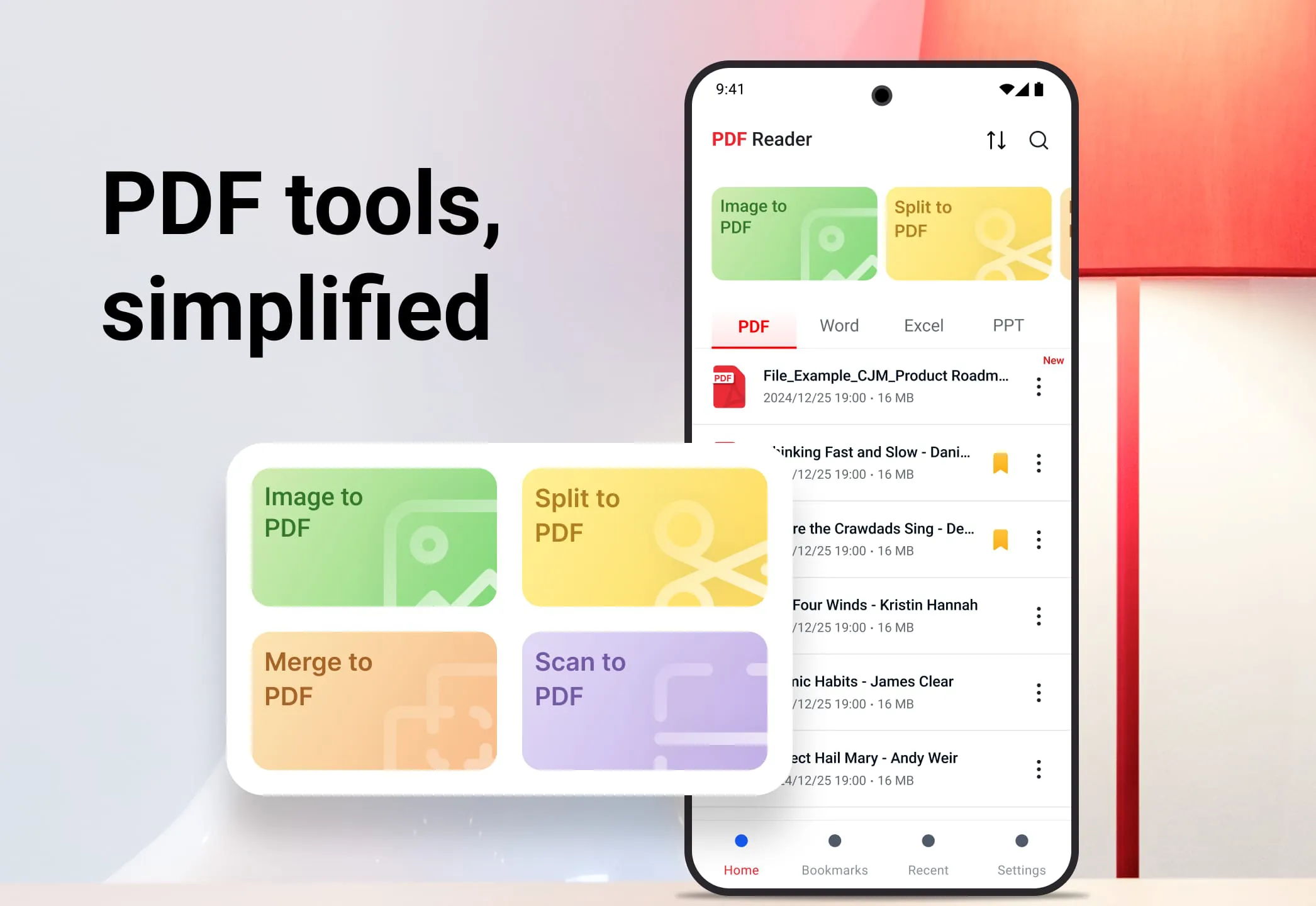
Screenshots
 Download
 Additional Information
Category
ProductivityVersion
Unknown
Tag
PDF reader | PDF Editor | Document Annotation | PDF File Management | Electronic Signatures
Rate
4.40
★★★★★
Reviews
500 +
Installs
1M +
Developer
Tmobi
Content Rating
Everyone
Smart PDF opener app for ebook reader, file manager, PDF viewer & edit PDF file.
ADVERTISEMENT
ADVERTISEMENT
Previous Versions
ZIP files require a Split APKs Installer (e.g., SAI) from Google Play to install. Steps: 1. Download SAI from Google Play; 2. Open SAI and tap "Install APKs"; 3. Select the ZIP file; 4. Complete installation.
ADVERTISEMENT
You Might Like









