



Torque Pro (OBD 2 & Car) Torque Pro (OBD 2 & Car)
Category
CommunicationTag
OBD2 scanner | car diagnostics | vehicle performance | engine monitoring | Torque app
Rate
4.00
★★★★★
Reviews
500 +
Installs
1M +
Developer
Ian Hawkins
Content Rating
Everyone
Measure BHP, Torque & 0-60
Clear car OBD faults
View engine data in Google Earth
 APK
APK  Google Play
  iOS
iOS  4.00
4.00 Author's Review
Appspicked Review
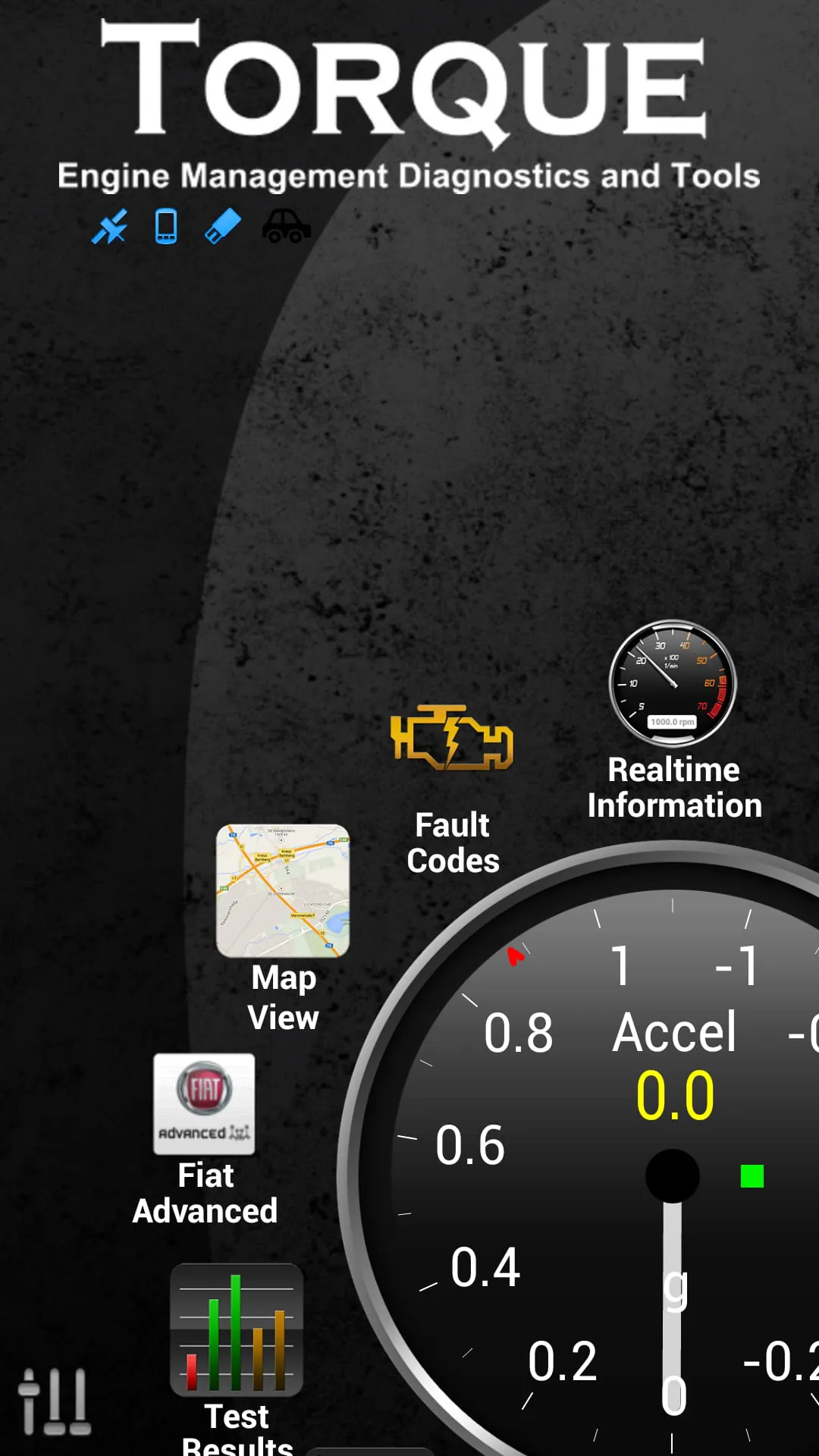
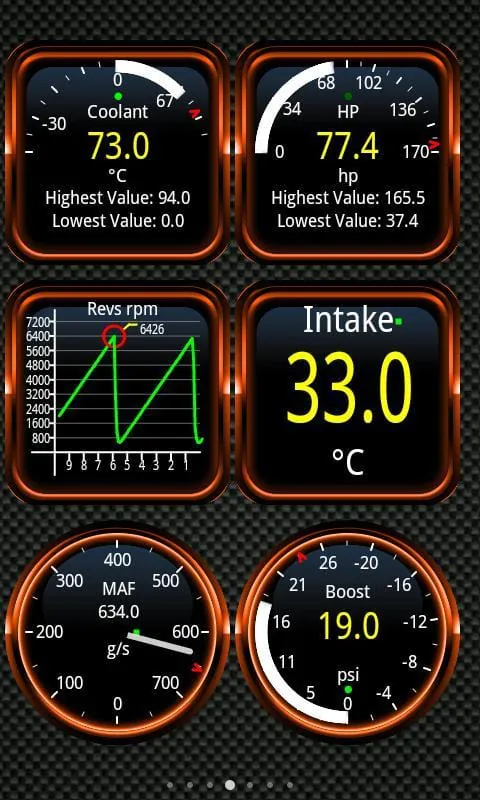
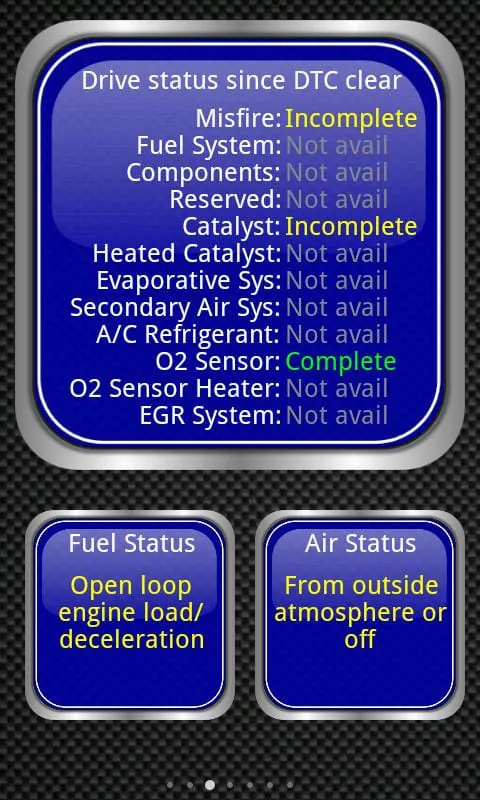
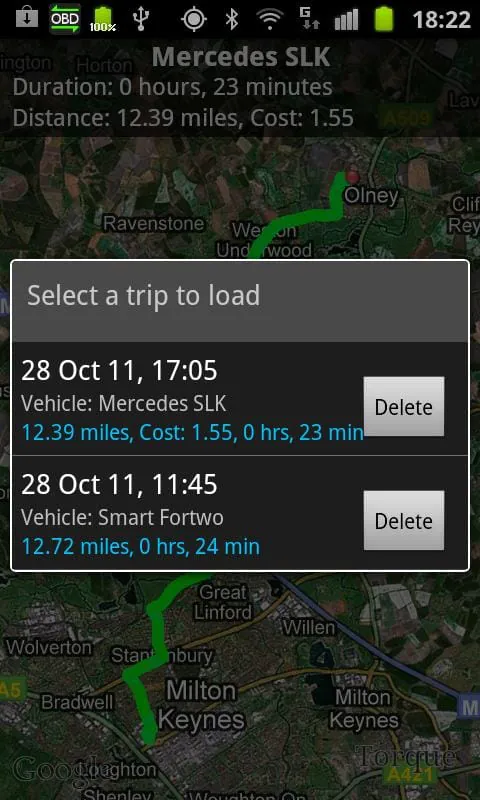
Torque is a comprehensive vehicle performance, diagnostics, and scanning tool designed to provide users with real-time insights into their car's operations. By utilizing an OBD II Bluetooth adapter, Torque seamlessly connects to the vehicle's OBD2 engine management system, also known as the ECU, unlocking a wealth of data and functionalities. The primary function of Torque is to allow users to monitor and analyze various aspects of their vehicle's performance, including engine parameters, sensor data, and potential fault codes. The application offers a customizable dashboard where users can select and arrange widgets and gauges to display the information most relevant to them. This level of personalization ensures that drivers can focus on the data that matters most, whether it's engine temperature, RPM, speed, or any other parameter supported by the vehicle's sensors. Beyond real-time monitoring, Torque also serves as a powerful diagnostic tool, capable of reading and resetting Diagnostic Trouble Codes (DTCs), commonly referred to as CEL (Check Engine Light) or fault codes. This feature enables users to identify and address potential issues with their vehicle, potentially saving them significant repair costs by allowing them to troubleshoot problems themselves or provide mechanics with specific information about the issue. Furthermore, Torque integrates GPS functionality to provide tracker logs that are synchronized with OBD engine logging. This allows users to review their driving history and correlate it with engine performance data, providing valuable insights into driving habits and their impact on fuel efficiency and vehicle health. The application also includes advanced features such as a dynomometer for measuring horsepower and torque, transmission temperature readings (if supported by the vehicle), and accurate 0-60 speed timings. These features cater to performance enthusiasts who want to analyze their vehicle's capabilities and track improvements over time. Torque's ability to read CO2 emissions is also a notable feature, as it allows users to monitor their vehicle's environmental impact. The application offers customizable dashboards and profiles, allowing users to create different configurations for various driving scenarios or vehicles. One of Torque's standout features is the Track Recorder plugin, which allows users to record their journeys with onscreen OBDII data overlay. This essentially transforms the user's smartphone or tablet into a black box for their car, capturing valuable data and video footage that can be used for analysis or in the event of an accident. Torque also supports automatic GPS-tagged tweets, enabling users to share their road trip experiences with friends and followers in real-time. The application's extensive fault code database provides detailed information about various fault codes, helping users understand the potential causes and solutions for any issues detected by the OBD2 system. Torque offers theme support, allowing users to customize the look and feel of the dashboard to their preferences. Users can also send logging information to web or email in CSV/KML format for further analysis using tools like Excel or OpenOffice Reader. For night-time driving, Torque features a heads-up display (HUD) mode that projects information onto the windshield, allowing drivers to keep their eyes on the road. The application also includes a GPS-based compass that is not affected by magnetic interference. Torque's GPS speedometer and tracking capabilities allow users to monitor their speed and location in real-time, with the option to upload this data to the web for later review. For vehicles equipped with MAP and MAF sensors, Torque offers a turbo boost feature that provides detailed information about turbocharger performance. The application also includes alarms and warnings that can be configured to alert the driver when certain parameters exceed predefined limits, such as coolant temperature exceeding 120C. These alerts can be delivered via voice or speech overlay, ensuring that the driver is promptly informed of any potential issues. Torque supports car dock integration, making it easier to use the application while driving. The application also offers graph data visualization, allowing users to analyze trends and patterns in their vehicle's performance data. MPG (miles per gallon) calculations are also included, providing users with insights into their fuel efficiency. Torque allows users to share screenshots to various social media platforms, email, and other applications. The application also provides an AIDL API for third-party app developers, a simple Telnet interface for developers to communicate with the adapter, and an OBD scanner functionality. Torque is compatible with tablet devices such as the Motorola Xoom, Dell Streak, Samsung Galaxy Tab, and Nook. The application works with any vehicle that adheres to the OBD 2 standard, which includes most vehicles manufactured after 2000, and some as far back as 1996. Users can verify compatibility by checking with their vehicle manufacturer or looking for an 'OBD2' label in the engine bay. Torque supports vehicles from a wide range of manufacturers, including Ford, VW, GM/Vauxhall/Opel, Chrysler, Mercedes, Volkswagen, Audi, Jaguar, Citroen, Peugeot, Skoda, Kia, Mazda, Lexus, Subaru, Renault, Mitsubishi, Nissan, Honda, Hyundai, BMW, Toyota, Seat, Dodge, Jeep, Pontiac, and many others from Europe, the US, and the Far East. However, the level of feature support may vary depending on the vehicle's ECU.
To utilize Torque, a Bluetooth OBD2 adapter is required. This adapter is a small device that plugs into the diagnostics socket of the car, granting the user's smartphone or tablet access to the vehicle's data. It's essential to choose a reliable OBD2 adapter to ensure proper functionality and accurate data readings. While there are many inexpensive OBD2 ELM327 Bluetooth adapters available from online marketplaces like eBay and Amazon, it's crucial to ensure that the seller has a good returns policy in case of compatibility issues or malfunctions. Some of the more reputable OBD2 adapters include the Scantool.net adapter, the OBDKey, and PLX Devices. Other supported adapters include OBDLink, Bluetooth, and ELM327 adapters. It is recommended to research and compare different adapters to find one that meets the user's needs and budget. The Torque application is constantly being updated with new features and improvements. Users can visit the Torque forums to suggest new features or report any issues they encounter. The developers actively engage with the user community and strive to incorporate user feedback into future releases. It's important to note that the amount of sensors supported by Torque can vary depending on the vehicle's ECU. Some ECUs may provide more data and functionality than others. Users should consult their vehicle's manual or contact their manufacturer to determine the specific capabilities of their ECU. It's also worth noting that some users have reported issues with hanging or reboots after quitting the app, particularly on HTC devices and Galaxy Tabs. This issue is often caused by a bug in the device's Bluetooth implementation and can be triggered by using other Bluetooth apps such as Pandora or Vlingo. Disabling Pandora's new Bluetooth settings may resolve the problem, but ultimately a fix is required from HTC and Samsung. Users experiencing this issue are encouraged to contact their device manufacturer's support and request a fix. The Torque application has a changelog that provides a detailed history of changes and updates. This changelog can be accessed on the Torque forums, allowing users to stay informed about the latest improvements and bug fixes. The Torque app offers a wide array of benefits for vehicle owners. It empowers users with the ability to monitor their car's performance in real-time, diagnose potential issues, and track their driving habits. By providing access to valuable data and diagnostic information, Torque can help users save money on repairs, improve fuel efficiency, and enhance their overall driving experience. The customizable dashboard and profiles allow users to tailor the app to their specific needs and preferences, while the Track Recorder plugin provides a valuable tool for documenting journeys and analyzing driving performance. The app's extensive fault code database and active user community provide additional resources for troubleshooting and resolving vehicle issues. Overall, Torque is a powerful and versatile tool that can benefit any vehicle owner who wants to gain a deeper understanding of their car's performance and health. By combining real-time monitoring, diagnostics, and tracking capabilities, Torque provides users with the information they need to make informed decisions about their vehicle's maintenance and operation.
In conclusion, Torque presents itself as a multifaceted application aimed at delivering comprehensive vehicle diagnostics and performance monitoring directly to the user's smartphone or tablet. Its core functionality revolves around establishing a connection with the vehicle's onboard computer (ECU) via a Bluetooth-enabled OBD2 adapter, thereby unlocking a treasure trove of real-time data pertaining to various operational parameters. This data, ranging from engine temperature and RPM to speed and sensor readings, is presented on a customizable dashboard, allowing users to tailor the display to their specific needs and preferences. Beyond mere monitoring, Torque empowers users with the ability to diagnose and address potential issues by reading and resetting Diagnostic Trouble Codes (DTCs). This feature alone can translate into significant cost savings, as users can proactively identify and rectify minor problems before they escalate into major repairs. Moreover, the integration of GPS functionality enables the creation of detailed tracker logs, synchronizing engine performance data with driving history. This synergistic approach provides invaluable insights into driving habits, fuel efficiency, and the overall health of the vehicle. The inclusion of advanced features, such as a dynomometer for measuring horsepower and torque, transmission temperature readings, and precise 0-60 speed timings, caters to the discerning needs of performance enthusiasts. The ability to monitor CO2 emissions further underscores Torque's commitment to environmental awareness, enabling users to track and minimize their vehicle's impact on the environment. The application's customizability extends beyond the dashboard, encompassing profiles that allow users to create distinct configurations for different driving scenarios or vehicles. The Track Recorder plugin stands out as a particularly noteworthy feature, transforming the user's device into a black box for their car, capturing both video footage and OBDII data for comprehensive analysis or potential use in accident investigations. The ability to automatically share GPS-tagged tweets adds a social dimension to the driving experience, allowing users to document and share their road trips in real-time. The extensive fault code database serves as a valuable resource for deciphering the meaning of DTCs, providing users with the information necessary to understand and address potential issues. Theme support allows for personalization of the app's visual appearance, while the option to export logging information in CSV/KML format facilitates further analysis using external tools like Excel or OpenOffice Reader. The heads-up display (HUD) mode enhances safety during night-time driving by projecting essential information onto the windshield, minimizing distractions. The GPS-based compass ensures accurate navigation, unaffected by magnetic interference. Real-time web upload capability allows users to share their driving data and engine performance with others. The turbo boost feature provides detailed information about turbocharger performance for compatible vehicles. Configurable alarms and warnings alert the driver to potential issues, such as overheating, ensuring timely intervention. Car dock support enhances usability, while graph data visualization aids in the analysis of trends and patterns. MPG calculations provide insights into fuel efficiency, and the ability to share screenshots facilitates collaboration and problem-solving. The AIDL API and Telnet interface enable integration with third-party apps and allow developers to interact with the adapter. Compatibility with tablet devices further expands the app's accessibility. Torque's support for a wide range of vehicles adhering to the OBD 2 standard ensures broad applicability, and the active engagement of developers with the user community fosters continuous improvement. While some users have reported issues with hanging or reboots on certain devices, these appear to be isolated incidents attributable to device-specific bugs. Overall, Torque emerges as a powerful and versatile tool that empowers vehicle owners with the knowledge and control necessary to optimize their driving experience, maintain their vehicles effectively, and potentially save money on repairs.
Torque distinguishes itself as a comprehensive and user-centric application designed to empower vehicle owners with real-time insights into their car's performance, diagnostic capabilities, and overall operational health. Its primary strength lies in its ability to seamlessly connect to a vehicle's onboard computer, or ECU, via a Bluetooth-enabled OBD2 adapter, thereby unlocking a wealth of data that would otherwise be inaccessible to the average driver. This data, encompassing a wide spectrum of parameters ranging from engine temperature and RPM to speed, sensor readings, and fuel efficiency, is presented in a customizable dashboard, allowing users to tailor the display to their specific needs and preferences. The level of personalization afforded by Torque ensures that users can focus on the information that is most relevant to them, whether they are performance enthusiasts seeking to optimize their vehicle's output or everyday drivers concerned about fuel consumption and potential maintenance issues. Beyond its real-time monitoring capabilities, Torque also functions as a powerful diagnostic tool, enabling users to read and reset Diagnostic Trouble Codes (DTCs), commonly referred to as check engine lights. This feature empowers users to proactively identify and address potential problems before they escalate into more serious and costly repairs. By providing access to detailed information about the nature of the fault code, Torque enables users to make informed decisions about whether to attempt a repair themselves or seek professional assistance. The integration of GPS functionality further enhances Torque's capabilities, allowing users to create detailed tracker logs that synchronize engine performance data with their driving history. This synergistic approach provides valuable insights into driving habits, fuel efficiency, and the overall impact of driving style on vehicle health. For instance, users can analyze their acceleration patterns, braking habits, and speed fluctuations to identify areas where they can improve their driving technique to conserve fuel or reduce wear and tear on their vehicle. Moreover, the tracker logs can be invaluable in reconstructing events in the event of an accident, providing a comprehensive record of the vehicle's performance leading up to the incident. Torque also boasts a range of advanced features that cater to the needs of performance enthusiasts, including a dynomometer for measuring horsepower and torque, transmission temperature readings (if supported by the vehicle), and precise 0-60 speed timings. These features allow users to objectively assess their vehicle's performance capabilities and track improvements over time. The ability to monitor CO2 emissions further underscores Torque's commitment to environmental awareness, enabling users to track and minimize their vehicle's environmental footprint. The application's customizability extends beyond the dashboard, encompassing profiles that allow users to create distinct configurations for different driving scenarios or vehicles. This is particularly useful for users who own multiple vehicles or who frequently switch between different driving styles, such as commuting versus weekend leisure drives. The Track Recorder plugin stands out as a particularly innovative feature, transforming the user's device into a black box for their car, capturing both video footage and OBDII data for comprehensive analysis or potential use in accident investigations. This feature can provide irrefutable evidence in the event of a dispute or insurance claim. The ability to automatically share GPS-tagged tweets adds a social dimension to the driving experience, allowing users to document and share their road trips with friends and followers in real-time. The extensive fault code database serves as a valuable resource for deciphering the meaning of DTCs, providing users with the information necessary to understand and address potential issues. Theme support allows for personalization of the app's visual appearance, while the option to export logging information in CSV/KML format facilitates further analysis using external tools like Excel or OpenOffice Reader. The heads-up display (HUD) mode enhances safety during night-time driving by projecting essential information onto the windshield, minimizing distractions. The GPS-based compass ensures accurate navigation, unaffected by magnetic interference. Real-time web upload capability allows users to share their driving data and engine performance with others. The turbo boost feature provides detailed information about turbocharger performance for compatible vehicles. Configurable alarms and warnings alert the driver to potential issues, such as overheating, ensuring timely intervention. Car dock support enhances usability, while graph data visualization aids in the analysis of trends and patterns. MPG calculations provide insights into fuel efficiency, and the ability to share screenshots facilitates collaboration and problem-solving. The AIDL API and Telnet interface enable integration with third-party apps and allow developers to interact with the adapter. Compatibility with tablet devices further expands the app's accessibility. Torque's support for a wide range of vehicles adhering to the OBD 2 standard ensures broad applicability, and the active engagement of developers with the user community fosters continuous improvement. While some users have reported issues with hanging or reboots on certain devices, these appear to be isolated incidents attributable to device-specific bugs. In summary, Torque emerges as a powerful and versatile tool that empowers vehicle owners with the knowledge and control necessary to optimize their driving experience, maintain their vehicles effectively, and potentially save money on repairs. Its comprehensive feature set, user-friendly interface, and active development community make it a valuable asset for any driver seeking to gain a deeper understanding of their vehicle's performance and health.
Screenshots
 Download
 Additional Information
Category
CommunicationVersion
Unknown
Tag
OBD2 scanner | car diagnostics | vehicle performance | engine monitoring | Torque app
Rate
4.00
★★★★★
Reviews
500 +
Installs
1M +
Developer
Ian Hawkins
Content Rating
Everyone
Measure BHP, Torque & 0-60
Clear car OBD faults
View engine data in Google Earth
Previous Versions
ZIP files require a Split APKs Installer (e.g., SAI) from Google Play to install. Steps: 1. Download SAI from Google Play; 2. Open SAI and tap "Install APKs"; 3. Select the ZIP file; 4. Complete installation.
You Might Like









