



ADVERTISEMENT
ADVERTISEMENT

My Boy! My Boy!
Category
ArcadeTag
GameBoy Advance emulator | Android gaming | JIT recompiler | Link cable emulation | ROM patching
Rate
4.00
★★★★★
Reviews
500 +
Installs
1M +
Developer
Pixel Respawn LLC
Content Rating
Everyone
A fast, full-featured GBA emulator with link cable emulation.
 APK
APK  Google Play
  iOS
iOS  4.00
4.00ADVERTISEMENT
ADVERTISEMENT
Author's Review
appspicked Review
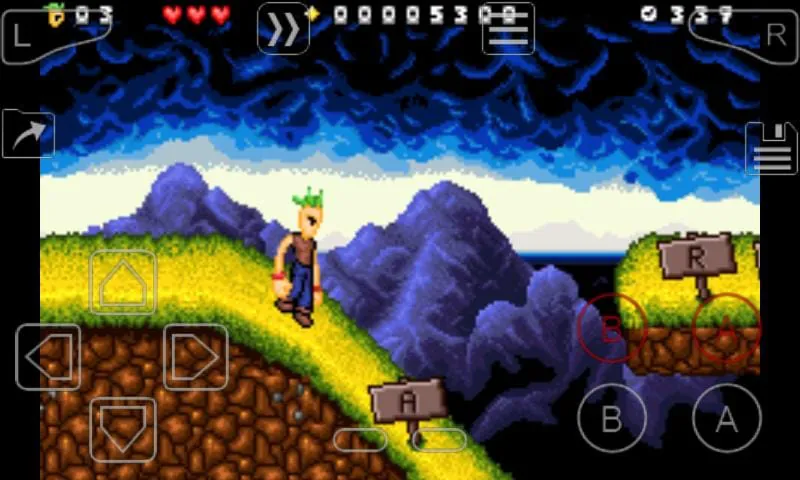
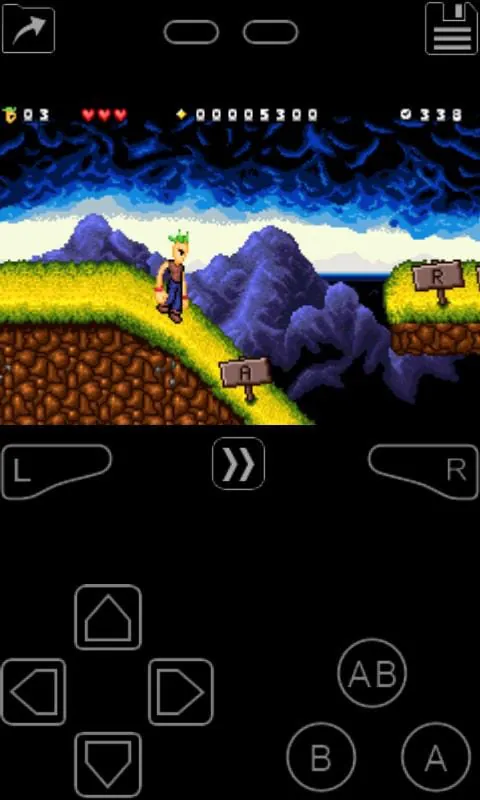
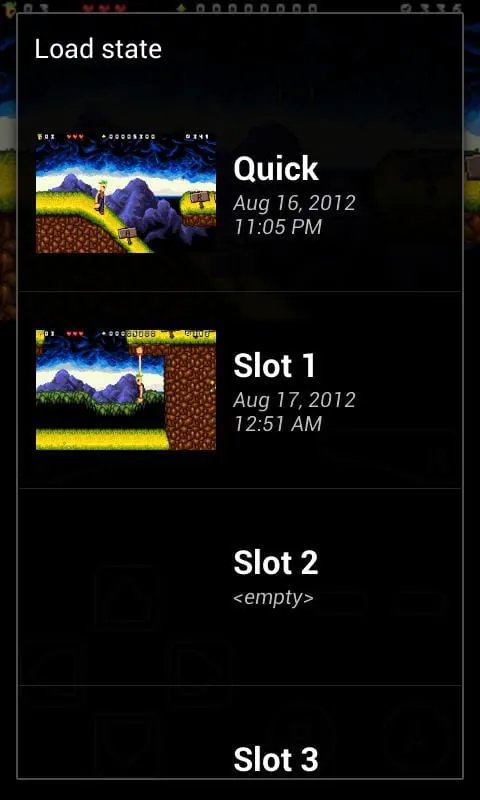
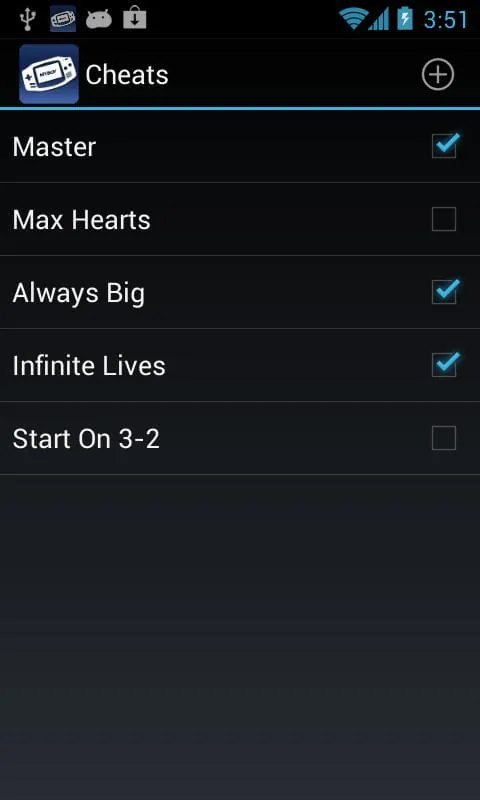
My Boy! is presented as a robust and efficient emulator designed for running Game Boy Advance (GBA) games on Android devices, catering to a wide spectrum of hardware capabilities ranging from older, low-end phones to contemporary, high-performance tablets. The emulator's core strength lies in its ability to faithfully replicate the functionalities of the original GBA hardware, ensuring a comprehensive and authentic gaming experience for users. A standout feature is its support for linking devices, which enables multiplayer gaming sessions, mirroring the capabilities of the physical link cables used with the original Game Boy Advance. This functionality allows players to engage in cooperative and competitive gameplay across multiple devices, enhancing the social aspect of gaming. The emulator leverages a JIT (Just-In-Time) recompiler, which contributes significantly to its exceptional emulation speed. This technology dynamically translates the GBA's machine code into native code for the Android device, optimizing performance and enabling smooth gameplay even on less powerful hardware. The high compatibility rate is another major advantage, with the emulator capable of running virtually all GBA games without encountering significant issues. This broad compatibility ensures that users can enjoy a vast library of games without experiencing compatibility-related glitches or errors, making it a versatile choice for GBA enthusiasts. The link cable emulation is implemented with flexibility, allowing connections to be established either on a single device, simulating multiple Game Boy Advances, or across multiple devices via Bluetooth or Wi-Fi. This feature broadens the possibilities for multiplayer gaming, accommodating both local and remote play scenarios. Furthermore, the emulator incorporates gyroscope, tilt, solar sensor, and rumble emulation, utilizing the Android device's built-in hardware sensors and vibrator to enhance immersion. These features translate real-world movements and environmental factors into in-game events, providing a more engaging and interactive gaming experience. The ability to input and manage cheat codes, including multilined GameShark, ActionReplay, and CodeBreaker codes, adds another layer of customization and control for players. Users can enable or disable these cheat codes on the fly, altering gameplay mechanics and overcoming challenges as desired. The emulator also boasts high-level BIOS emulation, eliminating the need for a separate BIOS file. This simplifies the setup process and makes the emulator more accessible to users who may not have the technical expertise to acquire and configure a BIOS file manually. Support for IPS/UPS ROM patching allows users to apply modifications and enhancements to their game ROMs, further customizing their gaming experience. The emulator supports both OpenGL rendering and normal rendering, ensuring compatibility across a wide range of Android devices, regardless of whether they have a dedicated GPU. OpenGL rendering enhances visual fidelity on devices with GPUs, while normal rendering provides a fallback option for devices without dedicated graphics processing capabilities. The inclusion of video filters, implemented through GLSL shaders, enables users to customize the visual appearance of their games, applying effects such as smoothing, sharpening, or color correction to enhance the overall aesthetic. The fast-forward feature allows players to skip lengthy cutscenes or dialogue sequences, while the slow-down feature provides a means to navigate challenging levels or gameplay segments that require precise timing. These features offer users greater control over the pacing of their gameplay experience. The save game functionality allows players to save their progress at any point in the game, accompanied by a screenshot for easy identification. The integration with Google Drive facilitates synchronization of save games across multiple devices, allowing players to seamlessly resume their progress on different devices. The on-screen keypad, which supports multi-touch input on Android 2.0 and later, provides a convenient and customizable control interface. Shortcut buttons for common actions such as loading and saving are also included, streamlining gameplay. The screen layout editor allows users to define the position and size of on-screen controls and the game video, customizing the interface to suit their preferences. The user interface is described as clean, simple, and well-designed, seamlessly integrating with the latest Android operating system. The emulator supports the creation and switching of different screen layout and key-mapping profiles, allowing users to optimize their control scheme for different games or play styles. Finally, the ability to create shortcuts to launch favorite games from the desktop provides quick and easy access to preferred titles. The description emphasizes that the app does not include any games and that users are responsible for obtaining game ROMs legally. A legal disclaimer states that the product is not affiliated with, endorsed, or licensed by Nintendo Corporation. The closing statement asserts that the developers are the actual core emulation developers, distinguishing them from other emulator providers.
The emulator's comprehensive feature set caters to both casual and hardcore gamers, providing a versatile and customizable GBA emulation experience on Android devices. The core functionalities revolve around accurate and efficient emulation of the Game Boy Advance hardware, ensuring that games run smoothly and faithfully replicate the original gaming experience. The use of a JIT recompiler is a critical component in achieving high performance, particularly on devices with limited processing power. This technology dynamically translates the GBA's machine code into native code, optimizing execution speed and reducing lag. The emulator's high game compatibility is another key selling point, allowing users to enjoy a vast library of GBA games without encountering significant compatibility issues. This ensures that players can access and play their favorite titles without being limited by software compatibility constraints. The inclusion of link cable emulation is a significant feature for multiplayer gaming enthusiasts. This functionality allows players to connect with others and engage in cooperative or competitive gameplay, replicating the experience of using physical link cables with the original Game Boy Advance. The emulator supports both local and remote multiplayer sessions, providing flexibility in how players connect and interact. The support for gyroscope, tilt, solar sensor, and rumble emulation adds an extra layer of immersion to the gaming experience. By leveraging the Android device's built-in sensors and vibrator, the emulator can translate real-world movements and environmental factors into in-game events, enhancing interactivity and realism. The ability to input and manage cheat codes provides players with additional control over the game. Users can enable or disable cheat codes to modify gameplay mechanics, overcome challenges, or experiment with different game features. The emulator also supports high-level BIOS emulation, which simplifies the setup process and makes the emulator more accessible to novice users. The absence of a BIOS file requirement eliminates the need for users to acquire and configure a BIOS file separately. The support for IPS/UPS ROM patching allows users to apply modifications and enhancements to their game ROMs. This feature enables players to customize their gaming experience by altering game content, fixing bugs, or adding new features. The emulator's rendering capabilities are versatile, supporting both OpenGL rendering and normal rendering. This ensures compatibility across a wide range of Android devices, regardless of their graphics processing capabilities. OpenGL rendering enhances visual fidelity on devices with GPUs, while normal rendering provides a fallback option for devices without dedicated graphics processing capabilities. The inclusion of video filters, implemented through GLSL shaders, allows users to customize the visual appearance of their games. These filters can be used to smooth graphics, sharpen textures, or adjust color palettes, enhancing the overall aesthetic. The fast-forward and slow-down features provide players with greater control over the pacing of their gameplay experience. The fast-forward feature allows users to skip lengthy cutscenes or dialogue sequences, while the slow-down feature provides a means to navigate challenging levels or gameplay segments. The save game functionality allows players to save their progress at any point in the game. This feature is essential for preserving game progress and allowing players to resume their gameplay sessions at their convenience. The integration with Google Drive facilitates synchronization of save games across multiple devices. This allows players to seamlessly resume their progress on different devices, maintaining consistency across their gaming experience. The on-screen keypad provides a convenient and customizable control interface. The keypad supports multi-touch input, allowing players to execute complex maneuvers and commands with ease. The screen layout editor allows users to define the position and size of on-screen controls and the game video, customizing the interface to suit their preferences. This feature is particularly useful for players who want to optimize the controls for specific games or play styles. The emulator's clean and simple user interface is designed for ease of use, seamlessly integrating with the latest Android operating system. The intuitive design makes it easy for users to navigate the emulator's features and settings. The emulator supports the creation and switching of different screen layout and key-mapping profiles. This allows users to optimize their control scheme for different games or play styles, enhancing their overall gaming experience. The ability to create shortcuts to launch favorite games from the desktop provides quick and easy access to preferred titles. This feature streamlines the game launching process and makes it more convenient for users to access their favorite games.
In essence, My Boy! distinguishes itself through a combination of high-performance emulation, broad game compatibility, and a rich feature set tailored to enhance the user experience. The core strength of the emulator lies in its ability to accurately replicate the functionalities of the Game Boy Advance hardware, ensuring that games run smoothly and authentically. The use of a JIT recompiler is a key factor in achieving this high level of performance, particularly on devices with limited processing power. This technology dynamically translates the GBA's machine code into native code, optimizing execution speed and minimizing lag. The emulator's high game compatibility is another significant advantage, allowing users to access and play a vast library of GBA games without encountering compatibility issues. This broad compatibility ensures that players can enjoy their favorite titles without being limited by software constraints. The inclusion of link cable emulation is a notable feature for multiplayer gaming enthusiasts. This functionality allows players to connect with others and engage in cooperative or competitive gameplay, replicating the experience of using physical link cables with the original Game Boy Advance. The emulator supports both local and remote multiplayer sessions, providing flexibility in how players connect and interact. The support for gyroscope, tilt, solar sensor, and rumble emulation adds an extra layer of immersion to the gaming experience. By leveraging the Android device's built-in sensors and vibrator, the emulator can translate real-world movements and environmental factors into in-game events, enhancing interactivity and realism. The ability to input and manage cheat codes provides players with additional control over the game. Users can enable or disable cheat codes to modify gameplay mechanics, overcome challenges, or experiment with different game features. The emulator also supports high-level BIOS emulation, simplifying the setup process and making the emulator more accessible to novice users. The absence of a BIOS file requirement eliminates the need for users to acquire and configure a BIOS file separately. The support for IPS/UPS ROM patching allows users to apply modifications and enhancements to their game ROMs. This feature enables players to customize their gaming experience by altering game content, fixing bugs, or adding new features. The emulator's rendering capabilities are versatile, supporting both OpenGL rendering and normal rendering. This ensures compatibility across a wide range of Android devices, regardless of their graphics processing capabilities. OpenGL rendering enhances visual fidelity on devices with GPUs, while normal rendering provides a fallback option for devices without dedicated graphics processing capabilities. The inclusion of video filters, implemented through GLSL shaders, allows users to customize the visual appearance of their games. These filters can be used to smooth graphics, sharpen textures, or adjust color palettes, enhancing the overall aesthetic. The fast-forward and slow-down features provide players with greater control over the pacing of their gameplay experience. The fast-forward feature allows users to skip lengthy cutscenes or dialogue sequences, while the slow-down feature provides a means to navigate challenging levels or gameplay segments. The save game functionality allows players to save their progress at any point in the game. This feature is essential for preserving game progress and allowing players to resume their gameplay sessions at their convenience. The integration with Google Drive facilitates synchronization of save games across multiple devices. This allows players to seamlessly resume their progress on different devices, maintaining consistency across their gaming experience. The on-screen keypad provides a convenient and customizable control interface. The keypad supports multi-touch input, allowing players to execute complex maneuvers and commands with ease. The screen layout editor allows users to define the position and size of on-screen controls and the game video, customizing the interface to suit their preferences. This feature is particularly useful for players who want to optimize the controls for specific games or play styles. The emulator's clean and simple user interface is designed for ease of use, seamlessly integrating with the latest Android operating system. The intuitive design makes it easy for users to navigate the emulator's features and settings. The emulator supports the creation and switching of different screen layout and key-mapping profiles. This allows users to optimize their control scheme for different games or play styles, enhancing their overall gaming experience. The ability to create shortcuts to launch favorite games from the desktop provides quick and easy access to preferred titles. This feature streamlines the game launching process and makes it more convenient for users to access their favorite games. The clear legal disclaimer emphasizes that the app does not include any games and that users are responsible for obtaining game ROMs legally, and that the product is not affiliated with Nintendo.
Screenshots
 Download
 Additional Information
Category
ArcadeVersion
Unknown
Tag
GameBoy Advance emulator | Android gaming | JIT recompiler | Link cable emulation | ROM patching
Rate
4.00
★★★★★
Reviews
500 +
Installs
1M +
Developer
Pixel Respawn LLC
Content Rating
Everyone
A fast, full-featured GBA emulator with link cable emulation.
ADVERTISEMENT
ADVERTISEMENT
Previous Versions
ZIP files require a Split APKs Installer (e.g., SAI) from Google Play to install. Steps: 1. Download SAI from Google Play; 2. Open SAI and tap "Install APKs"; 3. Select the ZIP file; 4. Complete installation.
ADVERTISEMENT
You Might Like









