



ADVERTISEMENT
ADVERTISEMENT

Logitech Control Logitech Control
Category
ProductivityTag
Firmware update | Logitech Keyboards | Bluetooth Keyboard Cases | KEYS-TO-GO 2 | Seamless Experience
Rate
2.70
★★★★★
Reviews
500 +
Installs
50k +
Developer
Logitech Europe S.A.
Content Rating
Everyone
Firmware update app for compatible Logitech keyboards
 APK
APK  Google Play
  iOS
iOS  2.70
2.70ADVERTISEMENT
ADVERTISEMENT
Author's Review
appspicked Review
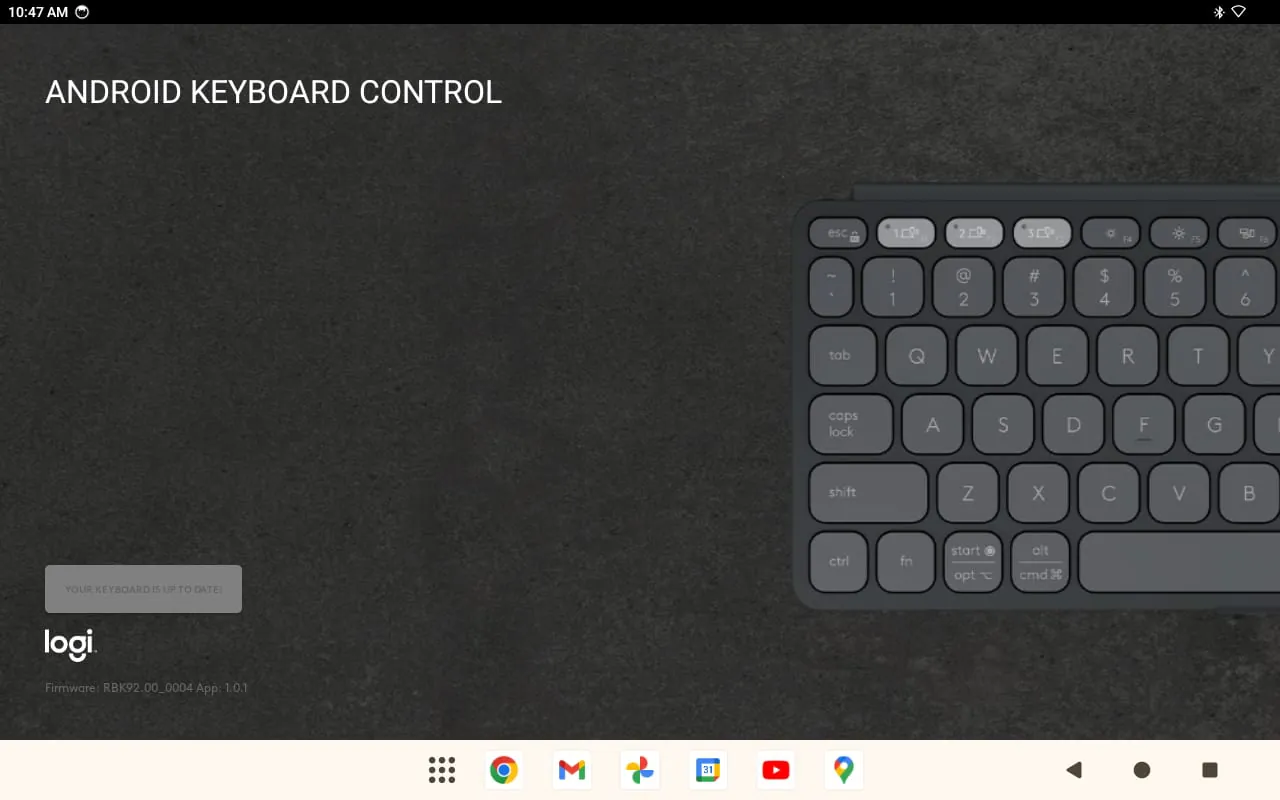
This application serves the crucial function of providing firmware updates for Logitech keyboard cases equipped with Bluetooth connectivity, specifically catering to devices like the Logitech KEYS-TO-GO 2. Firmware updates are essential for maintaining and improving the performance, stability, and security of electronic devices. These updates are essentially software patches or enhancements that address bugs, introduce new features, and optimize existing functionalities. In the context of Logitech keyboards, firmware updates can resolve a range of issues, such as connectivity problems, key responsiveness delays, battery drain inefficiencies, and compatibility conflicts with different operating systems or devices. By ensuring that their keyboards are running the latest firmware, users can enjoy a smoother, more reliable, and more productive typing experience. The application streamlines the update process, making it easy and convenient for users to keep their keyboards up-to-date without requiring technical expertise. This ease of use is particularly important for users who may not be comfortable with manually downloading and installing firmware updates from a website. The application typically automates the process, guiding users through the necessary steps and ensuring that the update is installed correctly. Furthermore, firmware updates often include feature enhancements that can significantly improve the user experience. These enhancements may include improved Bluetooth connectivity, allowing for faster and more stable connections with paired devices. They may also include optimized power management, extending the battery life of the keyboard. In addition, firmware updates can introduce new keyboard shortcuts or functionalities that make it easier for users to perform common tasks. The application also plays a critical role in addressing security vulnerabilities. Firmware updates can patch security flaws that could potentially be exploited by hackers to gain unauthorized access to the keyboard or the connected device. By keeping their keyboards up-to-date, users can protect themselves from these security threats. The Logitech KEYS-TO-GO 2 is specifically mentioned as a compatible device, indicating that the application is designed to work seamlessly with this particular keyboard model. This ensures that users of the KEYS-TO-GO 2 can easily access and install the latest firmware updates to optimize their keyboard's performance and security. The availability of a dedicated firmware update application demonstrates Logitech's commitment to providing ongoing support and improvements for its products. By proactively addressing bugs, introducing new features, and enhancing security, Logitech ensures that its customers can continue to enjoy a high-quality typing experience. The application also reflects Logitech's focus on user convenience and ease of use. By simplifying the firmware update process, Logitech makes it accessible to a wider range of users, regardless of their technical expertise. Ultimately, this contributes to a more positive and satisfying user experience, fostering customer loyalty and brand advocacy. The firmware update application is an indispensable tool for Logitech keyboard users, providing a seamless and convenient way to keep their devices up-to-date with the latest improvements and security patches. By ensuring that their keyboards are running the latest firmware, users can enjoy a smoother, more reliable, and more secure typing experience, enabling them to work at their highest level. The application's compatibility with devices like the Logitech KEYS-TO-GO 2 further underscores its importance for users who rely on these keyboards for their daily work or personal tasks. In addition to the technical benefits, the application also provides peace of mind, knowing that their keyboards are protected from security vulnerabilities and optimized for peak performance.
The primary purpose of this application is to enhance the user experience with Logitech keyboards by providing easy access to firmware updates. Firmware updates are crucial for resolving issues, improving performance, and adding new features to electronic devices. In the context of Logitech keyboards, these updates address a variety of concerns, including connectivity problems, key responsiveness issues, battery life inefficiencies, and compatibility conflicts with different operating systems and devices. By ensuring that their keyboards are running the latest firmware, users can enjoy a more seamless, reliable, and productive typing experience. The application simplifies the update process, making it accessible to users of all technical skill levels. This is particularly important because manually downloading and installing firmware updates from a website can be a daunting task for many users. The application automates the process, guiding users through the necessary steps and ensuring that the update is installed correctly, minimizing the risk of errors or complications. Furthermore, firmware updates often include feature enhancements that can significantly improve the user experience. These enhancements may include improved Bluetooth connectivity, resulting in faster and more stable connections with paired devices. They may also include optimized power management, extending the battery life of the keyboard and reducing the need for frequent charging. In addition, firmware updates can introduce new keyboard shortcuts or functionalities that make it easier for users to perform common tasks, further enhancing productivity and efficiency. The application also plays a vital role in addressing security vulnerabilities. Firmware updates can patch security flaws that could potentially be exploited by hackers to gain unauthorized access to the keyboard or the connected device. By keeping their keyboards up-to-date, users can protect themselves from these security threats and maintain the security of their data and devices. The mention of specific compatible devices, such as the Logitech KEYS-TO-GO 2, indicates that the application is tailored to work seamlessly with these particular keyboard models. This ensures that users of these devices can easily access and install the latest firmware updates to optimize their keyboard's performance, security, and functionality. The availability of a dedicated firmware update application demonstrates Logitech's commitment to providing ongoing support and improvements for its products. By proactively addressing bugs, introducing new features, and enhancing security, Logitech ensures that its customers can continue to enjoy a high-quality typing experience. This commitment to customer satisfaction is a key differentiator for Logitech and helps to build brand loyalty and advocacy. The application also reflects Logitech's focus on user convenience and ease of use. By simplifying the firmware update process, Logitech makes it accessible to a wider range of users, regardless of their technical expertise. This focus on user-friendliness is a hallmark of Logitech's product design and contributes to a more positive and satisfying user experience. The application is an essential tool for Logitech keyboard users, providing a seamless and convenient way to keep their devices up-to-date with the latest improvements and security patches. By ensuring that their keyboards are running the latest firmware, users can enjoy a smoother, more reliable, and more secure typing experience, enabling them to work at their highest level. The application's compatibility with devices like the Logitech KEYS-TO-GO 2 further underscores its importance for users who rely on these keyboards for their daily work or personal tasks. In addition to the technical benefits, the application also provides peace of mind, knowing that their keyboards are protected from security vulnerabilities and optimized for peak performance. The proactive approach to firmware updates demonstrates Logitech's dedication to providing a secure and reliable user experience.
The application is designed to provide users with a seamless experience when updating the firmware of their Logitech keyboards, specifically focusing on improving performance and addressing potential issues. The core functionality of the app revolves around delivering firmware updates, which are essential for maintaining the optimal performance of electronic devices. These updates encompass a range of improvements, including bug fixes, feature enhancements, and security patches. In the context of Logitech keyboards, firmware updates can resolve issues such as connectivity problems, where the keyboard may intermittently disconnect from the paired device or experience lag in transmitting keystrokes. Key responsiveness is another area addressed by firmware updates, ensuring that each key press is accurately and promptly registered by the keyboard. Battery drain inefficiencies can also be mitigated through firmware updates, optimizing the keyboard's power consumption and extending its battery life. Furthermore, compatibility conflicts with different operating systems or devices can be resolved, ensuring seamless integration and functionality across various platforms. By proactively addressing these issues through firmware updates, Logitech aims to provide users with a consistently smooth and reliable typing experience. The application simplifies the firmware update process, making it accessible to users with varying levels of technical expertise. The traditional method of manually downloading and installing firmware updates from a website can be complex and time-consuming, often requiring users to navigate through multiple steps and potentially encounter technical difficulties. This application streamlines the process by automating the update procedure, guiding users through the necessary steps in a clear and intuitive manner. This not only saves users time and effort but also reduces the risk of errors or complications during the update process. Feature enhancements are another key aspect of firmware updates delivered through the application. These enhancements can introduce new functionalities or improve existing features, further enhancing the user experience. For example, firmware updates may introduce new keyboard shortcuts, allowing users to quickly access frequently used functions or applications. Improved Bluetooth connectivity is another common enhancement, providing faster and more stable connections with paired devices. Optimized power management is also a valuable feature, extending the keyboard's battery life and reducing the need for frequent charging. Security patches are a critical component of firmware updates, addressing potential vulnerabilities that could be exploited by malicious actors. These patches protect the keyboard and the connected device from security threats, ensuring the safety and integrity of user data. By keeping their keyboards up-to-date with the latest security patches, users can mitigate the risk of unauthorized access or data breaches. The application's compatibility with specific devices, such as the Logitech KEYS-TO-GO 2, ensures that users of these keyboards can easily access and install the latest firmware updates. This targeted approach ensures that the updates are specifically tailored to the device, optimizing its performance and addressing any known issues. Logitech's commitment to providing ongoing support and improvements for its products is evident in the availability of this firmware update application. By proactively addressing bugs, introducing new features, and enhancing security, Logitech demonstrates its dedication to providing users with a high-quality typing experience. The application also reflects Logitech's focus on user convenience and ease of use, making it accessible to a wide range of users, regardless of their technical expertise. The user-friendly interface and automated update process ensure that users can easily keep their keyboards up-to-date, enjoying a smoother, more reliable, and more secure typing experience. Ultimately, the firmware update application is an essential tool for Logitech keyboard users, providing a seamless and convenient way to maintain and enhance their devices. By ensuring that their keyboards are running the latest firmware, users can optimize their performance, protect themselves from security threats, and enjoy a consistently high-quality typing experience.
Screenshots
 Download
 Additional Information
Category
ProductivityVersion
Unknown
Tag
Firmware update | Logitech Keyboards | Bluetooth Keyboard Cases | KEYS-TO-GO 2 | Seamless Experience
Rate
2.70
★★★★★
Reviews
500 +
Installs
50k +
Developer
Logitech Europe S.A.
Content Rating
Everyone
Firmware update app for compatible Logitech keyboards
ADVERTISEMENT
ADVERTISEMENT
Previous Versions
ZIP files require a Split APKs Installer (e.g., SAI) from Google Play to install. Steps: 1. Download SAI from Google Play; 2. Open SAI and tap "Install APKs"; 3. Select the ZIP file; 4. Complete installation.
ADVERTISEMENT
You Might Like









