Momentum is a popular browser extension and personal dashboard designed to transform your new tab page into a focused, inspiring, and productive workspace. Instead of facing a blank page or a list of frequently visited sites, users are greeted with a stunning daily photograph, a personal greeting, their main focus for the day, and the current time and weather, creating a moment of calm and intention at the start of every browsing session.
Key Features
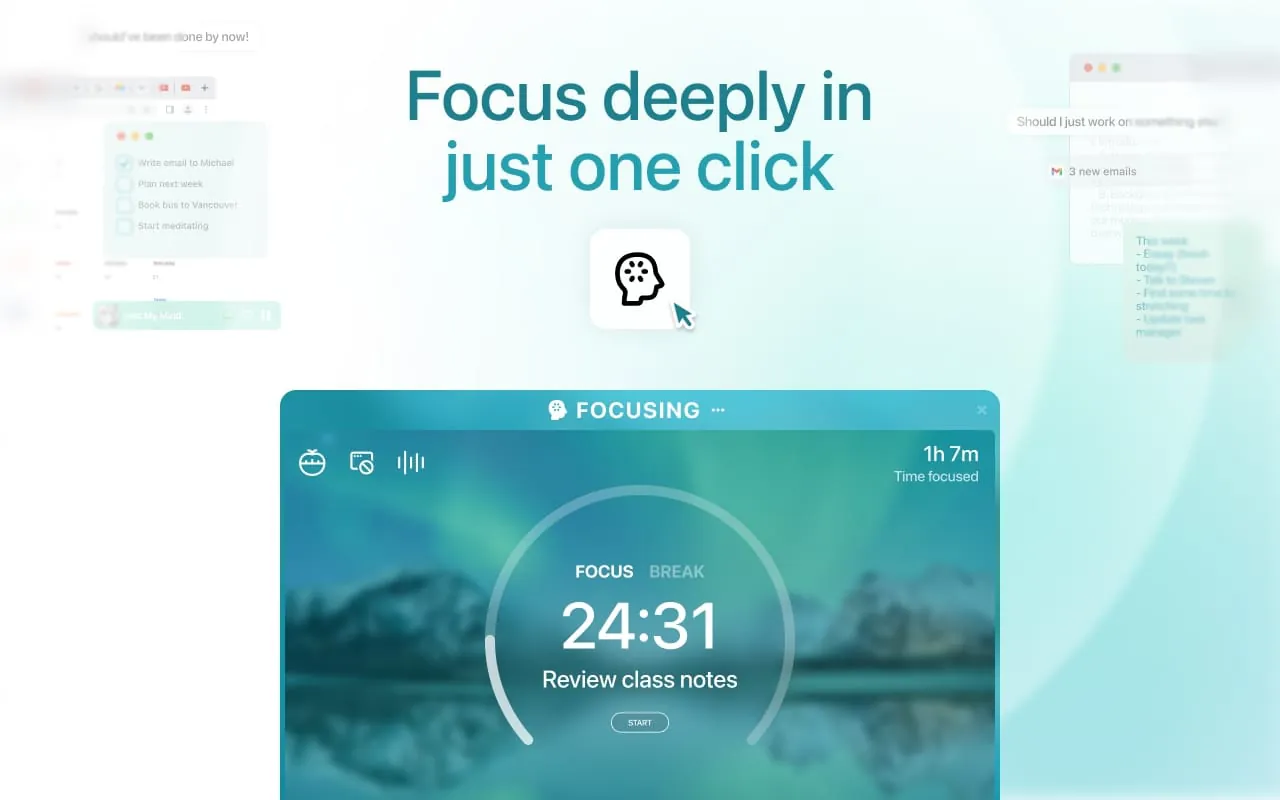
The appeal of Momentum lies in its carefully curated features that promote daily focus and well-being. It replaces the standard new tab with a visually serene interface that updates with a beautiful background image every day. The tool prominently displays a personal focus or to-do item that serves as a constant reminder of your primary goal. Additionally, it provides at-a-glance information like local weather, inspirational quotes, and a greeting personalized with your name, all aimed at reducing distraction and fostering a more mindful approach to work.
Pros & Cons
Like any application, Momentum comes with its own set of advantages and limitations that users should consider before installation.
- Pros: It offers a clean, aesthetically pleasing interface that reduces clutter. The daily focus feature is excellent for productivity, helping to center your attention. The daily photos and quotes provide a positive, calming start to the workday. The integration of weather and time is seamless and convenient.
- Cons: Many of its most useful features, such as advanced to-do lists, multiple focuses, and specific weather details, are locked behind a paid premium subscription. The dashboard, while beautiful, offers limited customization options for free users. It is exclusively a browser extension and does not function as a standalone desktop application.
Functions
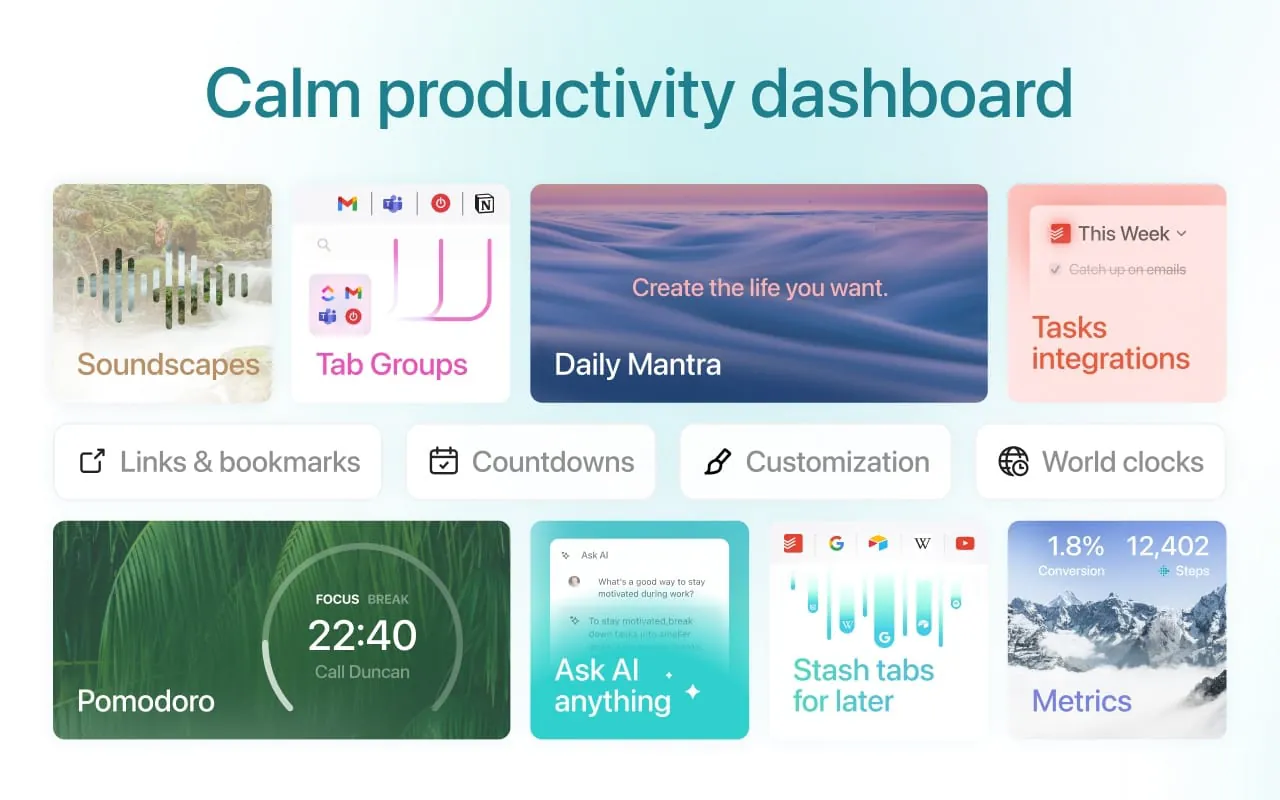
Momentum operates by taking over your browser's new tab page, providing a suite of integrated functions designed for personal productivity. Its core functionality revolves around displaying a customizable dashboard that includes:
- A central daily focus or mantra that you set yourself.
- The current time and a weather widget for your location.
- A daily inspirational quote and a stunning background photograph from around the world.
- A simple to-do list (with advanced features in Premium).
- Links to frequently visited sites and a search bar for quick access.
How to Use
Click the button "Check All Versions" below to download and install it. After finding the official Momentum extension in your browser's web store (like Chrome Web Store), simply click "Add to Browser." Once installed, it will automatically activate. The first time you open a new tab, Momentum will prompt you to set your name, local weather location, and your main focus for the day. From then on, every new tab you open will display your personalized dashboard, allowing you to update your focus, check off to-dos, or simply enjoy the view as you work.





 APK
APK  Google Play
  iOS
iOS  4.50
4.50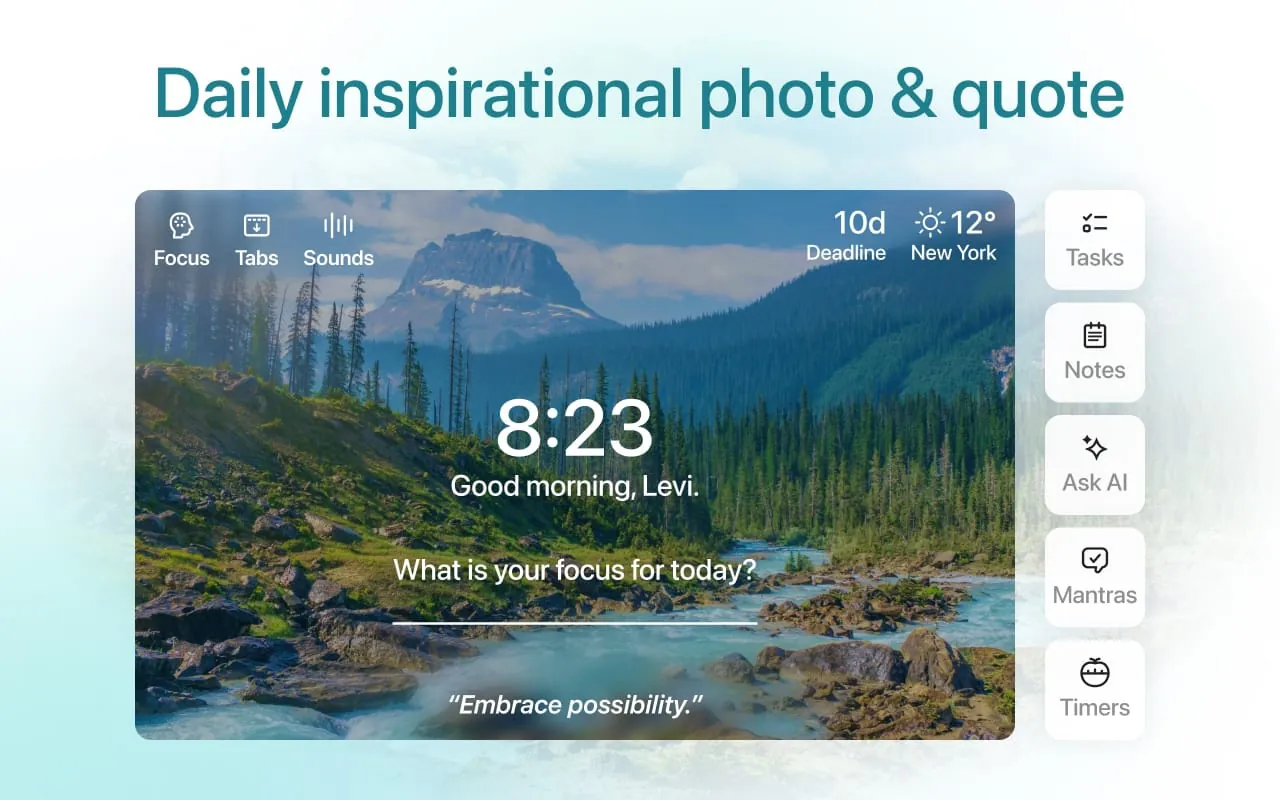
 Download








