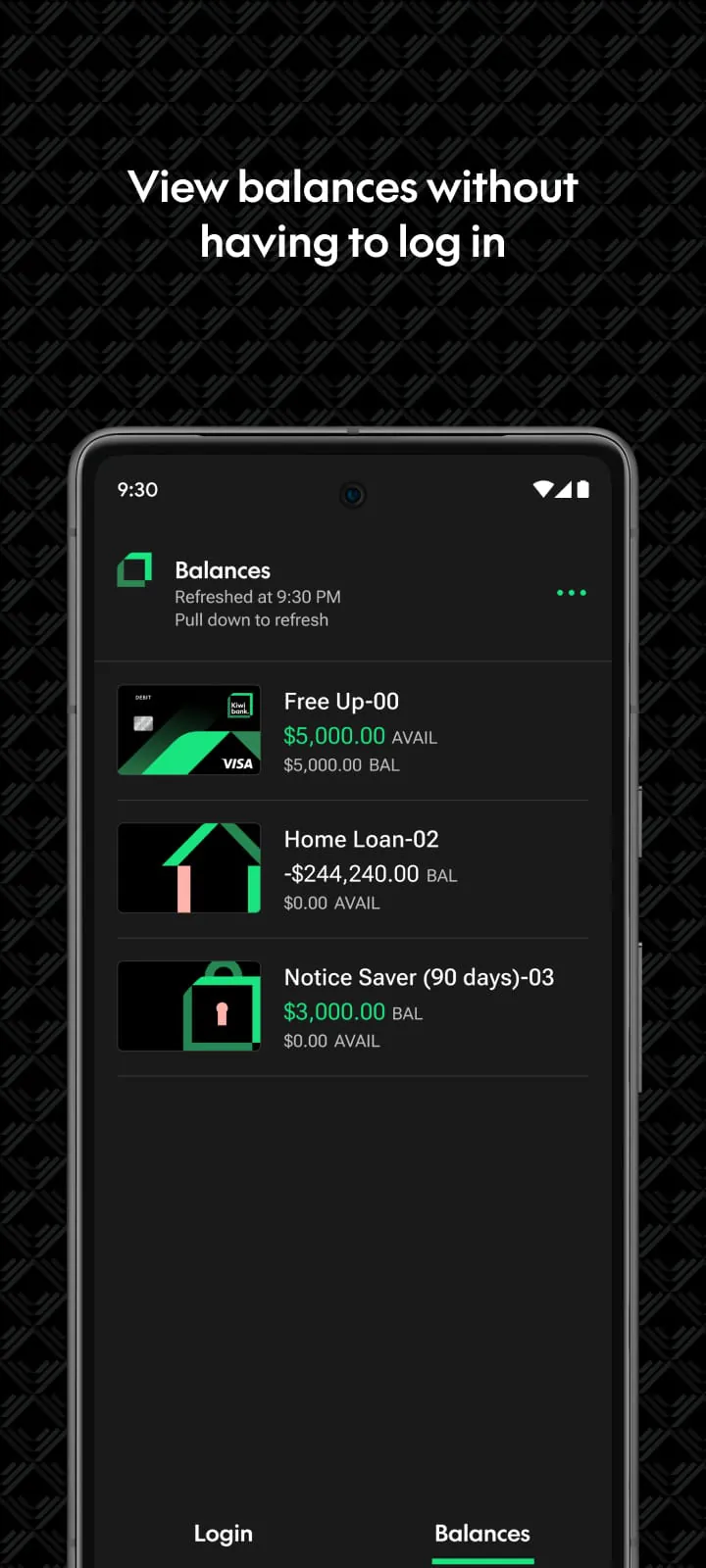
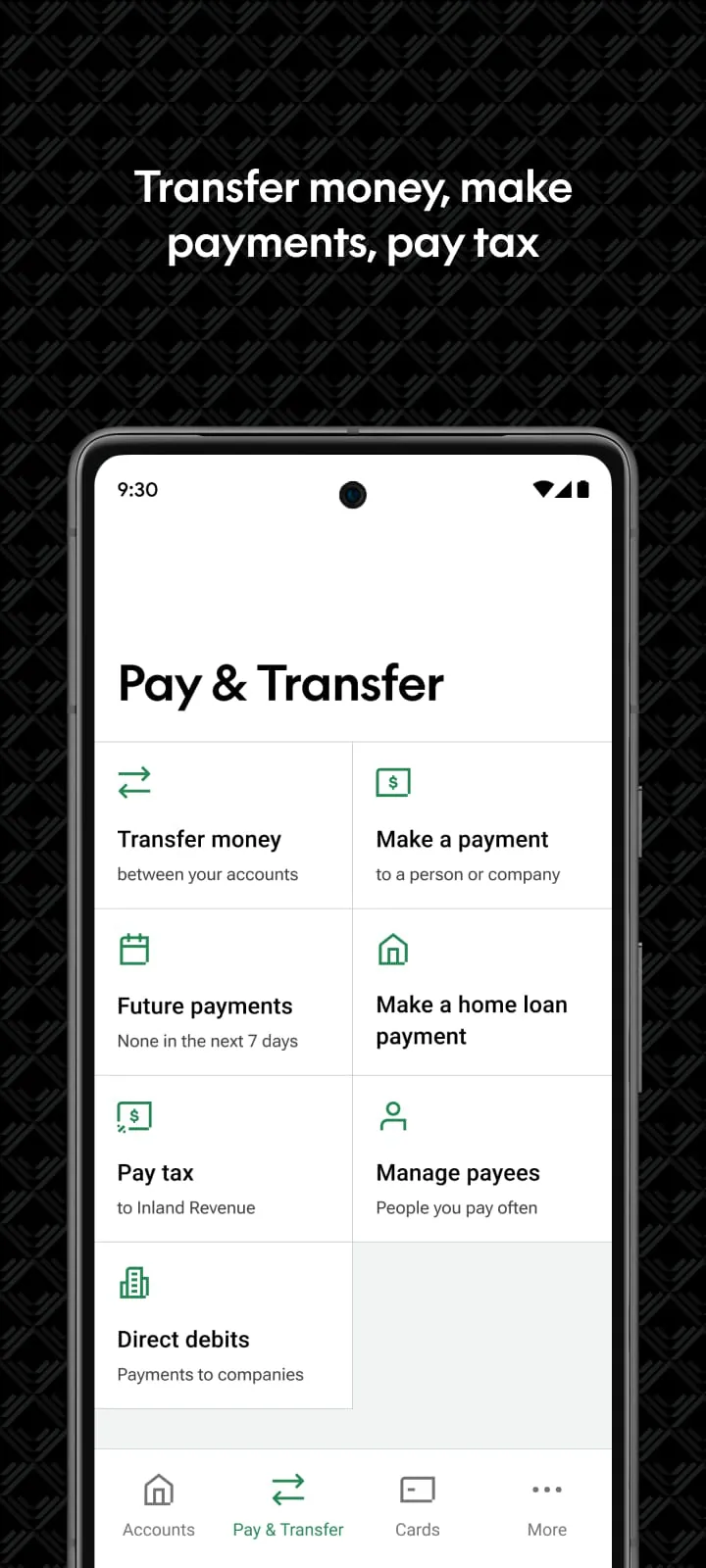
The Kiwibank mobile application is designed to provide customers with comprehensive banking services directly on their smartphones and tablets, offering a seamless and convenient way to manage their finances from anywhere at any time. The app allows users to perform a wide range of tasks, from basic functions such as checking account balances and viewing transaction histories to more advanced features like paying bills, transferring money, and managing cards. One of the key features of the Kiwibank mobile app is its ability to provide users with a real-time overview of their financial status. Customers can easily view their account balances for all their accounts, including checking, savings, and credit card accounts. The app also allows users to search their transaction history, making it easy to track spending and identify any unusual activity. For users who want a quick and easy way to check their balances without logging in, the app offers the option to set up Quick Balances and add widgets to their home screen or Wear OS watch. This feature provides a convenient way to stay on top of their finances at a glance. The Kiwibank mobile app also simplifies the process of paying bills and transferring money. Users can easily pay their bills by selecting from a list of payees or adding new ones. They can also transfer money to family, friends, and others, either as a one-time payment or as a recurring payment. The app also allows users to manage their payees, making it easy to add, edit, or delete payees as needed. In addition to these core banking functions, the Kiwibank mobile app also offers a range of other features designed to help users manage their finances more effectively. For example, the app allows users to pay tax directly to the Inland Revenue Department (IRD). If they have a home loan with Kiwibank, they can also use the app to refix their loan or switch to a variable rate when it's up for renewal. The app also includes a Goal Tracker feature, which allows users to set financial goals and track their progress over time. For business customers, the Kiwibank mobile app offers a range of features designed to help them manage their business finances on the go. Business users can view, authorize, or delete upcoming payments, including batch and multiple payments. This feature makes it easy to manage their business finances from anywhere, without having to be tied to a computer. The Kiwibank mobile app also offers a range of features designed to help users manage their accounts more effectively. Users can change or reset their password, update their KeepSafe questions, and update their contact and tax details. They can also send a message to Kiwibank using SecureMail. To personalize their accounts, users can add their favorite photos to their accounts. This feature allows them to customize their banking experience and make it more personal.
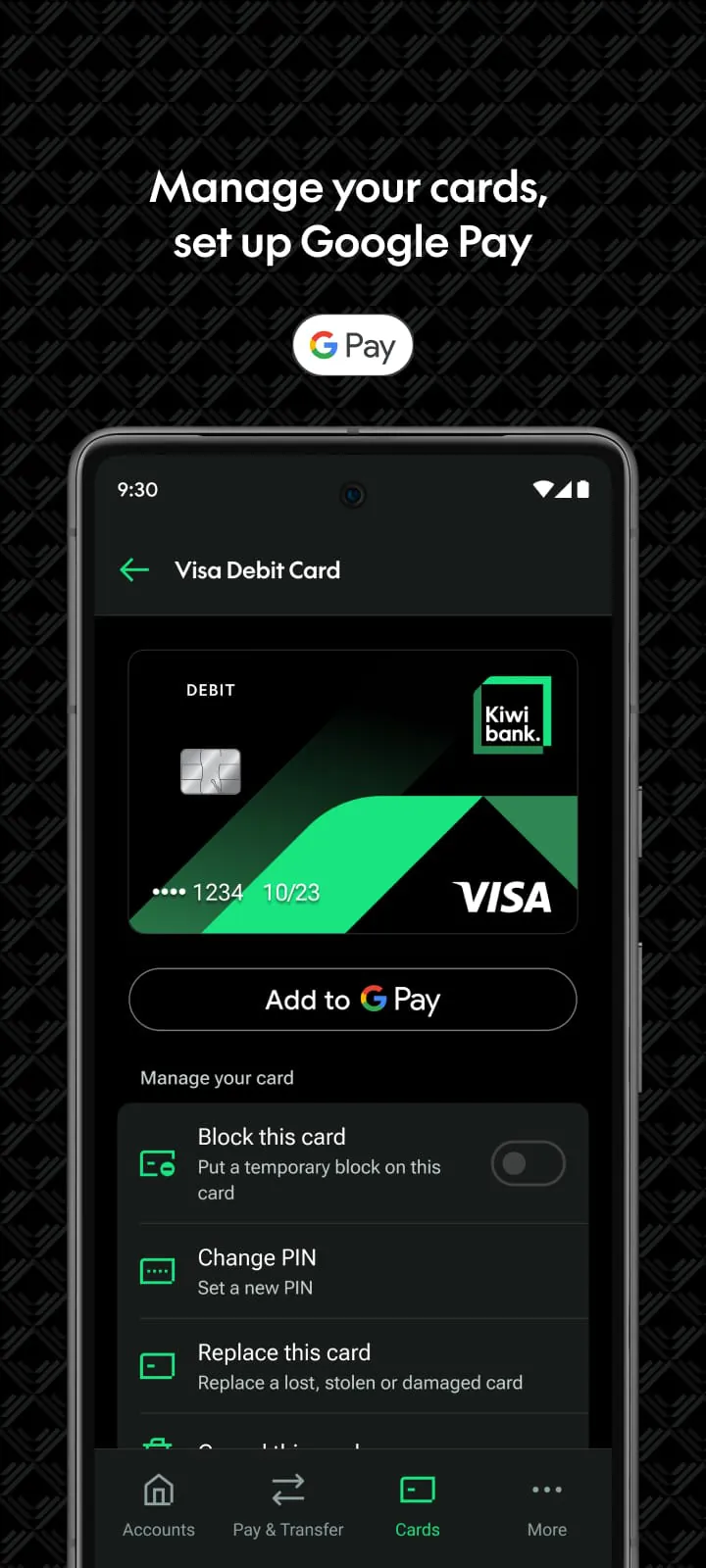
The Kiwibank mobile app provides robust card management features, enhancing user control and security over their payment methods. Users can easily set up Google Pay directly through the app, enabling them to make contactless payments with their phones at any compatible point of sale. This feature offers a convenient and secure alternative to traditional card payments. The app also allows users to set or change the PIN on their cards, providing an added layer of security against unauthorized use. In the event of a lost or stolen card, users can quickly block their cards through the app to prevent fraudulent transactions. If the card is later found, it can be easily unblocked. For cards that are permanently lost, stolen, or damaged, the app facilitates the process of ordering a replacement. Users can also cancel their EFTPOS and debit cards directly through the app, ensuring that compromised cards are deactivated promptly. Beyond managing existing accounts, the Kiwibank mobile app enables users to apply for new accounts and financial products. Customers can open and manage everyday or investment accounts directly through the app, streamlining the account opening process. The app also allows users to apply for a credit card, providing a convenient way to access credit. Users can also order an EFTPOS or Visa Debit Card through the app, eliminating the need to visit a branch. For those interested in saving for retirement, the app offers the option to join the Kiwi Wealth KiwiSaver Scheme. Security is a paramount concern for Kiwibank, and the mobile app incorporates multiple layers of protection to safeguard users' financial information. The app is backed by Kiwibank's internet banking guarantee, assuring users that they will be protected against unauthorized transactions. Users can securely access their accounts using a PIN code or biometric authentication with Touch ID on supported devices. The app also supports logging in with an Internet Banking password, providing flexibility for users who prefer traditional authentication methods. Kiwibank employs KeepSafe and two-factor authentication to provide an extra layer of security, further protecting users' accounts from unauthorized access. These security measures ensure that users can bank with confidence, knowing that their financial information is well-protected.
Getting started with the Kiwibank mobile app is a straightforward process. The app is available as a free download from both the App Store and Google Play Store. Once downloaded, users simply need to be a Kiwibank customer to set up the app. The app is designed to be user-friendly and intuitive, making it easy for customers to navigate and use its features. Kiwibank provides comprehensive support resources to help users set up and use the mobile app. The Kiwibank website features a dedicated support hub with answers to frequently asked questions about the mobile app. This resource covers a wide range of topics, from initial setup to troubleshooting common issues. Kiwibank also encourages users to provide feedback on the mobile banking app through the Contact Us menu in the app. This feedback is used to improve the app and ensure that it meets the needs of its customers. Kiwibank is committed to providing a secure and convenient mobile banking experience for its customers. The Kiwibank mobile app is regularly updated with new features and security enhancements. Kiwibank also employs a team of security experts who monitor the app for potential threats and vulnerabilities. The Kiwibank mobile app is an essential tool for Kiwibank customers who want to manage their finances on the go. With its wide range of features, user-friendly interface, and robust security measures, the app provides a convenient and secure way to bank from anywhere at any time. By offering features such as real-time account balances, transaction history, bill payment, money transfers, card management, and account applications, the Kiwibank mobile app empowers users to take control of their financial lives and manage their money more effectively. Furthermore, Kiwibank's commitment to security ensures that users can bank with confidence, knowing that their financial information is well-protected. The app's regular updates and proactive security measures demonstrate Kiwibank's dedication to providing a safe and reliable mobile banking experience for its customers. Whether it's checking balances, paying bills, or managing cards, the Kiwibank mobile app provides a comprehensive suite of tools that simplify banking and enhance financial management.





 APK
APK  Google Play
  iOS
iOS  3.70
3.70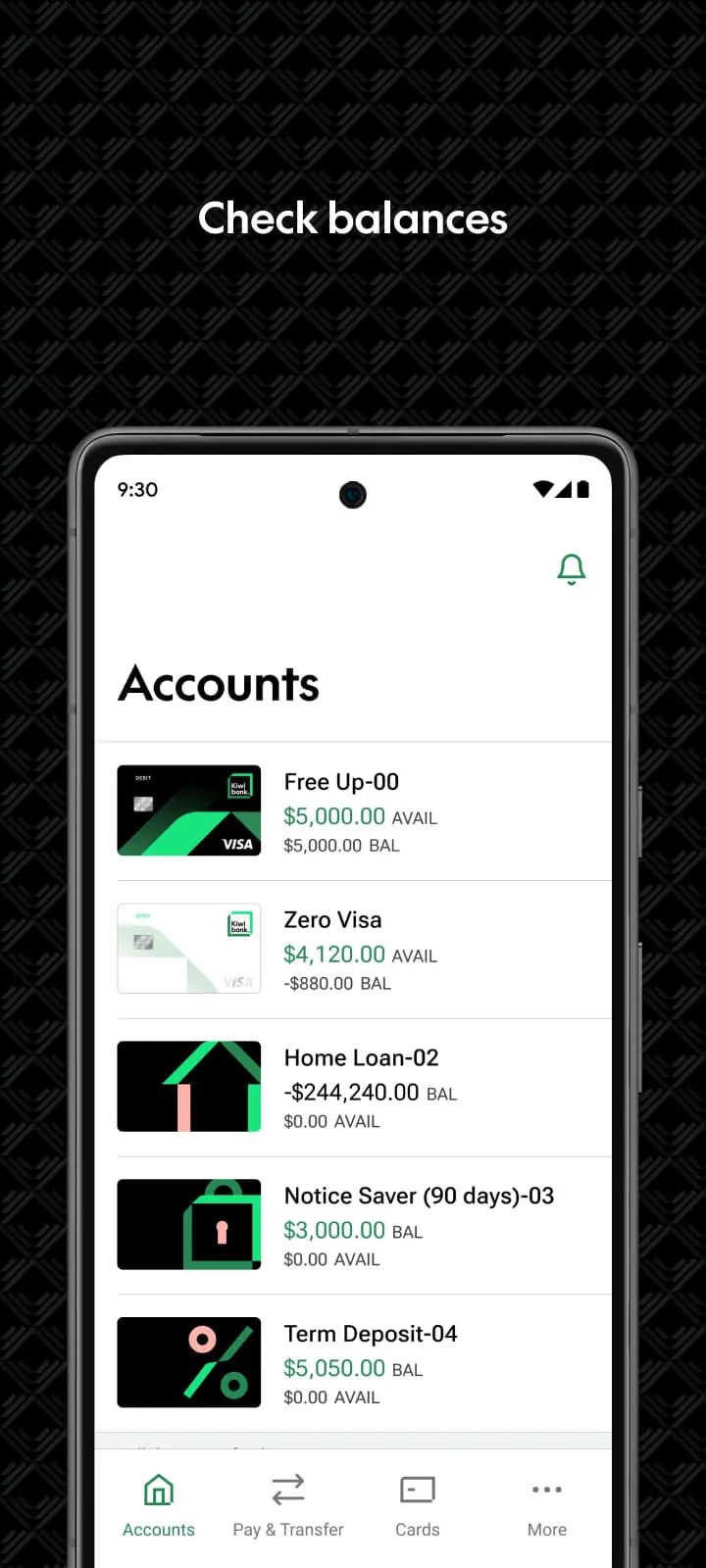
 Download








