



ADVERTISEMENT
ADVERTISEMENT

ID Photo application ID Photo application
Category
PhotographyTag
ID photo app | digital ID photos | photo booth alternative | print ID photos | custom ID sizes
Rate
4.80
★★★★★
Reviews
500 +
Installs
10M +
Developer
siranet
Content Rating
Everyone
You can easily create ID photo data from photographs taken with a smartphone.
 APK
APK  Google Play
  iOS
iOS  4.80
4.80ADVERTISEMENT
ADVERTISEMENT
Author's Review
appspicked Review
This document describes a user-friendly smartphone application designed to create digital identification (ID) photos from images captured with a smartphone. The application eliminates the need for traditional photo booths or professional photography services, offering a convenient and cost-effective solution for obtaining compliant ID photos for various purposes. Users can easily generate ID photo data suitable for online applications, web entries, and other digital submissions. A significant advantage of this application is its ability to allow users to retake photos as many times as needed, making it particularly useful for capturing ID photos of young children, where patience and cooperation can be challenging. The application is designed to produce a standard L-size (127mm x 89mm) data file, which can be readily printed at convenience stores for a nominal fee of approximately 30 yen, significantly reducing the cost compared to traditional ID photo services. Furthermore, the output data is in JPEG format, the same format produced by standard smartphones and digital cameras. This compatibility allows users to print the ID photos at home using any printer capable of printing photos from smartphones or digital cameras, providing added flexibility and convenience. The application supports a wide range of commonly used ID photo sizes, including 40mm x 30mm (for resumes), 45mm x 35mm (for passports and My Number cards), 30mm x 24mm (for driver's licenses), 30mm x 25mm (for employment insurance), 50mm x 40mm, 50mm x 50mm, 30mm x 30mm, and 35mm x 30mm. This comprehensive selection caters to the diverse requirements of various official documents and applications. Beyond the standard sizes, the application also allows users to manually input custom dimensions for both the height and width of the ID photo, offering unparalleled customization to meet specific requirements that may deviate from the standard options. This flexibility is particularly useful for applications that require non-standard ID photo sizes or specific aspect ratios. The application also provides control over the number of ID photos placed on a single print sheet. Users can specify how many of each cropped ID photo should be included on a single L-size print, optimizing the use of printing space and minimizing waste. This feature is especially valuable when printing multiple ID photos for different purposes or when needing several copies of the same ID photo. A unique and practical feature of the application is its ability to combine different ID photo sizes on a single print. This allows users to create a customized print layout with various ID photo sizes, catering to multiple needs with a single print job. For example, a user could include both a passport-sized photo and a resume-sized photo on the same print sheet, streamlining the process and reducing printing costs. The application further enhances its versatility by offering the option to convert color photos into black and white (grayscale) ID photos. This is useful for applications that require black and white ID photos, eliminating the need to take a separate black and white photo. The default output print size is L-size (127mm x 89mm), but users can easily change this setting to accommodate different printing preferences or requirements. The ability to adjust the print size ensures compatibility with various printers and printing services, providing users with maximum flexibility. The application's combination of ease of use, comprehensive size options, and flexible printing features makes it an attractive alternative to traditional ID photo services. Its ability to create compliant ID photos at a fraction of the cost, combined with the convenience of printing at home or at a local convenience store, makes it a valuable tool for individuals and families alike. The option to retake photos as many times as needed ensures satisfaction and compliance with ID photo requirements, while the custom size input and print layout features offer unparalleled customization.
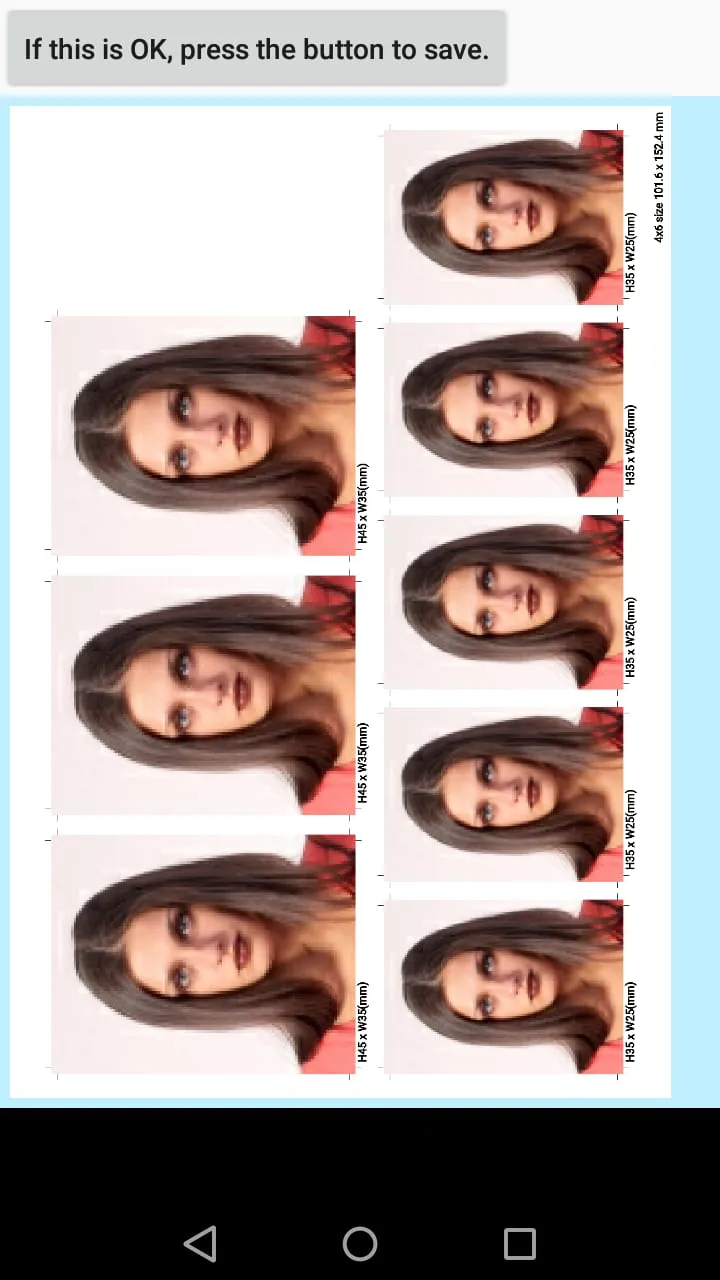
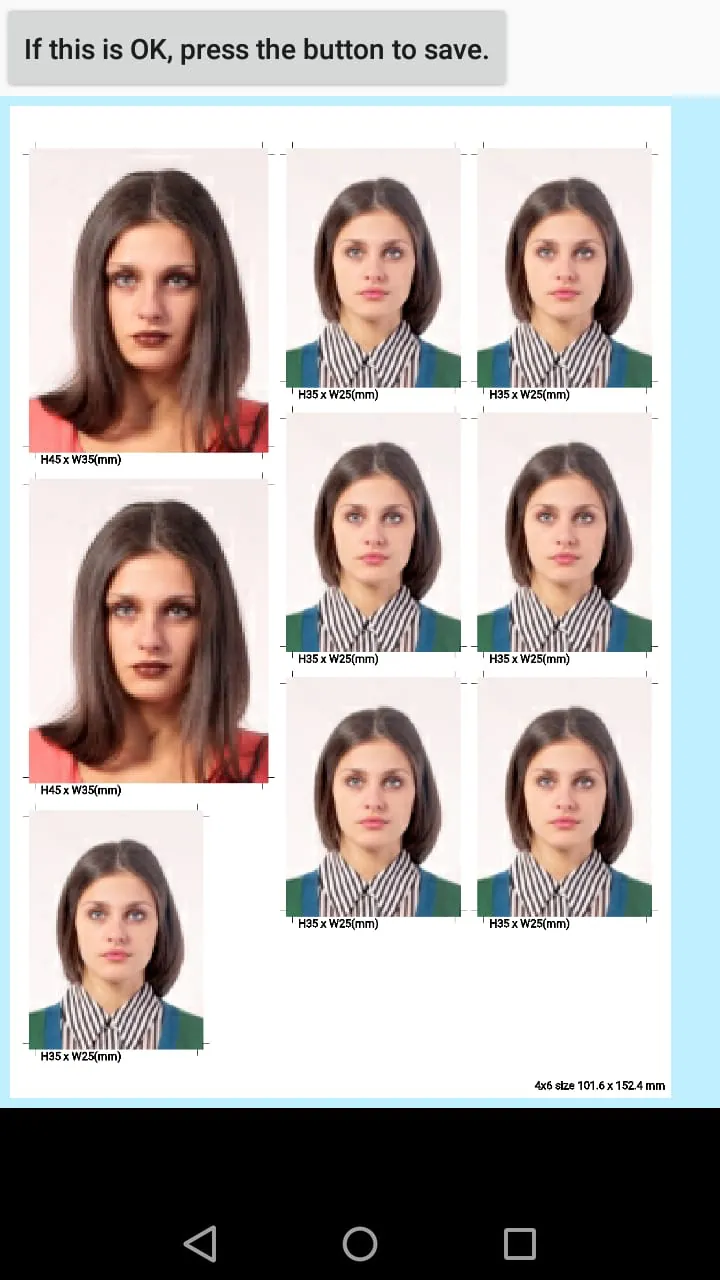
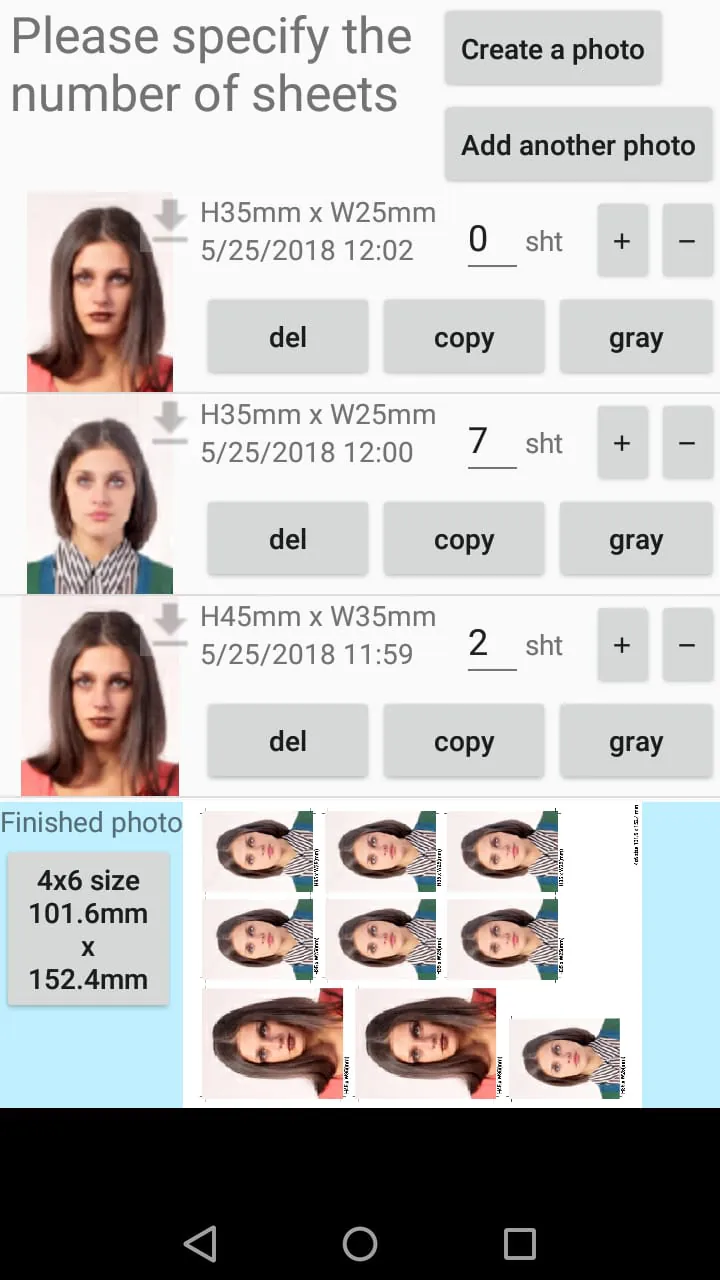
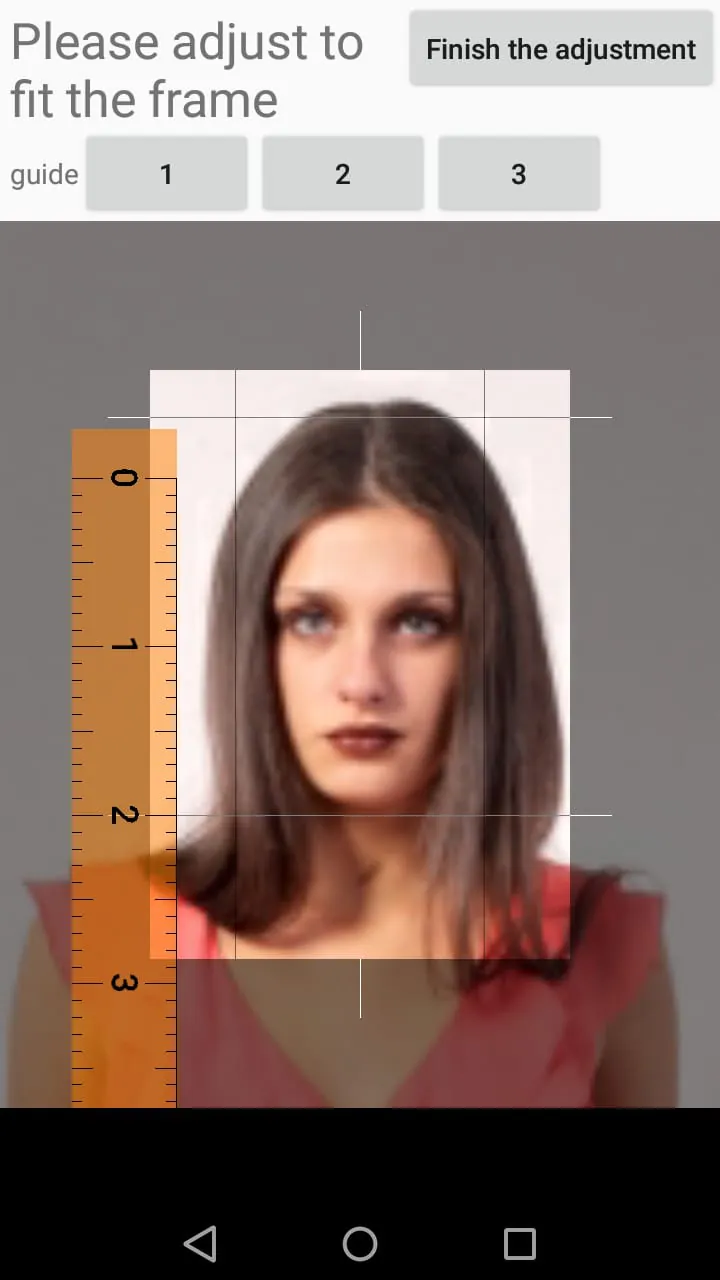
The application's intuitive interface guides users through the process of creating ID photos, making it accessible to individuals with varying levels of technical expertise. The steps involved are straightforward and easy to follow, ensuring a seamless user experience. First, the user selects an image from their smartphone's gallery or takes a new photo using the device's camera. The application provides real-time guidance on positioning and lighting to ensure optimal image quality. This is particularly helpful for users who are not familiar with photography techniques. Once the image is selected, the user can choose from a list of predefined ID photo sizes or manually enter custom dimensions. The application displays a clear preview of the cropped ID photo, allowing the user to make adjustments as needed. The user can also adjust the rotation and zoom of the image to achieve the desired composition. Next, the user can specify the number of copies of each ID photo to include on the final print. The application automatically arranges the ID photos on the L-size print layout, optimizing the use of space. The user can also rearrange the ID photos manually to create a customized layout. If the user needs a black and white ID photo, they can simply select the grayscale option. The application instantly converts the color photo to black and white, ensuring compliance with requirements for black and white ID photos. Finally, the user can save the generated ID photo data to their smartphone or directly print it to a compatible printer. The application also provides options for sharing the ID photo data via email or cloud storage services. The application's support for various printing options enhances its versatility. Users can print the ID photos at home using a standard photo printer, or they can upload the data to a local convenience store for printing. The application provides clear instructions on how to print the ID photos at convenience stores, ensuring a hassle-free experience. The application also supports wireless printing via Wi-Fi, allowing users to print directly from their smartphones without the need for cables or adapters. This feature is particularly convenient for users who have wireless printers at home or in the office. The application's commitment to user experience is evident in its design and functionality. The developers have carefully considered the needs of users and have created an application that is both powerful and easy to use. The application's regular updates and improvements ensure that it remains up-to-date with the latest technology and user requirements. The application also provides comprehensive support documentation and FAQs, addressing common questions and providing solutions to potential issues. This commitment to customer service further enhances the overall user experience and reinforces the application's position as a leading solution for creating digital ID photos.
Compared to traditional methods of obtaining ID photos, this application offers several distinct advantages. Traditional photo booths can be inconvenient, requiring users to travel to a specific location and pay a relatively high price for a limited number of photos. Professional photography services offer higher quality photos but are even more expensive and time-consuming. This application eliminates these drawbacks, providing a convenient and cost-effective solution that can be used anytime, anywhere. The ability to retake photos as many times as needed ensures that users are satisfied with the final result, avoiding the frustration of being stuck with an unsatisfactory ID photo. The application also offers greater flexibility in terms of size and formatting. Traditional photo booths typically offer a limited selection of ID photo sizes, which may not meet the specific requirements of all applications. This application allows users to create ID photos of any size, ensuring compliance with even the most stringent requirements. Furthermore, the application's ability to combine different ID photo sizes on a single print provides added convenience and cost savings. The digital nature of the application also offers advantages in terms of storage and sharing. Digital ID photos can be easily stored on a smartphone or computer, eliminating the need for physical copies. They can also be easily shared via email or cloud storage services, making it convenient to submit them for online applications or web entries. In contrast, physical ID photos can be easily lost or damaged, and sharing them requires scanning or photocopying. The application's environmental impact is also significantly lower than that of traditional photo booths. Photo booths consume electricity and generate waste in the form of discarded prints. This application reduces these environmental impacts by allowing users to print only the ID photos they need and by eliminating the need for travel to a photo booth location. The application's compatibility with various devices and operating systems further enhances its accessibility. It is available for both iOS and Android smartphones, ensuring that a wide range of users can benefit from its features. The application is also designed to be lightweight and efficient, minimizing its impact on device performance. In conclusion, this smartphone application provides a comprehensive and user-friendly solution for creating digital ID photos. Its combination of convenience, cost-effectiveness, flexibility, and environmental responsibility makes it an attractive alternative to traditional methods of obtaining ID photos. Whether for online applications, web entries, or other digital submissions, this application empowers users to create compliant and professional-looking ID photos with ease.
Screenshots
 Download
 Additional Information
Category
PhotographyVersion
Unknown
Tag
ID photo app | digital ID photos | photo booth alternative | print ID photos | custom ID sizes
Rate
4.80
★★★★★
Reviews
500 +
Installs
10M +
Developer
siranet
Content Rating
Everyone
You can easily create ID photo data from photographs taken with a smartphone.
ADVERTISEMENT
ADVERTISEMENT
Previous Versions
ZIP files require a Split APKs Installer (e.g., SAI) from Google Play to install. Steps: 1. Download SAI from Google Play; 2. Open SAI and tap "Install APKs"; 3. Select the ZIP file; 4. Complete installation.
ADVERTISEMENT
You Might Like









