



ADVERTISEMENT
ADVERTISEMENT
Gmail Go Gmail Go
Category
CommunicationVersion
V2022.10.10.480125827.Release
Tag
Gmail Go | Lightweight App | Email Management | Spam Protection | Storage Capacity
Rate
4.30
★★★★★
Reviews
500 +
Installs
1B +
Developer
Google LLC
Content Rating
Everyone
Email from Google
 APK
APK  Google Play
  iOS
iOS  4.30
4.30ADVERTISEMENT
ADVERTISEMENT
Author's Review
appspicked Review
Gmail Go is a streamlined, lightweight version of the popular Gmail application, designed to provide users with a fast and efficient email experience, even on devices with limited resources or unreliable internet connections. This optimized app retains the core functionalities of the original Gmail, ensuring that users can seamlessly manage their emails, stay connected with contacts, and maintain productivity without sacrificing performance. The primary focus of Gmail Go is to deliver a responsive and user-friendly interface that minimizes data consumption and maximizes battery life, making it an ideal choice for individuals in areas with poor network coverage or those who want to conserve data usage. One of the key features of Gmail Go is its intelligent inbox, which automatically categorizes and prioritizes emails to help users quickly identify important messages from friends, family, and colleagues. By filtering out less critical emails, such as social media updates and promotional offers, the app reduces clutter and allows users to focus on the emails that require immediate attention. This smart inbox functionality is particularly beneficial for individuals who receive a high volume of emails daily, as it streamlines the process of managing their inbox and reduces the time spent sifting through irrelevant messages. In addition to its intelligent inbox, Gmail Go also offers robust spam protection to safeguard users from unwanted and potentially harmful emails. The app's advanced filtering algorithms automatically detect and block spam messages before they reach the inbox, ensuring a cleaner and more secure email experience. This spam protection feature not only reduces the risk of phishing attacks and malware infections but also saves users valuable time and effort by eliminating the need to manually delete spam emails. Furthermore, Gmail Go provides users with 15 GB of free storage, allowing them to store a large number of emails, attachments, and other files without worrying about running out of space. This generous storage capacity ensures that users can easily access their important emails and documents whenever they need them, without having to delete older messages to free up space. This feature is especially useful for individuals who rely on email for communication and collaboration, as it allows them to maintain a comprehensive archive of their correspondence and documents. Moreover, Gmail Go supports multiple accounts, enabling users to manage both Gmail and non-Gmail accounts (such as Outlook.com, Yahoo Mail, and other IMAP/POP email accounts) within a single app. This feature eliminates the need to switch between multiple email apps, streamlining the email management process and improving overall productivity. By providing a unified inbox for all email accounts, Gmail Go simplifies the task of staying connected and managing communications from various sources. The app's user-friendly interface and intuitive design make it easy to add and manage multiple accounts, ensuring a seamless and hassle-free experience for users with diverse email needs. Gmail Go also includes a range of other useful features, such as customizable notifications, offline access, and advanced search options. These features further enhance the app's functionality and make it an indispensable tool for anyone who relies on email for communication and collaboration. With its focus on speed, efficiency, and user-friendliness, Gmail Go is an excellent choice for individuals who want to enjoy the benefits of Gmail without the performance overhead of the full-featured app. The app's lightweight design and optimized performance make it an ideal solution for devices with limited resources or unreliable internet connections, ensuring that users can stay connected and productive regardless of their location or device capabilities. By providing a streamlined and efficient email experience, Gmail Go empowers users to manage their emails effectively and stay on top of their communications without sacrificing performance or data usage. The app's commitment to security and privacy further enhances its appeal, ensuring that users can communicate and collaborate with confidence, knowing that their data is protected and their privacy is respected. In summary, Gmail Go is a powerful and versatile email app that offers a compelling combination of speed, efficiency, and user-friendliness. Its lightweight design, intelligent features, and robust security make it an excellent choice for anyone who wants to enjoy the benefits of Gmail without the performance overhead of the full-featured app. Whether you're a student, a professional, or simply someone who wants to stay connected with friends and family, Gmail Go is an indispensable tool that can help you manage your emails effectively and stay on top of your communications.
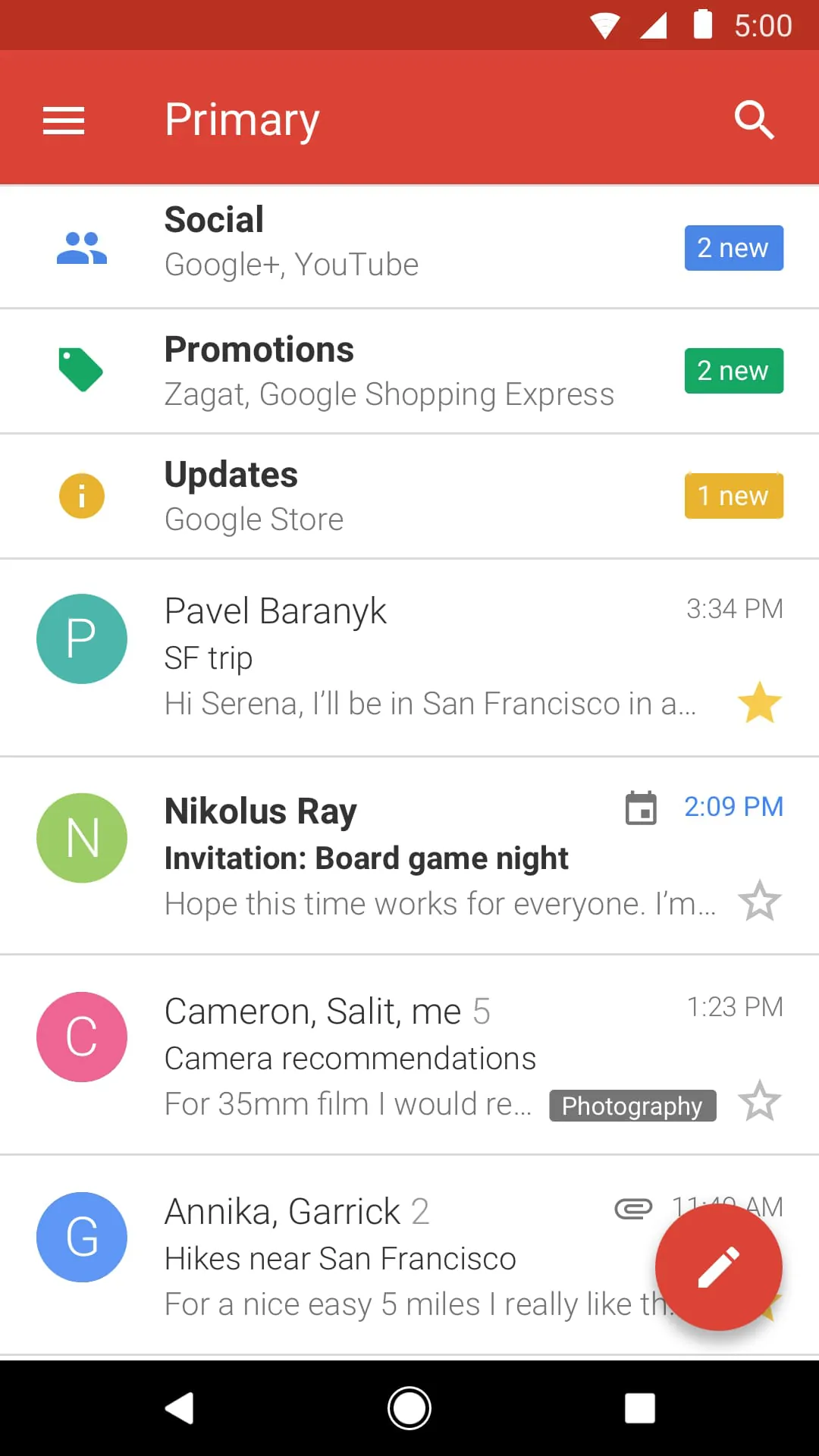
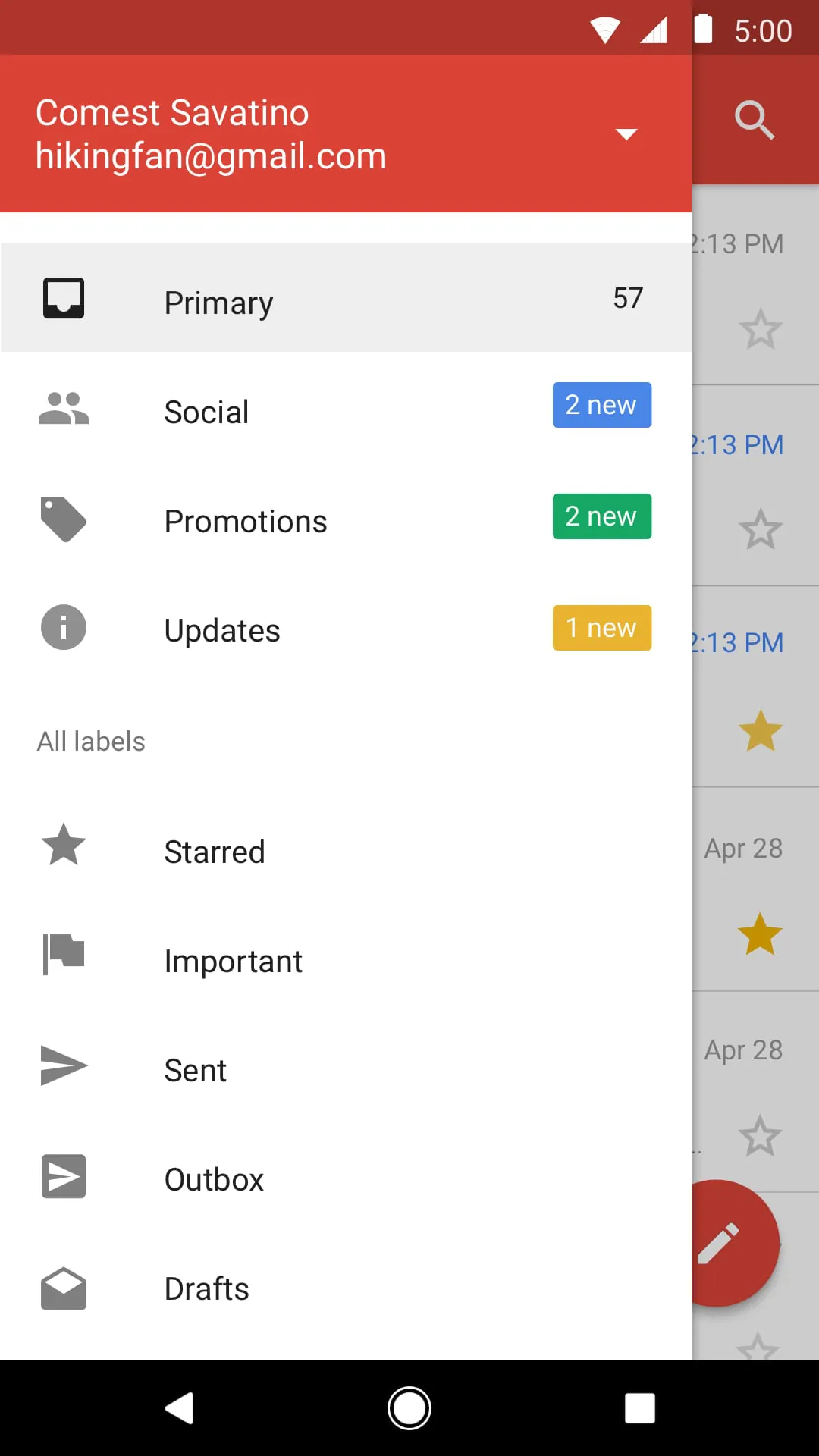
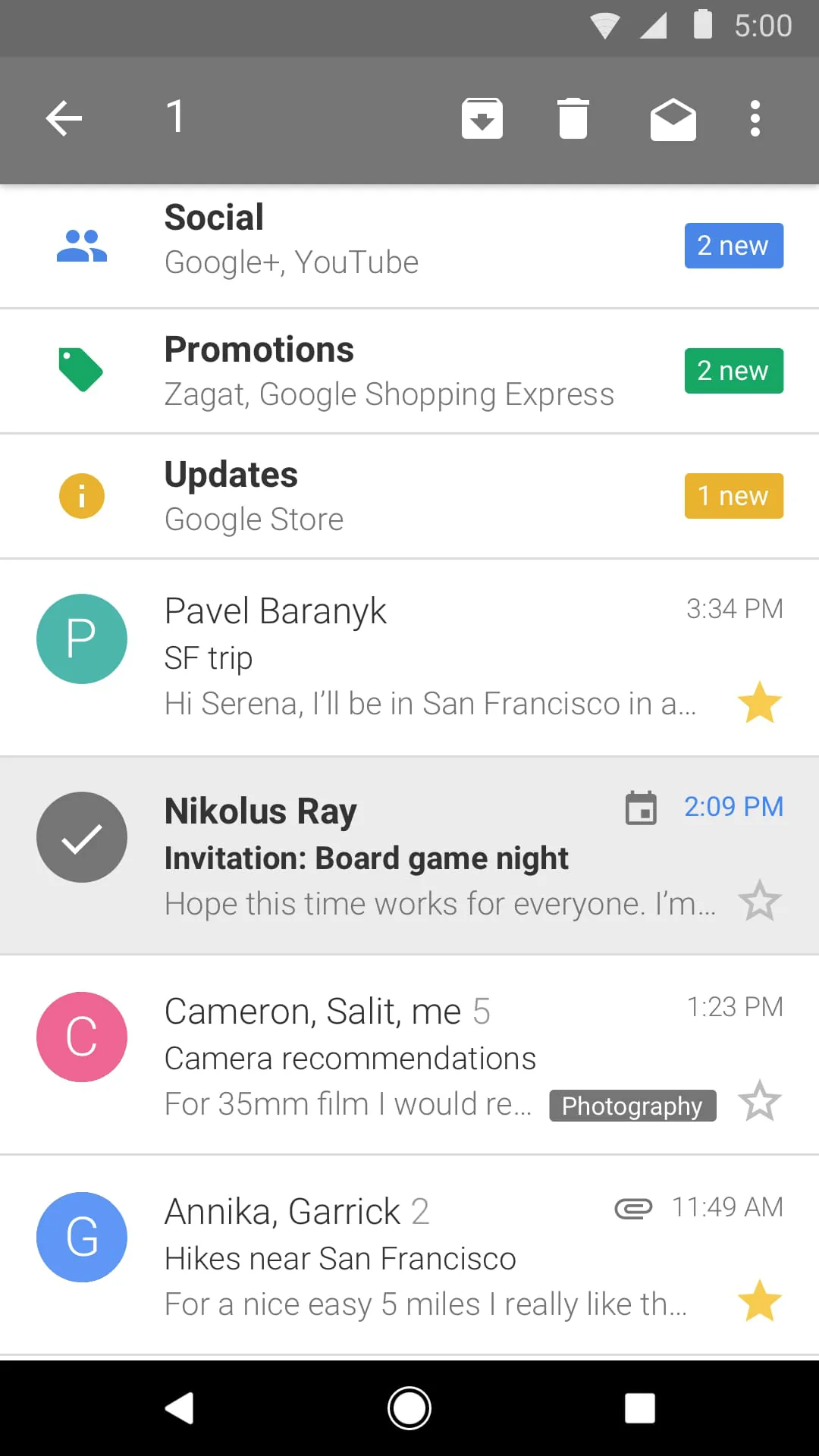
The smart inbox feature in Gmail Go is designed to prioritize and categorize emails, ensuring that important messages from friends, family, and colleagues are prominently displayed at the top of the inbox. This intelligent filtering system automatically separates personal emails from less critical messages, such as social media updates and promotional offers, allowing users to focus on the emails that require immediate attention. By reducing clutter and streamlining the email management process, the smart inbox feature helps users save time and effort, making it easier to stay on top of their communications and maintain productivity. This feature is particularly beneficial for individuals who receive a high volume of emails daily, as it significantly reduces the time spent sifting through irrelevant messages and allows them to quickly identify and respond to important emails. The smart inbox functionality is also customizable, allowing users to tailor the filtering settings to their specific needs and preferences. Users can create custom filters to automatically categorize emails based on sender, subject, or keywords, ensuring that important messages are always easily accessible. This level of customization allows users to fine-tune their email experience and create a personalized inbox that reflects their individual communication patterns. In addition to its intelligent filtering capabilities, the smart inbox feature also provides a visually appealing and user-friendly interface that makes it easy to navigate and manage emails. The inbox is organized into distinct categories, such as "Primary," "Social," and "Promotions," allowing users to quickly identify and access the types of emails they are looking for. This clear and intuitive organization helps users stay organized and manage their emails efficiently, even when dealing with a large volume of messages. The smart inbox feature also includes a built-in search function that allows users to quickly find specific emails based on sender, subject, keywords, or date. This powerful search tool makes it easy to locate important messages, even if they are buried deep within the inbox. By providing a fast and efficient search experience, the smart inbox feature ensures that users can always find the emails they need, when they need them. Furthermore, the smart inbox feature is designed to learn from user behavior and adapt its filtering algorithms over time. As users interact with their emails, the smart inbox learns which messages are most important to them and adjusts its filtering settings accordingly. This adaptive learning capability ensures that the smart inbox becomes increasingly accurate and effective over time, providing users with an ever-improving email management experience. The smart inbox feature also integrates seamlessly with other Gmail Go features, such as spam protection and multiple account support. This integration allows users to enjoy a unified and consistent email experience, regardless of the number of accounts they manage or the types of emails they receive. By providing a comprehensive and integrated email management solution, the smart inbox feature helps users stay connected and productive, without sacrificing performance or security. In summary, the smart inbox feature in Gmail Go is a powerful and versatile tool that simplifies email management and helps users stay on top of their communications. Its intelligent filtering capabilities, customizable settings, and user-friendly interface make it an indispensable feature for anyone who wants to enjoy a streamlined and efficient email experience.
Gmail Go prioritizes the security of user accounts by incorporating robust spam protection measures that effectively block unwanted and potentially harmful emails before they reach the inbox. This proactive approach to spam filtering ensures a cleaner and more secure email experience, reducing the risk of phishing attacks, malware infections, and other security threats. The app's advanced filtering algorithms automatically detect and identify spam messages based on a variety of factors, including sender reputation, email content, and suspicious links. By analyzing these factors in real-time, Gmail Go can accurately identify and block spam messages with a high degree of confidence, ensuring that users are protected from unwanted and potentially harmful content. The spam protection feature in Gmail Go is constantly updated to stay ahead of the latest spam tactics and techniques. As spammers develop new ways to bypass traditional spam filters, Gmail Go's filtering algorithms are continuously refined to detect and block these evolving threats. This ongoing commitment to spam protection ensures that users are always protected from the latest spam attacks, regardless of their sophistication. In addition to its automated spam filtering capabilities, Gmail Go also allows users to manually mark emails as spam. This feature provides users with an additional layer of control over their inbox, allowing them to identify and report spam messages that may have slipped through the automated filters. By reporting spam messages, users help to improve the accuracy and effectiveness of Gmail Go's spam filtering algorithms, benefiting all users of the app. The spam protection feature in Gmail Go also includes a built-in phishing detection system that identifies and blocks phishing emails designed to steal user credentials or sensitive information. This system analyzes the content and links in emails to detect signs of phishing activity, such as fake login pages or requests for personal information. By blocking phishing emails, Gmail Go helps to protect users from identity theft and financial fraud. Furthermore, the spam protection feature in Gmail Go integrates seamlessly with other security features, such as two-factor authentication and account activity monitoring. This integration provides users with a comprehensive suite of security tools to protect their accounts from unauthorized access and misuse. By combining multiple layers of security, Gmail Go ensures that user accounts are always protected from the latest threats. The spam protection feature in Gmail Go is also designed to minimize false positives, ensuring that legitimate emails are not accidentally marked as spam. The app's filtering algorithms are carefully tuned to avoid blocking important messages from friends, family, and colleagues. By minimizing false positives, Gmail Go provides a more reliable and user-friendly email experience. In summary, the spam protection feature in Gmail Go is a critical component of the app's overall security posture. By proactively blocking spam and phishing emails, Gmail Go helps to protect users from a wide range of security threats, ensuring a cleaner, safer, and more enjoyable email experience.
Screenshots

Additional Information
Category
CommunicationVersion
V2022.10.10.480125827.Release
Tag
Gmail Go | Lightweight App | Email Management | Spam Protection | Storage Capacity
Rate
4.30
★★★★★
Reviews
500 +
Installs
1B +
Developer
Google LLC
Content Rating
Everyone
Email from Google
ADVERTISEMENT
ADVERTISEMENT
Previous Versions
ZIP files require a Split APKs Installer (e.g., SAI) from Google Play to install. Steps: 1. Download SAI from Google Play; 2. Open SAI and tap "Install APKs"; 3. Select the ZIP file; 4. Complete installation.
V2022.10.10.480125827.Release

Package Name
com.google.android.gm.lite
Version Name
V2022.10.10.480125827.Release
Version Code
V2022.10.10.480125827.Release
File Size
34.4 MB
Update time
2022-12-4
ADVERTISEMENT
You Might Like









