Fast Cleaner & Photo Recovery is presented as a mobile phone cleaning tool designed to optimize device performance and storage. The application focuses on removing unnecessary files and managing large files that consume significant storage space. The core functionality revolves around cleaning up various types of redundant files, including empty folders, APK files (application installation packages), temporary files, and log files. This comprehensive cleaning approach aims to declutter the device, freeing up valuable storage and potentially improving overall system responsiveness. The application emphasizes its user-friendliness, targeting both experienced users and those less familiar with mobile device maintenance. The intuitive interface is designed to make the cleaning process accessible to everyone, regardless of their technical expertise. The ease of use is highlighted as a key feature, allowing users to initiate cleaning operations with minimal effort. The application also uses android.permission.FOREGROUND_SERVICE_DATA_SYNC to maintain a persistent notification, enabling users to quickly access and utilize its features, as well as to receive regular reminders to clean their devices. This constant accessibility aims to encourage users to maintain their device's cleanliness on a regular basis. The description encourages users to download the application, emphasizing its benefits in terms of device optimization and ease of use. The overall message is that Fast Cleaner & Photo Recovery provides a simple and effective solution for managing storage space and maintaining the performance of mobile phones. The focus on user-friendliness and comprehensive cleaning capabilities positions it as an appealing option for a wide range of users seeking to improve their device's efficiency. The persistent notification is also presented as a convenience, allowing users to easily access the application's features and receive timely reminders. The cleaning process is portrayed as a quick and effortless way to remove unnecessary files and optimize device performance. The application's ability to clean up various types of files, including empty folders, APK files, temporary files, and log files, ensures a thorough cleaning process. The inclusion of a large file cleaner further enhances its ability to free up significant storage space. The application's overall goal is to provide users with a simple and effective way to manage their device's storage and maintain its performance. The emphasis on user-friendliness and comprehensive cleaning capabilities makes it an appealing option for a wide range of users. The application's constant accessibility and timely reminders further enhance its convenience and effectiveness. The persistent notification is also a key feature, allowing users to quickly access and utilize its features, as well as to receive regular reminders to clean their devices. This constant accessibility aims to encourage users to maintain their device's cleanliness on a regular basis. The description highlights the app's ability to free up valuable storage and potentially improve overall system responsiveness. The app's interface ensures that anyone can start cleaning their phone with just a few taps.
The description of Fast Cleaner & Photo Recovery emphasizes the importance of regular mobile phone maintenance and highlights the application's capabilities in simplifying this process. By automatically identifying and removing unnecessary files, the app relieves users of the burden of manually searching for and deleting these files. This automation not only saves time but also reduces the risk of accidentally deleting important files. The application's ability to clean up various types of redundant files, including empty folders, APK files, temporary files, and log files, ensures a thorough cleaning process. The inclusion of a large file cleaner further enhances its ability to free up significant storage space. The application's overall goal is to provide users with a simple and effective way to manage their device's storage and maintain its performance. The emphasis on user-friendliness and comprehensive cleaning capabilities makes it an appealing option for a wide range of users. The application's constant accessibility and timely reminders further enhance its convenience and effectiveness. The android.permission.FOREGROUND_SERVICE_DATA_SYNC permission is used to maintain a permanent notification bar, allowing users to quickly and conveniently use the application. This feature ensures that the app is always readily available, enabling users to initiate cleaning operations whenever they deem necessary. The regular push messages serve as reminders, prompting users to clean up files and maintain their device's performance. The application's constant accessibility and timely reminders further enhance its convenience and effectiveness. The app is designed to free up valuable storage and potentially improve overall system responsiveness. Its interface ensures that anyone can start cleaning their phone with just a few taps, regardless of their technical expertise. The application is presented as a reliable and efficient tool for managing mobile phone storage and maintaining optimal performance. The application simplifies the process of cleaning up a mobile phone by automatically identifying and removing unnecessary files. This automation not only saves time but also reduces the risk of accidentally deleting important files. The application's ability to clean up various types of redundant files, including empty folders, APK files, temporary files, and log files, ensures a thorough cleaning process. The inclusion of a large file cleaner further enhances its ability to free up significant storage space. The application's overall goal is to provide users with a simple and effective way to manage their device's storage and maintain its performance. The emphasis on user-friendliness and comprehensive cleaning capabilities makes it an appealing option for a wide range of users. The application's constant accessibility and timely reminders further enhance its convenience and effectiveness. The use of the foreground service data sync permission to maintain a permanent notification bar ensures that the app is always readily available, enabling users to initiate cleaning operations whenever they deem necessary.
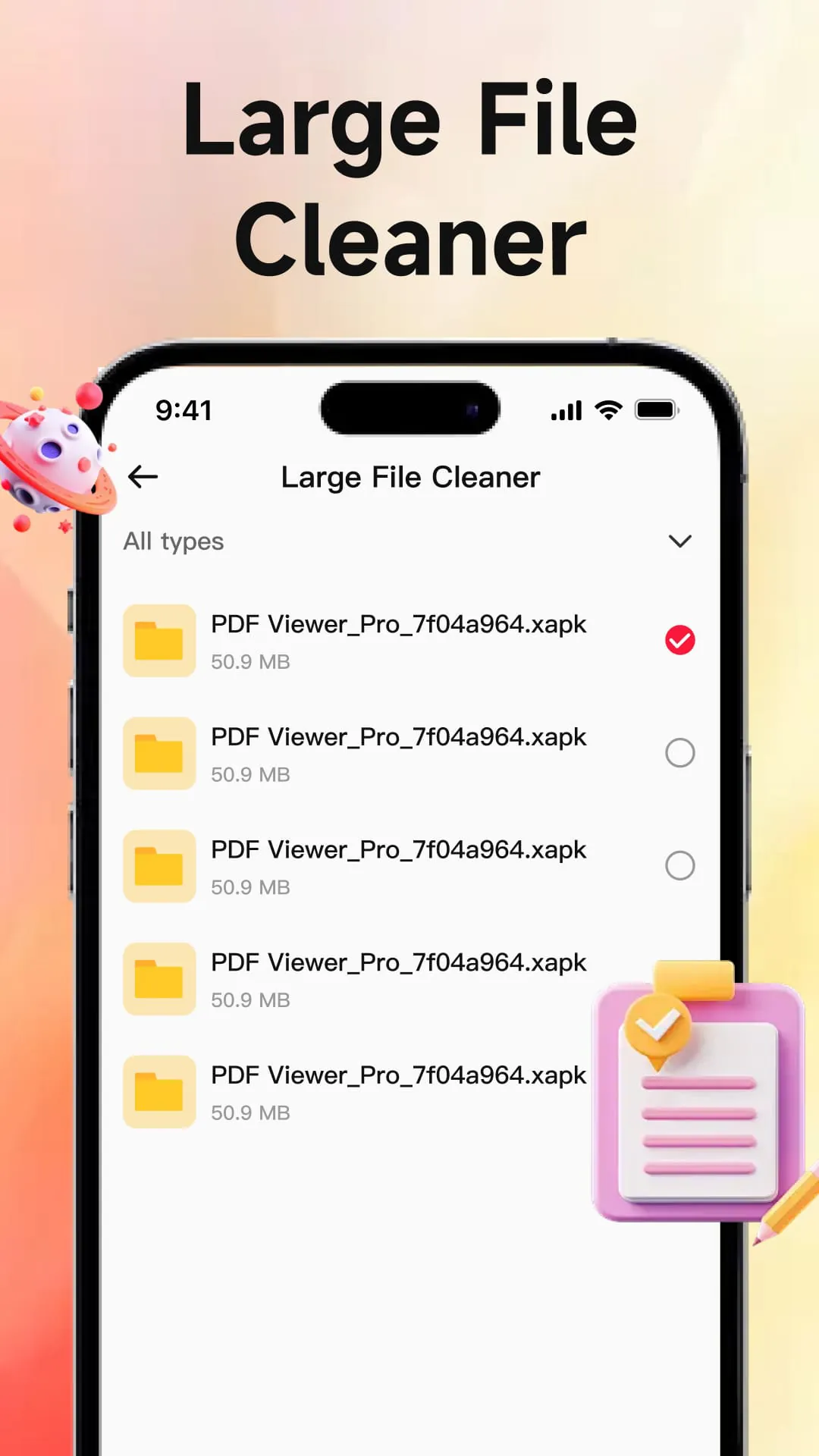
The description of Fast Cleaner & Photo Recovery highlights the app's focus on simplicity and accessibility, making it a user-friendly option for individuals with varying levels of technical expertise. The intuitive interface ensures that users can easily navigate the app's features and initiate cleaning operations with just a few taps. This ease of use is a significant advantage, as it eliminates the learning curve often associated with mobile phone cleaning tools. The application's ability to clean up various types of redundant files, including empty folders, APK files, temporary files, and log files, ensures a thorough cleaning process. The inclusion of a large file cleaner further enhances its ability to free up significant storage space. The application's overall goal is to provide users with a simple and effective way to manage their device's storage and maintain its performance. The emphasis on user-friendliness and comprehensive cleaning capabilities makes it an appealing option for a wide range of users. The application's constant accessibility and timely reminders further enhance its convenience and effectiveness. The use of the android.permission.FOREGROUND_SERVICE_DATA_SYNC permission is justified as a means of providing users with quick and convenient access to the app's features and ensuring that they receive regular reminders to clean their devices. The app's functionality extends beyond simply removing unnecessary files; it also addresses the issue of large files that consume significant storage space. By identifying and allowing users to delete these files, the app helps to reclaim valuable storage and improve overall device performance. The app's constant accessibility and timely reminders further enhance its convenience and effectiveness. The app provides a comprehensive cleaning solution that addresses various types of redundant files, including empty folders, APK files, temporary files, and log files. The app's ability to clean up these files ensures that the device is thoroughly decluttered, freeing up valuable storage and potentially improving overall system responsiveness. The application's overall goal is to provide users with a simple and effective way to manage their device's storage and maintain its performance. The emphasis on user-friendliness and comprehensive cleaning capabilities makes it an appealing option for a wide range of users. The application's constant accessibility and timely reminders further enhance its convenience and effectiveness. The application effectively targets a common pain point for mobile phone users: the accumulation of unnecessary files that consume storage space and slow down device performance. By providing a simple and efficient solution for cleaning up these files, the app helps users to maintain the optimal performance of their devices.





 APK
APK  Google Play
  iOS
iOS  4.80
4.80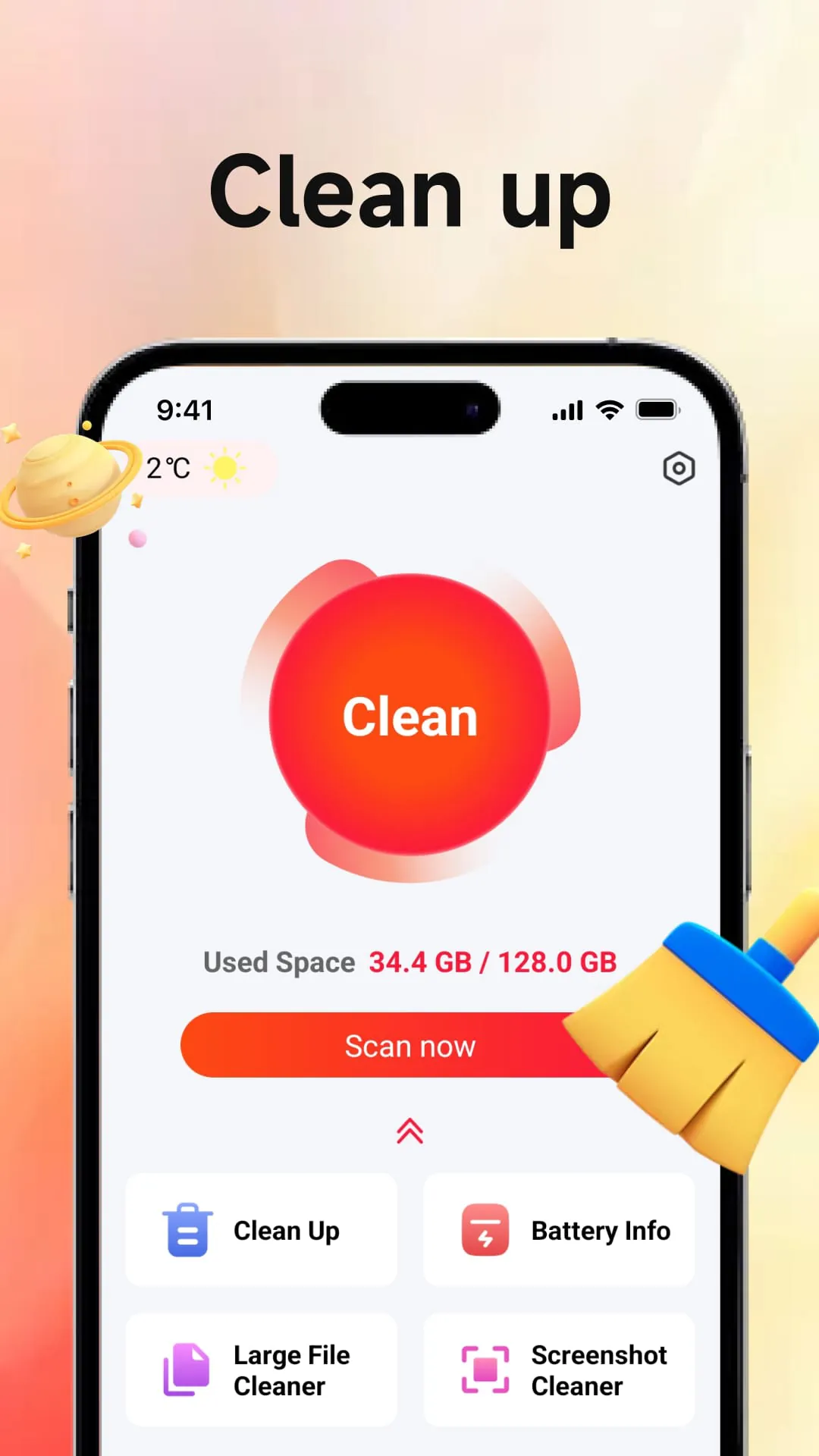
 Download








