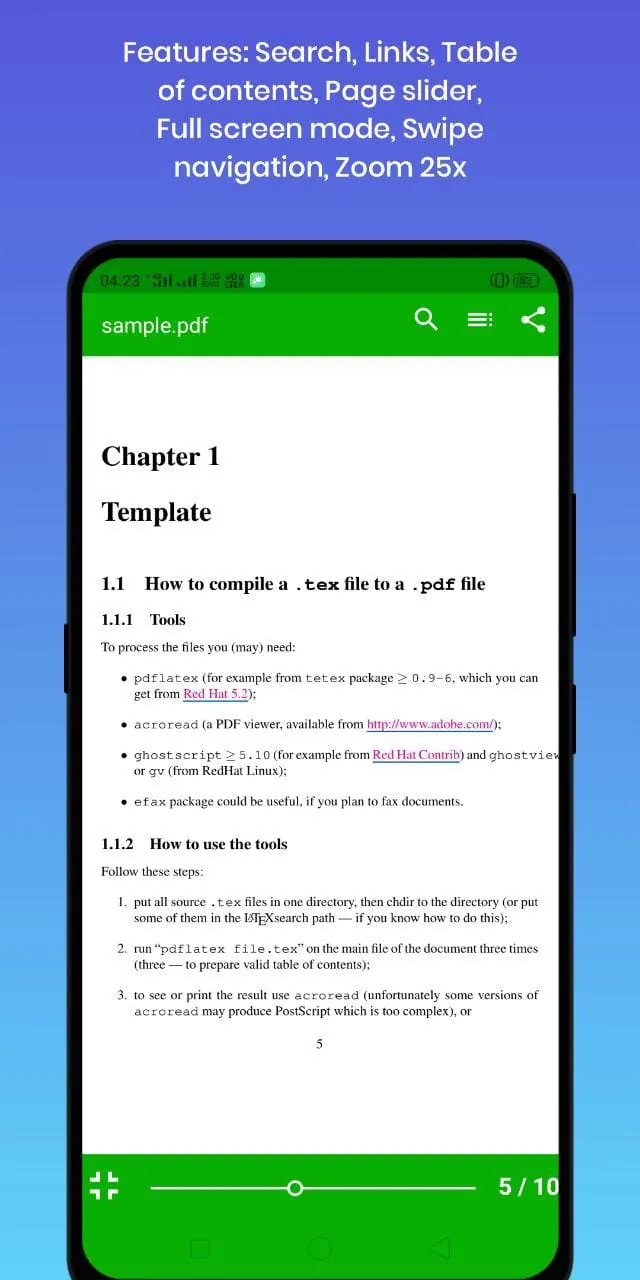
PDF Viewer Lite distinguishes itself as a professional-grade PDF viewer that prioritizes efficiency and user experience. Unlike many of its competitors, PDF Viewer Lite is designed to minimize resource consumption, making it an ideal choice for users who want to maintain optimal device performance. One of its most notable features is its low RAM usage, which allows users to seamlessly integrate the app into their daily workflow without experiencing any lag or slowdown. The app can be pinned to recent apps and used concurrently with other applications without significantly impacting the device's overall performance. This is a crucial advantage for users who frequently multitask or work with multiple apps simultaneously. In addition to its low RAM footprint, PDF Viewer Lite is also remarkably small in size, making it one of the most compact PDF viewers available. Its small size ensures that it doesn't take up excessive storage space on the device, which is particularly beneficial for users with limited storage capacity. Despite its small size, PDF Viewer Lite doesn't compromise on functionality. It offers a comprehensive set of features that rival those found in larger, more resource-intensive PDF viewers. The app's smooth scrolling capability further enhances the user experience, allowing users to navigate through PDF documents with ease and precision. The app is engineered to provide a buttery-smooth scrolling experience, ensuring that users can quickly and efficiently access the information they need. The absence of ads is another distinguishing feature of PDF Viewer Lite. Unlike many other free PDF viewers, PDF Viewer Lite doesn't bombard users with intrusive ads, providing a clean and distraction-free viewing experience. The app's ad-free nature allows users to focus on their tasks without being interrupted by unwanted advertisements. Furthermore, PDF Viewer Lite is an open-source application, which means that its source code is publicly available and can be modified and distributed by anyone. This transparency fosters trust and allows users to verify the app's security and integrity. The open-source nature of PDF Viewer Lite also encourages community contributions, leading to ongoing improvements and enhancements. The app's lack of bloatware is another testament to its commitment to efficiency and user experience. PDF Viewer Lite is designed to be lean and focused, providing only the essential features that users need to view and manipulate PDF documents. This eliminates unnecessary clutter and ensures that the app remains lightweight and responsive. In summary, PDF Viewer Lite stands out as a pro PDF viewer that prioritizes low resource consumption, small size, smooth scrolling, ad-free operation, and open-source transparency. Its comprehensive set of features, combined with its efficient design, makes it an ideal choice for users who demand performance and usability.
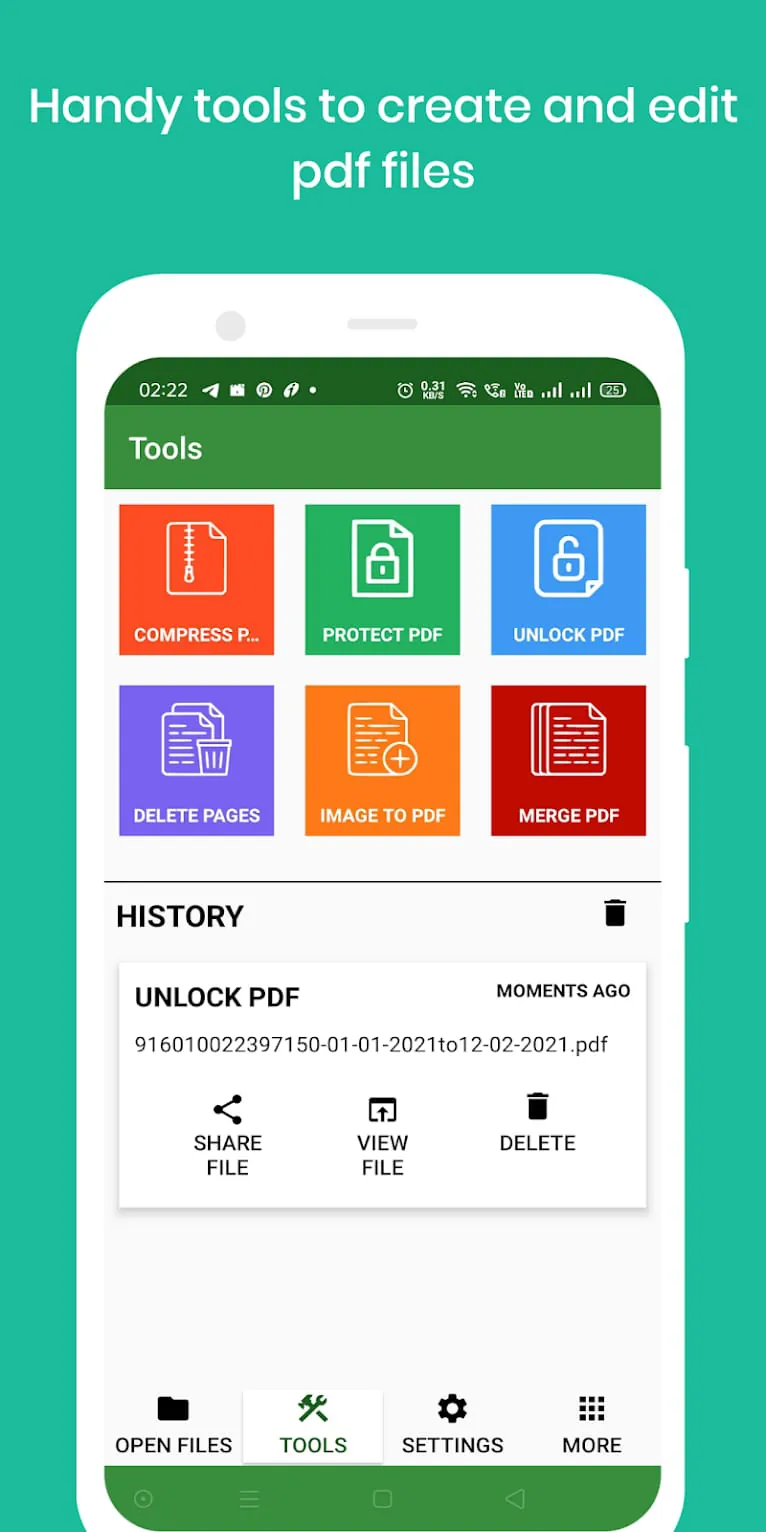
Beyond its core viewing capabilities, PDF Viewer Lite offers a range of practical PDF operations that empower users to manipulate and modify their documents with ease. These operations include compressing PDF files, setting passwords for PDF documents, removing passwords from PDF files, deleting pages from PDF documents, converting images to PDF format, and merging multiple PDFs into a single document. The ability to compress PDF files is particularly useful for users who need to reduce the file size of their documents for sharing or storage purposes. PDF Viewer Lite's compression feature allows users to optimize their PDF files without sacrificing image quality or readability. The option to set passwords for PDF documents provides an added layer of security, allowing users to protect sensitive information from unauthorized access. PDF Viewer Lite's password protection feature ensures that only authorized individuals can open and view the contents of the document. Conversely, the ability to remove passwords from PDF files is equally important for users who need to unlock protected documents for editing or printing. PDF Viewer Lite's password removal feature allows users to regain access to their documents without having to remember or obtain the original password. The ability to delete pages from PDF documents is a valuable tool for users who need to remove unwanted or irrelevant content from their files. PDF Viewer Lite's page deletion feature allows users to selectively remove pages from their documents, ensuring that only the necessary information remains. The option to convert images to PDF format is a convenient way to create PDF documents from image files, such as photos or scanned documents. PDF Viewer Lite's image-to-PDF conversion feature allows users to easily create PDF documents from a variety of image formats. The ability to merge multiple PDFs into a single document is particularly useful for users who need to combine several PDF files into a single, cohesive document. PDF Viewer Lite's PDF merging feature allows users to seamlessly combine multiple PDF files into a single document, streamlining their workflow and improving organization. These PDF operations, combined with its core viewing capabilities, make PDF Viewer Lite a versatile and powerful tool for managing and manipulating PDF documents. The app's user-friendly interface and intuitive design make it easy for users to access and utilize these features, regardless of their technical expertise. In addition to the features currently available, the developers of PDF Viewer Lite have promised many more to come soon, indicating a commitment to ongoing development and improvement.
PDF Viewer Lite distinguishes itself through its commitment to user satisfaction and continuous improvement. The developers actively encourage users to share their suggestions and bug reports, demonstrating a dedication to addressing user needs and enhancing the app's functionality. The provided email address,
[email protected]
, serves as a direct line of communication between users and the development team, fostering a collaborative environment where user feedback is valued and incorporated into future updates. This open communication channel allows users to actively participate in the app's development, ensuring that it evolves to meet their specific requirements. The developers' responsiveness to user feedback is a key differentiator, setting PDF Viewer Lite apart from other PDF viewers that may lack such a direct line of communication. By actively soliciting and incorporating user input, the developers can continuously improve the app's performance, usability, and feature set. This iterative development process ensures that PDF Viewer Lite remains a relevant and competitive PDF viewer in the ever-evolving mobile landscape. The emphasis on user suggestions and bug reports also reflects a commitment to quality and reliability. By promptly addressing user-reported issues, the developers can maintain a high level of app stability and prevent potential problems from impacting the user experience. This proactive approach to quality assurance ensures that PDF Viewer Lite remains a trustworthy and dependable PDF viewing solution. In conclusion, PDF Viewer Lite's commitment to user satisfaction, continuous improvement, and responsiveness to user feedback sets it apart as a pro PDF viewer that prioritizes user needs and strives to provide the best possible PDF viewing experience. Its comprehensive feature set, combined with its efficient design and open communication channels, makes it an ideal choice for users who demand performance, usability, and ongoing support.





 APK
APK  Google Play
  iOS
iOS  4.50
4.50
 Download








