The Edward Jones app is the official mobile platform for clients of the Edward Jones financial services firm, designed to provide secure, on-the-go access to investment accounts and financial guidance. It serves as a direct digital extension of the personalized relationship clients have with their financial advisor, enabling them to monitor portfolio performance, review statements, and contact their advisor from a single, trusted application.
Key Features
The app focuses on delivering clarity and convenience for long-term investors, emphasizing security and a connection to personal advice. Its design prioritizes a clear view of a client's complete financial picture as structured with their Edward Jones representative. Rather than promoting independent, rapid trading, it facilitates informed monitoring and communication, ensuring clients stay aligned with their financial strategies alongside their advisor's guidance.
Pros & Cons
- Pros: The app offers a clean, intuitive interface that presents complex portfolio information in an easy-to-understand format. Its integration with the assigned financial advisor is seamless, featuring direct messaging and easy appointment scheduling. Security measures are robust, employing industry-standard encryption and authentication. The ability to access all account documents, including statements and tax forms, is highly convenient.
- Cons: Functionality is primarily for monitoring and communication, lacking the advanced charting tools or direct stock trading capabilities found on brokerage-focused platforms. Some users note that certain advanced account features or detailed performance reports are best accessed through the full website. The app's design is conservative, prioritizing stability and clarity over frequent, cutting-edge feature updates.
Functions
The application provides a comprehensive suite of tools for account management and advisor collaboration.
- Portfolio Overview: View a consolidated summary of all account balances, allocations, and performance trends over time.
- Document Access: Securely retrieve and store monthly statements, trade confirmations, and annual tax documents.
- Advisor Communication: Send direct, secure messages to your financial advisor and schedule branch appointments.
- Account Activity Monitoring: Review recent transactions, dividends, and deposits for all linked accounts.
- Market Information: Access curated market news, insights, and educational content from Edward Jones.
- Security Management: Utilize biometric login (Touch ID/Face ID) and quickly enable travel notices on accounts.
How to Use
Click the button "Check All Versions" below to download and install it. After installation, open the app and log in using your existing Edward Jones client website credentials; first-time users will need to register their account for mobile access. Upon successful login, you will typically land on a dashboard summarizing your total invested assets. You can tap on any account to see more detailed holdings and activity. To contact your advisor, navigate to the dedicated "My Advisor" section to send a message or view their contact details. For documents, access the "Statements & Documents" tab, where you can view or download PDFs. Regularly review the dashboard for performance updates and check the message center for important communications from your branch.





 APK
APK  Google Play
  iOS
iOS  4.70
4.70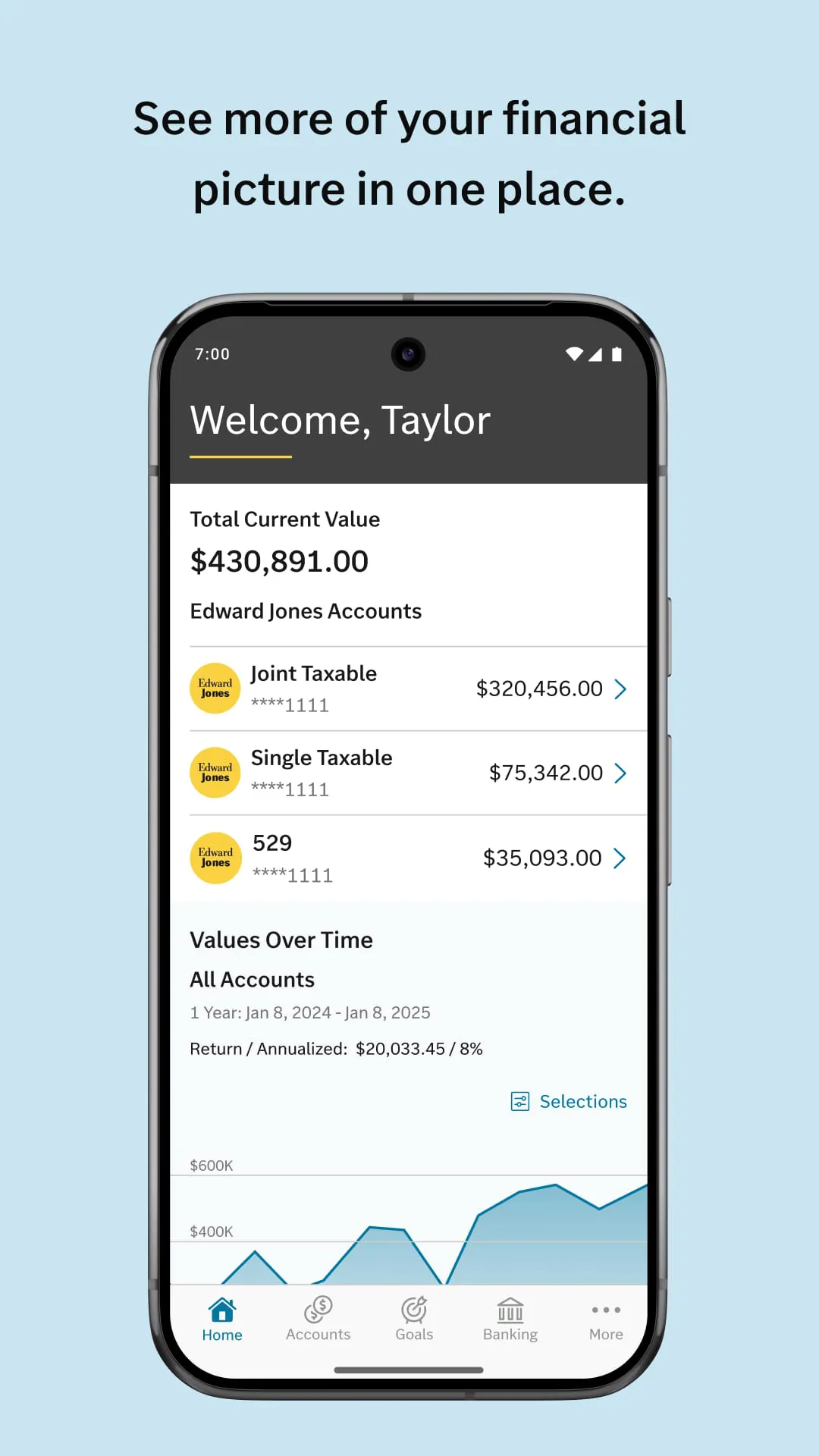
 Download








