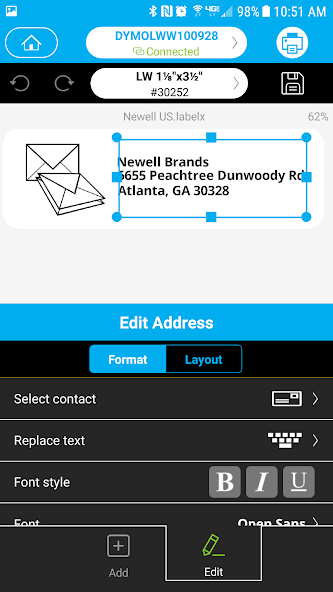
DYMO Connect is a versatile desktop application developed by DYMO, designed to serve as the central software hub for managing and printing labels with compatible DYMO label printers. It provides a user-friendly interface for designing labels, accessing pre-designed templates, and printing everything from simple address tags to sophisticated barcode labels directly from your computer, streamlining organization and identification tasks in both home and office environments.
Key Features
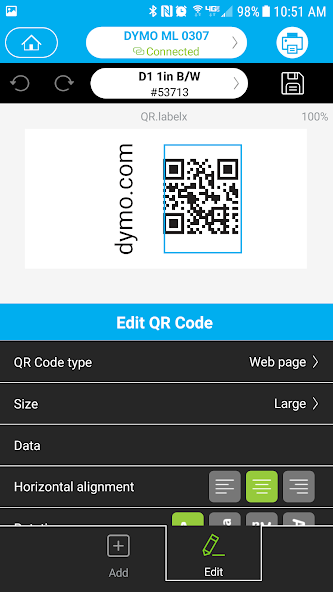
The application stands out with several core features that enhance label creation and management. It offers deep integration with a wide array of DYMO printer models, ensuring reliable hardware communication. Users can access a rich library of templates for various purposes, including shipping, filing, and name badges. The software supports importing data from spreadsheets for batch printing, a critical function for mail merges and inventory tagging. Additionally, it includes tools for creating custom barcodes and QR codes, adding a professional dimension to asset and product labeling.
Pros & Cons
Like any software, DYMO Connect presents a balance of strengths and limitations that users should consider.
- Pros: The interface is generally intuitive, making it accessible for beginners. Its tight integration with DYMO hardware guarantees stable printer performance. The template library is extensive and saves significant design time. The batch printing function is powerful for business applications. Regular updates from DYMO help maintain compatibility and add features.
- Cons: The software is primarily limited to DYMO brand printers, offering less flexibility for users with other brands. Some advanced design features may feel limited compared to full graphic design suites. The free version has basic functionality, with more advanced capabilities sometimes locked behind specific printer models or premium services.
Functions
DYMO Connect performs a range of specific functions centered around label production and printer management. Its primary role is to act as a design studio where users can create labels from scratch using text, shapes, images, and symbols. The software manages printer drivers and settings, handling tasks like calibration and label size detection. A key function is its database connectivity, allowing it to pull information from files like CSV or Excel to auto-populate multiple labels. It also provides tools for serialization, generating sequential numbers for labels, and includes a stand-alone address book for quickly printing contact information.
How to Use
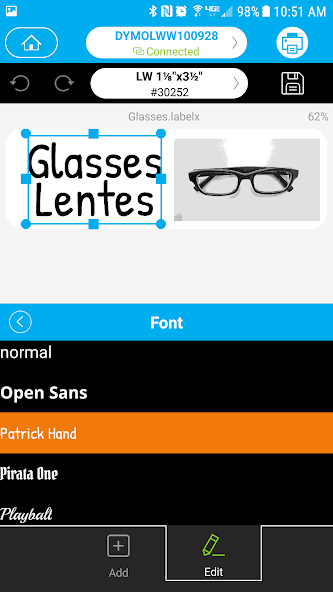
Click the button "Check All Versions" below to download and install it. Once installed, launch the application and connect your compatible DYMO label printer to the computer. The setup wizard will typically guide you through the initial configuration. To create a label, you can start by selecting a template from the library or choosing a blank label format. Use the toolbar to add text, modify fonts, and insert objects. For batch printing, use the "Import Data" function to link your spreadsheet. After designing your label, you can preview it on-screen and then send it directly to the printer with the print command. The software also allows you to save your custom designs for future use.





 APK
APK  Google Play
  iOS
iOS  1.60
1.60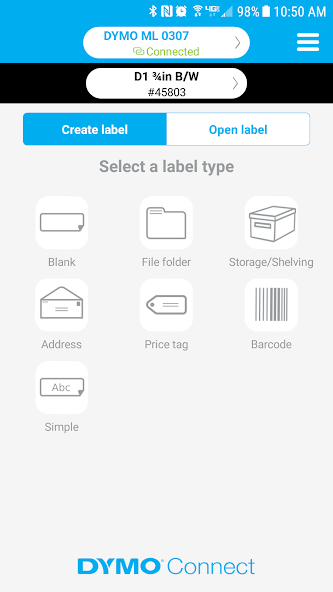
 Download








