The CVS Caremark app is a comprehensive mobile application developed by CVS Health, designed specifically for members of the CVS Caremark pharmacy benefit management (PBM) services. It serves as a digital gateway for users to manage their prescription drug plans, order medication refills, locate nearby in-network pharmacies, and handle plan details directly from their smartphones or tablets, integrating seamlessly with the broader CVS ecosystem for a unified healthcare management experience.
Key Features
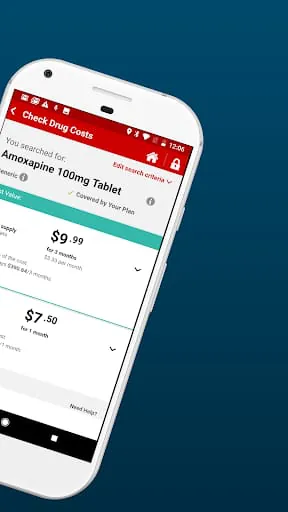
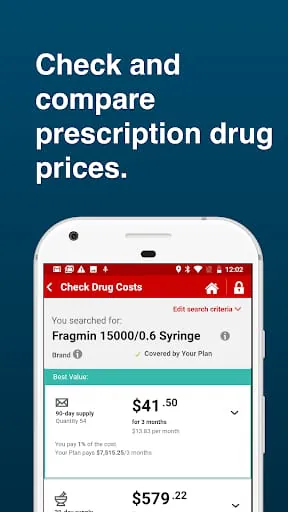
The app provides a robust set of features centered on convenience and control over healthcare needs. Users can easily manage multiple family members' prescriptions under one account, view detailed drug pricing and plan coverage, and set up automatic refills. It offers tools to compare drug costs and find lower-cost alternatives, along with sending timely reminders for medication adherence. Secure messaging with pharmacy staff and digital access to important plan documents and ID cards are also integral components of the platform.
Pros & Cons
The application offers significant advantages but also comes with certain limitations.
- Pros: The interface is generally user-friendly, consolidating prescription and plan management in one place. Features like pill identification, cost comparison, and pharmacy locator are highly practical. The ability to store digital insurance cards and manage family accounts adds considerable daily convenience. Integration with the main CVS app and ExtraCare rewards is a notable benefit for existing CVS customers.
- Cons: Functionality and experience can be entirely dependent on the specific employer's or plan's setup with Caremark, leading to inconsistent features for some users. Occasional technical glitches during login or refill processing have been reported. The app’s navigation can sometimes feel cluttered, and it may not fully replace the need to call customer service for complex plan-specific issues.
Functions
The core functions of the CVS Caremark app are meticulously tailored to streamline pharmacy benefit management.
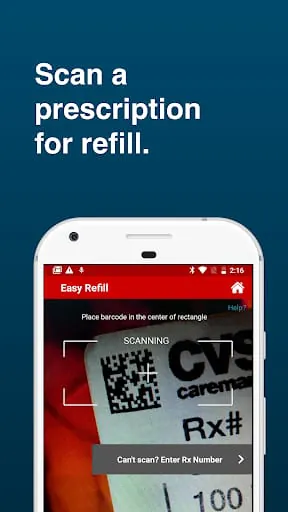
- Prescription Management: Order refills, transfer prescriptions, and view order history for all linked family members.
- Plan Information: Access a digital version of your prescription ID card, review plan coverage details, and check deductible status.
- Drug Pricing & Alternatives: Get real-time price estimates for medications and explore therapeutic or generic alternatives to save money.
- Pharmacy Locator: Find nearby in-network retail pharmacies or CVS locations using GPS, with store hours and contact information.
- Health Tools: Utilize features like a pill identifier tool and set up medication reminders to stay on track with dosages.
- Support: Communicate securely with the pharmacy team and access customer service contact options.
How to Use
Click the button "Check All Versions" below to download and install it. After installation, open the app and log in using your existing CVS Caremark online account credentials; if you are a new user, you will need to register and set up your profile by entering your personal and plan information. Once logged in, take time to navigate the dashboard to familiarize yourself with the layout. You can begin by adding your prescriptions, saving your preferred pharmacy, and setting up notification preferences for refills and alerts. For ongoing use, primarily use the app to request refills, track shipment status, and present your digital ID card at the pharmacy counter. Regularly check the messages section within the app for important updates from your plan or pharmacy.




 APK
APK  Google Play
  iOS
iOS  2.30
2.30