The Companion for Fortnite is a dedicated mobile application designed to enhance the player's experience by providing real-time game data, strategic tools, and comprehensive guides directly on a secondary device. It serves as an invaluable second-screen utility, allowing fans to access detailed maps, weapon statistics, challenge walkthroughs, and competitive news without needing to exit the main game client, thereby supporting both casual enjoyment and serious competitive play.
Key Features
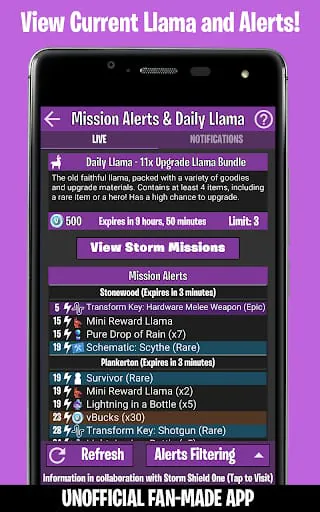
The application distinguishes itself with a suite of powerful, game-synchronized features. It delivers live match tracking and interactive maps that update with each new season's points of interest. A comprehensive database covers every weapon and item with precise stats. The app also provides timely alerts for limited-time modes and item shop rotations. Furthermore, it includes detailed, step-by-step guides for completing seasonal challenges and discovering hidden collectibles.
Pros & Cons
- Significantly improves gameplay efficiency by offering instant information access, reducing the need to pause and search online.
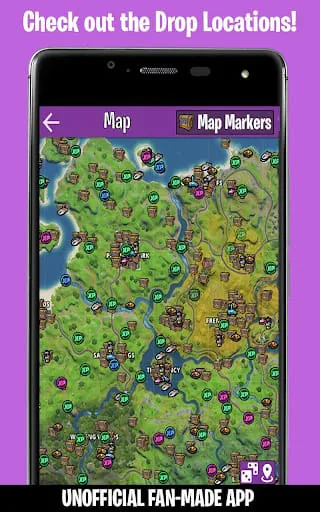
- The interactive map tool is exceptionally detailed and user-friendly, making navigation and planning much easier.
- Regular updates ensure all content stays perfectly aligned with the latest game patches and seasons.
- Some advanced features, such as detailed combat analytics, may require a premium subscription or in-app purchase.
- Being a companion app, it requires a separate mobile device to use simultaneously, which may not be convenient for all players.
- Heavy reliance on a stable internet connection for real-time data synchronization can be a drawback in areas with poor connectivity.
Functions
- Real-Time Map: Displays an interactive, zoomable map with live in-game storm circles, vehicle spawns, chest locations, and challenge objectives.
- Loadout Analyzer: Allows players to theory-craft and analyze potential weapon combinations and their statistical performance.
- Challenge Tracker: Lists all weekly and seasonal challenges with integrated guides and a personal progress tracker.
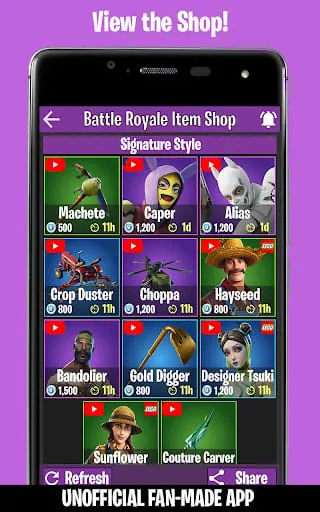
- Cosmetics Catalog: Browse the entire locker, preview skins and emotes, and see the current and historical item shop.
- News Hub: Aggregates official patch notes, competitive tournament schedules, and community highlights in one feed.
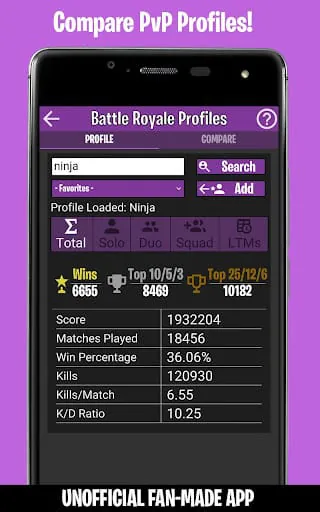
- Performance Stats: Tracks personal match history, key performance indicators (KPIs), and offers insights for improvement.
How to Use
Click the button "Check All Versions" below to download and install it. Once installed, launch the app and link it to your Epic Games account by following the on-screen authorization steps. This synchronization is crucial for personalized features like stat tracking. You can then navigate through the main menu to access different modules like the Map or Challenges. For the best experience, place your mobile device next to your gaming setup and keep the app open during your Fortnite sessions to get live updates and strategic advice without interrupting your gameplay flow.





 APK
APK  Google Play
  iOS
iOS  4.20
4.20