



ADVERTISEMENT
ADVERTISEMENT
Xerox® Workplace Xerox® Workplace
Category
ProductivityTag
Document Management | Cloud Integration | Mobile Printing | Xerox Workplace App | Secure Printing
Rate
4.40
★★★★★
Reviews
500 +
Installs
1M +
Developer
Xerox Corporation
Content Rating
Everyone
Xerox® Workplace enables mobile users a simple method to print and scan.
 APK
APK  Google Play
  iOS
iOS  4.40
4.40ADVERTISEMENT
ADVERTISEMENT
Author's Review
appspicked Review
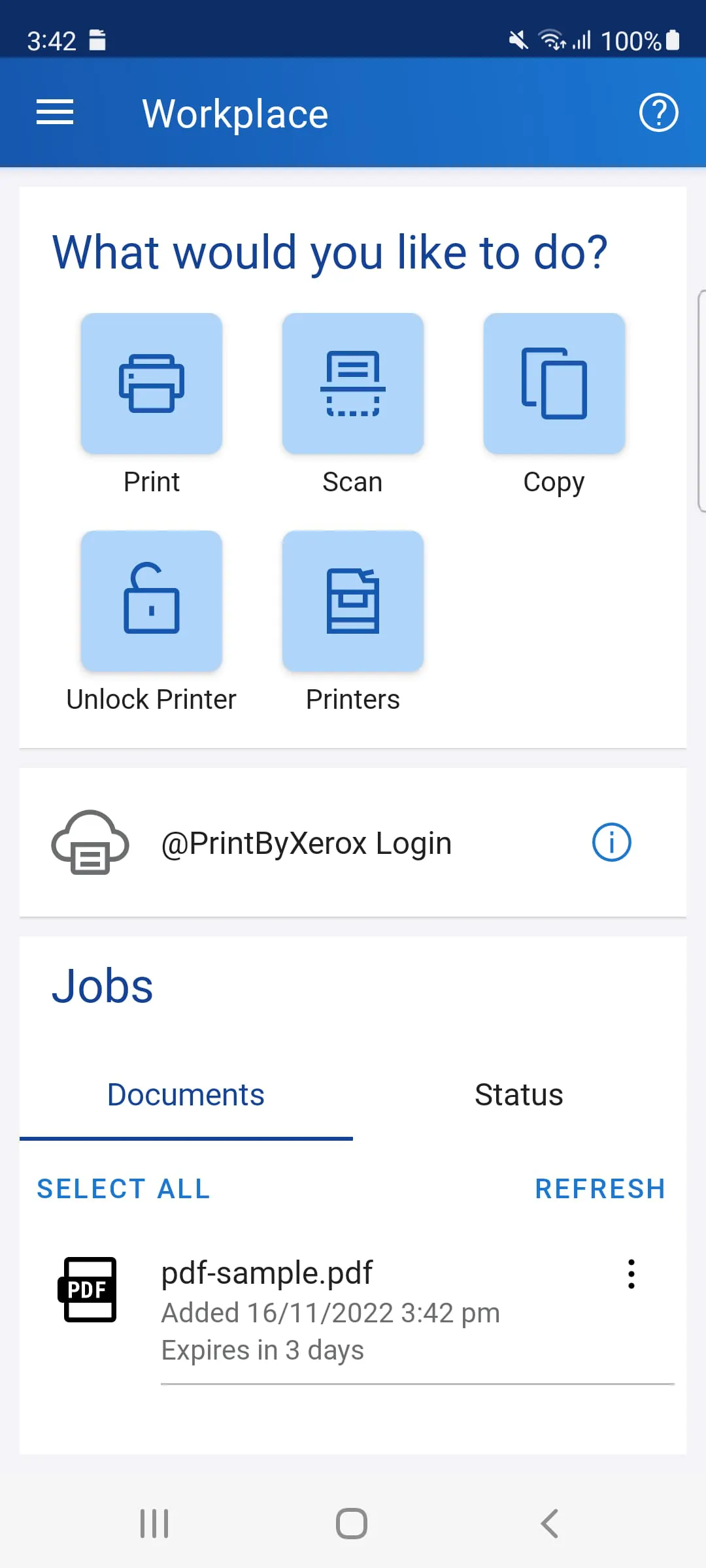
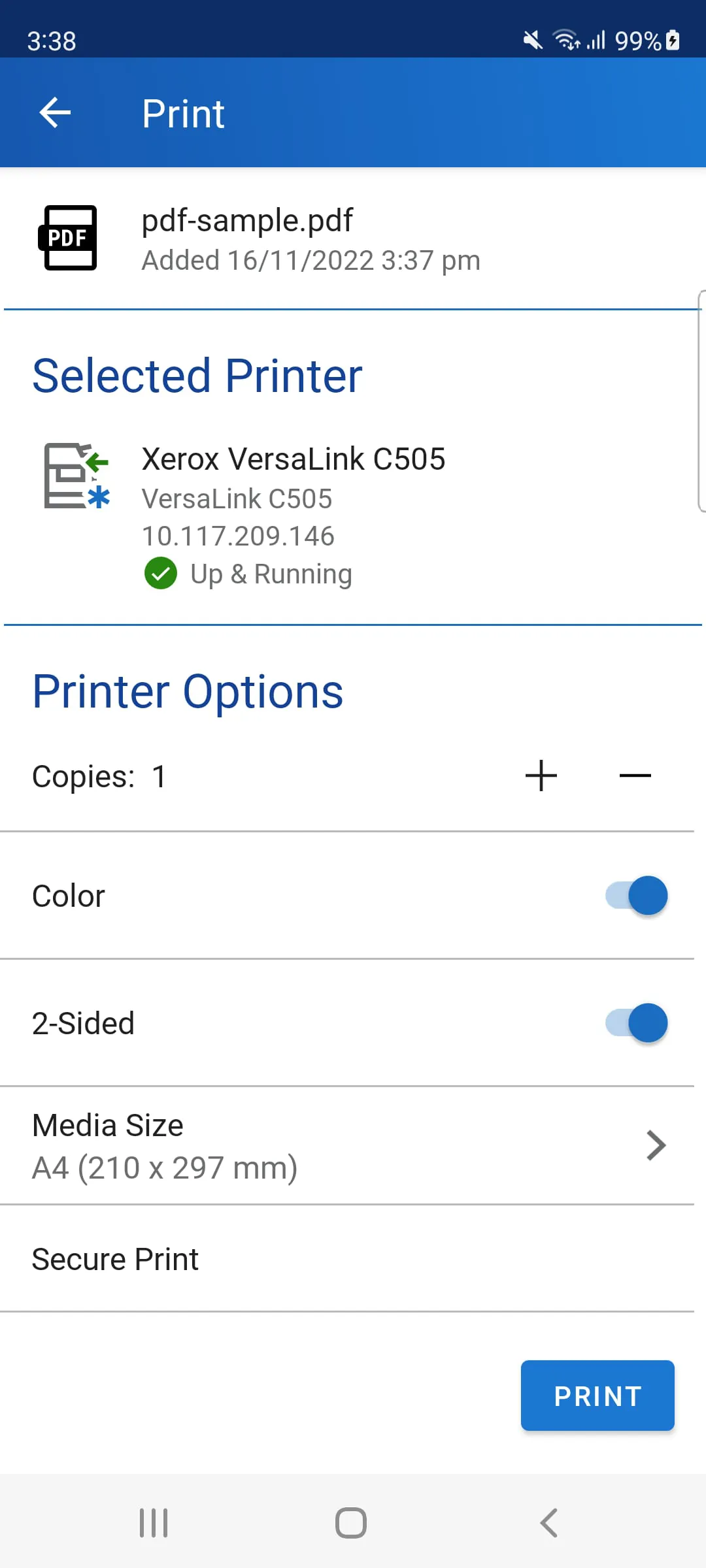
The Xerox Workplace mobile app represents a significant advancement in mobile printing and scanning solutions, primarily designed to enhance the usability and accessibility of Xerox MFPs (Multifunction Printers). At its core, the application facilitates simple local printing and scanning, providing users with a convenient way to interact with Xerox devices directly from their mobile devices. This functionality is especially beneficial for users who require quick and easy access to printing and scanning capabilities without the need for a desktop computer or complex network configurations. The app’s ability to connect to printers via QR codes or NFC (Near Field Communication) streamlines the setup process, making it exceptionally user-friendly. By scanning a printer-specific QR code or tapping an NFC-enabled MFP, users can instantly establish a connection, bypassing traditional and often cumbersome connection methods. This feature is particularly advantageous in dynamic work environments where users frequently move between different printers or locations. Beyond basic printing and scanning, the Xerox Workplace mobile app offers several key standard features that enhance its utility and versatility. One notable feature is the ability to open documents directly from the app, enabling easy print and preview functionalities. This allows users to review documents on their mobile devices before printing, ensuring that the output meets their expectations and reducing unnecessary printing. The app also integrates a camera function, allowing users to capture pictures and print them directly. This feature is particularly useful for capturing images of documents, receipts, or other physical items and quickly producing hard copies. Furthermore, the app provides a range of print options, including 1-Sided/2-Sided printing, color/black-white selection, stapling, paper size adjustments, page range specification, and Secure Print PIN for direct printing. These options offer users a high degree of control over their print jobs, allowing them to customize the output to meet specific requirements. The integration with cloud storage services such as Dropbox and Google Drive further extends the app’s capabilities, enabling users to print documents directly from these platforms. This eliminates the need to download files to a local device before printing, streamlining the workflow and enhancing productivity. The app also supports integrated Public/Hot Spot printing, allowing users to print in public locations or shared workspaces with ease. Finally, the wireless scanning feature enables users to scan documents from their MFP directly into the app, facilitating efficient document management and sharing. The Xerox Workplace mobile app is designed to provide a comprehensive and user-friendly mobile printing and scanning experience, making it an invaluable tool for businesses and individuals alike. The app’s intuitive interface and wide range of features ensure that users can easily manage their printing and scanning needs from anywhere, at any time. This enhanced accessibility and convenience contribute to increased productivity and efficiency, making the Xerox Workplace mobile app a key component of modern document management solutions. The app's standard features significantly improve the overall user experience, ensuring that printing and scanning tasks are as seamless and efficient as possible.
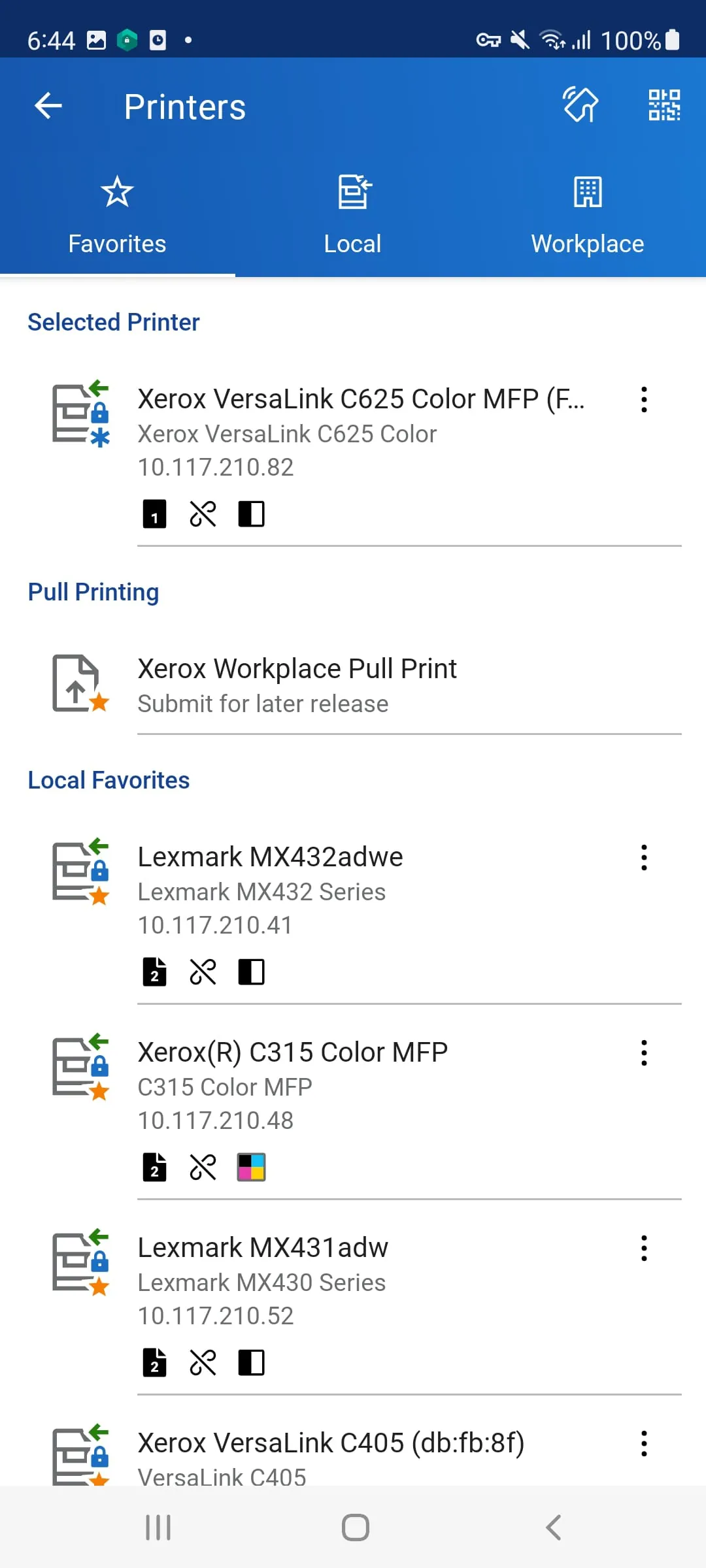
When used in conjunction with Xerox Workplace Suite or Cloud, the Xerox Workplace mobile app unlocks a host of additional features that significantly enhance its capabilities and security. One of the primary benefits of this integration is controlled and secure user permissions, which are managed through a mobile app user account login. This ensures that only authorized users can access and utilize the app's features, preventing unauthorized printing and scanning. The app can also be used to unlock supported Xerox Printers, offering an alternative to traditional card-based authentication methods. Users can unlock printers using a mobile app instead of a card, either through an unlock code or NFC, streamlining the authentication process and enhancing security. The app's compatibility extends beyond Xerox devices, allowing users to print to Xerox, Fuji Xerox, and non-Xerox printers, including those from HP, Ricoh, Epson, Canon, and other network print devices. This broad compatibility ensures that users can print from virtually any printer, regardless of the manufacturer, making the app a versatile solution for diverse printing environments. The app supports a wide range of file formats, including MS Office documents, Adobe Acrobat files, emails, text files, Open Office documents, and various image formats. This comprehensive file format support ensures that users can print virtually any type of document directly from their mobile devices. The Xerox Workplace Suite or Cloud integration also introduces location-based services, allowing users to utilize GPS to find locations and available printers. This feature is particularly useful in large organizations or public spaces where multiple printers are available. Users can easily identify the nearest printer and its availability, optimizing their printing workflow. The app also provides real-time printer status updates, allowing users to view the currently selected printer's status. This ensures that users are aware of any issues, such as low toner or paper jams, before sending a print job. The ability to print documents immediately or upload them securely for release later at any licensed printer is another significant advantage. This pull print functionality allows users to send documents to a central queue and release them at any convenient printer, enhancing security and reducing waste. The app also supports job accounting, providing detailed tracking and reporting of print jobs. This feature is invaluable for managing print costs and optimizing resource allocation. Furthermore, the app can integrate with a single release queue, including jobs sent from desktop PCs, Macs, and Chromebooks. This unified queue management simplifies the printing process and ensures that all print jobs are managed consistently. Users can also view all waiting pull print jobs to release at any printer directly from their mobile devices, providing complete control over their print jobs. The enhanced features available through Xerox Workplace Suite or Cloud integration transform the Xerox Workplace mobile app into a powerful and versatile solution for mobile printing and scanning. The added security, broad printer compatibility, comprehensive file format support, and advanced features such as pull printing and job accounting make it an indispensable tool for modern businesses.
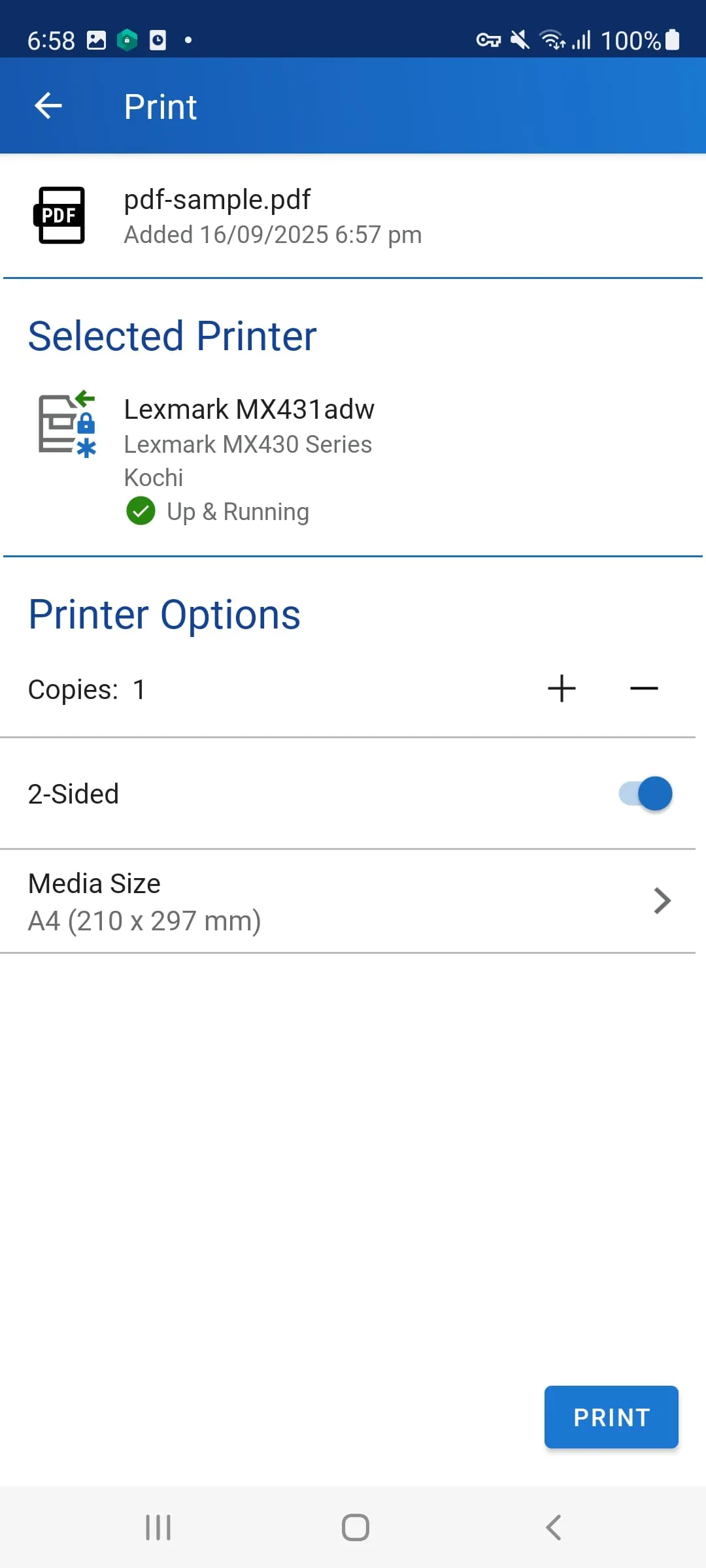
To get started with the Xerox Workplace mobile app, several steps must be followed to ensure a smooth and successful setup. The first step involves obtaining your Company Code information for your Xerox Workplace Solution from your administrator. This code is essential for registering and logging in to the app, as it identifies your organization and ensures that you are connected to the correct Xerox Workplace environment. Once you have the Company Code, the next step is to download and install the Xerox Workplace App from your mobile device’s app store. The app is available for both iOS and Android devices, making it accessible to a wide range of users. After installing the app, you will need to register and log in to Xerox Workplace using your Company Code and credentials. This typically involves creating an account with your email address and a secure password, and then entering the Company Code to link your account to your organization’s Xerox Workplace environment. Once you are logged in, you can browse your mobile device and open a document to print. The app supports various file formats, including PDF, Word, Excel, PowerPoint, and image files. To print a document, you will typically select “Open In…” using Workplace to upload, preview, and print your documents. This option allows you to send the document to the Xerox Workplace system for printing. After selecting the document, you will be prompted to select an available printer and configure your printer options. The available printers will be those that are connected to your organization’s Xerox Workplace environment. You can choose from a range of printer options, such as paper size, orientation, color or black and white, and the number of copies. Finally, you can release your document to the selected printer. This may involve entering a PIN code or using your mobile device to authenticate with the printer, depending on your organization’s security settings. It is important to note that the actual names and availability of menu commands may vary across mobile platforms. This is due to differences in the operating systems and user interfaces of iOS and Android devices. For more detailed information on Xerox Mobile Solutions, you can visit the Xerox website. The website provides a wealth of resources, including user guides, FAQs, and troubleshooting tips. By following these steps, users can quickly and easily set up the Xerox Workplace mobile app and start printing and scanning documents from their mobile devices. The app provides a convenient and efficient way to manage your printing needs, whether you are in the office, at home, or on the go. The Xerox Workplace mobile app is designed to simplify the printing and scanning process, making it accessible to everyone. With its intuitive interface and comprehensive features, the app is a valuable tool for businesses and individuals alike. The easy setup procedure ensures that users can quickly get started and take advantage of the app’s many benefits. By following the simple steps outlined above, users can unlock the full potential of the Xerox Workplace mobile app and streamline their document management workflows. The app’s integration with Xerox Workplace Suite and Cloud provides a secure and efficient way to print and scan documents from anywhere, at any time.
Screenshots
 Download
 Additional Information
Category
ProductivityVersion
Unknown
Tag
Document Management | Cloud Integration | Mobile Printing | Xerox Workplace App | Secure Printing
Rate
4.40
★★★★★
Reviews
500 +
Installs
1M +
Developer
Xerox Corporation
Content Rating
Everyone
Xerox® Workplace enables mobile users a simple method to print and scan.
ADVERTISEMENT
ADVERTISEMENT
Previous Versions
ZIP files require a Split APKs Installer (e.g., SAI) from Google Play to install. Steps: 1. Download SAI from Google Play; 2. Open SAI and tap "Install APKs"; 3. Select the ZIP file; 4. Complete installation.
ADVERTISEMENT
You Might Like









