



Ebook Converter Ebook Converter
Category
ProductivityVersion
V22
Tag
File Conversion | epub | mobi | Ebook Converter | Output Formats
Rate
3.80
★★★★★
Reviews
500 +
Installs
100k +
Developer
Smart Photo Editor & Mobile Tools
Content Rating
Everyone
Ebook converter can convert various ebook file format
 APK
APK  Google Play
  iOS
iOS  3.80
3.80 Author's Review
Appspicked Review
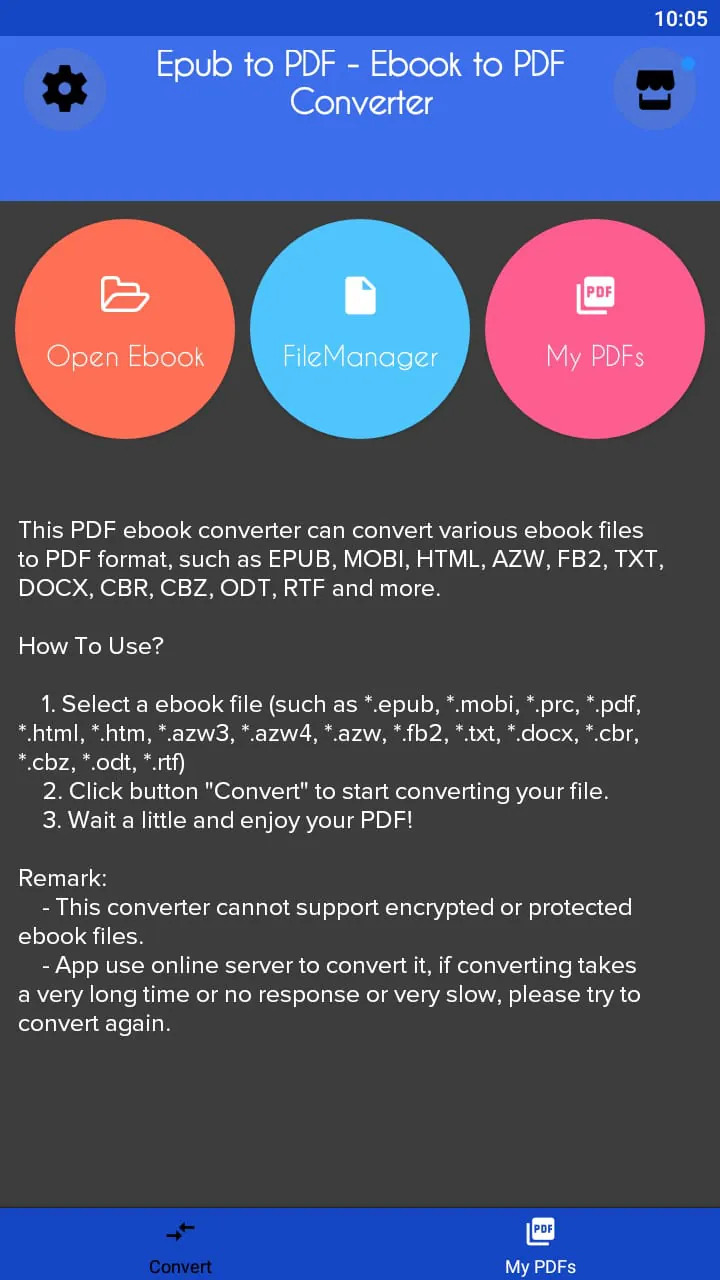
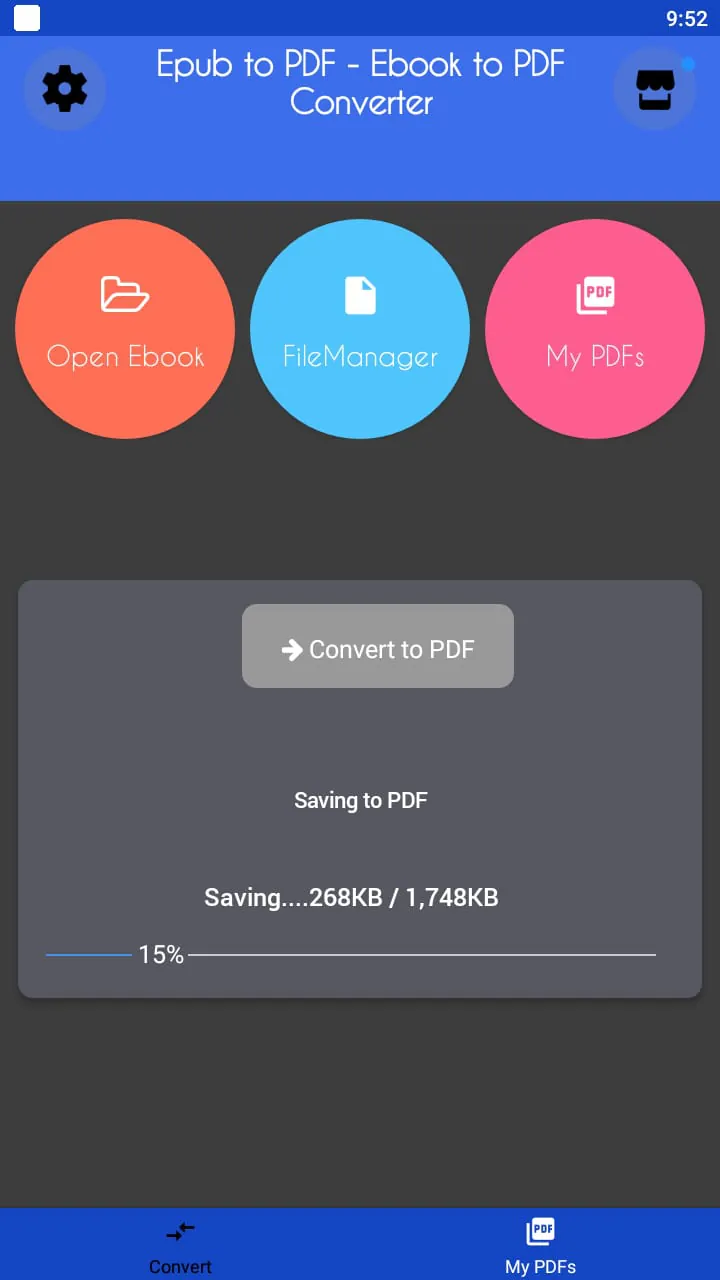
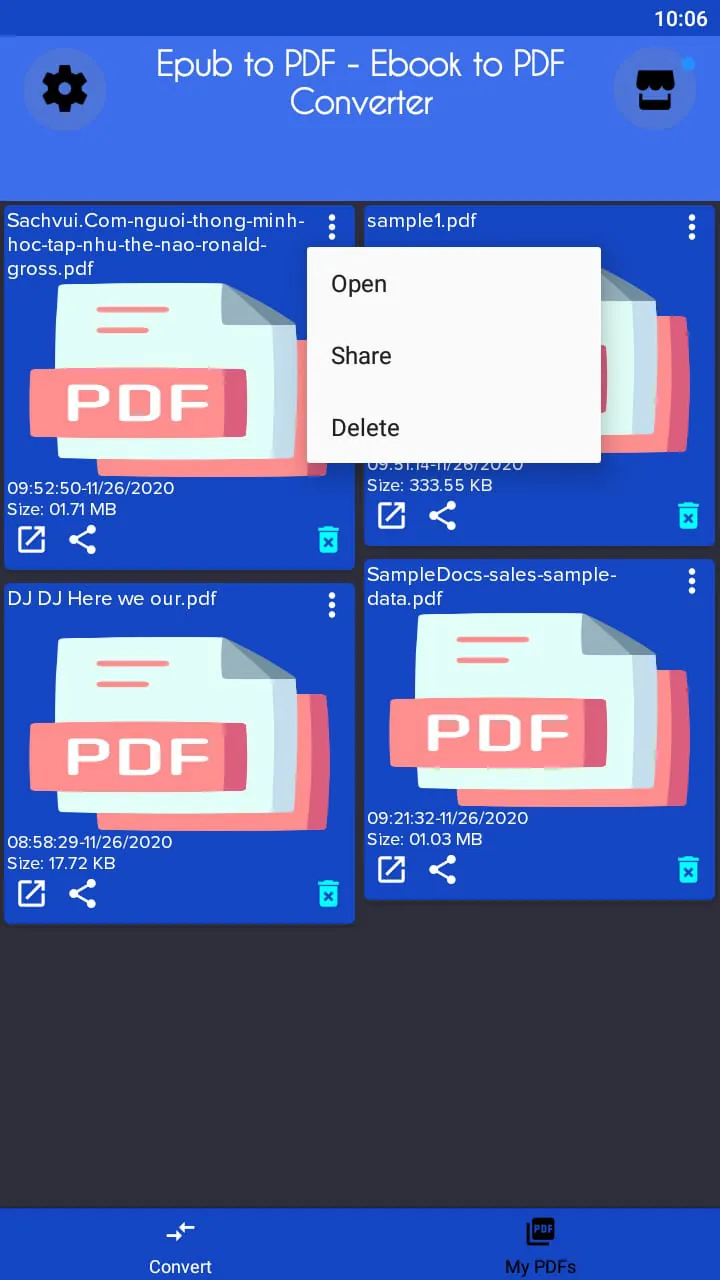
This document describes the functionality and usage of an Ebook Converter application. The primary function of this converter is to transform ebook files from one format to another, supporting a wide array of input and output formats to cater to diverse user needs. The supported input formats include EPUB, MOBI, PRC, PDF, HTML, HTM, AZW3, AZW4, AZW, FB2, TXT, DOCX, CBR, CBZ, ODT, and RTF, ensuring compatibility with a vast collection of ebook files that users might possess. This extensive list of supported formats makes the converter a versatile tool for individuals who have accumulated ebooks in various formats over time, allowing them to consolidate their libraries into a preferred format. The output formats are equally comprehensive, featuring EPUB, MOBI, PDF, HTML, AZW, DOCX, and TXT, among others. This allows users to convert their ebooks into formats that are compatible with their specific e-readers, tablets, or software applications. For instance, a user might want to convert a PDF ebook into EPUB format for better readability on an e-reader or convert a DOCX file into MOBI format for compatibility with a Kindle device. The process of using the Ebook Converter is straightforward and user-friendly, designed to be accessible even for individuals with limited technical expertise. The first step involves selecting the ebook file that the user wishes to convert. The application supports a wide range of file extensions, as previously mentioned, making it easy for users to locate and select their desired file. Once the input file is selected, the user must then choose the desired output format. The application provides a clear and concise list of available output formats, allowing the user to easily select the format that best suits their needs. After selecting both the input file and the output format, the user initiates the conversion process by clicking the "Convert to PDF" button. It is important to note that the button label might vary depending on the selected output format; for example, if the user selects EPUB as the output format, the button might be labeled "Convert to EPUB." The conversion process is then handled by the application, which utilizes an online server to perform the actual conversion. This means that the user must have an active internet connection in order to use the converter. The time required for the conversion process can vary depending on the size of the ebook file and the speed of the internet connection. Once the conversion is complete, the user can find the converted ebook file in the "Ebook_Converter" folder on their phone's storage. The application automatically saves all converted files to this folder for easy access and management. The Ebook Converter also has certain limitations that users should be aware of. Specifically, the application cannot convert encrypted or protected ebook files. This is due to the digital rights management (DRM) technologies that are often used to protect commercially sold ebooks. These DRM technologies prevent unauthorized copying or conversion of the ebook files. Therefore, users who have purchased ebooks with DRM protection will not be able to convert them using this application. Additionally, because the application relies on an online server for the conversion process, the conversion speed and reliability can be affected by the user's internet connection. If the conversion process takes an excessively long time, or if the application does not respond, the user is advised to try converting the file again. This could be due to a temporary issue with the server or a slow internet connection. Overall, the Ebook Converter is a useful tool for individuals who need to convert ebook files between different formats. Its wide range of supported formats, user-friendly interface, and automatic file saving make it a convenient option for managing and converting ebook libraries.
The Ebook Converter application functions by leveraging an online server to execute the file conversion process. This approach offers several advantages and also introduces certain considerations for the user. When a user initiates a conversion, the application uploads the selected ebook file to the online server. The server then performs the necessary transformations to convert the file into the desired output format. Once the conversion is complete, the server sends the converted file back to the user's device, where it is saved in the designated "Ebook_Converter" folder. This online server-based approach eliminates the need for the user to have powerful hardware on their device. The conversion process can be computationally intensive, especially for large ebook files. By offloading this processing to a remote server, the application ensures that the user's device does not become bogged down or experience performance issues during the conversion. This is particularly beneficial for users with older or less powerful devices. Furthermore, the online server can be continuously updated with the latest conversion algorithms and format support. This ensures that the Ebook Converter remains compatible with the newest ebook formats and conversion techniques. The user does not need to worry about manually updating the application or installing new codecs; the online server automatically handles these updates. However, relying on an online server also introduces certain dependencies. The user must have an active internet connection in order to use the Ebook Converter. If the user is offline or has a poor internet connection, the application will not be able to convert files. Additionally, the conversion speed can be affected by the user's internet connection speed and the server's workload. During periods of high server traffic, the conversion process might take longer than usual. It is also important to consider the privacy implications of using an online server to convert ebook files. The user is essentially uploading their ebook files to a third-party server, which raises concerns about data security and privacy. While the Ebook Converter likely has measures in place to protect user data, it is still important for users to be aware of the potential risks. Users should only convert ebook files that they are comfortable sharing with a third-party service. The application's performance can also be influenced by the size and complexity of the ebook file being converted. Large files with many images or complex formatting might take longer to convert than smaller, simpler files. The online server needs to process all of the data in the ebook file, which can be a time-consuming process. Additionally, certain ebook formats are more complex than others, requiring more processing power to convert. For example, converting a PDF file with embedded fonts and images might take longer than converting a simple TXT file. Users should be patient and allow sufficient time for the conversion process to complete, especially for large or complex ebook files. If the conversion process takes an excessively long time, or if the application does not respond, the user is advised to try converting the file again at a later time, when the server might be less busy.
The Ebook Converter application, while offering a convenient solution for file conversion, does come with specific limitations and considerations that users should be aware of to ensure a smooth and satisfactory experience. One of the primary limitations is the inability to convert encrypted or protected ebook files. This restriction stems from the Digital Rights Management (DRM) technologies employed by publishers and distributors to safeguard their copyrighted content. DRM mechanisms prevent unauthorized copying, modification, or conversion of ebook files, thereby protecting the rights of the copyright holders. The Ebook Converter, in compliance with these DRM protocols, is designed to recognize and bypass any encrypted or protected files, rendering them ineligible for conversion. This means that users who have purchased ebooks with DRM protection will not be able to utilize the application to convert them into different formats. It is essential for users to ascertain whether their ebook files are DRM-protected before attempting to convert them using the Ebook Converter. Information regarding DRM protection is typically available on the product page or in the terms of service of the ebook vendor. Another crucial aspect to consider is the application's reliance on an online server for the conversion process. This dependence on an internet connection introduces potential vulnerabilities and limitations that can impact the user experience. A stable and reliable internet connection is paramount for the successful execution of file conversions. Fluctuations in internet connectivity, such as intermittent outages or slow connection speeds, can disrupt the conversion process, leading to errors, delays, or incomplete file conversions. Users residing in areas with unreliable internet access may encounter difficulties in utilizing the Ebook Converter effectively. Furthermore, the online server's performance can influence the speed and efficiency of the conversion process. During periods of high server traffic or maintenance, the conversion process may take longer than usual, resulting in user frustration and inconvenience. It is advisable to attempt file conversions during off-peak hours to minimize potential delays caused by server congestion. In addition to these limitations, users should also be mindful of the file storage location of converted ebooks. The Ebook Converter automatically saves all converted files to the "Ebook_Converter" folder on the user's device. This default storage location may not be ideal for all users, particularly those with limited storage space or specific organizational preferences. Users should familiarize themselves with the file management capabilities of their devices to ensure that converted ebooks are stored in a convenient and accessible location. Furthermore, users should exercise caution when converting sensitive or confidential ebook files using the online server. While the Ebook Converter likely employs security measures to protect user data, there is always a risk of data breaches or unauthorized access. Users should carefully consider the potential risks before converting files containing personal or confidential information. Overall, the Ebook Converter offers a valuable solution for converting ebook files between various formats. However, users should be aware of the application's limitations and considerations to ensure a positive and secure user experience. By understanding the restrictions related to DRM-protected files, the dependence on an online server, and the default file storage location, users can make informed decisions about when and how to utilize the Ebook Converter effectively.
Screenshots
Additional Information
Category
ProductivityVersion
V22
Tag
File Conversion | epub | mobi | Ebook Converter | Output Formats
Rate
3.80
★★★★★
Reviews
500 +
Installs
100k +
Developer
Smart Photo Editor & Mobile Tools
Content Rating
Everyone
Ebook converter can convert various ebook file format
Previous Versions
ZIP files require a Split APKs Installer (e.g., SAI) from Google Play to install. Steps: 1. Download SAI from Google Play; 2. Open SAI and tap "Install APKs"; 3. Select the ZIP file; 4. Complete installation.
V22

Package Name
com.tscnpm.convert.epub.to.pdf.ebook.mobi.to.pdf.converter
Version Name
V22
Version Code
V22
File Size
14.08 MB
Update time
2025-12-25
You Might Like









