




Icon Changer Icon Changer
Category
PersonalizationTag
Home Screen Design | Icon Changer | app customization | mobile personalization | custom app icons
Rate
3.20
★★★★★
Reviews
500 +
Installs
5M +
Developer
TRN
Content Rating
Everyone
App icon changer & icon camouflage to customize app icon, make personalized icon
 APK
APK  Google Play
  iOS
iOS  3.20
3.20 Author's Review
Appspicked Review
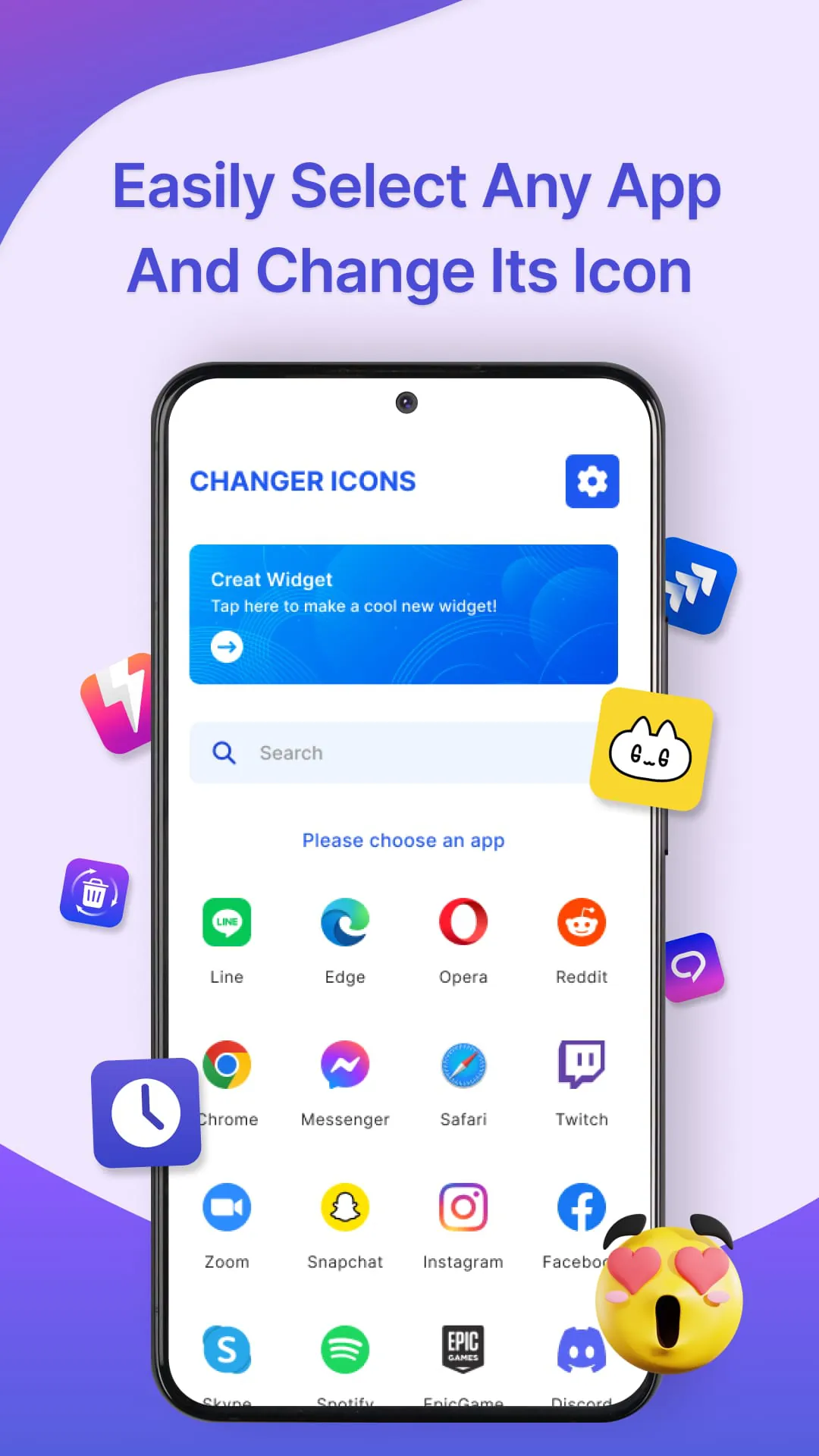
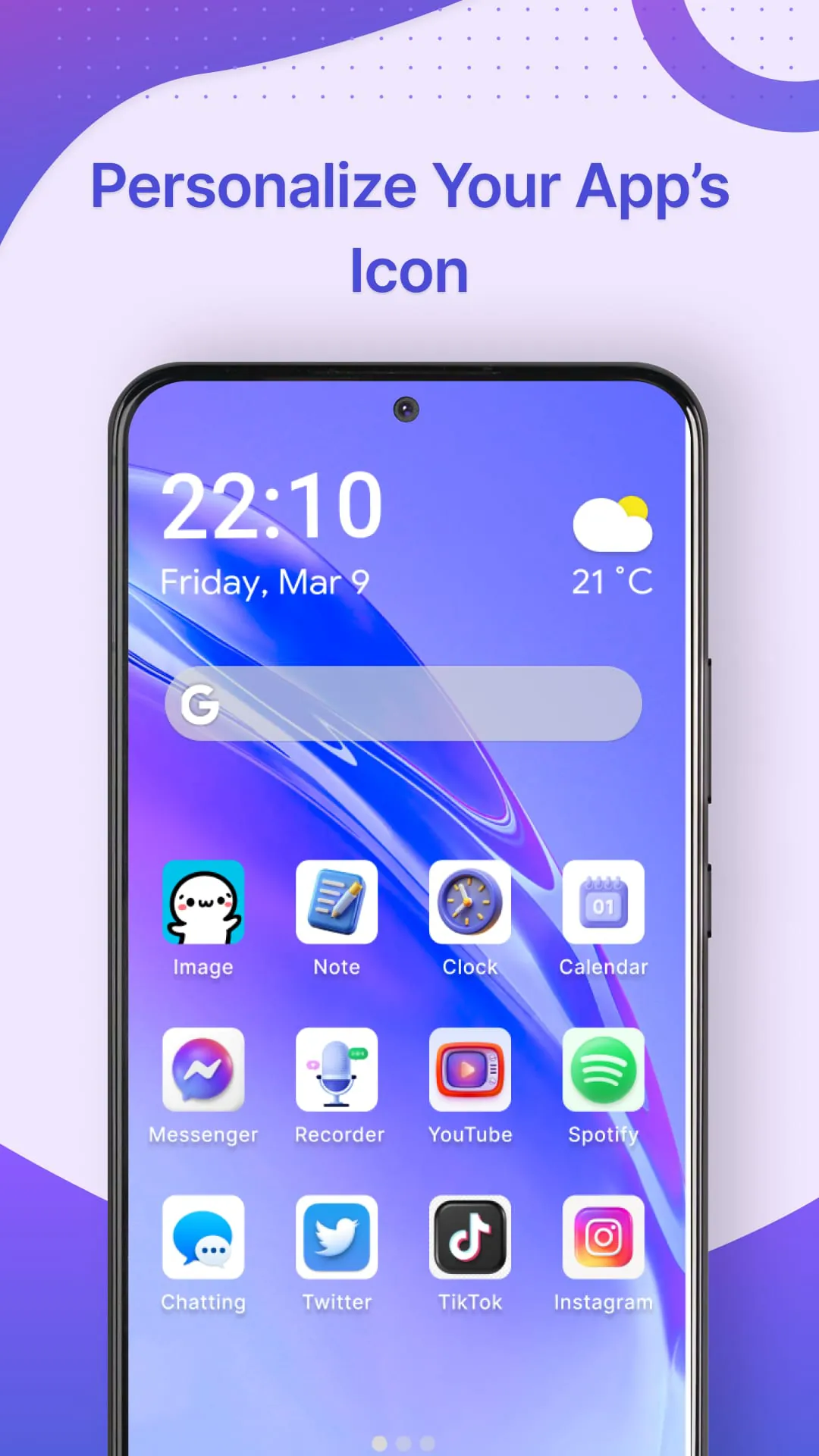
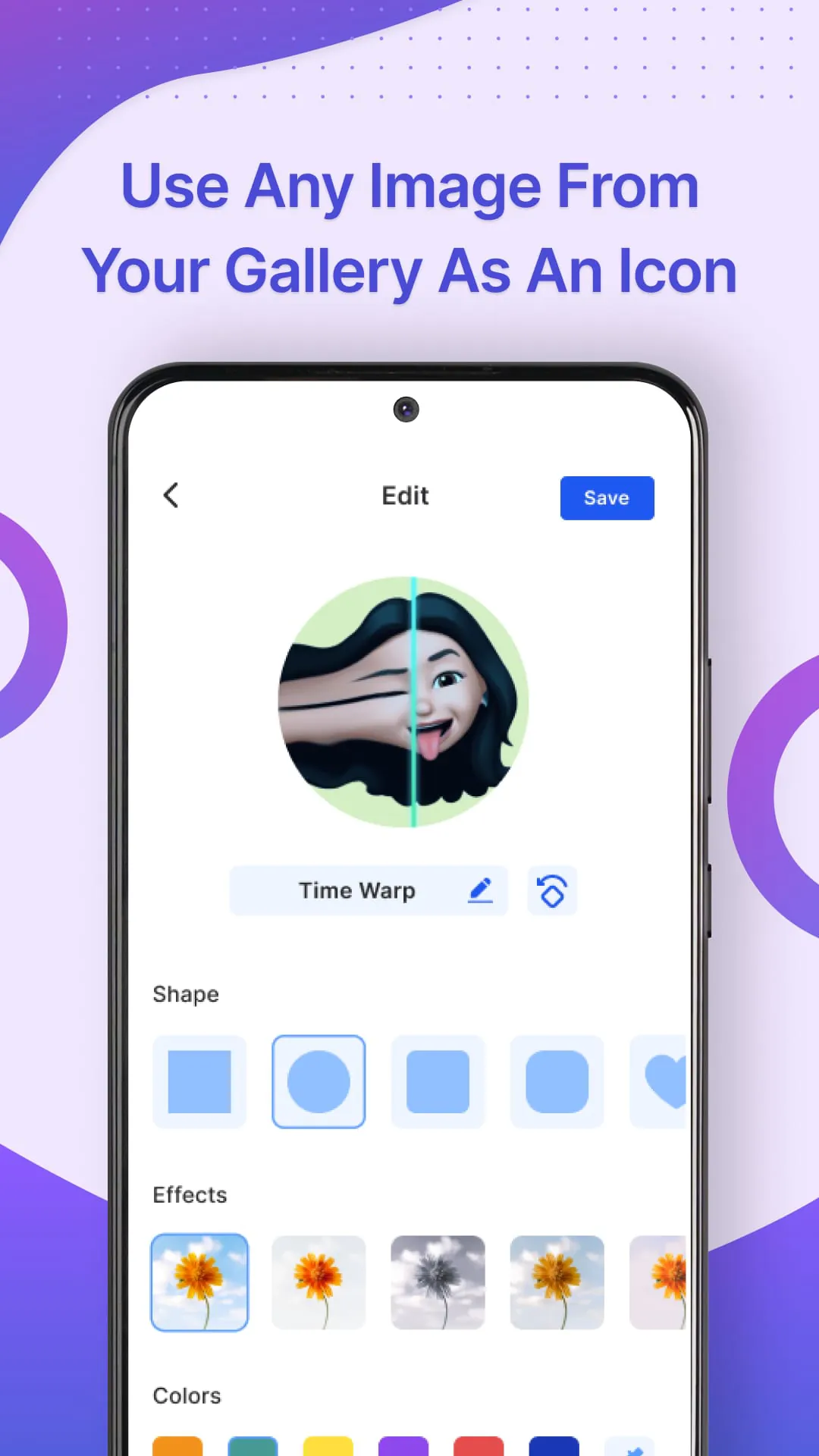
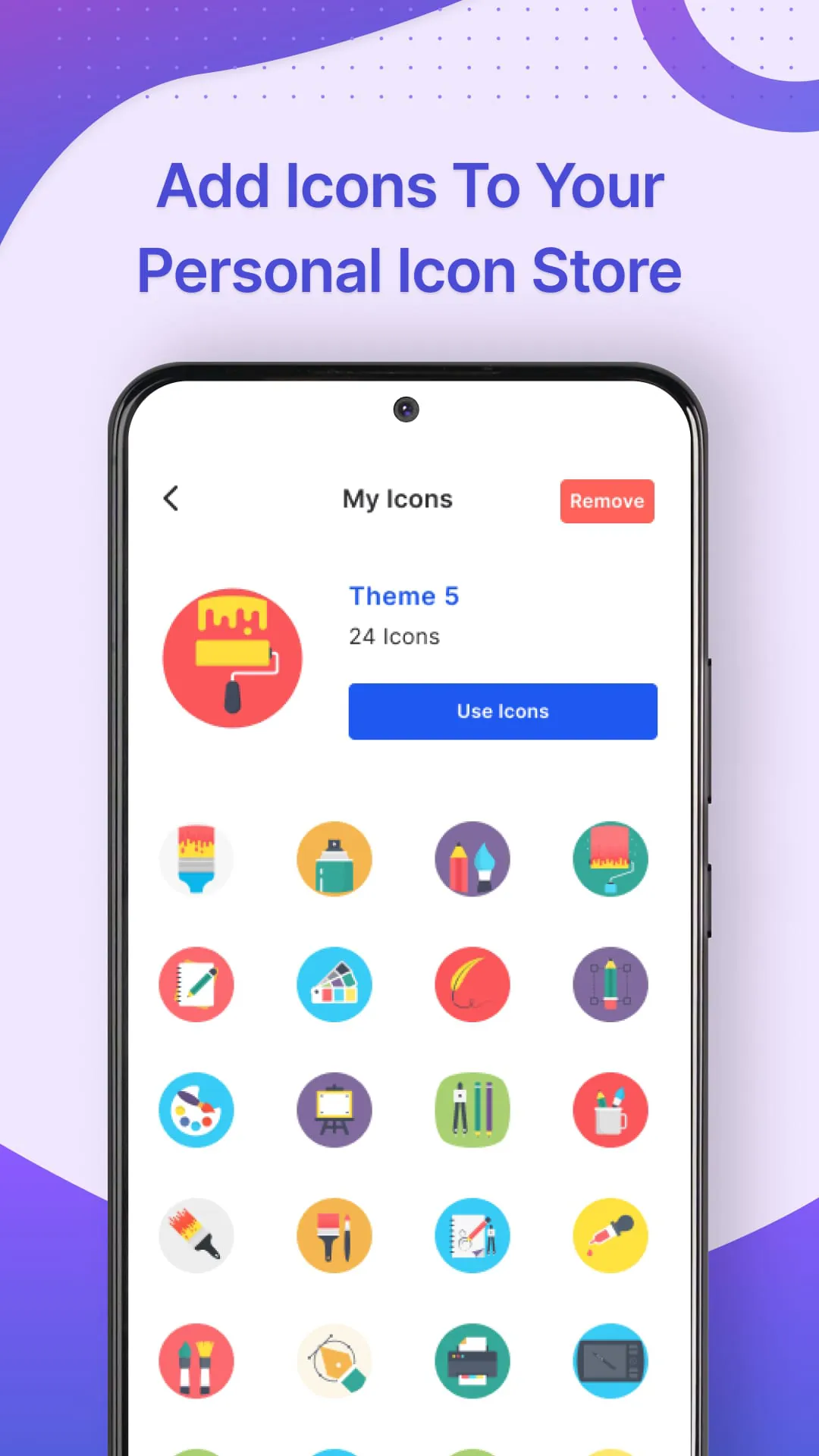
The Icon Changer application is presented as a tool designed to allow users to customize the appearance of their mobile devices, focusing primarily on the ability to alter app icons. The core functionality revolves around providing users with the means to personalize their home screens by replacing the default icons of their applications with custom designs. This customization extends beyond simply changing the icon itself; users can also modify the app's name to further tailor the aesthetic to their preferences. The application streamlines the process of selecting apps for customization, enabling users to choose the specific applications they wish to modify. Once an app is selected, the Icon Changer facilitates the replacement of its icon with a new one, creating a shortcut on the home screen that reflects the change. This process is designed to be user-friendly, allowing individuals with varying levels of technical expertise to easily navigate and personalize their devices. The application emphasizes the ease with which users can transform their mobile experience, highlighting the potential for creating a fresh and exciting makeover for their devices. Beyond merely offering a selection of pre-designed icons, the Icon Changer application empowers users to create icons from their own images. This feature expands the realm of customization, allowing users to incorporate personal photographs, graphics, or other visual elements into their app icons. The process of creating an icon from an image is simplified, with the application guiding users through the steps of selecting an image from their gallery and making any necessary adjustments to fit the icon format. This functionality caters to users who desire a truly unique and personalized look for their devices, providing them with the tools to express their individuality through custom-designed app icons. The Icon Changer application also offers an integrated Icon Store, providing users with a diverse selection of pre-designed icons to choose from. This store acts as a repository of various icon styles and themes, allowing users to browse and select icons that align with their aesthetic preferences. The Icon Store enhances the application's versatility by offering a readily available source of professionally designed icons, catering to users who may not have the time or resources to create their own custom icons. The combination of the Icon Store and the ability to create icons from images ensures that users have a wide range of options for personalizing their app icons and transforming their mobile experience. The application's user interface is designed to be intuitive and easy to navigate, guiding users through the process of customizing their app icons in a clear and straightforward manner. The steps involved in using the Icon Changer are outlined in a simple and concise manner, ensuring that users can quickly grasp the application's functionality and begin personalizing their devices. The emphasis on user-friendliness extends to all aspects of the application, from selecting apps for customization to creating and applying new icons. This focus on accessibility makes the Icon Changer application suitable for users of all ages and technical backgrounds, empowering them to take control of their mobile experience and express their individuality through customized app icons. The Icon Changer application's overall design philosophy centers around providing users with a fun and straightforward way to personalize their devices. The application's features are carefully crafted to be both engaging and easy to use, encouraging users to experiment with different icon designs and create a home screen that reflects their unique style. The application's emphasis on customization and personalization empowers users to transform their mobile experience, turning their devices into expressions of their individuality. The Icon Changer application is presented as a tool for self-expression, allowing users to break free from the constraints of default app icons and create a mobile environment that is truly their own. The application's ability to change app icons, create icons from images, and utilize the Icon Store provides users with a comprehensive suite of tools for personalizing their devices. This combination of features, coupled with the application's user-friendly design, makes it an attractive option for individuals seeking to enhance their mobile experience and express their unique style. The Icon Changer application represents a shift towards greater user control over the visual aspects of mobile devices, empowering individuals to customize their home screens and create a personalized environment that reflects their individual tastes and preferences. The application's emphasis on ease of use and accessibility ensures that anyone can transform their mobile experience and enjoy a fresh and vibrant device.
The process of using the Icon Changer application is designed to be simple and intuitive, guiding users through each step with clear instructions. First, users are directed to obtain the application from the appropriate app store, ensuring they have the latest version installed on their device. Once the application is installed, users can launch it and begin the process of selecting the app icons they wish to customize. The application presents a list of all installed applications, allowing users to easily identify and choose the specific icons they want to modify. After selecting an application, users are presented with options for editing the app icon. These options include choosing an icon from the Icon Store, which offers a wide variety of pre-designed icons, or uploading an image from their gallery to create a custom icon. The Icon Store is regularly updated with new and diverse icon styles, ensuring that users have a constant stream of fresh options to choose from. For users who prefer to create their own icons, the application provides a simple interface for uploading and editing images from their device's gallery. Users can crop, resize, and adjust the image to fit the icon format, ensuring that their custom icons look professional and polished. Once the user has chosen an icon, whether from the Icon Store or their own gallery, they can apply the new icon to the selected application. The application creates a shortcut on the home screen with the new icon, replacing the original icon. The original application remains unchanged, ensuring that all functionality and data are preserved. The process of changing app icons is designed to be non-destructive, meaning that users can easily revert back to the original icons if they choose to do so. The Icon Changer application also allows users to change the name of the application along with the icon, further enhancing the customization options. This feature is particularly useful for users who want to create a more personalized and cohesive home screen aesthetic. The application provides a simple text field where users can enter a new name for the selected application. The new name is then displayed alongside the new icon on the home screen shortcut. The ability to change both the icon and the name of an application allows users to completely transform the appearance of their home screen, creating a truly unique and personalized mobile experience. The Icon Changer application is designed to be compatible with a wide range of devices and operating systems, ensuring that as many users as possible can benefit from its customization features. The application is regularly updated to maintain compatibility with the latest software updates and to address any potential issues or bugs. The developers of the Icon Changer application are committed to providing a high-quality user experience and are constantly working to improve the application's functionality and performance. The application is available for free download, with optional in-app purchases for additional icon packs and features. The free version of the application provides users with access to a wide range of customization options, allowing them to transform their home screen without spending any money. The in-app purchases are designed to enhance the user experience and provide access to even more customization options, but they are not required to use the application. The Icon Changer application is a valuable tool for anyone who wants to personalize their mobile device and create a home screen that reflects their unique style and personality.
The Icon Changer application offers a compelling solution for users seeking to personalize their mobile devices beyond the limitations of default settings. By providing the ability to customize app icons and names, the application empowers users to create a home screen that is both visually appealing and functionally tailored to their individual needs. The application's user-friendly interface and intuitive design make it accessible to users of all technical skill levels, ensuring that anyone can easily transform their mobile experience. The Icon Changer application's core functionality revolves around the ability to replace the default icons of applications with custom designs. This feature allows users to break free from the monotony of standardized icons and create a home screen that reflects their personal tastes and preferences. The application provides a variety of options for selecting new icons, including choosing from the Icon Store, which offers a wide range of pre-designed icons, or uploading an image from their device's gallery to create a custom icon. The Icon Store is regularly updated with new and diverse icon styles, ensuring that users have a constant stream of fresh options to choose from. For users who prefer to create their own icons, the application provides a simple interface for uploading and editing images from their device's gallery. Users can crop, resize, and adjust the image to fit the icon format, ensuring that their custom icons look professional and polished. The ability to create custom icons from personal images adds a layer of personalization that goes beyond simply choosing from a pre-designed set. This feature allows users to incorporate their own photographs, graphics, or other visual elements into their app icons, creating a truly unique and personalized home screen. In addition to changing the icon of an application, the Icon Changer application also allows users to change the name of the application. This feature is particularly useful for users who want to create a more personalized and cohesive home screen aesthetic. The application provides a simple text field where users can enter a new name for the selected application. The new name is then displayed alongside the new icon on the home screen shortcut. The ability to change both the icon and the name of an application allows users to completely transform the appearance of their home screen, creating a truly unique and personalized mobile experience. The Icon Changer application is designed to be compatible with a wide range of devices and operating systems, ensuring that as many users as possible can benefit from its customization features. The application is regularly updated to maintain compatibility with the latest software updates and to address any potential issues or bugs. The developers of the Icon Changer application are committed to providing a high-quality user experience and are constantly working to improve the application's functionality and performance. The application is available for free download, with optional in-app purchases for additional icon packs and features. The free version of the application provides users with access to a wide range of customization options, allowing them to transform their home screen without spending any money. The in-app purchases are designed to enhance the user experience and provide access to even more customization options, but they are not required to use the application. The Icon Changer application is a valuable tool for anyone who wants to personalize their mobile device and create a home screen that reflects their unique style and personality. The application's user-friendly interface, intuitive design, and comprehensive set of customization options make it an attractive choice for users of all technical skill levels.
The Icon Changer application presents a user-friendly and accessible method for individuals to personalize their mobile device interfaces. By enabling the customization of app icons, the application empowers users to express their individuality and create a visually appealing home screen. The process is streamlined, ensuring that even those with limited technical expertise can easily navigate and modify their device's appearance. The application's key features, including the ability to change app icons, create icons from personal images, and utilize a diverse Icon Store, provide a comprehensive suite of tools for customization. The Icon Changer application distinguishes itself by offering a multi-faceted approach to icon customization. Users can select from a wide array of pre-designed icons within the Icon Store, catering to various aesthetic preferences. Alternatively, they can unleash their creativity by transforming personal images into unique app icons, adding a personal touch to their device. The application's intuitive interface guides users through the process of selecting, editing, and applying icons, ensuring a seamless and enjoyable experience. The ability to not only change the visual representation of an app but also modify its name further enhances the customization possibilities. This allows users to create a truly personalized and cohesive home screen, reflecting their individual style and preferences. The Icon Changer application is designed with accessibility in mind, ensuring compatibility across a broad range of devices and operating systems. Regular updates and ongoing development efforts demonstrate a commitment to providing a high-quality user experience. The application's availability as a free download, with optional in-app purchases for expanded content, makes it an attractive option for users seeking to personalize their devices without incurring significant costs. The Icon Changer application serves as a valuable tool for mobile device users seeking to break free from the limitations of default settings. By providing a user-friendly and comprehensive set of customization options, the application empowers individuals to transform their home screens into personalized reflections of their unique style and preferences. The application's intuitive design and accessibility make it suitable for users of all technical skill levels, ensuring that anyone can easily enhance their mobile experience and create a visually appealing device interface. The Icon Changer application represents a shift towards greater user control over the visual aspects of mobile devices, allowing individuals to express their individuality and personalize their digital environment. The application's features, combined with its user-friendly design and commitment to accessibility, make it a compelling choice for anyone seeking to enhance their mobile experience and create a device that truly reflects their personal style.
Screenshots
 Download
 Additional Information
Category
PersonalizationVersion
Unknown
Tag
Home Screen Design | Icon Changer | app customization | mobile personalization | custom app icons
Rate
3.20
★★★★★
Reviews
500 +
Installs
5M +
Developer
TRN
Content Rating
Everyone
App icon changer & icon camouflage to customize app icon, make personalized icon
Previous Versions
ZIP files require a Split APKs Installer (e.g., SAI) from Google Play to install. Steps: 1. Download SAI from Google Play; 2. Open SAI and tap "Install APKs"; 3. Select the ZIP file; 4. Complete installation.
You Might Like









