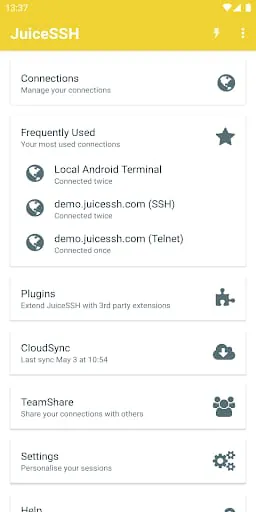
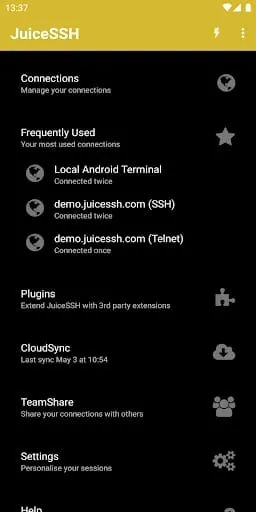
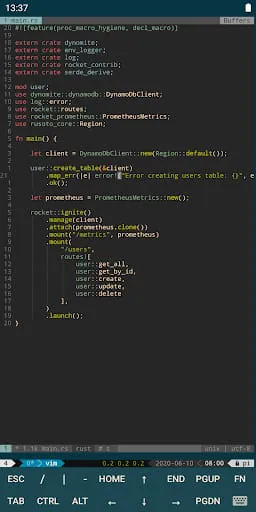
JuiceSSH is a versatile terminal client app for Android that supports SSH, Local Shell, Mosh, and Telnet. It offers a range of features, including a full-color terminal/SSH client, a popup keyboard with hard-to-find characters, volume keys to change font size, external keyboard support, and gestures for irssi, weechat, tmux, and screen. The app also has community and third-party plugins, Mosh support, Telnet support, and local Android terminal support.
The app has several terminal color themes, supports UTF-8 characters, and allows you to organize your connections by group. You can keep multiple SSH sessions running in the background, connect 'via' other SSH connections with one click, and have immediate access to frequently used connections when you open the app. JuiceSSH supports IPv6, password, and OpenSSH private key support (ed25519, ECDSA, RSA, and DSA), and has an SSH key generator with optional passphrase encryption.
JuiceSSH offers several Pro Features as an optional in-app purchase. These include quick and easy port forwards, integration with Amazon AWS/EC2, synchronization of connections, automated AES-256 encrypted backups of all connections and settings, a beautiful widget for fast access to frequently used connections or a specific group, team collaboration, and a handy snippets library for quick access to frequently used commands. The app also has a security lock to automatically protect JuiceSSH after a period of inactivity.
JuiceSSH is a powerful and user-friendly terminal client app for Android that supports SSH, Local Shell, Mosh, and Telnet. It has a range of features, including a full-color terminal/SSH client, a popup keyboard with hard-to-find characters, volume keys to change font size, external keyboard support, and gestures for irssi, weechat, tmux, and screen. The app also has community and third-party plugins, Mosh support, Telnet support, and local Android terminal support.
The app supports several terminal color themes, UTF-8 characters, and allows you to organize your connections by group. You can keep multiple SSH sessions running in the background, connect 'via' other SSH connections with one click, and have immediate access to frequently used connections when you open the app. JuiceSSH supports IPv6, password, and OpenSSH private key support (ed25519, ECDSA, RSA, and DSA), and has an SSH key generator with optional passphrase encryption.
JuiceSSH offers several Pro Features as an optional in-app purchase. These include quick and easy port forwards, integration with Amazon AWS/EC2, synchronization of connections, automated AES-256 encrypted backups of all connections and settings, a beautiful widget for fast access to frequently used connections or a specific group, team collaboration, and a handy snippets library for quick access to frequently used commands. The app also has a security lock to automatically protect JuiceSSH after a period of inactivity.





 APK
APK  Google Play
  iOS
iOS  4.10
4.10