



ADVERTISEMENT
ADVERTISEMENT
Funny Doggy Selfie Photo Funny Doggy Selfie Photo
Category
PhotographyTag
funny selfie photos | photo editing app | doggy effects | clip art | text on photos
Rate
4.00
★★★★★
Reviews
500 +
Installs
100k +
Developer
Snowy
Content Rating
Everyone
Funny Sticker Photo Editor
 APK
APK  Google Play
  iOS
iOS  4.00
4.00ADVERTISEMENT
ADVERTISEMENT
Author's Review
appspicked Review
The "Funny Doggy Selfie Photo" application is explicitly engineered to facilitate the creation of humorous and engaging photographic content, offering users a versatile platform for transforming ordinary pictures into extraordinary visual narratives. At its core, the application empowers individuals to seamlessly integrate their personal photographs into a diverse range of pre-designed templates and customizable scenes, enriched by an array of special effects that cater to a wide spectrum of artistic preferences. The application's design philosophy revolves around fostering creativity and self-expression, providing users with an intuitive interface and a comprehensive suite of editing tools that encourage experimentation and imaginative storytelling. The inclusion of 'funny smiley filters' serves as a cornerstone of the application's appeal, enabling users to imbue their selfies with playful expressions and lighthearted emotions. These filters, ranging from subtle enhancements to dramatic transformations, offer a diverse palette for capturing and conveying a wide range of moods and personalities. Complementing the filter options is a vast library of clip art, meticulously curated to add whimsical details and personalized touches to each photograph. The clip art collection spans a diverse array of themes and styles, from adorable animal ears to quirky accessories, allowing users to tailor their creations to specific occasions or personal interests. Text integration is another prominent feature of the application, providing users with the ability to overlay their photographs with custom messages and captions. A variety of fonts, sizes, and colors are available, ensuring that each text element seamlessly integrates with the overall aesthetic of the image. The application's intuitive text editor allows for precise placement and formatting, enabling users to craft compelling narratives and convey meaningful messages within their visual compositions. The integration of camera functionality further enhances the application's versatility, allowing users to capture spontaneous selfies directly within the platform. The camera interface is optimized for ease of use, with features such as auto-focus and exposure control ensuring that each snapshot is captured with optimal clarity and detail. The seamless integration of the camera with the editing tools streamlines the creative process, allowing users to transition effortlessly from capturing a moment to transforming it into a work of art. The application's emphasis on user-friendliness is evident in its intuitive design and streamlined workflow. The various editing tools are logically organized and easily accessible, ensuring that users of all skill levels can navigate the application with ease. Tooltips and interactive tutorials provide guidance and support, empowering users to explore the application's full potential and master its various features. The application's commitment to user experience extends to its sharing capabilities, allowing users to effortlessly disseminate their creations across various social media platforms. A single tap is all it takes to share a transformed selfie with friends and followers, fostering a sense of community and encouraging creative collaboration. The application's social integration is designed to maximize exposure and engagement, amplifying the reach of each user's artistic endeavors. The regular updates and feature enhancements demonstrate the developer's commitment to continuous improvement and responsiveness to user feedback. New filters, clip art, and editing tools are frequently added, ensuring that the application remains fresh and engaging over time. The developer's active engagement with the user community fosters a sense of collaboration and shared ownership, ensuring that the application continues to evolve in response to the needs and desires of its users. The application's overall design reflects a deep understanding of the evolving landscape of digital photography and social media. By providing users with a comprehensive suite of tools for creating, editing, and sharing humorous and engaging photographic content, the application empowers individuals to express their creativity, connect with their peers, and participate in the global conversation surrounding visual culture. The application's emphasis on user-friendliness, versatility, and social integration positions it as a valuable resource for anyone seeking to enhance their photographic experiences and engage with the world in a visually compelling way. The application stands as a testament to the power of technology to democratize creativity and empower individuals to express themselves through the art of photography.
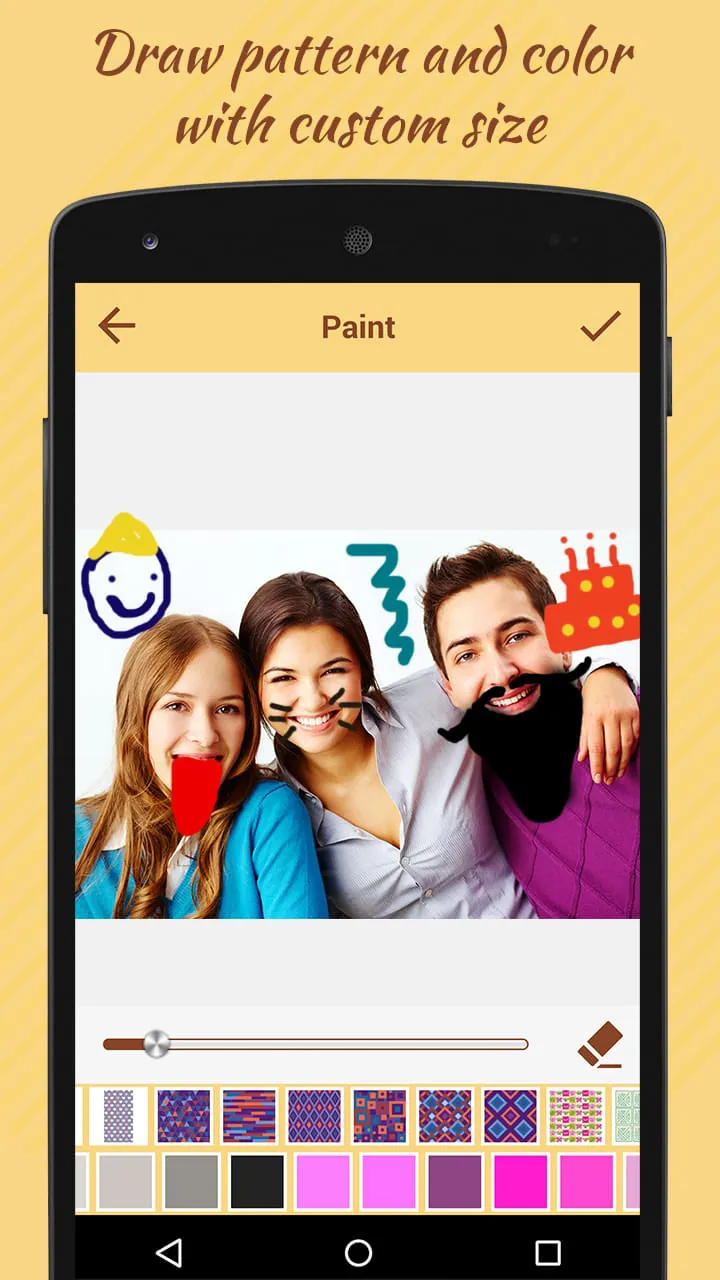
The application's core functionality revolves around transforming ordinary photographs into captivating visual narratives through a combination of special effects, creative filters, and personalized text overlays. Users are granted the freedom to manipulate their images in a myriad of ways, imbuing them with humor, emotion, and a unique artistic flair. The process begins with selecting a photograph from the user's device gallery or capturing a new image directly within the application. The application's integrated camera interface provides a seamless and intuitive experience, allowing users to effortlessly capture selfies and other images with optimal clarity and detail. Once an image is selected, the user is presented with a comprehensive suite of editing tools, each designed to enhance and transform the image in unique and compelling ways. The application's filter library is a treasure trove of creative possibilities, offering a diverse range of styles and effects that can dramatically alter the mood and atmosphere of a photograph. From subtle enhancements to bold stylistic transformations, the filters provide users with a versatile palette for expressing their artistic vision. The clip art collection adds another layer of creative depth, allowing users to embellish their images with whimsical details and personalized touches. The collection spans a wide range of themes and styles, from adorable animal ears to quirky accessories, ensuring that users can find the perfect clip art to complement their photographs. The application's text overlay feature empowers users to communicate their thoughts and emotions directly within their images. A variety of fonts, sizes, and colors are available, allowing users to create custom captions and messages that seamlessly integrate with the overall aesthetic of the photograph. The text editor provides precise control over placement and formatting, ensuring that each text element is perfectly positioned to enhance the image's message. The application's special effects engine allows users to further refine their images, adding subtle enhancements such as overlays and adjustments to brightness, contrast, and saturation. These effects provide users with granular control over the image's appearance, allowing them to achieve the perfect balance of light, color, and detail. The ability to draw patterns and colors directly onto the image adds another dimension of creative freedom. Users can use this feature to create custom borders, highlight specific areas of the image, or simply add a touch of artistic flair. The drawing tools are intuitive and responsive, allowing users to create intricate designs with ease. The application's shape masking feature allows users to selectively reveal or conceal portions of the image, creating unique and visually interesting effects. This feature is particularly useful for creating collages and other composite images, allowing users to seamlessly blend multiple images together. The application's overall design is geared towards simplicity and ease of use. The intuitive interface and streamlined workflow make it easy for users of all skill levels to create stunning and engaging visual content. The application's commitment to user experience is evident in its clear instructions, helpful tooltips, and responsive support system. The application's sharing capabilities make it easy for users to share their creations with the world. A single tap is all it takes to post an image to social media, send it to a friend via email, or save it to the user's device. The application's social integration is designed to maximize exposure and engagement, helping users to connect with their peers and share their artistic vision with a wider audience. The application is regularly updated with new features and improvements, ensuring that it remains a cutting-edge tool for creative expression. The developers are committed to providing users with the best possible experience, and they are constantly listening to feedback and implementing new ideas. The application's ongoing development ensures that it will continue to evolve and adapt to the ever-changing landscape of digital photography and social media.
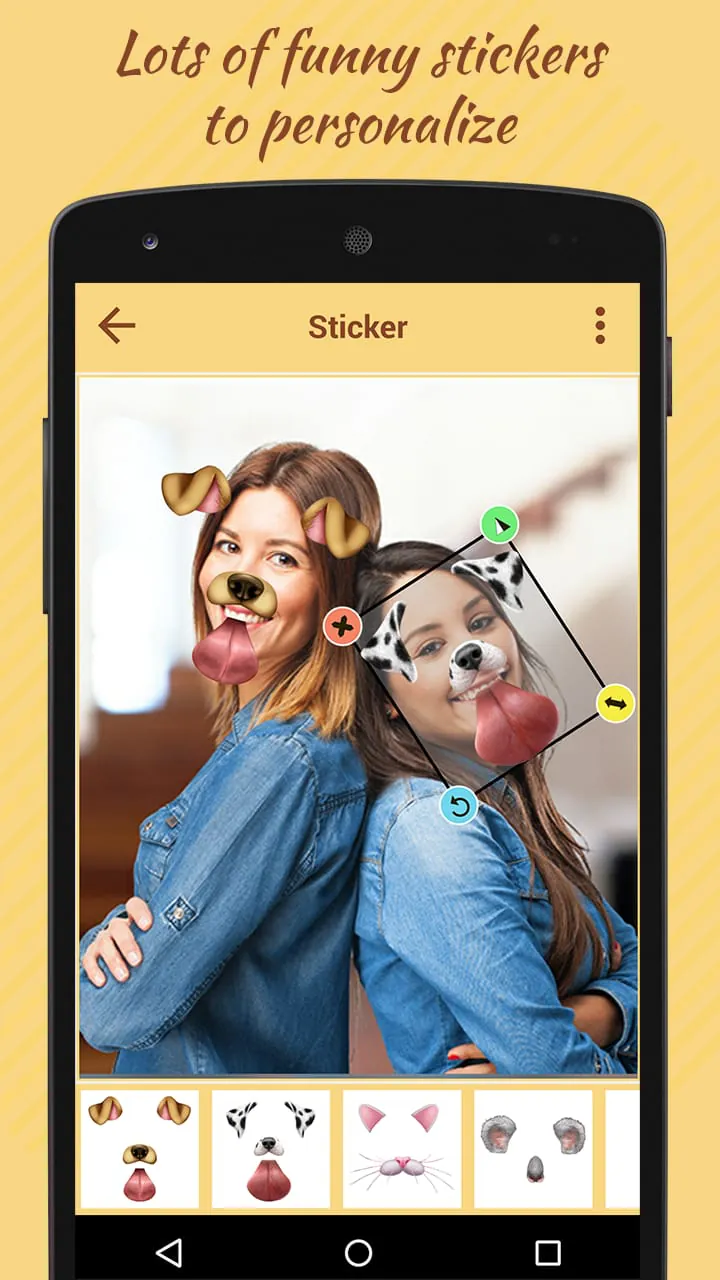
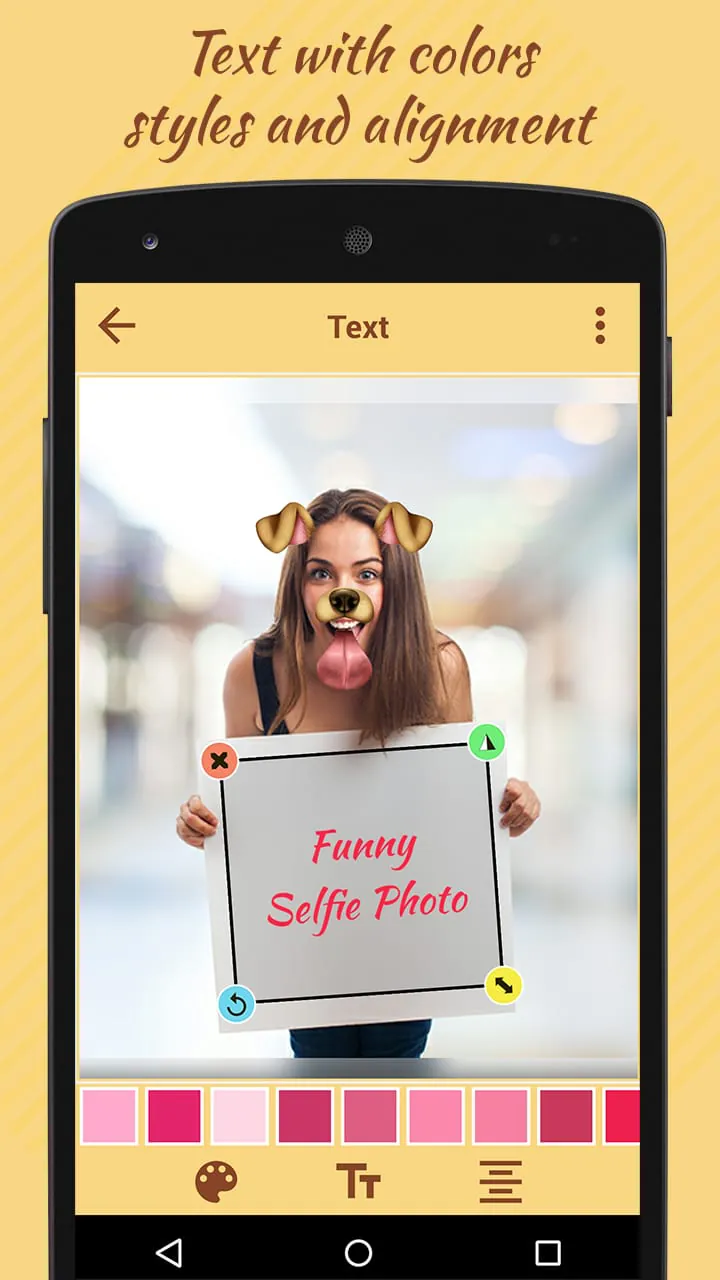
The "Funny Doggy Selfie Photo" application distinguishes itself through its comprehensive suite of features designed to enhance and personalize the user's photographic experience. The application not only provides basic photo editing capabilities but also incorporates unique elements such as funny stickers, text customization options, diverse photo frames, and beautifying filters, all working in concert to empower users to create expressive and engaging visual content. The inclusion of a wide array of funny stickers is a central aspect of the application's appeal. These stickers, ranging from whimsical animal ears to humorous facial expressions, provide users with a simple yet effective way to inject personality and levity into their photographs. The stickers are designed to be easily integrated into any image, allowing users to quickly transform ordinary snapshots into shareable moments of amusement. The text customization feature offers users the ability to add personalized messages and captions to their photos. With a variety of fonts, colors, styles, and alignments available, users can precisely tailor the text to complement the visual content of their images. This feature is particularly useful for creating memes, adding witty commentary, or simply expressing one's thoughts and feelings in a creative way. The application's collection of photo frames provides users with a diverse range of aesthetic options for enhancing the presentation of their images. From classic borders to modern designs, the frames can be used to add a touch of elegance, whimsy, or sophistication to any photograph. The frames are designed to be seamlessly integrated into the editing process, allowing users to experiment with different styles and find the perfect complement for their visual content. The beautifying filters are designed to enhance the natural beauty of the subject, smoothing skin tones, brightening eyes, and subtly improving overall image quality. These filters are particularly popular among selfie enthusiasts, as they provide a quick and easy way to achieve a polished and professional look. The filters are designed to be subtle and natural-looking, ensuring that the subject's unique features are not obscured or distorted. The application's image resizing feature allows users to adjust the dimensions of their photos to fit various social media platforms and display devices. This feature is particularly useful for ensuring that images are displayed correctly on different screens and that they meet the size requirements of various social media platforms. The application's drawing tools provide users with the ability to add custom patterns and colors directly onto their images. This feature is particularly useful for creating artistic effects, highlighting specific areas of the image, or simply adding a touch of personal flair. The drawing tools are intuitive and responsive, allowing users to create intricate designs with ease. The shape masking feature allows users to selectively reveal or conceal portions of the image, creating unique and visually interesting effects. This feature is particularly useful for creating collages and other composite images, allowing users to seamlessly blend multiple images together. The application's overall design is geared towards simplicity and ease of use. The intuitive interface and streamlined workflow make it easy for users of all skill levels to create stunning and engaging visual content. The application's commitment to user experience is evident in its clear instructions, helpful tooltips, and responsive support system. The application's sharing capabilities make it easy for users to share their creations with the world. A single tap is all it takes to post an image to social media, send it to a friend via email, or save it to the user's device. The application's social integration is designed to maximize exposure and engagement, helping users to connect with their peers and share their artistic vision with a wider audience.
Screenshots
 Download
 Additional Information
Category
PhotographyVersion
Unknown
Tag
funny selfie photos | photo editing app | doggy effects | clip art | text on photos
Rate
4.00
★★★★★
Reviews
500 +
Installs
100k +
Developer
Snowy
Content Rating
Everyone
Funny Sticker Photo Editor
ADVERTISEMENT
ADVERTISEMENT
Previous Versions
ZIP files require a Split APKs Installer (e.g., SAI) from Google Play to install. Steps: 1. Download SAI from Google Play; 2. Open SAI and tap "Install APKs"; 3. Select the ZIP file; 4. Complete installation.
ADVERTISEMENT
You Might Like









