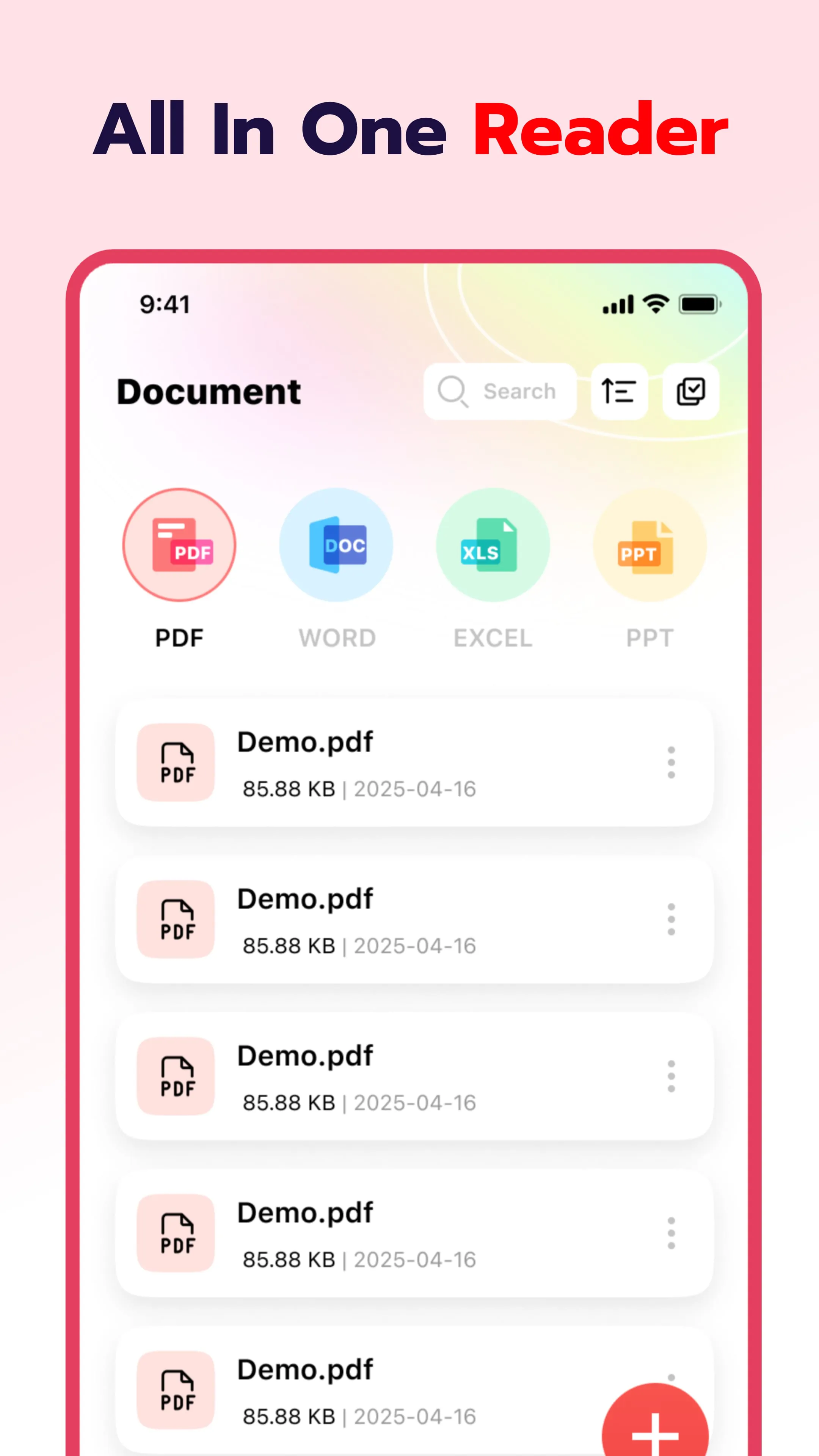
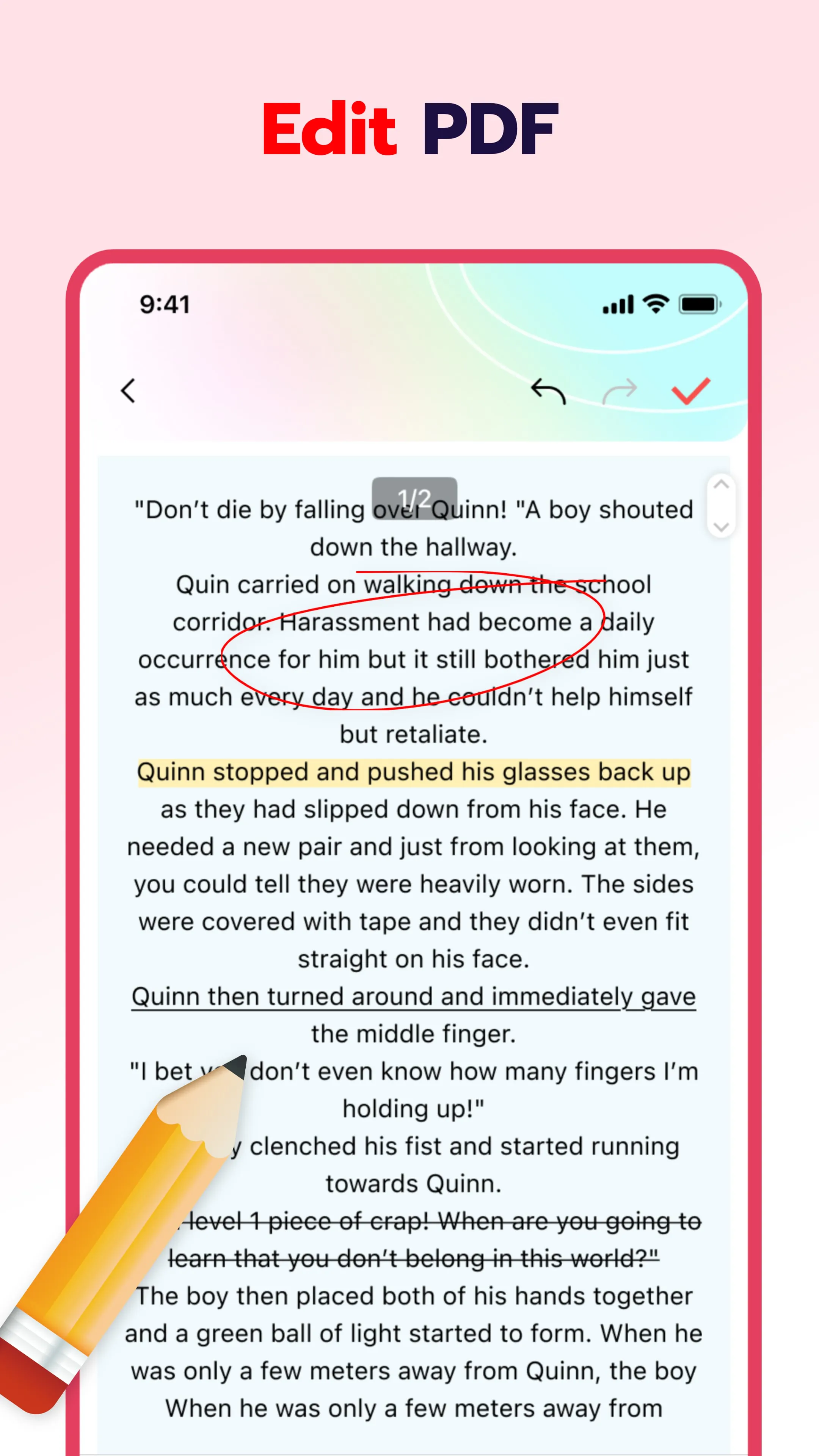
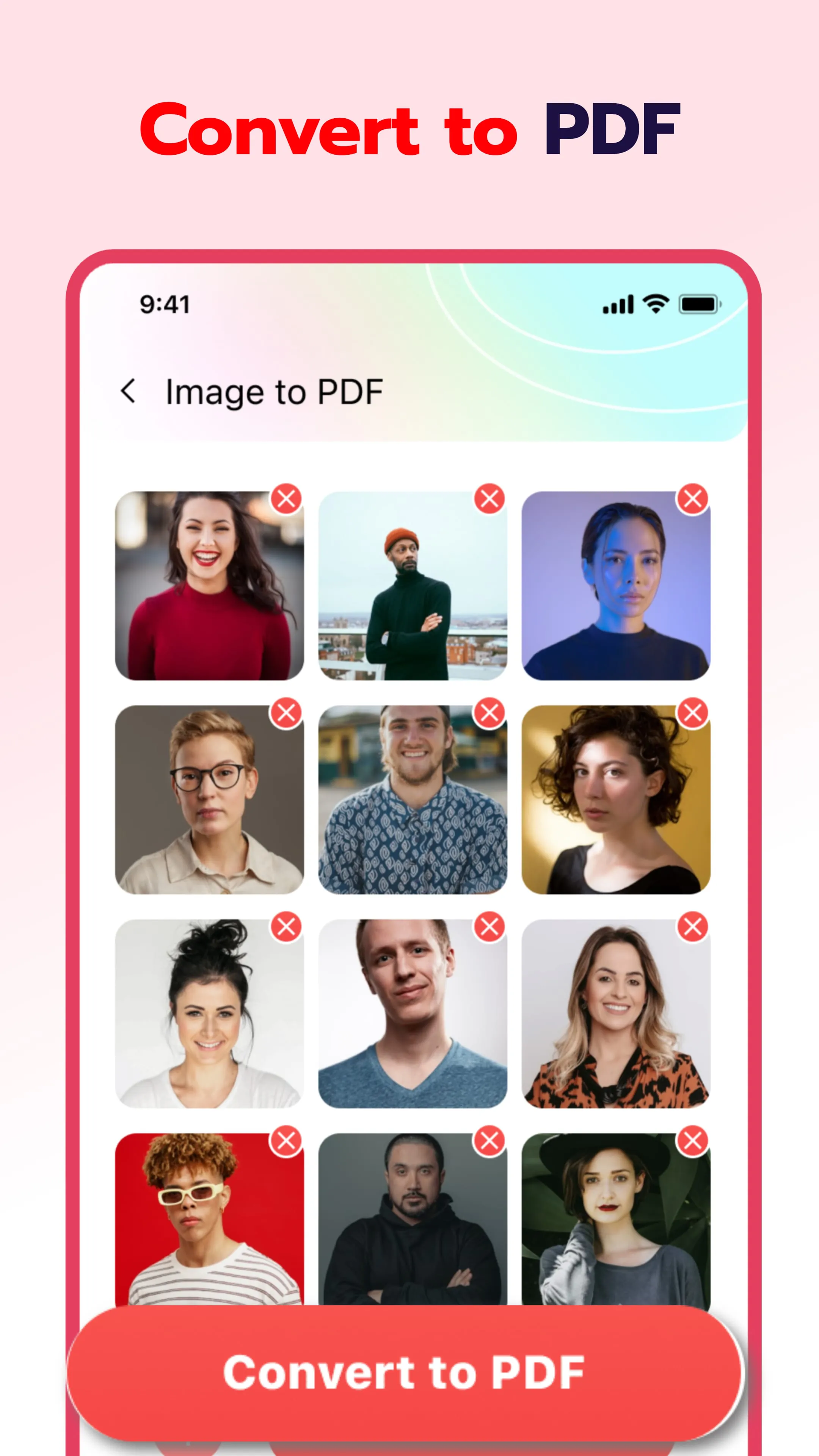
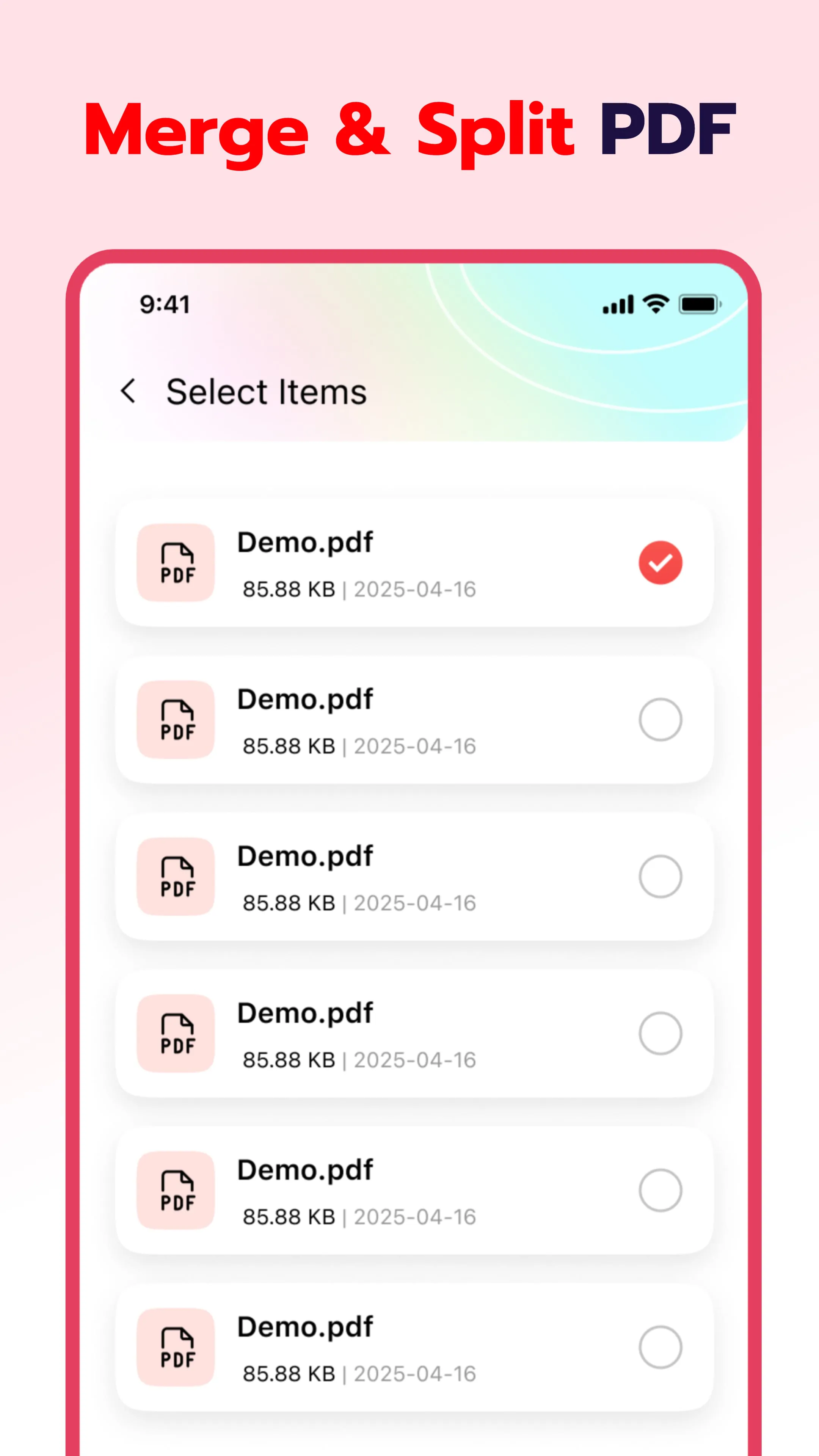
The Smart PDF Reader & PDF Viewer application is presented as a practical and lightweight tool designed to facilitate the efficient reading and management of PDF documents on mobile devices. The core value proposition revolves around its user-friendly interface and operational simplicity, enabling users to swiftly access and organize their local PDF files, thereby enhancing overall reading efficiency. The application's functionality is multifaceted, encompassing automatic document recognition, document editing capabilities, image-to-PDF conversion, and intelligent file management features. Automatic document recognition is a key function, where the application automatically scans the device to identify and list all PDF files. This feature streamlines the process of locating and accessing documents, eliminating the need for manual searching and organization. This capability is particularly beneficial in scenarios such as academic learning, professional office work, and leisure reading of e-books, where users frequently handle a multitude of PDF documents. By providing a unified platform for managing these files, the application significantly reduces the time and effort required to access and utilize PDF content. Furthermore, the document editing functionalities enhance the user experience by providing smooth and natural page turning, mimicking the feel of reading a physical document. The inclusion of a brush tool allows for easy annotation and marking of text, facilitating active reading and note-taking. The application ensures that text is displayed clearly and images are rendered fully, preserving the details and visual integrity of the documents. This is particularly important for documents containing complex layouts, diagrams, or high-resolution images, where clarity and detail are crucial for comprehension. The application caters to diverse reading preferences by offering customizable display options, such as adjusting font sizes, brightness levels, and background colors, ensuring a comfortable and personalized reading experience for each user. The image-to-PDF conversion feature provides a convenient solution for users who need to convert images into PDF format for archiving, printing, or sharing purposes. With a single click, users can generate PDF files from local images, simplifying the process and eliminating the need for external conversion tools. The application automatically optimizes the layout and compresses the images to reduce file size without compromising quality, making it easier to share and store the converted documents. This feature is particularly useful for creating digital archives of physical documents, such as receipts, photographs, or handwritten notes. The intelligent file manager further enhances the user experience by providing a range of features designed to streamline document management. The application displays recently opened PDF documents, allowing users to quickly resume reading where they left off. It also supports operations such as deletion and marking files as "collection," enabling users to classify and organize their documents according to their preferences. The one-click file sharing feature simplifies the process of collaborating with others, allowing users to easily share PDF documents via email, messaging apps, or cloud storage services. The application also supports direct printing of documents, providing a convenient way to output hard copies when needed. This comprehensive suite of file management features makes the application a versatile tool for both personal and professional use, empowering users to efficiently organize, access, and share their PDF documents.
The application's developers emphasize a commitment to user privacy and data security, outlining the permissions required for optimal functionality. The MANAGE_EXTERNAL_STORAGE permission is requested to enable file search and display capabilities, allowing the application to quickly scan the device for PDF documents and generate a clear file list for easy access. This permission is also utilized for intelligent classification management, where files are automatically categorized based on attributes such as name and creation time. The developers assert that this permission is crucial for providing efficient document management, enabling users to quickly locate and organize their PDF files. The FOREGROUND_SERVICE_SPECIAL_USE permission is requested to ensure stable processing of large PDF files. When opening complex documents, the application may require preprocessing tasks such as generating thumbnails. By leveraging the continuous operation of front-end services, the application aims to avoid interruptions and enhance the smoothness of reading. The developers clarify that this permission is necessary for providing a seamless and responsive user experience when handling large and complex PDF documents. The developers explicitly state their adherence to a strict privacy policy, emphasizing that they only invoke necessary permissions after obtaining user authorization. They assert that they do not collect irrelevant data, ensuring the security and confidentiality of user information. This commitment to privacy is further reinforced by the provision of links to the application's privacy policy and terms of service, allowing users to review the details of data collection and usage practices. This transparency and accountability are crucial for building user trust and ensuring that the application is used responsibly. The application's developers invite users to provide suggestions and feedback, encouraging open communication to facilitate continuous improvement. They express their commitment to optimizing the application's functions and enhancing the overall user experience. This proactive approach to user engagement demonstrates a dedication to providing a high-quality product that meets the evolving needs of its users. The developers' emphasis on pure and efficient document reading services underscores their focus on providing a streamlined and user-friendly experience. By minimizing distractions and maximizing functionality, the application aims to empower users to effectively manage and utilize their PDF documents without unnecessary complications. This commitment to simplicity and efficiency is a key differentiator in a crowded market of PDF readers and viewers, making the application an attractive option for users who value ease of use and performance. The promise of constant optimization and enhancement further reinforces the application's value proposition, assuring users that they can expect ongoing improvements and new features in the future. This dedication to continuous development ensures that the application remains competitive and relevant in the ever-changing landscape of mobile technology.
In summary, the Smart PDF Reader & PDF Viewer application is positioned as a versatile and user-friendly tool designed to simplify the reading and management of PDF documents on mobile devices. Its core features encompass automatic document recognition, document editing capabilities, image-to-PDF conversion, and intelligent file management, providing a comprehensive solution for users who regularly work with PDF files. The application's emphasis on user experience is evident in its intuitive interface, smooth page turning, and customizable display options. These features contribute to a comfortable and engaging reading experience, catering to diverse user preferences. The developers' commitment to privacy and data security is a key selling point, particularly in an era where data breaches and privacy concerns are increasingly prevalent. By explicitly outlining the permissions required for optimal functionality and adhering to a strict privacy policy, the application aims to build user trust and ensure responsible data handling. The invitation for user feedback and the promise of continuous optimization further demonstrate a dedication to providing a high-quality product that meets the evolving needs of its users. The application's focus on pure and efficient document reading services underscores its commitment to simplicity and ease of use. By minimizing distractions and maximizing functionality, the application empowers users to effectively manage and utilize their PDF documents without unnecessary complications. The inclusion of features such as one-click file sharing and direct printing capabilities further enhances the application's versatility, making it a valuable tool for both personal and professional use. The Smart PDF Reader & PDF Viewer application represents a compelling option for users seeking a lightweight, practical, and feature-rich PDF reader and manager for their mobile devices. Its combination of user-friendly design, comprehensive functionality, and commitment to privacy makes it a standout choice in a crowded market. The developers' ongoing dedication to optimization and enhancement ensures that the application will continue to evolve and improve, providing users with a reliable and efficient solution for managing their PDF documents for years to come. The attention to detail and the focus on user needs are evident throughout the application, making it a worthwhile investment for anyone who frequently works with PDF files on their mobile devices.




 APK
APK  Google Play
  iOS
iOS  4.40
4.40