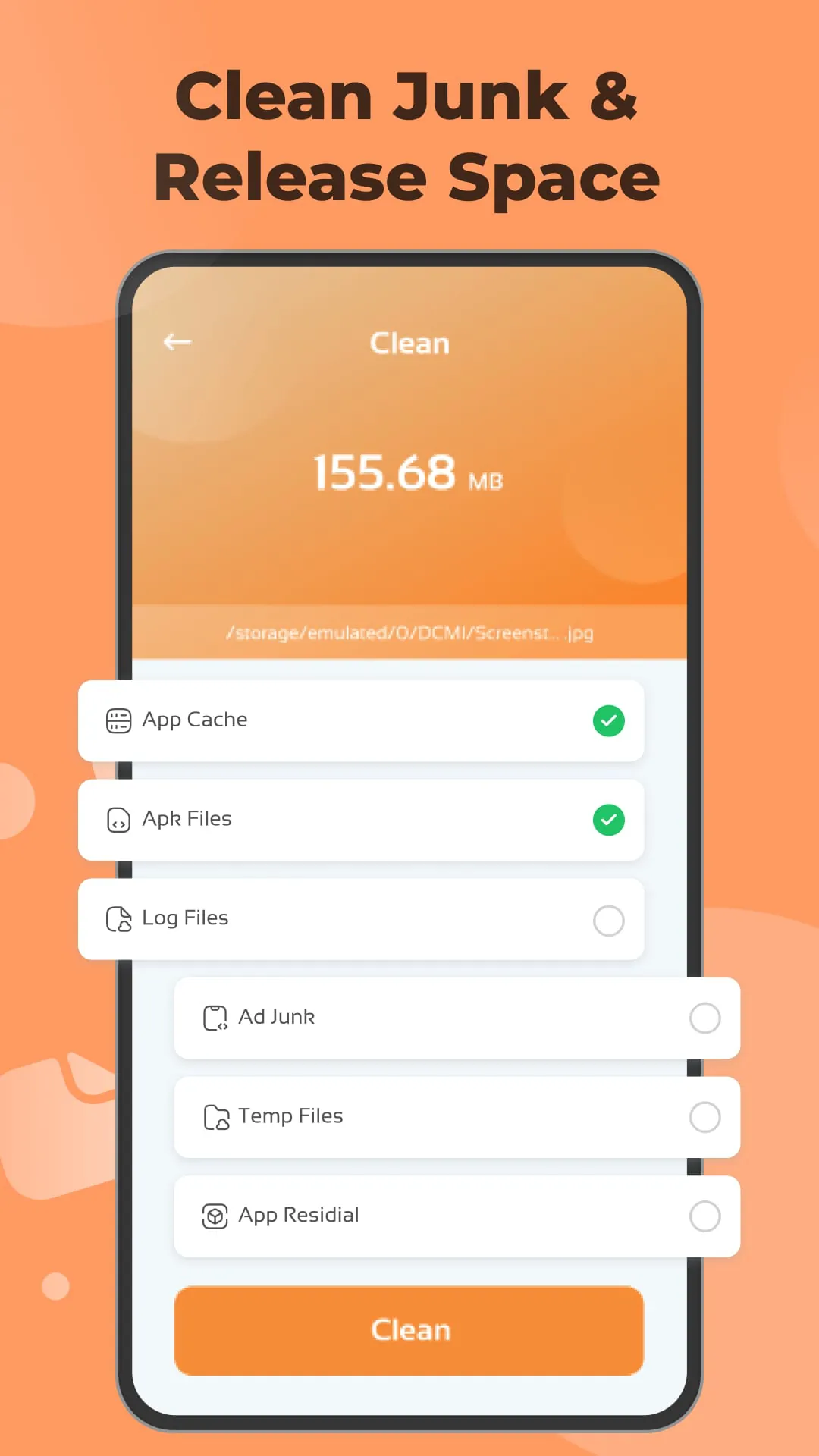
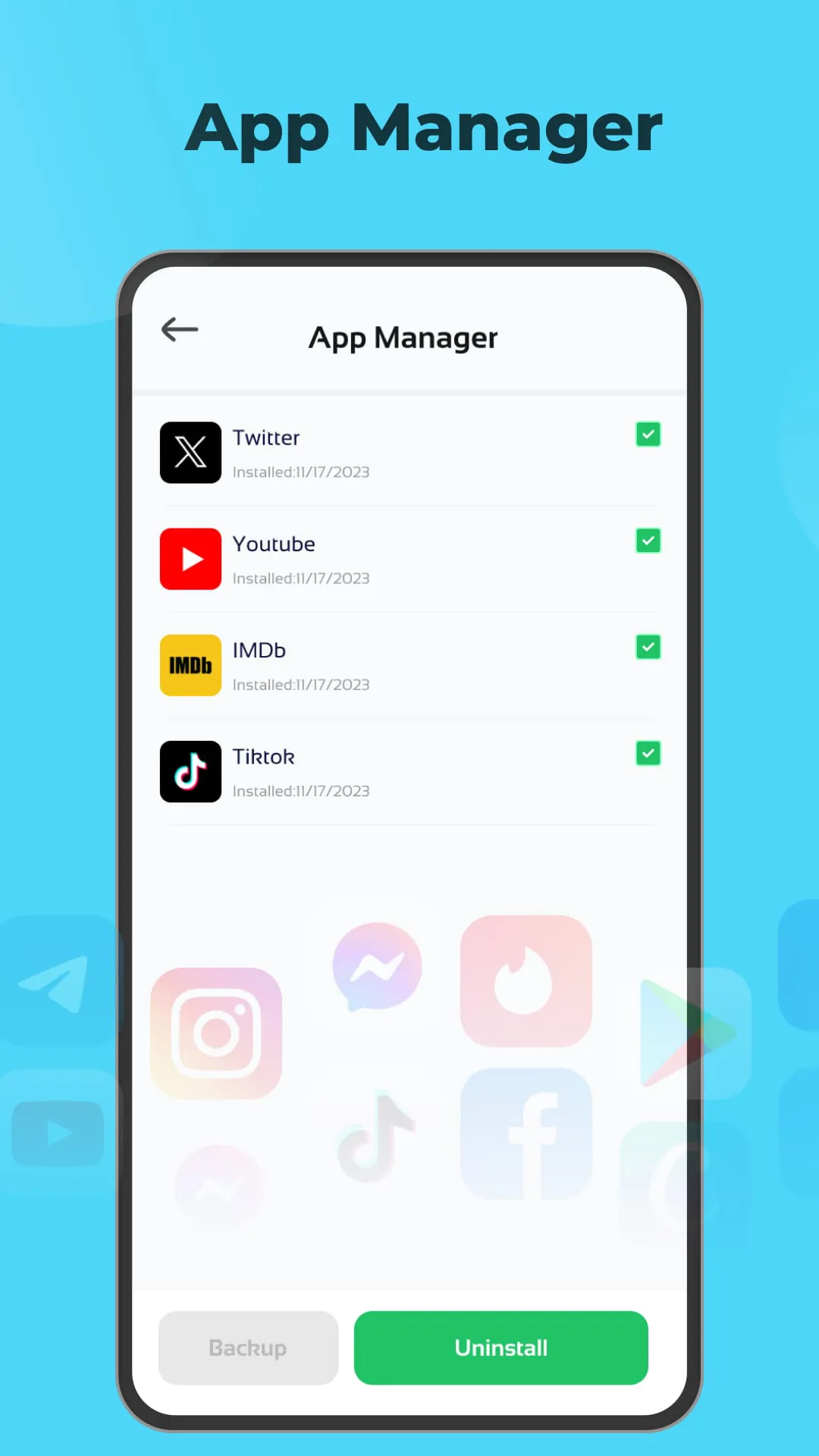
File Cleaner presents itself as a comprehensive solution for optimizing and managing storage space on mobile devices. The application targets users who are frequently confronted with the issue of accumulated junk files, redundant data, and disorganized digital assets that gradually degrade device performance and diminish user experience. By consolidating a suite of cleaning and management tools within a single interface, File Cleaner aims to streamline the process of identifying, removing, and organizing various types of files, thereby reclaiming valuable storage space and enhancing the overall efficiency of the mobile device. At the core of File Cleaner's functionality is its Junk Cleaner module, which serves as the primary mechanism for identifying and removing unnecessary data that accumulates over time. This module employs a sophisticated scanning algorithm to detect and categorize various types of junk files, including application caches, log files, temporary files, and residual data left behind by uninstalled applications. Application caches, while intended to improve app loading times and performance, often grow excessively large and consume significant storage space without providing tangible benefits. Similarly, log files, which record system events and application activity, can accumulate rapidly and contribute to storage bloat. Temporary files, created by applications for short-term data storage, are frequently orphaned and persist on the device long after they are no longer needed. By comprehensively scanning and removing these various types of junk files, the Junk Cleaner module effectively declutters the device and frees up valuable storage space for more important data. In addition to its Junk Cleaner module, File Cleaner incorporates an App Manager module that empowers users to effectively manage their installed applications. This module provides a centralized interface for viewing a list of all installed apps, along with detailed information such as app size, permissions, and usage statistics. Users can leverage this information to make informed decisions about which apps to keep, update, or uninstall. The App Manager module also facilitates the process of uninstalling unwanted apps, ensuring that all associated files and data are completely removed from the device. This helps to prevent residual files from accumulating and contributing to storage bloat. Furthermore, the App Manager module may offer features such as app backup and restore, allowing users to create backups of their favorite apps and restore them later if needed. This can be particularly useful when switching to a new device or performing a factory reset. By providing a comprehensive suite of app management tools, the App Manager module empowers users to take control of their installed applications and optimize their device's storage space and performance.
The File Manager module within File Cleaner provides users with a convenient and intuitive interface for accessing and managing their various types of files, including images, videos, audio files, and documents. This module eliminates the need to navigate through multiple folders and applications to locate specific files, streamlining the process of accessing and organizing digital assets. From the home screen of the File Manager module, users can quickly browse through their different file categories, such as images, videos, audio files, and documents. Each category displays a thumbnail preview of the files, allowing users to easily identify the content they are looking for. The File Manager module also provides advanced sorting and filtering options, enabling users to quickly locate specific files based on criteria such as file name, date modified, or file size. This can be particularly useful when dealing with a large number of files. In addition to browsing and locating files, the File Manager module also provides a range of file management functions, such as copying, moving, renaming, and deleting files. These functions allow users to organize their files into folders, create backups, and remove unwanted files to free up storage space. The File Manager module may also offer features such as file sharing, allowing users to easily share files with others via email, messaging apps, or cloud storage services. This can be particularly useful for sharing photos, videos, or documents with friends, family, or colleagues. Furthermore, the File Manager module may integrate with cloud storage services, allowing users to access and manage their files stored in the cloud directly from within the File Cleaner application. This provides a seamless and convenient way to manage files across multiple devices and platforms. By providing a comprehensive suite of file management tools, the File Manager module empowers users to take control of their digital assets and optimize their device's storage space and organization.
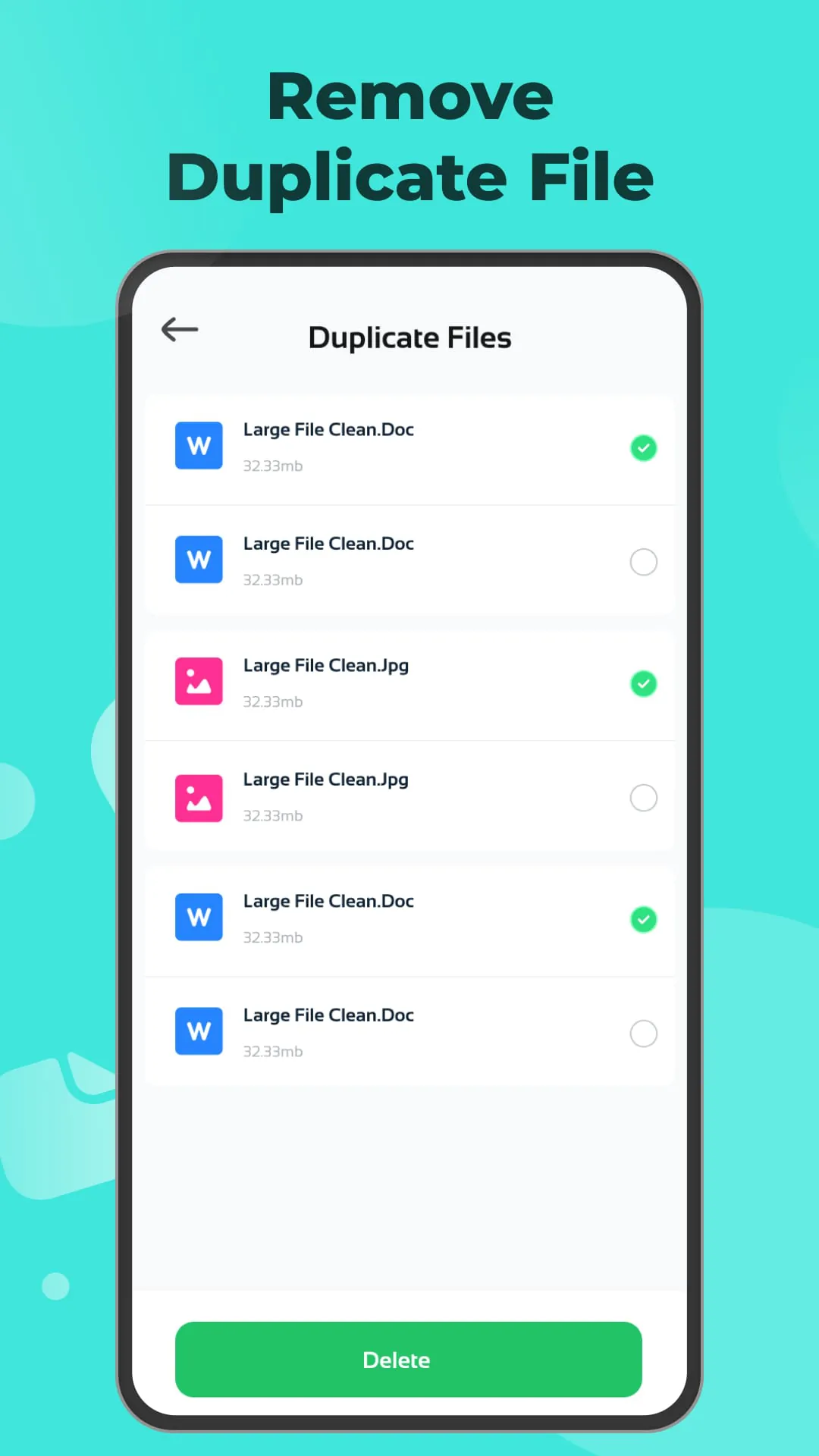
The Duplicate File Cleaner module is a critical component of File Cleaner, addressing the pervasive issue of duplicate files that often accumulate on mobile devices over time. These duplicate files, which can include images, videos, documents, and other types of content, consume valuable storage space and contribute to storage bloat. The Duplicate File Cleaner module employs a sophisticated scanning algorithm to identify and remove duplicate files, thereby reclaiming precious storage space and keeping the device clutter-free. The scanning process typically involves comparing file names, sizes, and content hashes to identify files that are identical or nearly identical. Once duplicate files are identified, the module presents the user with a list of duplicate files, allowing them to review and select which files to remove. The user can choose to remove all duplicate files, or selectively remove specific files based on their preferences. To prevent accidental data loss, the Duplicate File Cleaner module may offer a backup feature, allowing users to create a backup of the duplicate files before removing them. This ensures that the user can restore the files if needed. The Screenshot Cleaner module is another valuable component of File Cleaner, specifically designed to address the issue of excessive screenshots that often accumulate on mobile devices. Screenshots, while useful for capturing and sharing information, can quickly consume significant storage space if not managed properly. The Screenshot Cleaner module scans the device for screenshots and presents the user with a list of screenshots, allowing them to review and remove unwanted screenshots. The user can choose to remove all screenshots, or selectively remove specific screenshots based on their preferences. This helps to prevent screenshots from taking up too much storage space and maintain a tidy device. In summary, File Cleaner provides a comprehensive suite of cleaning and management tools that empower users to optimize their mobile devices and enhance their overall user experience. By effectively managing junk files, installed apps, and duplicate files, File Cleaner helps to reclaim valuable storage space, improve device performance, and maintain a clutter-free digital environment.





 APK
APK  Google Play
  iOS
iOS  3.50
3.50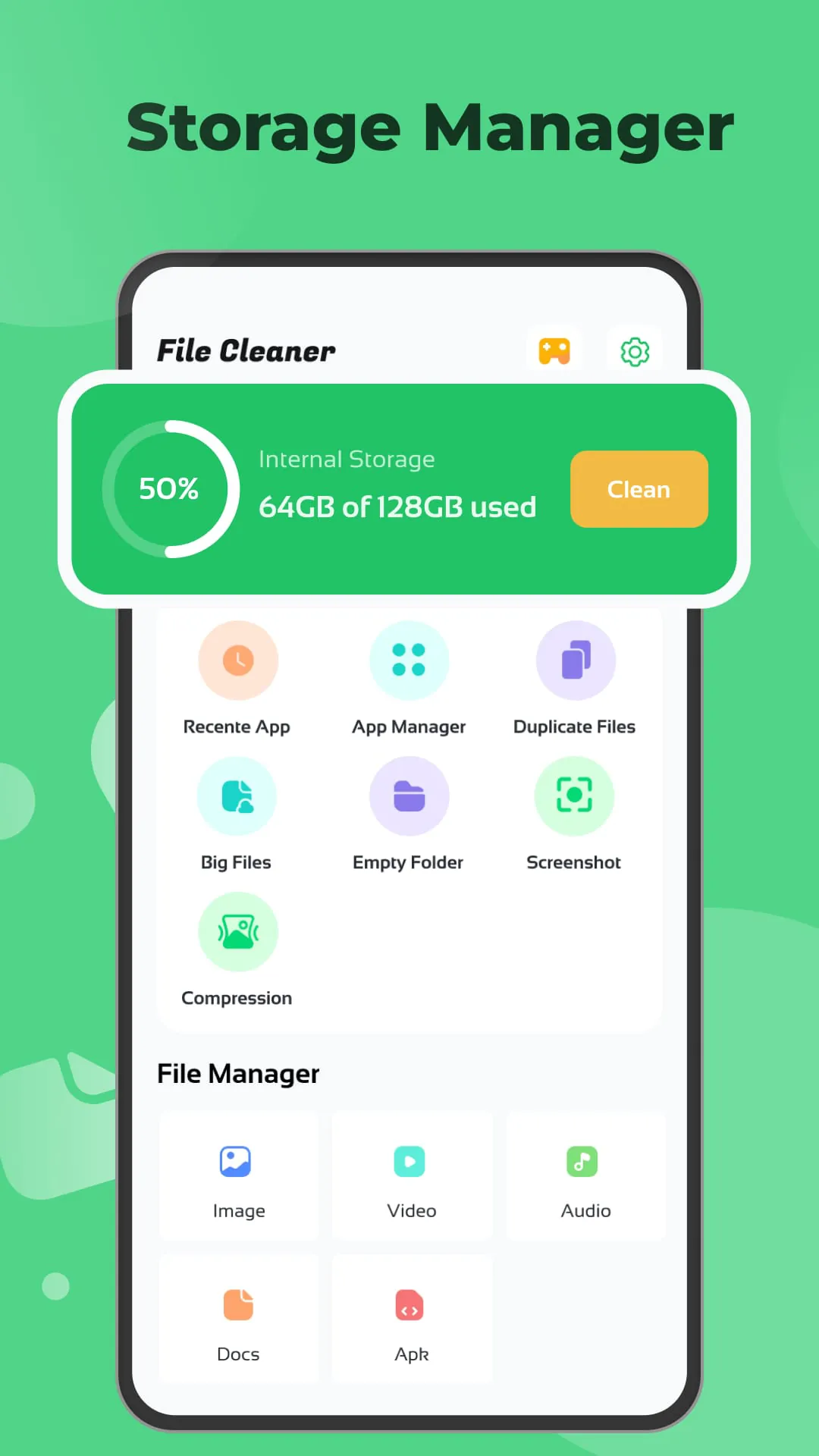
 Download








