



ADVERTISEMENT
ADVERTISEMENT
DashCommand (OBD ELM App) DashCommand (OBD ELM App)
Category
CommunicationTag
OBD-II | Android app | Vehicle Monitoring | Data Logging | DashCommand
Rate
3.90
★★★★★
Reviews
500 +
Installs
1M +
Developer
Palmer Performance Engineering
Content Rating
Everyone
Check/clear engine codes, view performance data, fuel economy, customize gauges.
 APK
APK  Google Play
  iOS
iOS  3.90
3.90ADVERTISEMENT
ADVERTISEMENT
Author's Review
appspicked Review
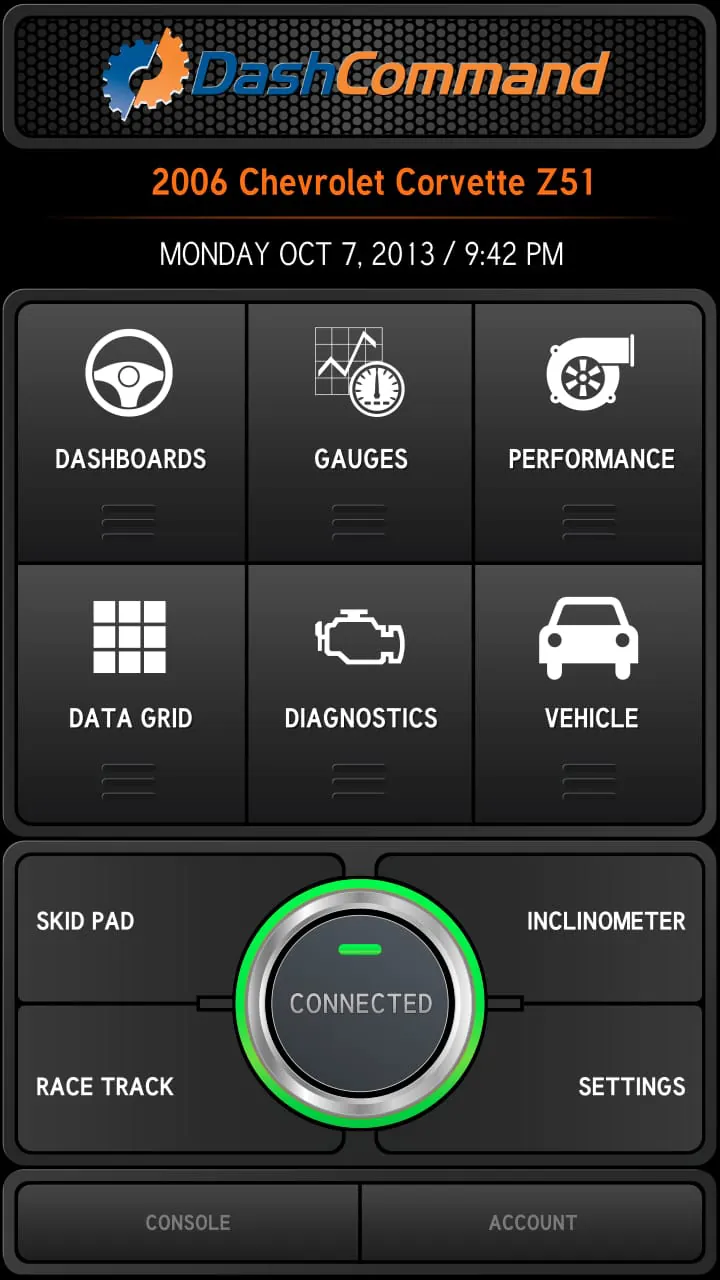
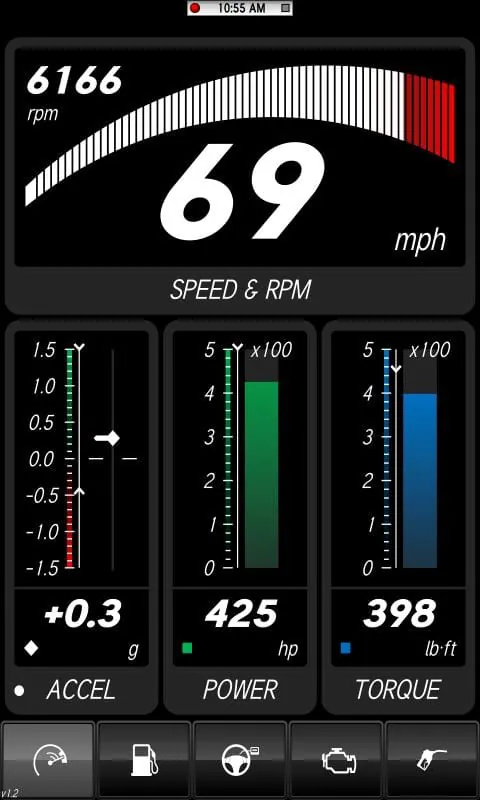
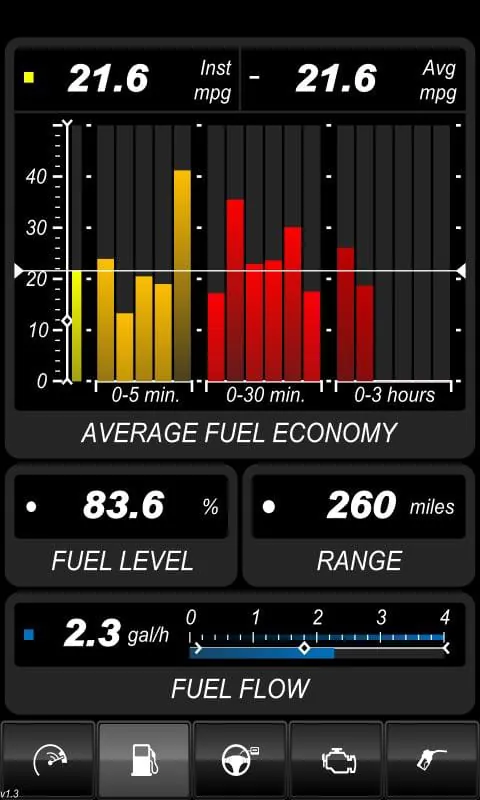
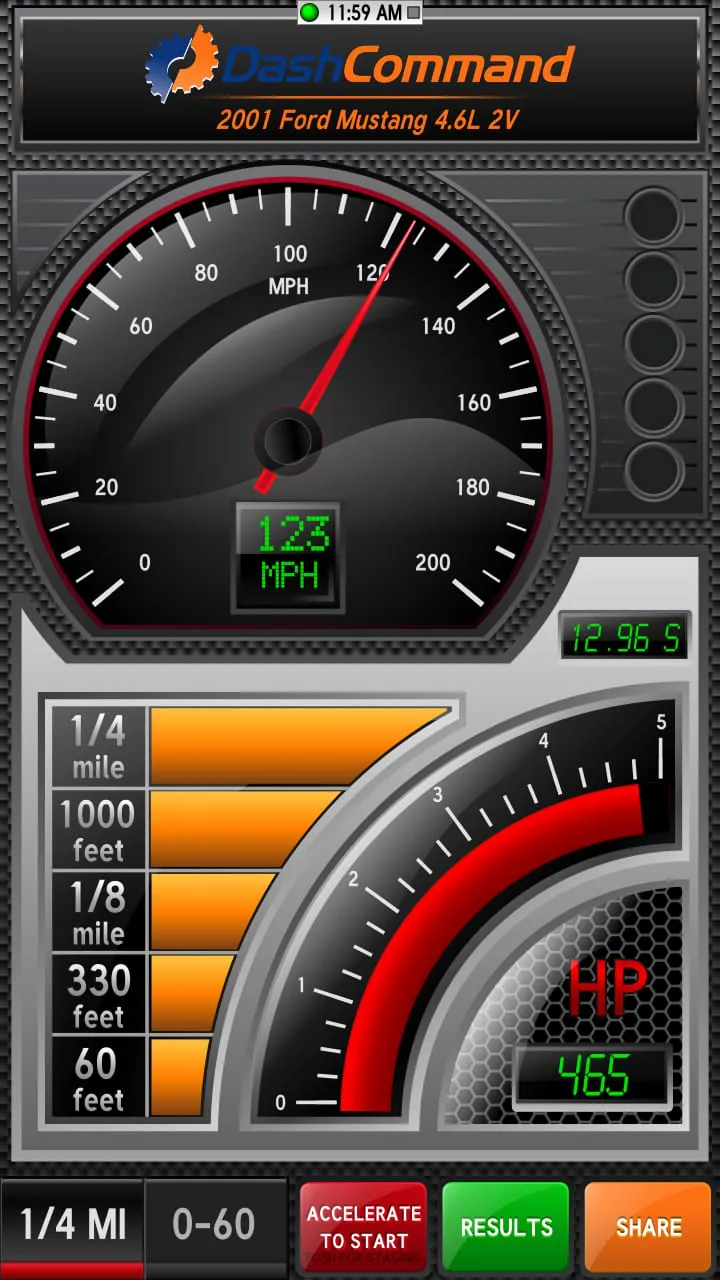
DashCommand is a versatile application designed to transform Android devices into comprehensive vehicle monitoring and display systems. This app empowers users with extensive control over their vehicle's performance, fuel efficiency, and diagnostic information. By connecting to a compatible third-party hardware interface, DashCommand can access and interpret data from a vehicle's onboard computer, providing real-time insights into engine performance, fuel consumption, and other critical parameters. The app's core functionality revolves around its ability to monitor and data log various engine and vehicle metrics, enabling users to track performance trends, identify potential issues, and optimize their driving habits. One of the key features of DashCommand is its ability to instantly read and clear troublesome check engine lights. This functionality allows users to diagnose and resolve minor issues without the need for a mechanic, saving time and money. However, it is crucial to understand the underlying cause of the check engine light before clearing it, as simply clearing the code without addressing the problem may lead to more severe issues down the road. DashCommand provides a user-friendly interface for accessing diagnostic trouble codes (DTCs) and their descriptions, enabling users to research the potential causes of the issue and determine the appropriate course of action. In addition to its diagnostic capabilities, DashCommand offers a range of performance monitoring tools that allow users to track various vehicle parameters in real-time. These parameters may include engine speed (RPM), coolant temperature, manifold absolute pressure (MAP), mass airflow (MAF), oxygen sensor readings, and ignition timing. By monitoring these parameters, users can gain a deeper understanding of their vehicle's performance and identify potential areas for improvement. For example, tracking coolant temperature can help identify potential overheating issues, while monitoring oxygen sensor readings can indicate problems with the fuel mixture. Furthermore, DashCommand provides fuel economy tracking features that enable users to monitor their fuel consumption and optimize their driving habits for better fuel efficiency. The app can track various fuel economy metrics, such as miles per gallon (MPG), average fuel consumption, and fuel cost per mile. By analyzing this data, users can identify driving behaviors that negatively impact fuel economy, such as hard acceleration and excessive idling, and adjust their driving habits accordingly. DashCommand also offers advanced features for performance enthusiasts and racers. These features include a professional skidpad that displays lateral and accel/braking G-forces with min/max indicators, a race track that visually maps out the user's location, acceleration, and braking as they drive laps around the track, and an inclinometer that shows rolling angle and vehicle pitch for off-roading. The skidpad feature allows users to assess their vehicle's handling performance and identify areas for improvement, while the race track feature provides valuable data for analyzing driving performance on a track. The inclinometer is a useful tool for off-road enthusiasts, providing real-time information on the vehicle's orientation and helping to prevent rollovers. Data logging is another key feature of DashCommand, allowing users to record and playback log files showing OBD-II and acceleration data. This feature enables users to analyze their vehicle's performance over time, identify trends, and diagnose intermittent issues. The log files can be exported and shared with others, making it easy to collaborate with mechanics or other enthusiasts. DashCommand has received industry recognition for its innovative features and user-friendly design, earning a SEMA Show 1st runner-up award for best mobile electronics product and a four-time SEMA Global Media Award winner. These awards highlight the app's value and appeal to both consumers and industry professionals. It is important to note that DashCommand requires a compatible third-party hardware interface to communicate with the vehicle. This interface, which is purchased separately, plugs into the vehicle's OBD-II port and transmits data to the Android device via Bluetooth or Wi-Fi. Several compatible hardware interfaces are available, including Auto Meter DashLink, PLX Kiwi 3 and Kiwi 4, OBDLink MX+, ELM compatible WiFi, and GoPoint BT1. Users should carefully research and select a hardware interface that is compatible with their vehicle and meets their specific needs. DashCommand supports all OBD-II and EOBD compliant vehicles sold worldwide. However, it is important to verify that your vehicle is OBD-II/EOBD compliant before purchasing the app and a compatible hardware interface. Not all OBD-II compliant vehicles will have support for all of the parameters that DashCommand can monitor. Some manufacturer-specific data is available for select vehicles through in-app purchase, providing users with access to even more detailed information about their vehicle's performance.
The DashCommand application extends its capabilities beyond basic vehicle monitoring by incorporating advanced features tailored to specific driving scenarios and user preferences. The inclusion of a professional skidpad provides real-time feedback on lateral and longitudinal G-forces, offering valuable insights into the vehicle's handling characteristics during cornering and acceleration/braking maneuvers. This feature is particularly useful for performance enthusiasts and drivers who seek to optimize their driving skills on closed courses or in controlled environments. By analyzing the G-force data, drivers can identify the limits of their vehicle's grip and make adjustments to their driving technique to improve cornering speed and overall handling. The race track feature takes vehicle performance analysis a step further by visually mapping the user's location, acceleration, and braking points as they drive laps around a track. This feature allows drivers to review their performance after each lap and identify areas where they can improve their lap times. The race track map provides a visual representation of the driver's trajectory, highlighting areas where they may be losing time due to suboptimal braking, acceleration, or cornering techniques. The inclinometer feature caters to off-road enthusiasts by displaying the vehicle's rolling angle and pitch in real-time. This information is crucial for navigating challenging terrain and preventing rollovers. The inclinometer helps drivers to assess the stability of their vehicle and make informed decisions about the safest route to take. The data logging functionality of DashCommand is a powerful tool for capturing and analyzing vehicle performance data over extended periods. Users can record various OBD-II parameters, such as engine speed, coolant temperature, and fuel consumption, as well as acceleration data, such as G-forces and speed. The recorded data can be played back and analyzed to identify trends, diagnose intermittent issues, and optimize vehicle performance. The data logging feature is particularly useful for troubleshooting problems that occur sporadically or under specific driving conditions. The ability to export and share log files further enhances the value of the data logging feature, allowing users to collaborate with mechanics or other enthusiasts to diagnose and resolve complex issues. The flexibility and versatility of DashCommand make it a valuable tool for a wide range of users, from everyday drivers seeking to improve their fuel efficiency to performance enthusiasts looking to optimize their lap times. The app's user-friendly interface and comprehensive feature set make it accessible to both novice and experienced users. The availability of manufacturer-specific data through in-app purchase provides users with access to even more detailed information about their vehicle's performance, allowing them to fine-tune their driving experience and optimize their vehicle's performance to their specific needs. While DashCommand offers a wealth of features and functionality, it is important to remember that the app relies on a compatible third-party hardware interface to communicate with the vehicle. The choice of hardware interface can significantly impact the app's performance and reliability. Users should carefully research and select a hardware interface that is known to be compatible with their vehicle and that meets their specific needs. Some hardware interfaces may offer additional features, such as Bluetooth connectivity or advanced diagnostic capabilities, that can further enhance the user experience.
The success of DashCommand can be attributed to its ability to bridge the gap between complex vehicle data and user-friendly accessibility. By transforming a standard Android device into a sophisticated monitoring and diagnostic tool, DashCommand empowers drivers with unprecedented control over their vehicle's performance and health. The app's intuitive interface and comprehensive feature set make it easy for users to access and interpret critical information, regardless of their technical expertise. The real-time monitoring capabilities of DashCommand provide drivers with instant feedback on various vehicle parameters, allowing them to make informed decisions about their driving habits and vehicle maintenance. The ability to track fuel economy, monitor engine performance, and diagnose potential issues empowers drivers to optimize their vehicle's performance and prevent costly repairs. The app's data logging capabilities further enhance its value by allowing users to track trends over time and identify patterns that may indicate underlying problems. The advanced features of DashCommand cater to the needs of performance enthusiasts and racers, providing them with the tools to analyze their driving performance and optimize their vehicle's handling. The skidpad, race track, and inclinometer features offer valuable insights into vehicle dynamics and driving technique, allowing users to push their limits in a safe and controlled environment. The app's versatility and adaptability make it a valuable tool for a wide range of users, from daily commuters to weekend racers. The ongoing development and support of DashCommand ensure that the app remains up-to-date with the latest vehicle technologies and diagnostic protocols. Regular updates introduce new features, improve performance, and address any compatibility issues that may arise. The app's developers are committed to providing users with a reliable and user-friendly experience. DashCommand's recognition within the automotive industry, including its SEMA Show awards, is a testament to its innovation and value. The app has consistently impressed industry experts with its comprehensive feature set, user-friendly interface, and ability to empower drivers with valuable insights into their vehicle's performance. As vehicle technology continues to evolve, DashCommand is well-positioned to remain a leading provider of mobile vehicle monitoring and diagnostic solutions. Its ability to adapt to new technologies and meet the evolving needs of drivers will ensure its continued success in the years to come. The app's commitment to user-friendliness, comprehensive features, and ongoing development makes it an indispensable tool for anyone who wants to take control of their vehicle's performance and health. In conclusion, DashCommand is a powerful and versatile application that transforms Android devices into comprehensive vehicle monitoring and display systems. Its user-friendly interface, comprehensive feature set, and ongoing development make it an indispensable tool for drivers of all skill levels. Whether you're a daily commuter seeking to improve your fuel efficiency or a performance enthusiast looking to optimize your lap times, DashCommand can help you take control of your vehicle's performance and health.
Screenshots
 Download
 Additional Information
Category
CommunicationVersion
Unknown
Tag
OBD-II | Android app | Vehicle Monitoring | Data Logging | DashCommand
Rate
3.90
★★★★★
Reviews
500 +
Installs
1M +
Developer
Palmer Performance Engineering
Content Rating
Everyone
Check/clear engine codes, view performance data, fuel economy, customize gauges.
ADVERTISEMENT
ADVERTISEMENT
Previous Versions
ZIP files require a Split APKs Installer (e.g., SAI) from Google Play to install. Steps: 1. Download SAI from Google Play; 2. Open SAI and tap "Install APKs"; 3. Select the ZIP file; 4. Complete installation.
ADVERTISEMENT
You Might Like









