



ADVERTISEMENT
ADVERTISEMENT

Notes Notes
Category
ProductivityTag
home screen widget | Note-taking app | Notes Launcher | Quick notes | To-do lists
Rate
4.20
★★★★★
Reviews
500 +
Installs
1M +
Developer
AtomApplications
Content Rating
Everyone
Simple note-taking launcher app with notes, to-do lists in notepad, & reminders.
 APK
APK  Google Play
  iOS
iOS  4.20
4.20ADVERTISEMENT
ADVERTISEMENT
Author's Review
appspicked Review
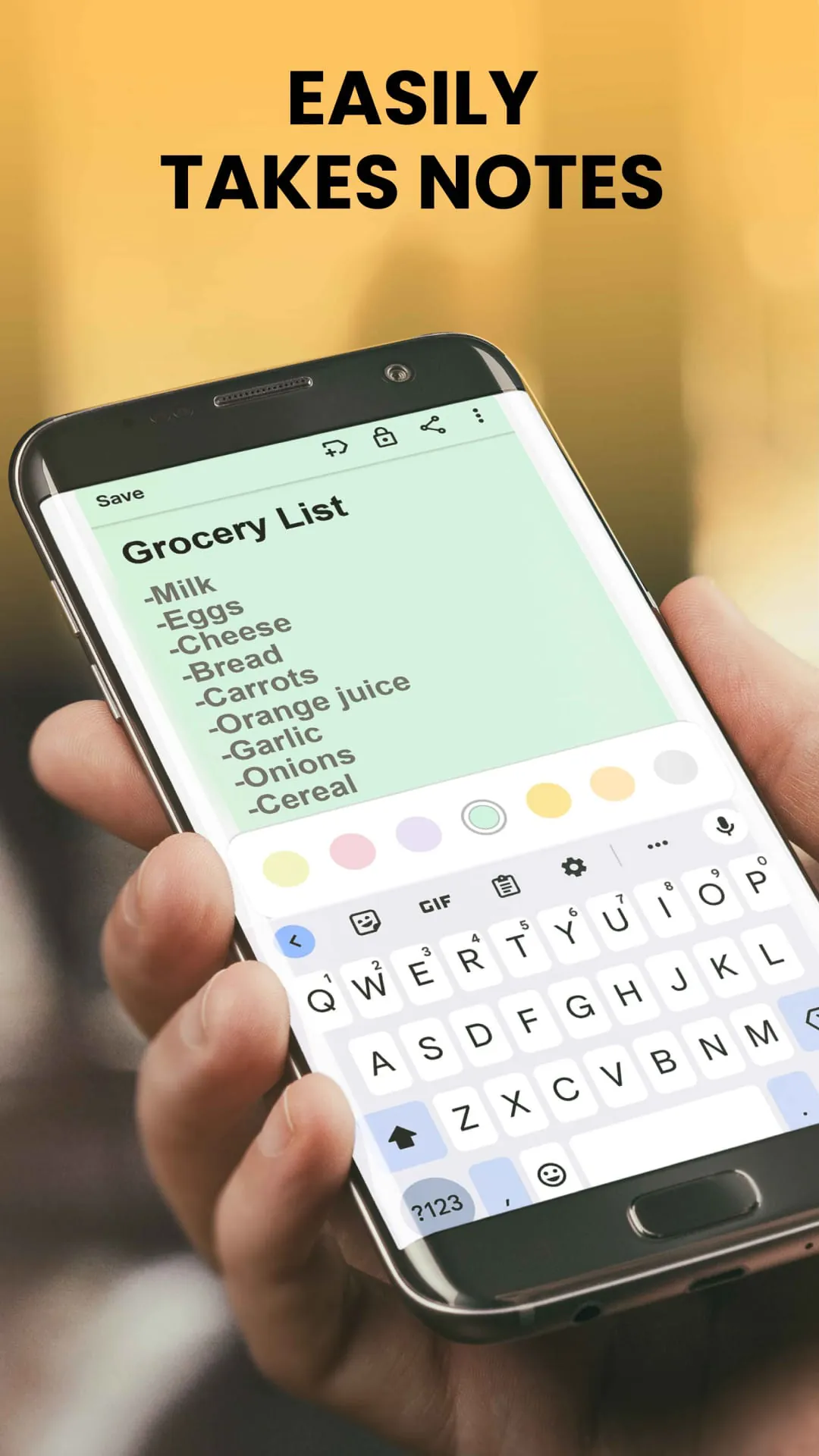
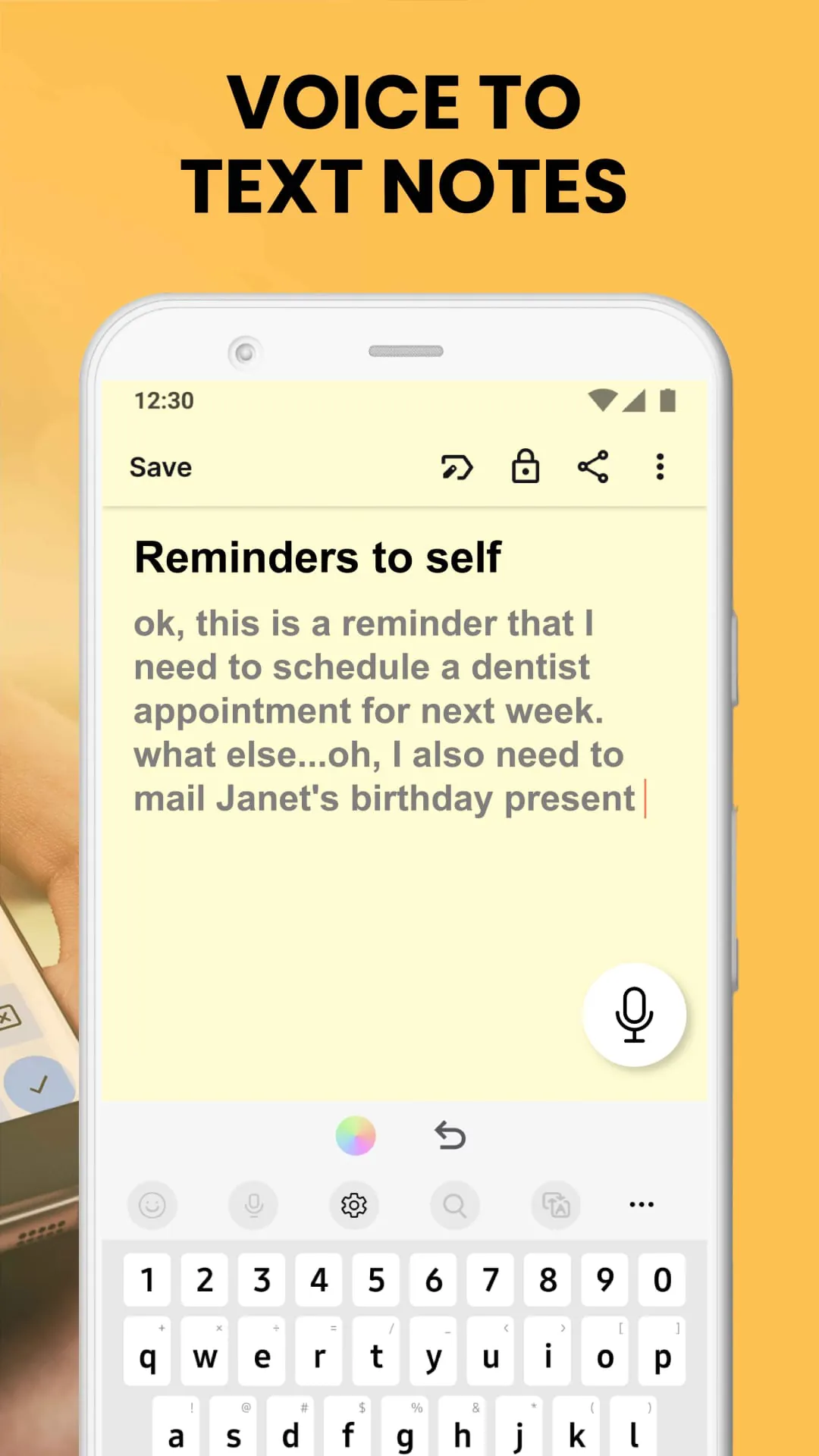
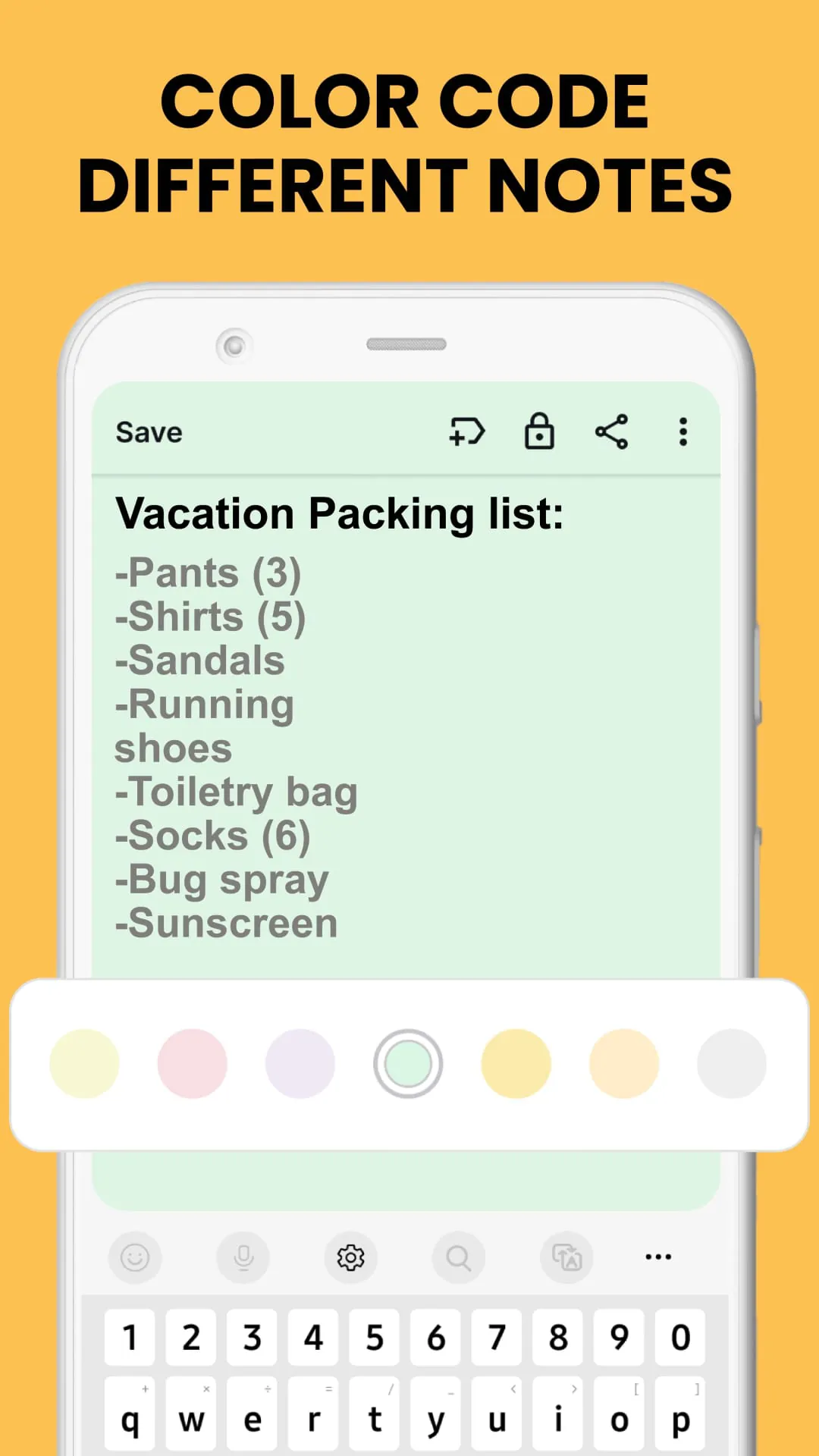
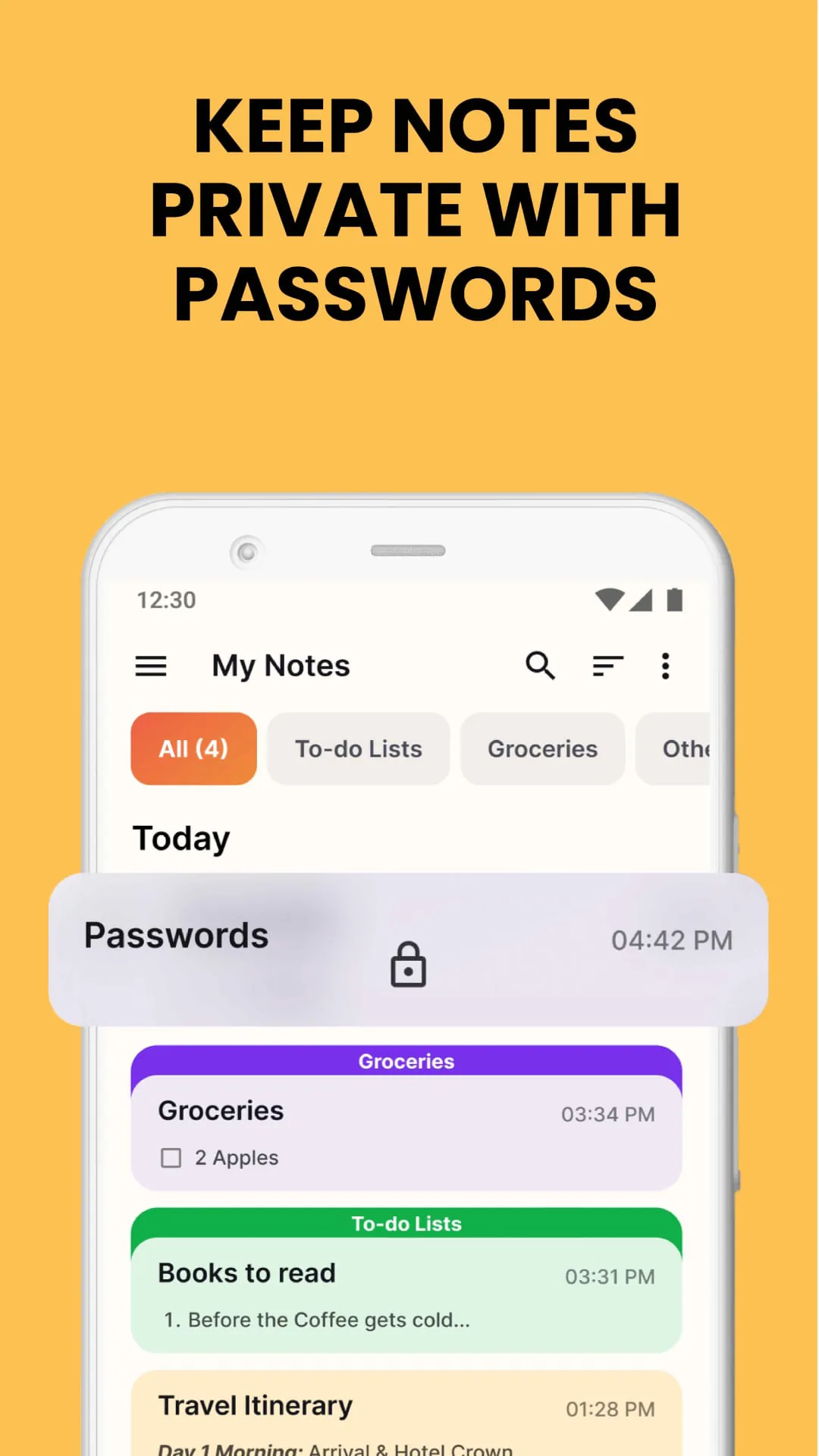
Notes Launcher is presented as a versatile application designed to enhance productivity and organization directly from a user's home screen. Functioning as a launcher app, it integrates note-taking capabilities, home screen customization options, and quick access tools into a seamless experience. The core functionality revolves around enabling users to swiftly jot down thoughts, create to-do lists, and manage important information with ease. By swiping right from the home screen, users can instantly access the note-taking interface, eliminating the need to navigate through multiple apps. This streamlined approach is particularly beneficial for individuals who frequently need to capture ideas on the go, manage daily tasks, or create quick reminders. The app also offers a range of customization options, including a home screen widget that displays essential information such as the time and weather. This widget provides a convenient at-a-glance view of relevant data, enhancing the overall user experience. Furthermore, Notes Launcher allows users to personalize their device with a wide selection of themed wallpapers, adding a touch of personal style to their home and lock screens. The app's multi-touchpoint search feature simplifies the process of finding installed apps or searching the web, with search powered by Yahoo. This integration provides a unified search experience, allowing users to quickly access information from various sources. The key features of Notes Launcher include comprehensive note-taking capabilities, text formatting tools, color-coding options, note locking functionality, categorization features, sorting options, and a robust search function. These features collectively contribute to a well-rounded note-taking experience that caters to a wide range of user needs. The ability to create and manage checklists is particularly useful for tasks such as grocery shopping, creating wish lists, or managing to-do lists. The rich-text editor allows users to format their notes with various options, including font size adjustments, italicizing, underlining, and creating bulleted or numbered lists. This enhances the visual appeal and organization of notes, making them easier to read and understand. Color-coding notes provides a simple yet effective way to categorize and prioritize information, whether it's for managing work tasks or personal projects. The note locking feature ensures the security of sensitive information, such as passwords, bank account details, or medical prescriptions. Users can categorize notes under custom categories, such as vacation checklists or emergency contacts, allowing for easy access to related information. The sorting filter enables users to arrange notes by date modified or in ascending/descending order of creation, facilitating efficient retrieval of specific notes. The intuitive search feature allows users to quickly locate relevant notes by entering keywords or phrases. The sharing functionality allows users to collaborate with family and friends through email, social media, and other messaging apps, making it easy to share travel itineraries, project plans, or other important information. Overall, Notes Launcher is presented as a simple, effective, and free-to-use app that helps users stay organized in their daily lives. The app encourages users to get started and provides contact information for queries, comments, and feature recommendations. It also notes that the app can be uninstalled at any time. By installing the app from the Google Play Store, users agree to the app's Terms and Conditions and Privacy Policy. The description also includes disclaimers regarding the use of the Google Play trademark and provides links to the app's FAQ section, contact form, Terms of Service, and Privacy Policy. The app is designed to be intuitive and user-friendly, making it accessible to a wide range of users, regardless of their technical expertise. Its focus on quick access and seamless integration with the home screen makes it a valuable tool for anyone looking to enhance their productivity and organization. The combination of note-taking, customization options, and quick access tools makes Notes Launcher a comprehensive solution for managing information and staying organized on the go. The app's emphasis on security and privacy ensures that users can trust it with their sensitive information. The ability to lock notes and categorize them under custom categories provides an added layer of protection and organization. The sorting and search features further enhance the app's usability, making it easy to find and manage notes. The sharing functionality allows users to collaborate with others, making it a valuable tool for both personal and professional use. The app's overall design is focused on simplicity and ease of use, making it accessible to users of all ages and skill levels. The combination of features and functionality makes Notes Launcher a compelling choice for anyone looking to improve their productivity and organization. The app's integration with the home screen and its quick access tools make it a convenient and efficient way to manage information. The app's customization options allow users to personalize their experience and make it their own. The app's security and privacy features ensure that users can trust it with their sensitive information. The app's overall design and functionality make it a valuable tool for anyone looking to stay organized and productive.
The description of Notes Launcher highlights several key advantages that contribute to its appeal as a productivity tool. Firstly, the app's one-swipe access feature significantly reduces the time and effort required to create notes and to-do lists. By simply swiping right from the home screen, users can instantly access the note-taking interface, eliminating the need to navigate through multiple apps or menus. This streamlined approach is particularly beneficial for individuals who frequently need to capture ideas on the go or manage time-sensitive tasks. The home screen widget is another notable advantage, providing users with a convenient at-a-glance view of essential information such as the time and weather. This widget can be customized to display other relevant data, such as upcoming appointments or reminders, further enhancing its utility. The ability to personalize the home and lock screens with a wide selection of themed wallpapers adds a touch of personal style to the user experience. This customization option allows users to express their individuality and create a visually appealing environment on their devices. The home screen shortcut provides quick access to to-do lists, allowing users to easily manage their tasks and priorities. This shortcut can be placed in a prominent location on the home screen, ensuring that it is always within reach. The multi-touchpoint search feature simplifies the process of finding installed apps or searching the web, with search powered by Yahoo. This integration provides a unified search experience, allowing users to quickly access information from various sources. The key features of Notes Launcher, such as note-taking, text formatting tools, color-coding options, note locking functionality, categorization features, sorting options, and a robust search function, collectively contribute to a well-rounded note-taking experience that caters to a wide range of user needs. The ability to create and manage checklists is particularly useful for tasks such as grocery shopping, creating wish lists, or managing to-do lists. The rich-text editor allows users to format their notes with various options, including font size adjustments, italicizing, underlining, and creating bulleted or numbered lists. This enhances the visual appeal and organization of notes, making them easier to read and understand. Color-coding notes provides a simple yet effective way to categorize and prioritize information, whether it's for managing work tasks or personal projects. The note locking feature ensures the security of sensitive information, such as passwords, bank account details, or medical prescriptions. Users can categorize notes under custom categories, such as vacation checklists or emergency contacts, allowing for easy access to related information. The sorting filter enables users to arrange notes by date modified or in ascending/descending order of creation, facilitating efficient retrieval of specific notes. The intuitive search feature allows users to quickly locate relevant notes by entering keywords or phrases. The sharing functionality allows users to collaborate with family and friends through email, social media, and other messaging apps, making it easy to share travel itineraries, project plans, or other important information. Overall, Notes Launcher is presented as a simple, effective, and free-to-use app that helps users stay organized in their daily lives. The app encourages users to get started and provides contact information for queries, comments, and feature recommendations. It also notes that the app can be uninstalled at any time. The app is designed to be intuitive and user-friendly, making it accessible to a wide range of users, regardless of their technical expertise. Its focus on quick access and seamless integration with the home screen makes it a valuable tool for anyone looking to enhance their productivity and organization.
The comprehensive suite of features offered by Notes Launcher positions it as a robust and versatile tool for enhancing productivity and organization. The note-taking functionality allows users to quickly capture ideas, create reminders, and manage important information on the go. The text formatting tools provide the flexibility to enhance the visual appeal and organization of notes, making them easier to read and understand. The color-coding options enable users to categorize and prioritize information, streamlining the process of managing tasks and projects. The note locking feature ensures the security of sensitive data, providing peace of mind for users who need to protect confidential information. The categorization features allow users to group related notes together, facilitating easy access and retrieval. The sorting options enable users to arrange notes in a way that makes sense to them, further enhancing organization. The intuitive search function allows users to quickly locate specific notes, saving time and effort. The sharing functionality enables users to collaborate with others, making it a valuable tool for both personal and professional use. In addition to these core features, Notes Launcher also offers a range of customization options that allow users to personalize their experience. The home screen widget provides a convenient at-a-glance view of essential information, while the themed wallpapers add a touch of personal style to the home and lock screens. The home screen shortcut provides quick access to to-do lists, and the multi-touchpoint search feature simplifies the process of finding apps and information. Overall, Notes Launcher is presented as a comprehensive solution for managing information and staying organized. Its combination of features, functionality, and customization options makes it a valuable tool for anyone looking to improve their productivity and efficiency. The app's emphasis on security and privacy ensures that users can trust it with their sensitive information. The ability to lock notes and categorize them under custom categories provides an added layer of protection and organization. The sorting and search features further enhance the app's usability, making it easy to find and manage notes. The sharing functionality allows users to collaborate with others, making it a valuable tool for both personal and professional use. The app's overall design is focused on simplicity and ease of use, making it accessible to users of all ages and skill levels. The combination of features and functionality makes Notes Launcher a compelling choice for anyone looking to improve their productivity and organization. The app's integration with the home screen and its quick access tools make it a convenient and efficient way to manage information. The app's customization options allow users to personalize their experience and make it their own. The app's security and privacy features ensure that users can trust it with their sensitive information. The app's overall design and functionality make it a valuable tool for anyone looking to stay organized and productive. The Notes Launcher is a very helpful and productive application for its users to utilize, with the application being free and simple to use for everyone.
Screenshots
 Download
 Additional Information
Category
ProductivityVersion
Unknown
Tag
home screen widget | Note-taking app | Notes Launcher | Quick notes | To-do lists
Rate
4.20
★★★★★
Reviews
500 +
Installs
1M +
Developer
AtomApplications
Content Rating
Everyone
Simple note-taking launcher app with notes, to-do lists in notepad, & reminders.
ADVERTISEMENT
ADVERTISEMENT
Previous Versions
ZIP files require a Split APKs Installer (e.g., SAI) from Google Play to install. Steps: 1. Download SAI from Google Play; 2. Open SAI and tap "Install APKs"; 3. Select the ZIP file; 4. Complete installation.
ADVERTISEMENT
You Might Like









