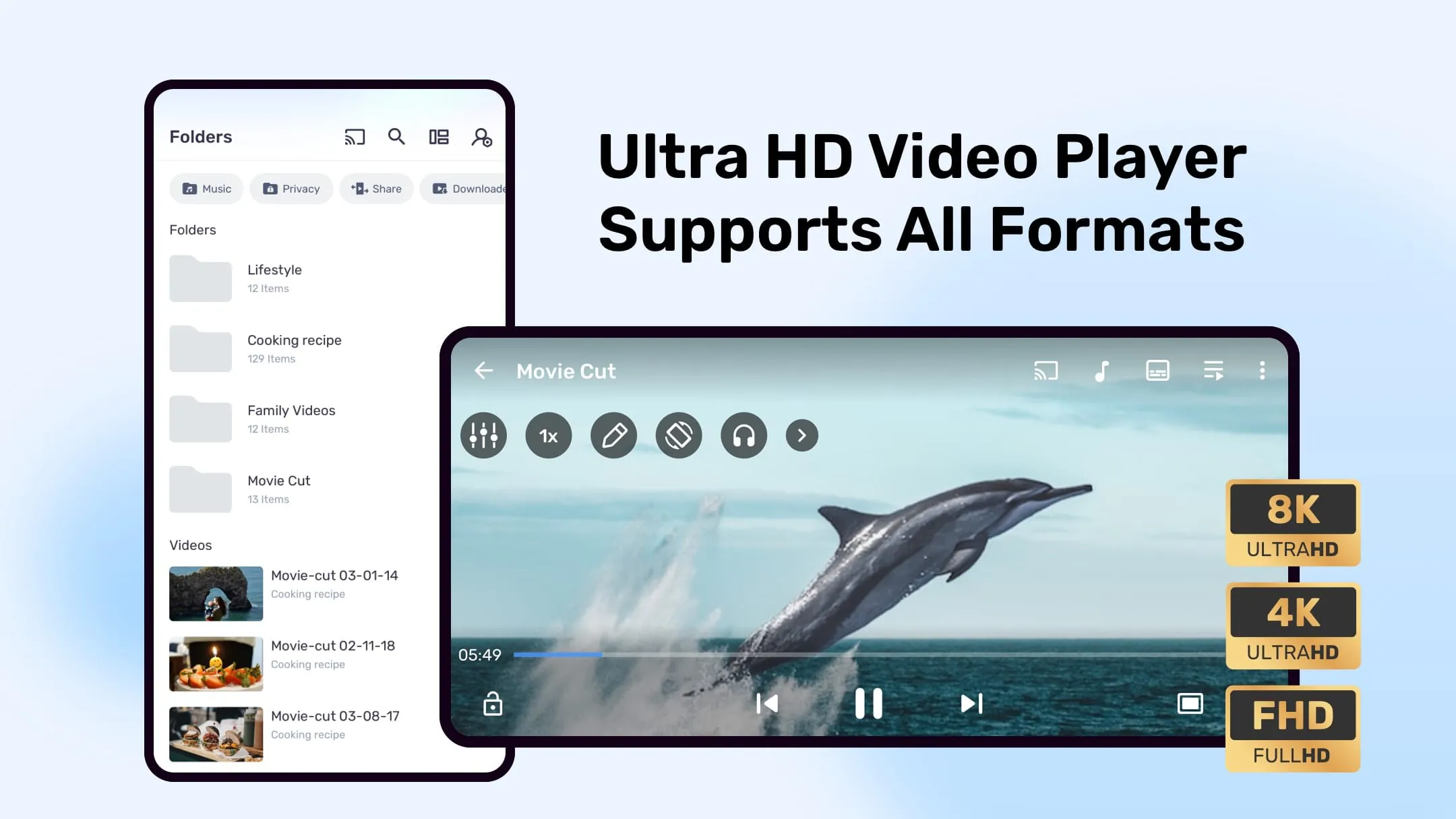
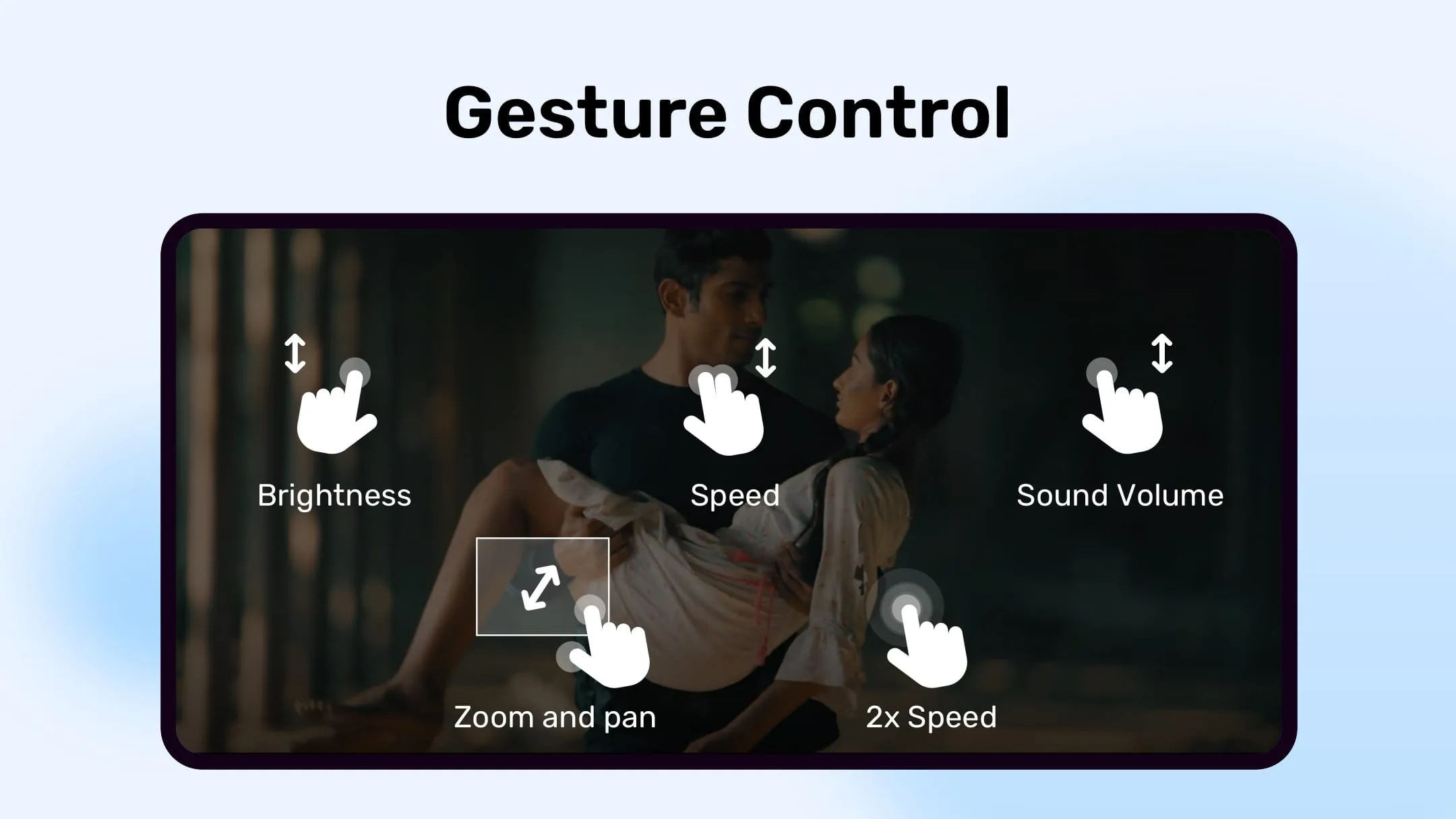
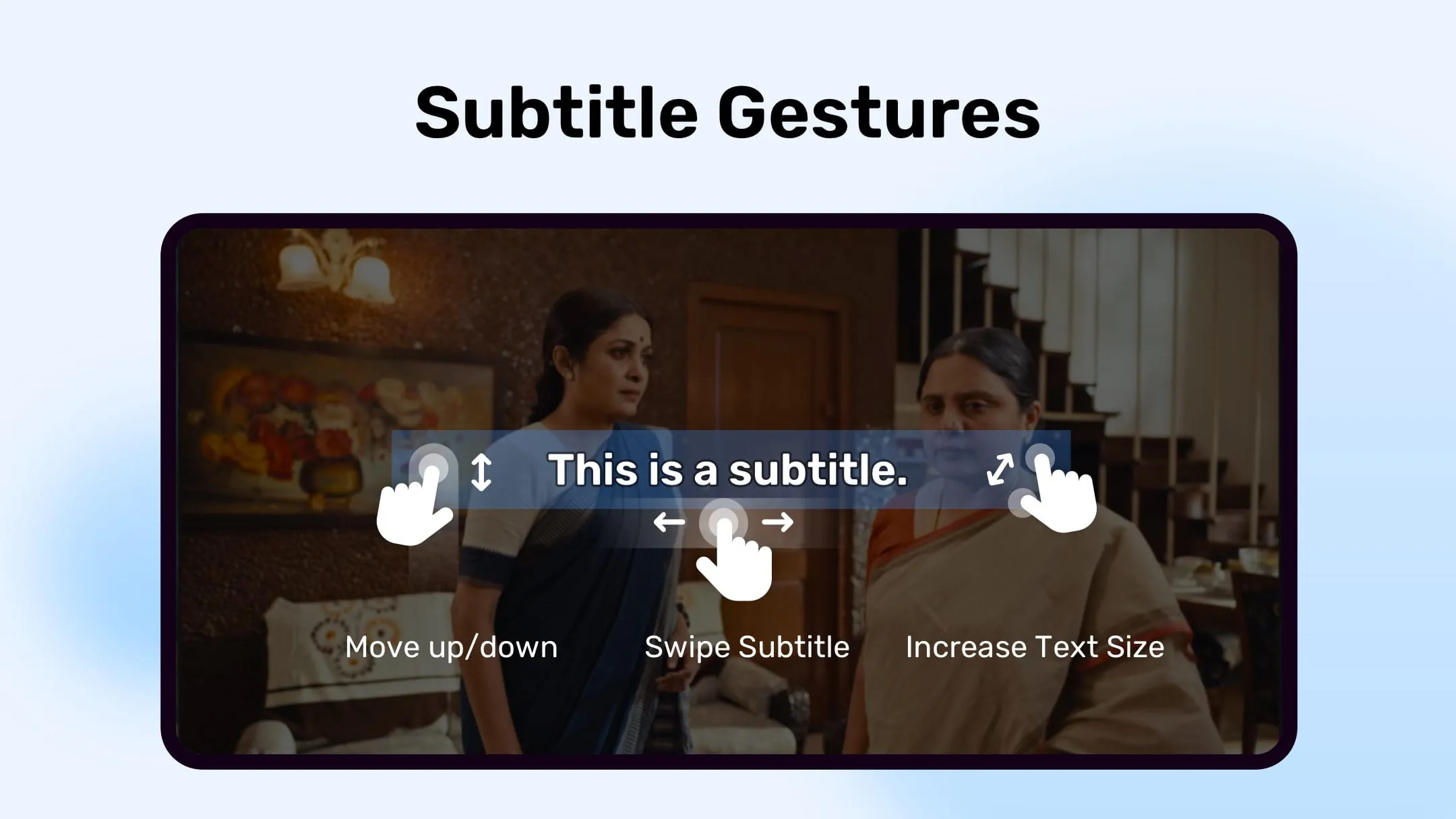
MX Player stands out as a robust video and music player engineered with advanced hardware acceleration capabilities and comprehensive subtitle support, catering to a wide array of user needs and preferences. The player leverages a novel HW+ decoder, expanding hardware acceleration to a greater number of video formats, thereby enhancing playback performance and reducing the processing load on the device's CPU. This is particularly beneficial for users with older or less powerful devices, as it allows them to enjoy high-quality video playback without experiencing lag or stuttering. Furthermore, MX Player distinguishes itself as the first Android video player to incorporate multi-core decoding. Empirical testing has demonstrated that multi-core devices experience a performance boost of up to 70% compared to single-core devices. This significant improvement underscores the player's ability to harness the processing power of modern smartphones and tablets, resulting in smoother and more responsive video playback. The player's intuitive user interface and extensive customization options further contribute to its appeal, allowing users to tailor the playback experience to their specific requirements. One of the key features that sets MX Player apart is its support for a wide range of video and audio codecs, ensuring compatibility with virtually any media file. This eliminates the need for users to convert files or install additional codecs, simplifying the playback process and saving valuable time. In addition to its core playback capabilities, MX Player offers a suite of advanced features, including pinch-to-zoom, zoom, and pan functionality. These features enable users to zoom in on specific areas of the screen or pan across the image, providing a more detailed and immersive viewing experience. The player also supports subtitle gestures, allowing users to easily adjust the position, size, and timing of subtitles. This is particularly useful for users who are watching foreign films or who have difficulty reading small text. MX Player also prioritizes user privacy with its private folder feature, allowing users to conceal sensitive videos within a password-protected directory. This safeguards personal content from unauthorized access, ensuring privacy and peace of mind. The file transfer feature empowers users to swiftly exchange music, apps, and large files without incurring mobile data charges. This provides a convenient and cost-effective solution for sharing content with friends and family. MX Player goes beyond basic media playback, offering a secure environment for children through its Kids Lock feature. This innovative tool prevents children from making calls or accessing other apps, allowing them to enjoy videos without parental supervision. MX Player further enhances the viewing experience through its support for a multitude of subtitle formats. These include DVD, DVB, SSA/*ASS* subtitle tracks, SubStation Alpha (.ssa/.*ass*) with complete styling, SAMI(.smi) with Ruby tag support, SubRip(.srt), MicroDVD(.sub), VobSub(.sub/.idx), SubViewer2.0(.sub), MPL2(.mpl), TMPlayer(.txt), Teletext, PJS(.pjs), and WebVTT(.vtt). This broad compatibility ensures users can enjoy their media with properly displayed subtitles, regardless of the source or format. The developers of MX Player consistently provide updates and improvements, addressing user feedback and incorporating new features. This commitment to continuous development has helped to solidify MX Player's position as one of the leading video players on the Android platform. Overall, MX Player's robust feature set, intuitive interface, and broad compatibility make it an excellent choice for anyone looking for a powerful and versatile video player for their Android device. Its advanced hardware acceleration, multi-core decoding, and comprehensive subtitle support ensure a smooth and enjoyable viewing experience, while its privacy features and Kids Lock provide added security and peace of mind.
MX Player's permissions are meticulously detailed to assure users of the application's transparency and responsible data handling. The "READ_EXTERNAL_STORAGE" permission is essential for accessing media files located on both primary and secondary storage devices, guaranteeing seamless playback of user-owned content. The "WRITE_EXTERNAL_STORAGE" permission is required for critical functionalities such as renaming or deleting files, as well as saving downloaded subtitles, thus enhancing the overall user experience. The "LOCATION" permission facilitates the discovery of nearby friends, enabling users to share media and connect with others in their vicinity. The "NETWORK" and "WIFI" permissions are crucial for various activities, including license verification and update checks, ensuring the application remains up-to-date and operates within legal boundaries. The "BLUETOOTH" permission enhances the audio-visual synchronization when using Bluetooth headsets, providing a more immersive and enjoyable listening experience. The "CAMERA" permission enables QR code scanning, allowing users to quickly access content and features within the application. The "INTERNET" permission is essential for streaming online content, expanding the application's capabilities beyond local media playback. The "VIBRATE" permission allows the application to provide haptic feedback, enhancing user interaction and providing a more engaging experience. The "WAKE_LOCK" permission prevents the device from entering sleep mode during video playback, ensuring uninterrupted viewing pleasure. The "KILL_BACKGROUND_PROCESSES" permission is utilized to terminate MX Player services running in the background, optimizing device performance and conserving battery life. The "DISABLE_KEYGUARD" permission temporarily disables the screen lock when using Kids Lock, providing a seamless and secure environment for children. The "SYSTEM_ALERT_WINDOW" permission is necessary to block certain keys when Kids Lock is enabled, preventing children from accidentally accessing other applications or settings. The "DRAW OVER OTHER APPS" permission enables the blocking of system buttons when input blocking is activated during playback, preventing accidental interruptions and ensuring a focused viewing experience. By clearly outlining these permissions and their respective functions, MX Player demonstrates a commitment to user privacy and transparency, building trust and fostering a positive user experience. Understanding these permissions allows users to make informed decisions about their data and how it is used by the application. This level of transparency is particularly important in today's digital landscape, where privacy concerns are increasingly prevalent. MX Player's approach to permissions sets a positive example for other applications to follow, promoting responsible data handling and empowering users to control their digital footprint. Furthermore, the application's user-friendly interface and comprehensive settings menu allow users to easily manage these permissions, further enhancing their control over their data and privacy.
MX Player addresses a common user issue through clear troubleshooting instructions. If users encounter the error message "package file is invalid", they are directed to reinstall the application from the product's official website. This straightforward solution bypasses potential issues with corrupted or incomplete downloads from unofficial sources, ensuring a clean and functional installation. By directing users to the official website, MX Player also safeguards them from potential security risks associated with downloading applications from untrusted sources. This proactive approach to troubleshooting demonstrates a commitment to user support and ensures a positive user experience. Furthermore, MX Player maintains open communication channels with its user base through its Facebook page and XDA MX Player forum. These platforms provide valuable avenues for users to seek assistance, report issues, and share feedback with the developers. By actively engaging with its community, MX Player fosters a collaborative environment that drives continuous improvement and ensures that the application remains responsive to user needs. The Facebook page serves as a convenient platform for users to receive updates, announcements, and tips on using MX Player effectively. The XDA MX Player forum provides a more technical and in-depth platform for users to discuss advanced features, troubleshoot complex issues, and share custom configurations. This multi-faceted approach to community engagement ensures that all users, regardless of their technical expertise, have access to the support and information they need to get the most out of MX Player. The inclusion of content licensed under Creative Commons further demonstrates MX Player's commitment to open-source principles and its support for the creative community. By utilizing content from Elephants Dreams and Big Buck Bunny, MX Player provides users with high-quality sample videos to test and showcase the application's capabilities. These videos also serve as examples of how Creative Commons licenses can be used to share and distribute creative works. Overall, MX Player's attention to detail, its commitment to user support, and its engagement with the open-source community contribute to its reputation as a leading video player on the Android platform. Its robust feature set, intuitive interface, and comprehensive troubleshooting resources make it an excellent choice for anyone looking for a reliable and versatile media player. By consistently providing updates and improvements, MX Player continues to evolve and adapt to the ever-changing needs of its users, solidifying its position as a top contender in the competitive mobile video player market.





 APK
APK  Google Play
  iOS
iOS  4.20
4.20