




Music Player & MP3 Music Player & MP3
Category
Music & AudioTag
equalizer | Offline Music Player | Android music app | High-definition audio | Music management
Rate
4.80
★★★★★
Reviews
500 +
Installs
10M +
Developer
ICC Tech
Content Rating
Everyone
Play your music offline without limits
 APK
APK  Google Play
  iOS
iOS  4.80
4.80 Author's Review
Appspicked Review
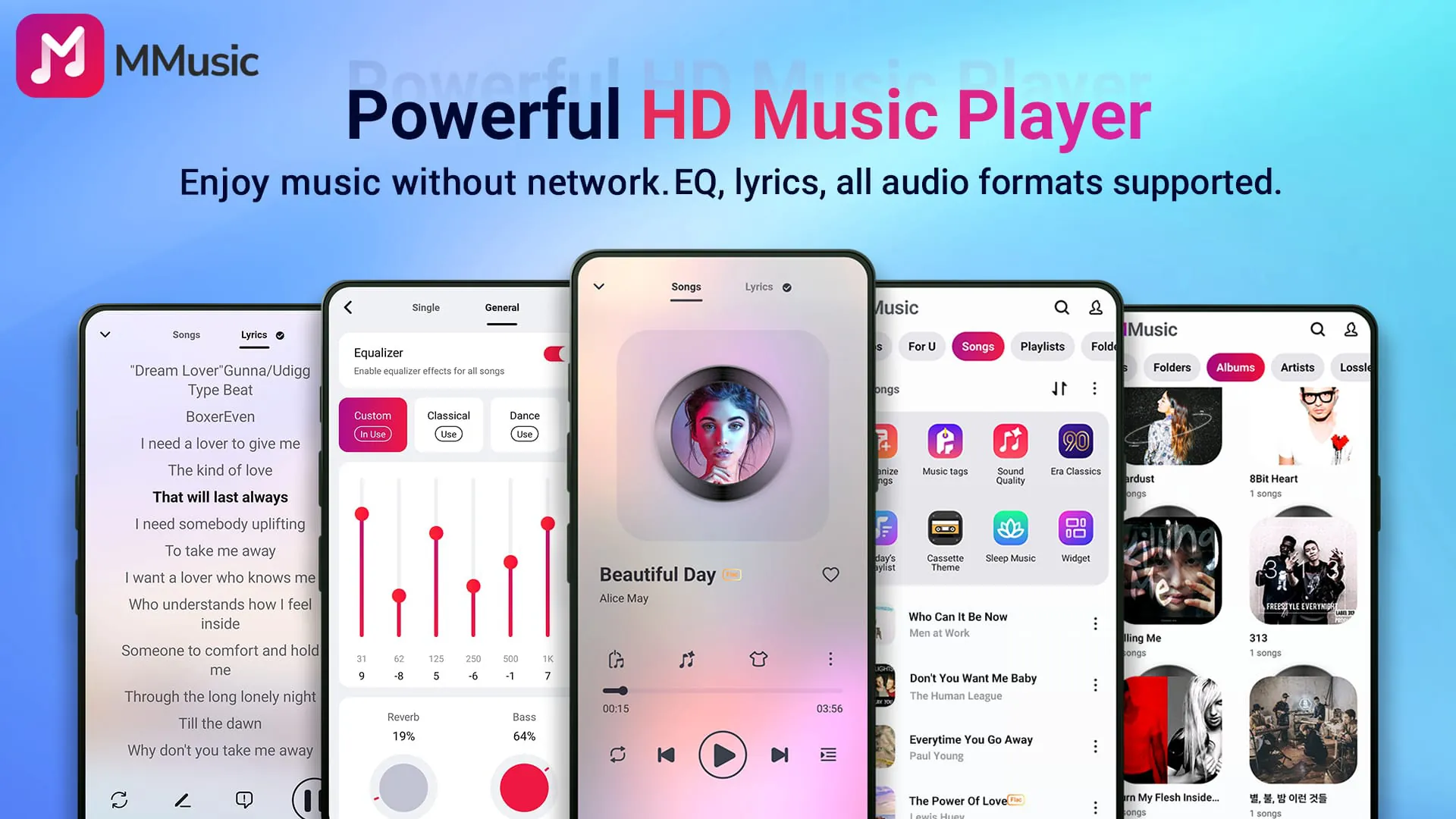
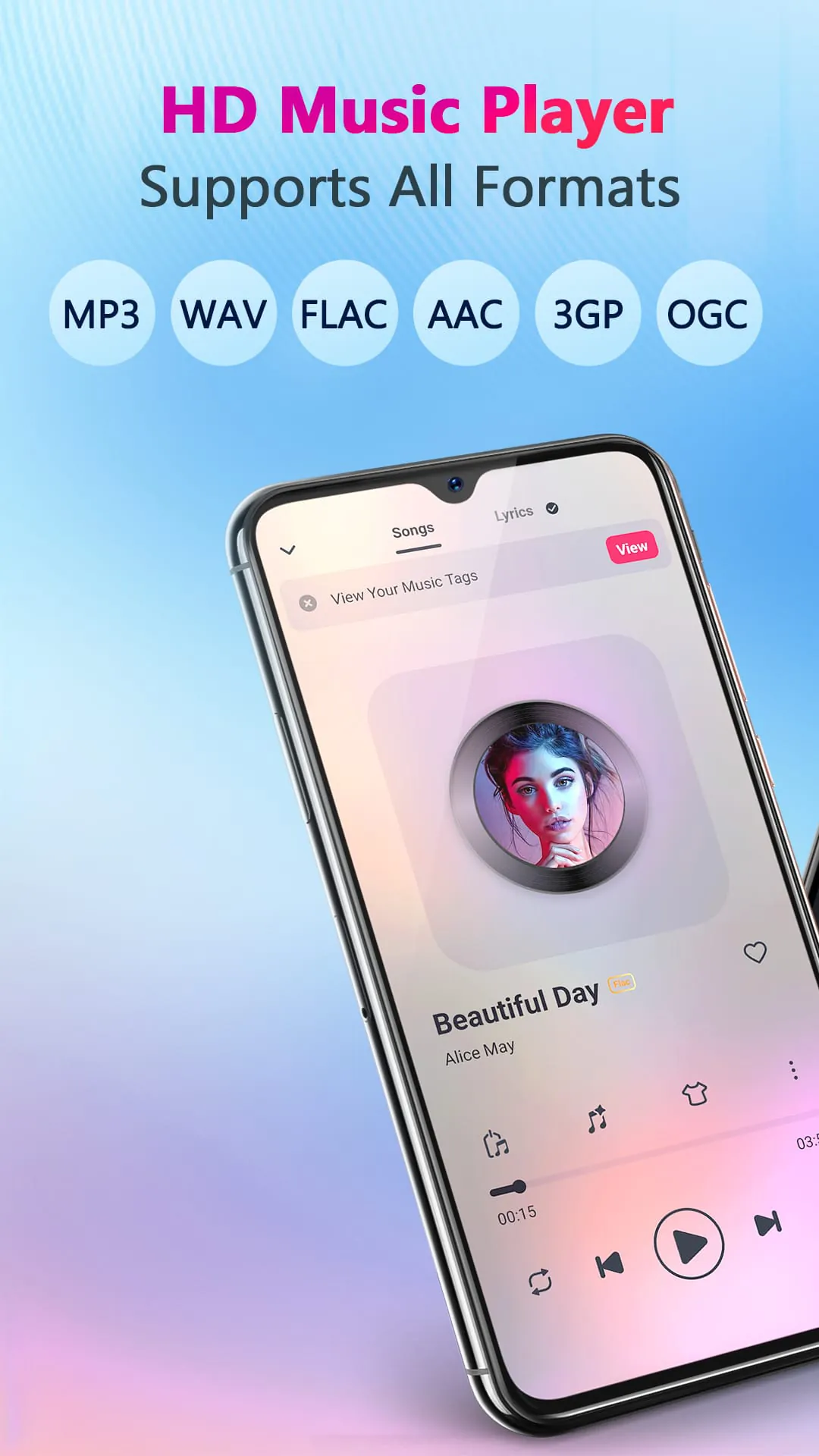
MMusic is presented as a versatile and high-quality offline music player designed for Android devices, emphasizing its ability to deliver an immersive and personalized music listening experience without the need for an internet connection. The application boasts full compatibility with a wide array of audio formats, including MP3, FLAC, WAV, MIDI, AAC, and APE, ensuring that users can enjoy their entire music library without format-related limitations. This comprehensive format support is a cornerstone of MMusic's appeal, allowing users to seamlessly transition from one audio file type to another without the hassle of conversion or compatibility issues. The developer team has focused on creating a user-friendly environment where every song can be presented in its optimal state, underlining the commitment to providing an unlimited and uninterrupted musical journey. The integration of advanced audio technology further enhances the listening experience, promising high-definition sound quality that elevates the nuances and subtleties of each track. This dedication to audio fidelity ensures that users can rediscover their favorite songs with newfound clarity and depth, making MMusic a standout choice for audiophiles and casual listeners alike. Moreover, the built-in equalizer offers a plethora of customization options, allowing users to tailor the sound to their unique preferences. With amazing presets for various genres such as classical, dance, folk, and rock, users can instantly optimize the audio output to match the specific characteristics of their music. The equalizer also features bass boosting, reverb effects, and a music virtualizer, providing an extensive toolkit for shaping the sonic landscape. This level of control empowers users to fine-tune the audio to their liking, creating a personalized listening experience that goes beyond the capabilities of standard music players. The design of MMusic is thoughtfully crafted, blending aesthetics and functionality to create a visually appealing and intuitive interface. The availability of diverse themes, including retro tape and vinyl record styles, adds a touch of nostalgia and personality to the app. Users can switch between these themes to suit their mood or preference, making the listening experience more engaging and enjoyable. The modern minimalist design option caters to those who prefer a clean and uncluttered interface, ensuring that MMusic appeals to a wide range of users with different tastes. Each theme is meticulously designed, reflecting a commitment to detail and a desire to make listening to music a visually pleasing experience. Beyond its audio and visual features, MMusic also excels in music management, offering intelligent sorting and organization capabilities. The app automatically scans and classifies audio files, organizing them by artists, albums, folders, and playlists. This intelligent organization makes it easy for users to navigate their music library and find the songs they want to listen to. The quick search function further streamlines the process, allowing users to locate specific tracks or artists with ease. The ability to create customized playlists adds another layer of personalization, enabling users to curate their music selections and create thematic collections for different occasions or moods. These features collectively contribute to a more efficient and enjoyable music management experience, making MMusic a valuable tool for organizing and accessing large music libraries. In summary, MMusic distinguishes itself as a comprehensive offline music player that combines high-quality audio, extensive format support, customizable sound settings, and intelligent music management into a single, user-friendly application. Its ability to deliver an immersive and personalized listening experience without requiring an internet connection makes it an ideal choice for music lovers who want to enjoy their favorite tracks anytime, anywhere.
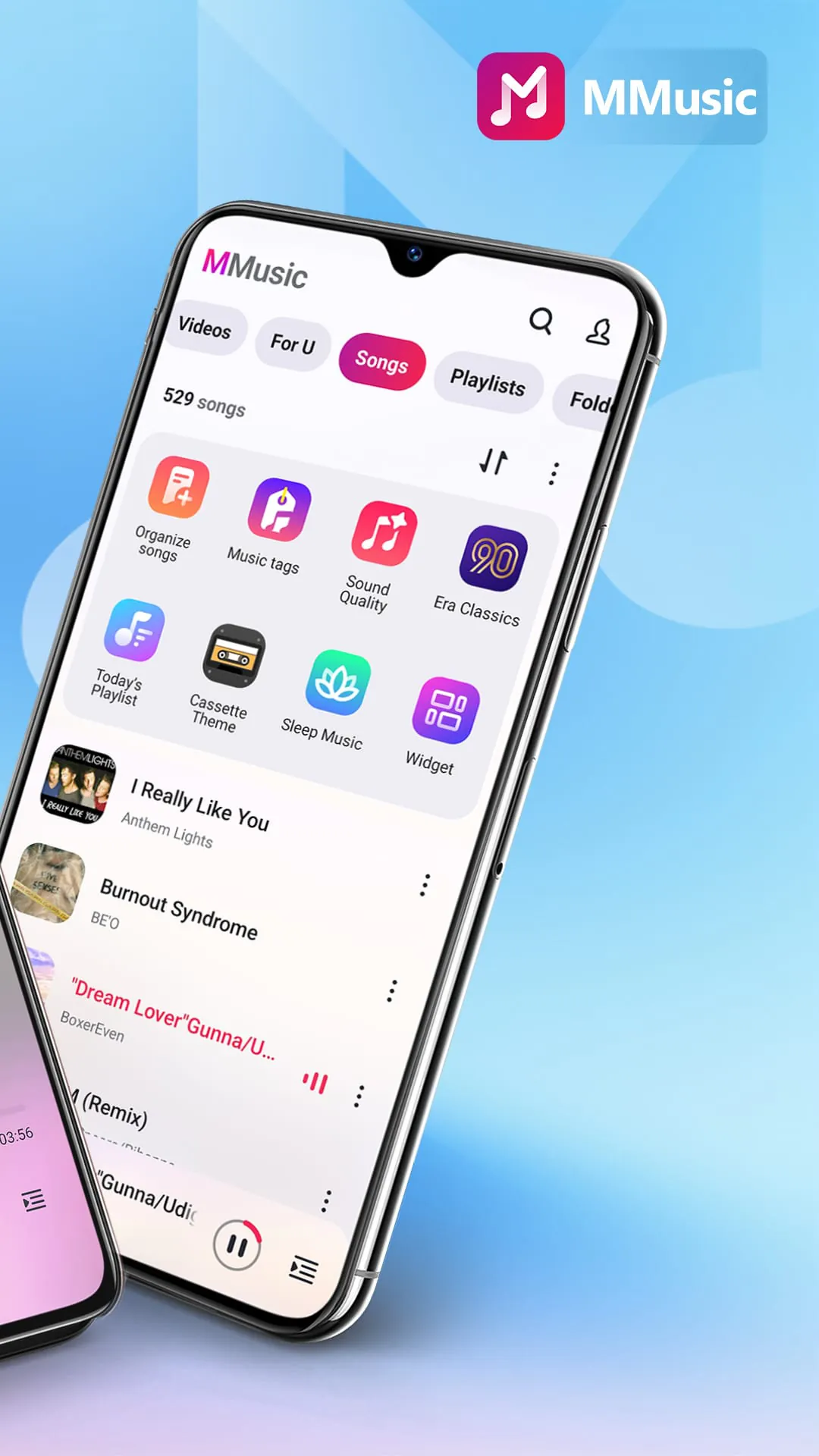
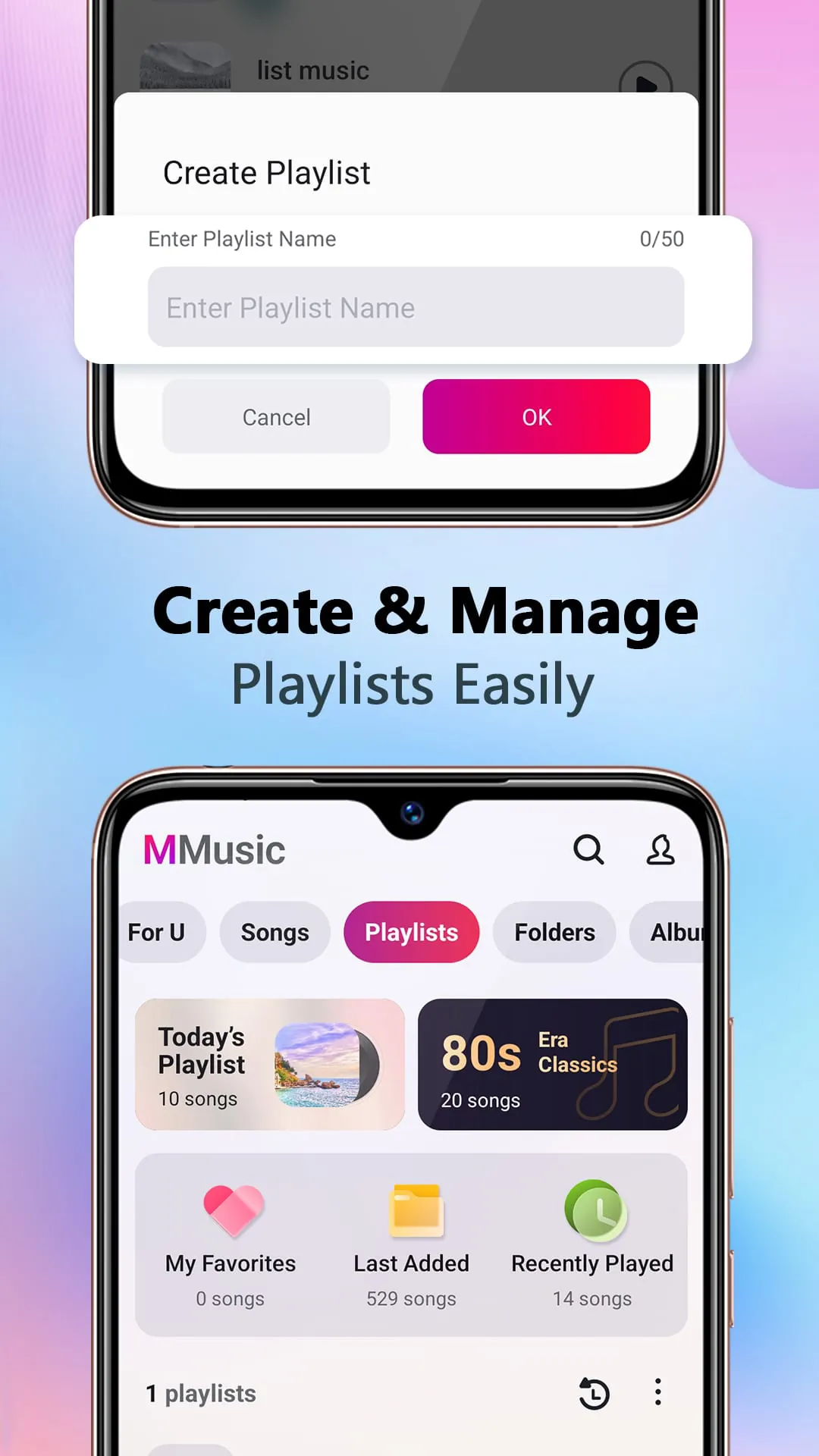
The MMusic application provides a comprehensive suite of features designed to enhance the user's offline music listening experience. One of its key strengths lies in its broad compatibility with various audio formats, ensuring that users can seamlessly play their entire music collection without encountering format-related issues. This eliminates the need for constant file conversions, saving time and effort. The app's ability to support formats like MP3, FLAC, WAV, MIDI, AAC, and APE makes it a versatile choice for users who have diverse music libraries. The high-definition sound quality delivered by MMusic is another standout feature. By employing advanced audio technology, the app ensures that every song is reproduced with clarity and precision, allowing users to fully appreciate the nuances of their favorite tracks. This superior sound quality, combined with the customizable equalizer, elevates the listening experience to a new level, catering to both casual listeners and audiophiles. The built-in equalizer is particularly noteworthy, offering a range of presets tailored to different music genres. Whether you're listening to classical music, dance tracks, folk songs, or rock anthems, the equalizer can be adjusted to optimize the sound for each genre. In addition to these presets, the equalizer also includes tools for bass boosting, reverb effects, and music virtualization, allowing users to fine-tune the audio to their personal preferences. This level of customization ensures that every user can create a listening experience that is perfectly tailored to their individual tastes. The design of MMusic is both aesthetically pleasing and user-friendly. The app features multiple themes, including retro tape and vinyl record styles, as well as a modern minimalist design. This variety of themes allows users to personalize the app's appearance to match their mood or style. The intuitive user interface makes it easy to navigate the app's various features, ensuring that users can quickly find and play their favorite songs. The thoughtful design extends beyond aesthetics, with a focus on creating a seamless and enjoyable user experience. MMusic also excels in music management, offering intelligent sorting and organization capabilities. The app automatically scans and classifies audio files, organizing them by artists, albums, folders, and playlists. This makes it easy for users to find the songs they want to listen to, even if they have a large music library. The quick search function further simplifies the process, allowing users to locate specific tracks or artists with ease. The ability to create customized playlists adds another layer of organization, allowing users to curate their music selections and create thematic collections for different occasions or moods. These music management features are essential for users who want to keep their music libraries organized and easily accessible. Furthermore, MMusic provides robust support for lyrics, enhancing the listening experience by allowing users to sing along to their favorite tracks. The lyrics display is synchronized with the music, making it easy to follow along. This feature is particularly appealing to users who enjoy karaoke or simply want to deepen their connection with the music. The inclusion of lyrics support demonstrates the app's commitment to providing a comprehensive and immersive music listening experience. MMusic also includes smart auto playlists, such as Featured, Most Played, and Recently Played. These playlists automatically curate music based on user preferences and listening habits, making it easy to discover new songs and rediscover old favorites. The smart auto playlists are a convenient way to keep the music fresh and engaging, without requiring manual playlist creation. These features collectively contribute to MMusic's appeal as a versatile and user-friendly offline music player. The app's combination of high-quality audio, customizable sound settings, intelligent music management, and thoughtful design makes it a standout choice for Android users who want to enjoy their music anytime, anywhere, without the need for an internet connection.
MMusic distinguishes itself in the crowded market of Android music players through a combination of robust functionality, user-centric design, and a commitment to delivering a premium offline listening experience. The app's core strength lies in its comprehensive support for a wide range of audio formats, ensuring that users can seamlessly access and enjoy their entire music library without encountering compatibility issues. This eliminates the frustration of dealing with format restrictions, allowing users to focus on the music itself. The ability to play MP3, FLAC, WAV, MIDI, AAC, and APE files without the need for third-party codecs or converters is a significant advantage, making MMusic a versatile choice for music enthusiasts with diverse collections. Beyond format compatibility, MMusic prioritizes audio quality, employing advanced audio processing techniques to deliver a high-definition listening experience. This focus on fidelity ensures that every note, every instrument, and every vocal nuance is reproduced with clarity and precision, allowing users to fully appreciate the artistry of their favorite musicians. The app's audio engine is optimized to minimize distortion and noise, resulting in a clean and immersive soundstage that enhances the emotional impact of the music. Whether listening through headphones or speakers, users can expect a rich and detailed audio experience that rivals that of dedicated audio players. To further enhance the listening experience, MMusic incorporates a powerful and customizable equalizer. This feature allows users to fine-tune the audio output to their specific preferences, compensating for variations in recording quality, headphone characteristics, or personal taste. The equalizer offers a range of presets tailored to different music genres, such as classical, rock, jazz, and electronic, providing instant optimization for various listening scenarios. Additionally, users can create and save their own custom equalizer settings, allowing for personalized sound profiles that can be easily recalled for different songs or listening environments. The equalizer's intuitive interface makes it easy to adjust parameters such as bass, treble, and midrange, empowering users to sculpt the sound to their liking. The design of MMusic is both aesthetically pleasing and functionally intuitive. The app features a clean and uncluttered interface that is easy to navigate, even for first-time users. The visual design is modern and stylish, with a choice of themes that allow users to personalize the app's appearance. The retro tape and vinyl record themes add a touch of nostalgia, while the minimalist theme provides a clean and distraction-free listening experience. The app's layout is optimized for both portrait and landscape orientations, ensuring that it looks and functions well on a variety of devices. The controls are logically placed and easy to reach, allowing for seamless operation with one hand. In addition to its core features, MMusic offers a range of supplementary functions that enhance the overall user experience. The app includes built-in lyrics support, allowing users to follow along with their favorite songs. The lyrics are automatically synchronized with the music, providing a karaoke-like experience. The app also supports gapless playback, ensuring smooth transitions between tracks without any audible pauses. This feature is particularly useful for listening to albums that are designed to be heard as a continuous whole. MMusic also offers smart playlist creation, automatically generating playlists based on user listening habits. These playlists can be customized and saved, providing a convenient way to discover new music and rediscover old favorites. The app's extensive customization options, combined with its robust functionality and intuitive design, make it a standout choice for Android users who are looking for a premium offline music player. Its commitment to audio quality, ease of use, and user personalization sets it apart from the competition.
Screenshots
 Download
 Additional Information
Category
Music & AudioVersion
Unknown
Tag
equalizer | Offline Music Player | Android music app | High-definition audio | Music management
Rate
4.80
★★★★★
Reviews
500 +
Installs
10M +
Developer
ICC Tech
Content Rating
Everyone
Play your music offline without limits
Previous Versions
ZIP files require a Split APKs Installer (e.g., SAI) from Google Play to install. Steps: 1. Download SAI from Google Play; 2. Open SAI and tap "Install APKs"; 3. Select the ZIP file; 4. Complete installation.
You Might Like









