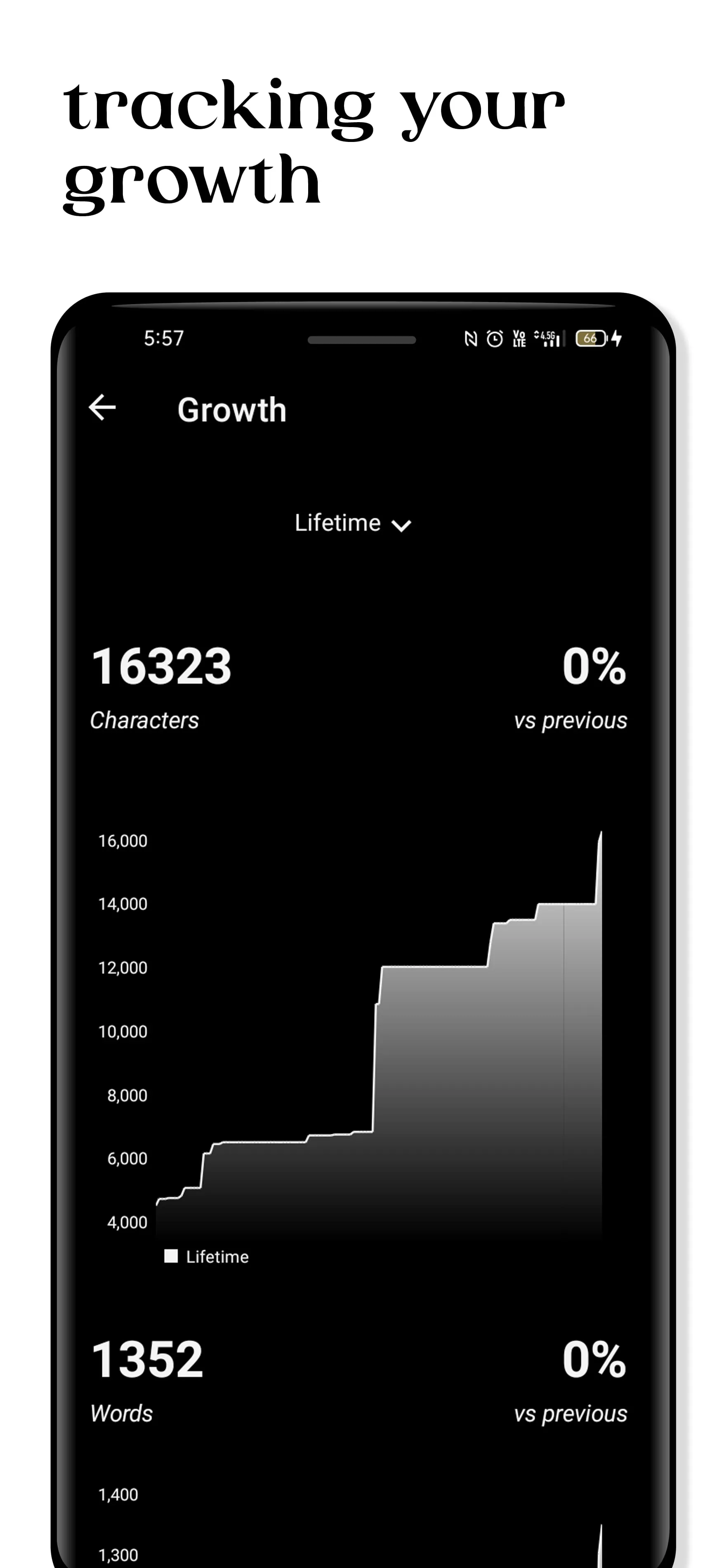
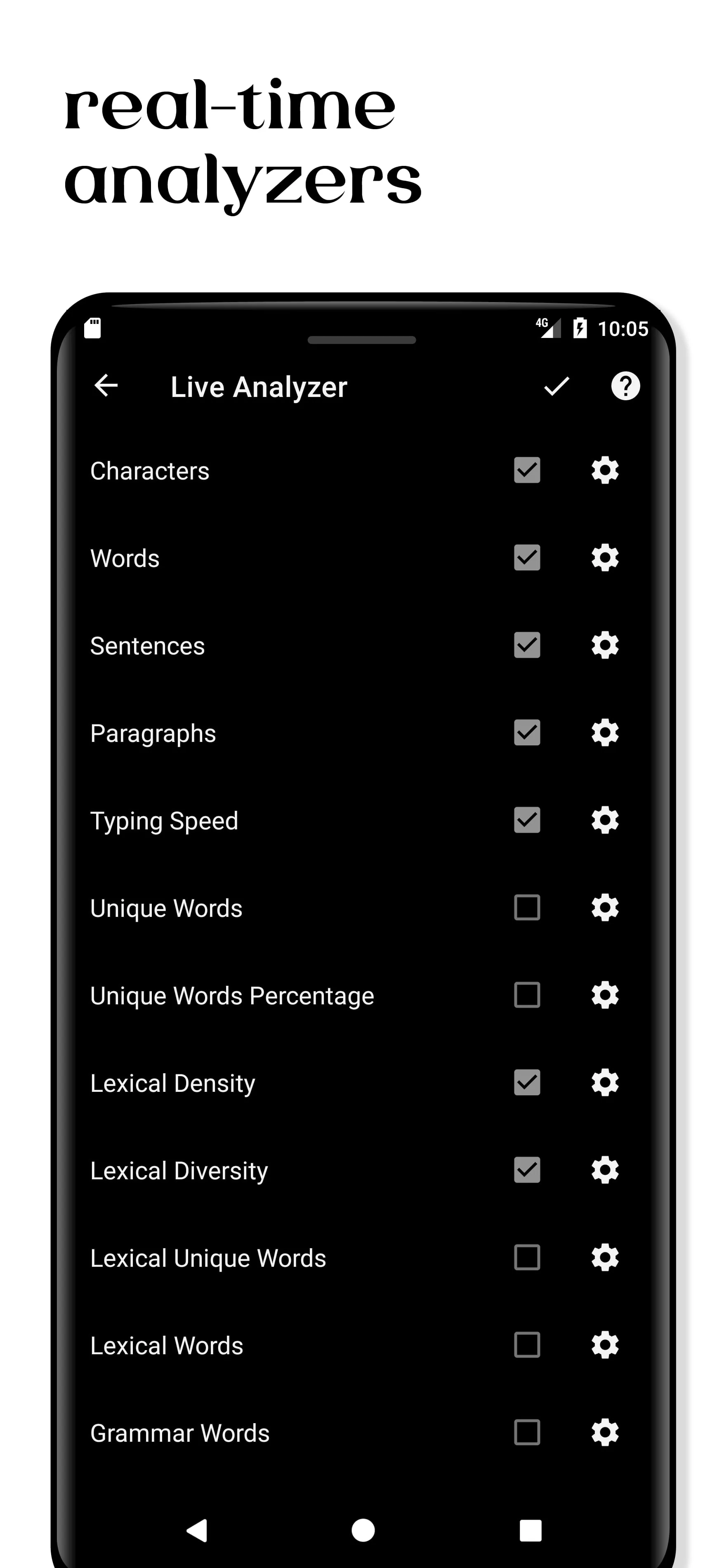
The offline writer application is designed to enhance the writing experience, particularly for those focused on producing high-quality, content-rich articles. Unlike many other journal applications, this app distinguishes itself with powerful, built-in, real-time text analyzers. These analyzers provide crucial information about the text, assisting writers in improving their lexical richness, content structure, and overall writing skills. The application offers a suite of real-time analysis tools, including a word counter, character counter, sentence counter, paragraph counter, unique word counter, unique word percentage, lexical diversity measurement, lexical density calculation, grammar word counter, and non-grammar word counter. These tools collectively provide writers with detailed insights into their writing style and content composition, enabling them to make informed decisions to refine their work. Beyond its analytical capabilities, the application features a WYSIWYG (What You See Is What You Get) markdown editor. This editor simplifies the writing process by allowing users to plan, write, and enrich their content without the complexities and distractions of traditional word processors. The combination of real-time analysis and a user-friendly editor makes the application a valuable tool for writers seeking to improve the quality and impact of their writing. One of the primary advantages of this application is its offline functionality, prioritizing user privacy by not collecting any user data. The WYSIWYG editor supports a variety of formatting options, including headings, bold text, italics, underlines, strikethroughs, bullet points, quotes, text foreground and background colors, comments, images, and separator lines. These features provide writers with extensive control over the visual presentation of their work. Furthermore, the application offers organizational tools such as outlining documents by headings, undo and redo functionality, flexible layout transformation, quick access to recent work, a real folder system for organizing work, a tagging system, and a coloring system. Premium features include the ability to add book cover images and compile folders as PDF books, pin or lock work for easy access, sort notes and folders by type, date, name, or manual sorting, and search by keywords with highlights. The application also offers various premium themes and fonts to customize the writing environment. Additional premium features include the ability to import custom font files, backup and restore data, perform complete statistical analysis on the text, generate graph charts of word frequencies, filter charts by grammar or non-grammar words, extract specific information from the text, track growth in terms of character and word count, and compile and export work to DOCX, Markdown, HTML, PDF, or TXT files. The premium version also allows users to import TXT, MD, and DOCX files, offering a comprehensive suite of features for writers. The application operates on a one-time purchase model for premium access, eliminating the need for subscriptions and providing lifetime access to all premium features upon payment. The application's focus on offline functionality ensures user privacy and data security, making it a trustworthy tool for writers who value their privacy.
The real-time text analysis capabilities of the offline writer application are a significant advantage for writers who aim to enhance the quality and lexical richness of their work. The suite of analytical tools, including word counters, character counters, sentence counters, and paragraph counters, provides a comprehensive overview of the text's composition. The unique word counter and unique word percentage tools help writers assess the diversity of their vocabulary, while the lexical diversity and lexical density measurements offer insights into the complexity and depth of the writing. The grammar word counter and non-grammar word counter allow writers to analyze the balance between grammatical and non-grammatical elements in their text. The WYSIWYG markdown editor further enhances the writing experience by providing a user-friendly interface for planning, writing, and enriching content. The editor supports a wide range of formatting options, including headings, bold text, italics, underlines, strikethroughs, bullet points, quotes, text foreground and background colors, comments, images, and separator lines, giving writers extensive control over the visual presentation of their work. The application's organizational features, such as the ability to outline documents by headings, use undo and redo functionality, and transform the layout, contribute to a streamlined and efficient writing process. The real folder system, tagging system, and coloring system allow writers to organize their work effectively, ensuring that they can easily access and manage their projects. The premium features of the application further enhance its functionality, offering tools for adding book cover images, compiling folders as PDF books, pinning or locking work, sorting notes and folders, and searching by keywords with highlights. The availability of various premium themes and fonts allows writers to customize their writing environment to suit their preferences, creating a comfortable and inspiring workspace. The premium features also include the ability to import custom font files, backup and restore data, perform complete statistical analysis on the text, generate graph charts of word frequencies, filter charts by grammar or non-grammar words, extract specific information from the text, track growth in terms of character and word count, and compile and export work to various file formats. The one-time purchase model for premium access provides writers with lifetime access to all premium features, making it a cost-effective solution for those who seek to improve their writing skills and productivity. The application is designed to be useful for writing tasks that require word number limitations, such as books, reports, research papers, and essays. The real-time analyzers help writers to improve the quality and lexical richness of their text, ensuring that their writing is engaging, informative, and effective.
This offline writer application caters to a wide range of users, from hobbyist writers and daily bloggers to SEO analysts and individuals who simply want to record their daily routines or jot down inspirational ideas. The combination of real-time text analysis and a user-friendly markdown editor makes it a versatile tool for various writing tasks. The application's emphasis on user privacy, with its offline functionality and no data collection, sets it apart from many other writing applications. The WYSIWYG editor supports a wide array of formatting options, allowing writers to create visually appealing and well-structured documents. The organizational features, such as the folder system, tagging system, and coloring system, contribute to a streamlined writing process, enabling users to manage their work efficiently. The premium features offer additional functionality, including the ability to customize the writing environment with themes and fonts, import custom font files, backup and restore data, perform statistical analysis on the text, and export work to various file formats. The one-time purchase model for premium access makes it an affordable and long-term investment for writers who seek to enhance their skills and productivity. The application's real-time text analysis capabilities are particularly beneficial for writers who want to improve the quality and lexical richness of their work. The analytical tools provide detailed insights into the text's composition, allowing writers to make informed decisions to refine their writing style and content. The word counters, character counters, sentence counters, and paragraph counters offer a basic overview of the text, while the unique word counter and unique word percentage tools help writers assess their vocabulary. The lexical diversity and lexical density measurements provide insights into the complexity and depth of the writing, and the grammar word counter and non-grammar word counter allow writers to analyze the balance between grammatical and non-grammatical elements. The application's focus on offline functionality ensures that users can write without distractions and without compromising their privacy. The ability to compile and export work to various file formats, including DOCX, Markdown, HTML, PDF, and TXT, makes it easy for writers to share their work with others. The premium version also allows users to import TXT, MD, and DOCX files, further enhancing its versatility. Overall, the offline writer application is a valuable tool for anyone who wants to improve their writing skills, enhance their productivity, and maintain their privacy. The combination of real-time text analysis, a user-friendly editor, and a range of organizational and customization features makes it a comprehensive solution for writers of all levels.





 APK
APK  Google Play
  iOS
iOS  4.80
4.80