



ADVERTISEMENT
ADVERTISEMENT
LG TV Remote LG TV Remote
Category
ToolsTag
Remote Control App | LG Smart TV | WebOS | Smart Remote | WiFi Network
Rate
4.30
★★★★★
Reviews
500 +
Installs
1M +
Developer
New World Apps
Content Rating
Everyone
LG smart TV remote control gives you an easy, seamless & hassle-free experience
 APK
APK  Google Play
  iOS
iOS  4.30
4.30ADVERTISEMENT
ADVERTISEMENT
Author's Review
appspicked Review
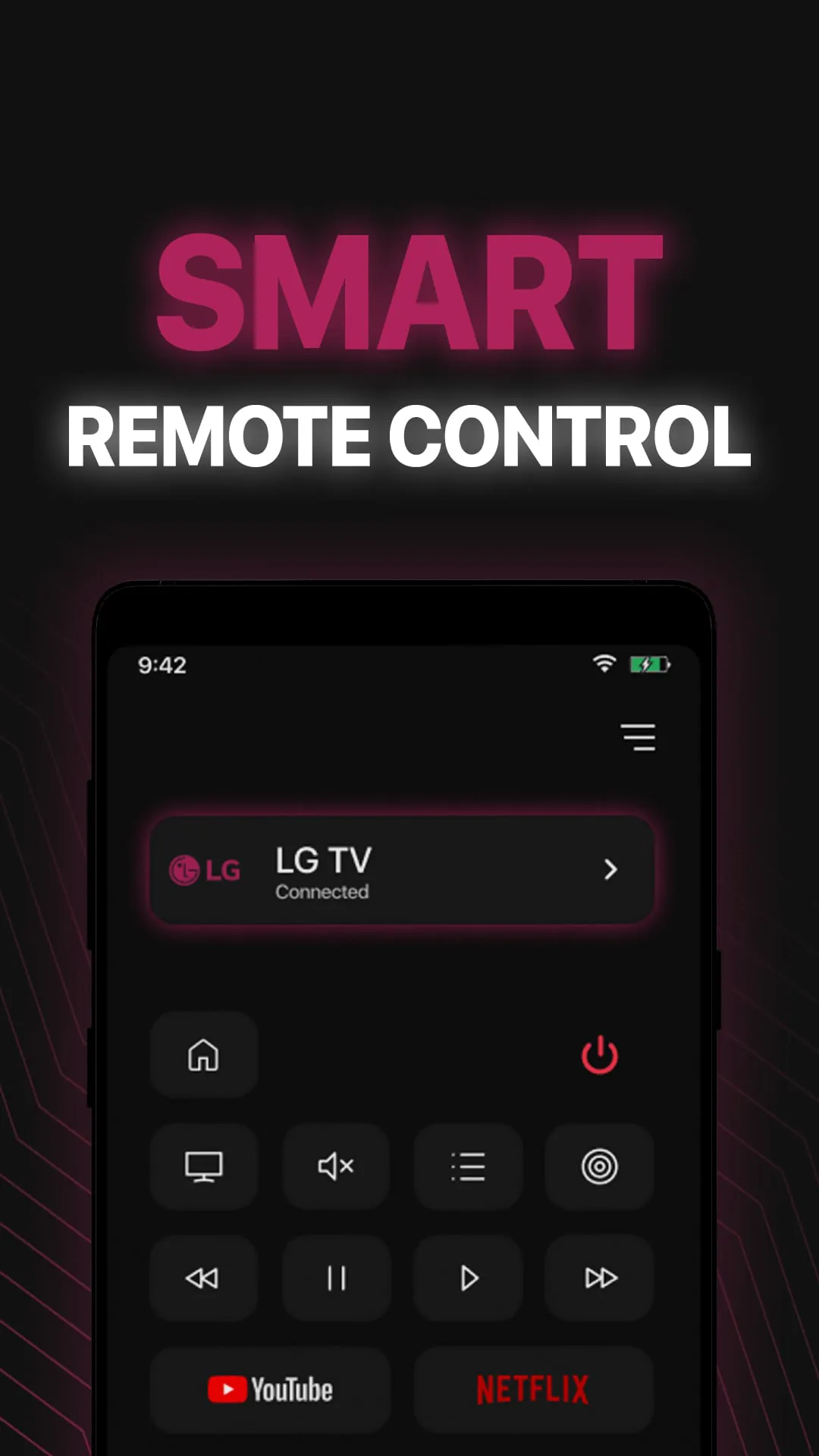
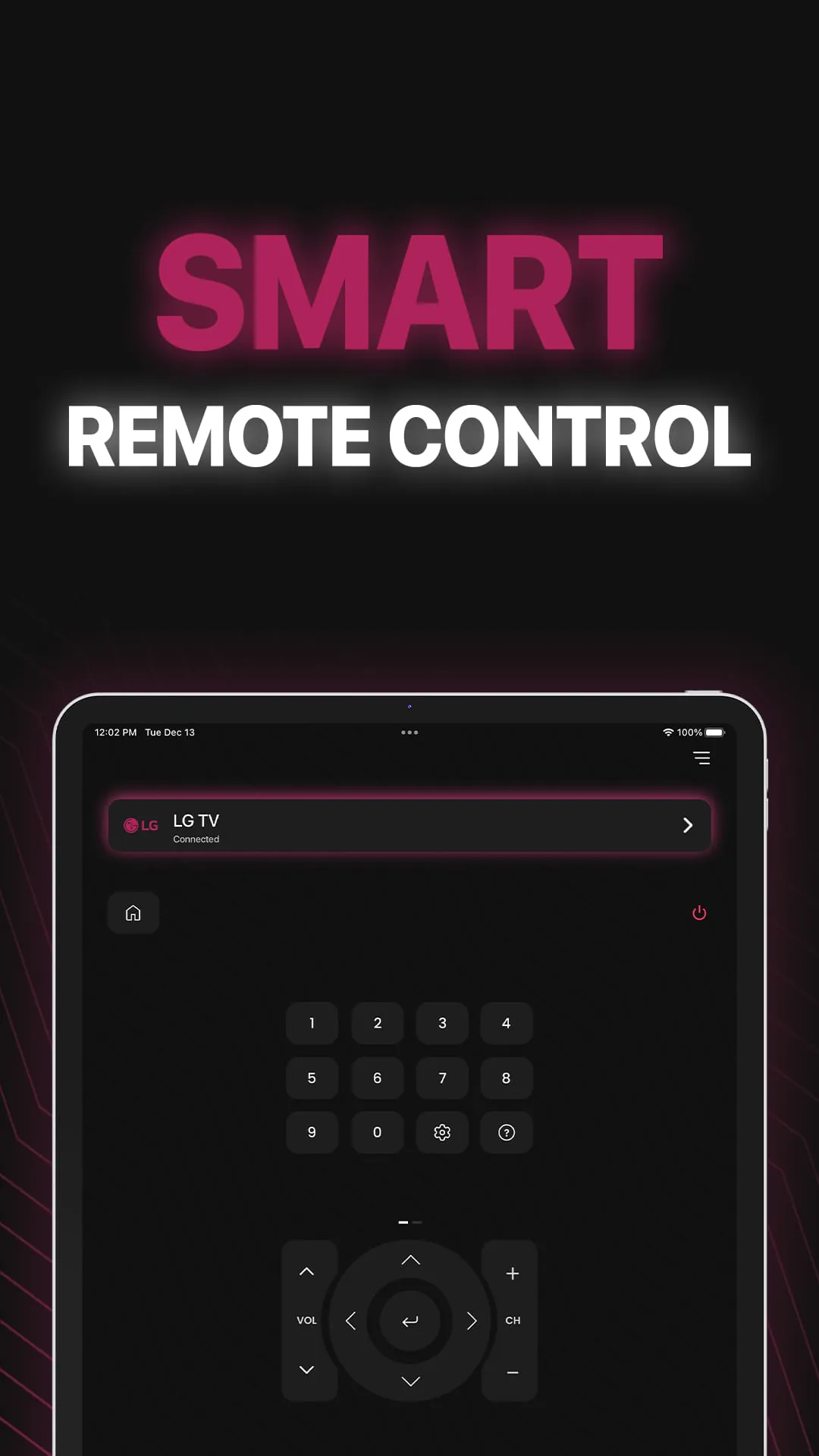
The LG Smart Remote application revolutionizes the way users interact with their LG Smart TVs, offering a comprehensive and user-friendly alternative to traditional plastic remote controls. This application is designed to provide seamless control over LG Smart TVs directly from an Android device, eliminating the frustration of searching for misplaced physical remotes. The core functionality of the smart remote app lies in its ability to connect to the LG Smart TV via the same Wi-Fi network, ensuring a stable and responsive connection. Upon initial setup, the app prompts the user to enter a PIN displayed on the TV screen, establishing a secure link between the mobile device and the television. This process ensures that only authorized devices can control the TV, preventing unauthorized access and enhancing the user's overall security. The application boasts a wide array of features, including a full-functional remote control interface with an intuitive layout, making it easy for users to navigate menus, adjust volume, and change channels. The inclusion of a power button allows users to conveniently turn their TV on or off directly from the app, further streamlining the user experience. Additionally, the smart remote app incorporates a keyboard feature that simplifies text input and search, enabling users to quickly find their favorite content without the cumbersome process of using an on-screen keyboard with a traditional remote. Quick access to favorite channels and applications is another key benefit, allowing users to personalize their viewing experience and jump directly to the content they enjoy most. Beyond basic remote control functions, the application also supports screen mirroring, enabling users to display their phone screen on the LG Smart TV in high definition. This feature is particularly useful for sharing photos, videos, and other content with friends and family on a larger screen. Furthermore, the app allows users to cast local photos and videos from their phone to the TV, as well as cast web videos directly from the internet. The application is compatible with a range of LG Smart TVs, including those running WebOS, ensuring broad compatibility and ease of use for a wide range of users. Regular updates and improvements ensure that the application remains compatible with the latest TV models and software versions. The user-friendly interface and comprehensive feature set make the LG Smart Remote app an essential tool for anyone looking to enhance their LG Smart TV experience. The convenience of controlling the TV from a mobile device, combined with the added features like screen mirroring and media casting, elevates the viewing experience to a new level. The elimination of the need for a physical remote control reduces clutter and simplifies the user's interaction with their entertainment system. The app also includes several useful remote buttons that mimic the layout of physical LG remote buttons, providing a familiar and intuitive experience for users who are accustomed to the traditional remote control. The easy connection process and support for the latest WebOS version make the app accessible to a wide range of users, regardless of their technical expertise. The volume control and channel control features allow users to easily adjust the audio and video settings of their TV, while the mute and resume function provides a convenient way to pause and resume playback. The forward and backward functions allow users to quickly navigate through videos and other media, while the navigation control provides precise control over the on-screen cursor. The multi-media control features enable users to manage their media playback with ease, while the easy connection process ensures that the app is up and running in no time. The application's support for the latest WebOS version ensures that it is compatible with the latest LG Smart TVs, providing a seamless and reliable user experience. The inclusion of many more features further enhances the app's versatility and makes it an indispensable tool for anyone looking to get the most out of their LG Smart TV. In summary, the LG Smart Remote application offers a comprehensive and user-friendly solution for controlling LG Smart TVs from an Android device. Its wide range of features, intuitive interface, and easy connection process make it an essential tool for anyone looking to enhance their viewing experience and eliminate the need for a physical remote control.
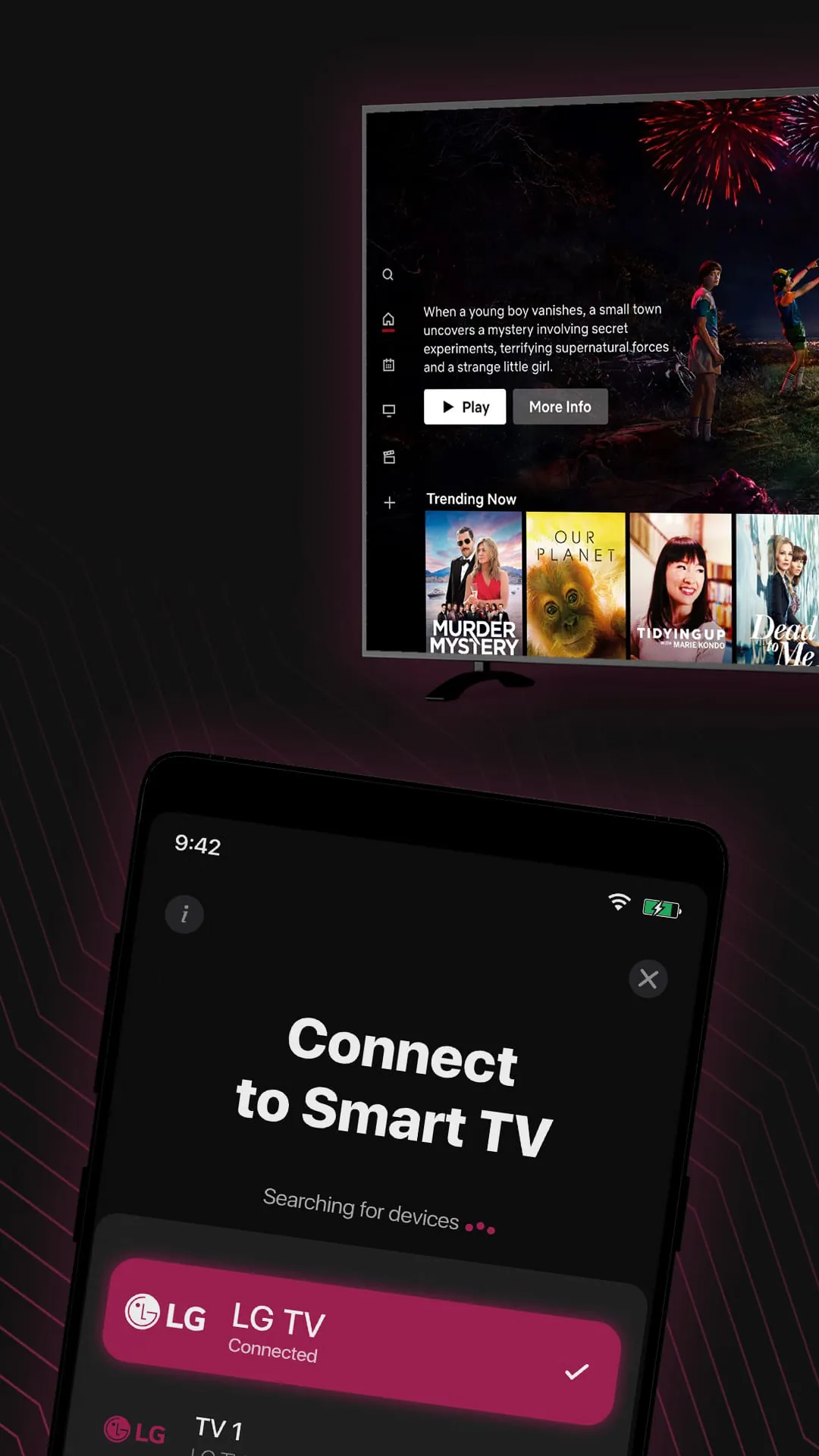
The seamless integration of the LG Smart Remote application with LG Smart TVs is a critical aspect of its functionality, ensuring a smooth and hassle-free user experience. The application is designed to work seamlessly with all LG Smart TVs that utilize the WebOS operating system, providing broad compatibility and ease of use for a wide range of users. The connection process is straightforward and intuitive, requiring users to simply connect their mobile device to the same Wi-Fi network as their LG Smart TV. Once the connection is established, the app automatically detects the TV and prompts the user to enter a PIN displayed on the screen, establishing a secure link between the two devices. This process ensures that only authorized devices can control the TV, preventing unauthorized access and enhancing the user's overall security. The application's compatibility with the latest WebOS version ensures that it remains up-to-date with the latest features and security updates, providing a reliable and secure user experience. Regular updates and improvements are also made to the application to ensure that it remains compatible with the latest TV models and software versions. The application's ability to connect to the TV via Wi-Fi also allows for a greater range of control compared to traditional infrared remotes, which require a direct line of sight. This means that users can control their TV from anywhere within the range of their Wi-Fi network, providing greater flexibility and convenience. The application also includes several troubleshooting tips to help users resolve any connection issues they may encounter. For example, the app recommends reinstalling the LG TV remote app and rebooting the TV if users experience disconnection issues with their WebOS TV. These troubleshooting tips are designed to help users quickly resolve any issues and get back to enjoying their favorite content. The application also includes a disclaimer stating that it is not an official LG application and that the developers are not affiliated with LG Electronics in any way. This disclaimer is intended to protect the developers from any legal issues that may arise from the use of the application. Despite not being an official LG application, the LG Smart Remote app provides a comprehensive and reliable solution for controlling LG Smart TVs from an Android device. Its seamless integration with LG Smart TVs, easy connection process, and wide range of features make it an essential tool for anyone looking to enhance their viewing experience and eliminate the need for a physical remote control. The application's regular updates and improvements ensure that it remains compatible with the latest TV models and software versions, providing a long-lasting and reliable solution for controlling LG Smart TVs. The app also offers a range of customization options, allowing users to tailor the app's interface and features to their specific needs and preferences. For example, users can customize the layout of the remote control buttons, create custom channel lists, and set up personalized profiles for different users. These customization options allow users to create a truly personalized and tailored viewing experience. The application also includes a range of accessibility features, such as voice control and screen readers, making it accessible to users with disabilities. These accessibility features ensure that everyone can enjoy the benefits of the LG Smart Remote app, regardless of their physical abilities. In conclusion, the seamless integration of the LG Smart Remote application with LG Smart TVs is a critical aspect of its functionality, ensuring a smooth and hassle-free user experience. The application's compatibility with the latest WebOS version, easy connection process, and wide range of features make it an essential tool for anyone looking to enhance their viewing experience and eliminate the need for a physical remote control.
The comprehensive feature set of the LG Smart Remote application extends beyond basic remote control functionalities, offering users a range of advanced features that enhance their overall viewing experience. One of the key features of the app is its ability to mirror the phone screen on the LG Smart TV in high definition. This feature allows users to easily share photos, videos, and other content from their phone on the larger TV screen, making it perfect for family gatherings, presentations, or simply enjoying media content with friends. The screen mirroring feature is easy to use and provides a seamless and lag-free experience, ensuring that the content is displayed clearly and accurately on the TV screen. Another important feature of the app is its ability to cast local photos and videos from the phone to the LG Smart TV. This feature allows users to easily play their own media content on the TV without having to transfer the files to a USB drive or other external storage device. The casting feature is compatible with a wide range of media formats, ensuring that users can play their content without any compatibility issues. The app also allows users to cast web videos from the internet to the LG Smart TV. This feature is particularly useful for watching online videos, streaming movies, or catching up on the latest news. The casting feature supports a wide range of video streaming services, ensuring that users can easily watch their favorite content on the big screen. In addition to these advanced features, the LG Smart Remote app also includes several other useful features, such as the ability to control the TV's volume, change channels, and access the TV's menu settings. The app also includes a virtual keyboard that makes it easy to enter text on the TV screen, whether it's searching for content or entering login credentials. The app's user interface is designed to be intuitive and easy to use, making it simple for users to navigate the app's various features and settings. The app also includes a help section that provides answers to frequently asked questions and troubleshooting tips. The LG Smart Remote app is constantly being updated with new features and improvements, ensuring that users always have access to the latest and greatest functionality. The developers are committed to providing a high-quality user experience and are always working to improve the app's performance and stability. The app is also designed to be battery efficient, minimizing its impact on the phone's battery life. The app uses advanced power management techniques to ensure that it consumes as little battery power as possible, allowing users to use the app for extended periods without worrying about draining their phone's battery. The LG Smart Remote app is a versatile and feature-rich application that offers a comprehensive solution for controlling LG Smart TVs from an Android device. Its advanced features, intuitive user interface, and battery-efficient design make it an essential tool for anyone looking to enhance their viewing experience and get the most out of their LG Smart TV. The app's constant updates and improvements ensure that it remains a top-notch solution for controlling LG Smart TVs for years to come. The application also offers a range of customization options, allowing users to tailor the app's interface and features to their specific needs and preferences. For example, users can customize the layout of the remote control buttons, create custom channel lists, and set up personalized profiles for different users. These customization options allow users to create a truly personalized and tailored viewing experience.
Screenshots
 Download
 Additional Information
Category
ToolsVersion
Unknown
Tag
Remote Control App | LG Smart TV | WebOS | Smart Remote | WiFi Network
Rate
4.30
★★★★★
Reviews
500 +
Installs
1M +
Developer
New World Apps
Content Rating
Everyone
LG smart TV remote control gives you an easy, seamless & hassle-free experience
ADVERTISEMENT
ADVERTISEMENT
Previous Versions
ZIP files require a Split APKs Installer (e.g., SAI) from Google Play to install. Steps: 1. Download SAI from Google Play; 2. Open SAI and tap "Install APKs"; 3. Select the ZIP file; 4. Complete installation.
ADVERTISEMENT
You Might Like









