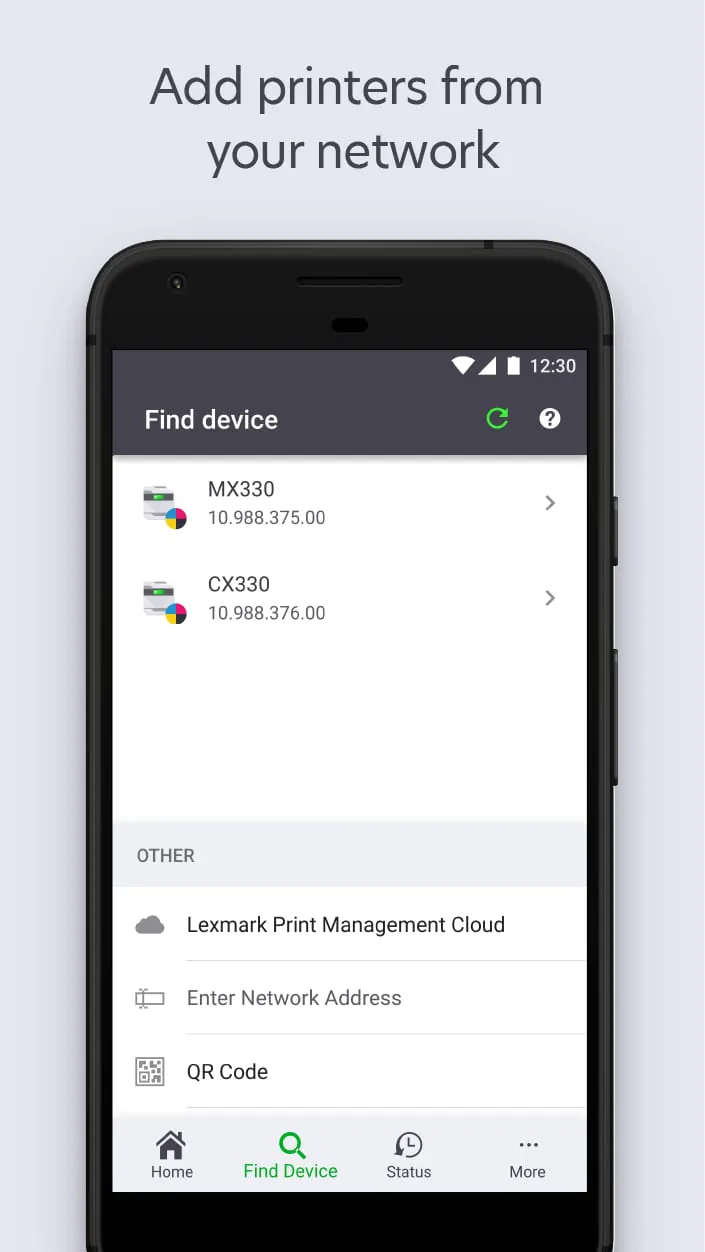
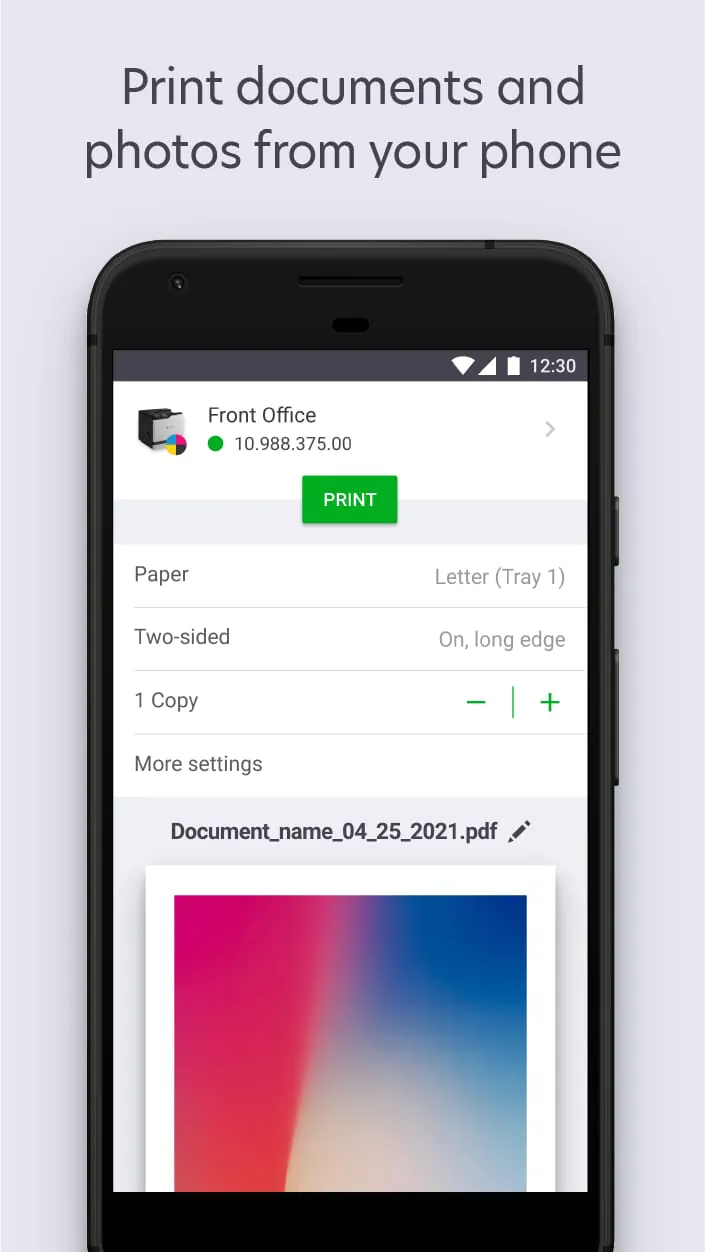
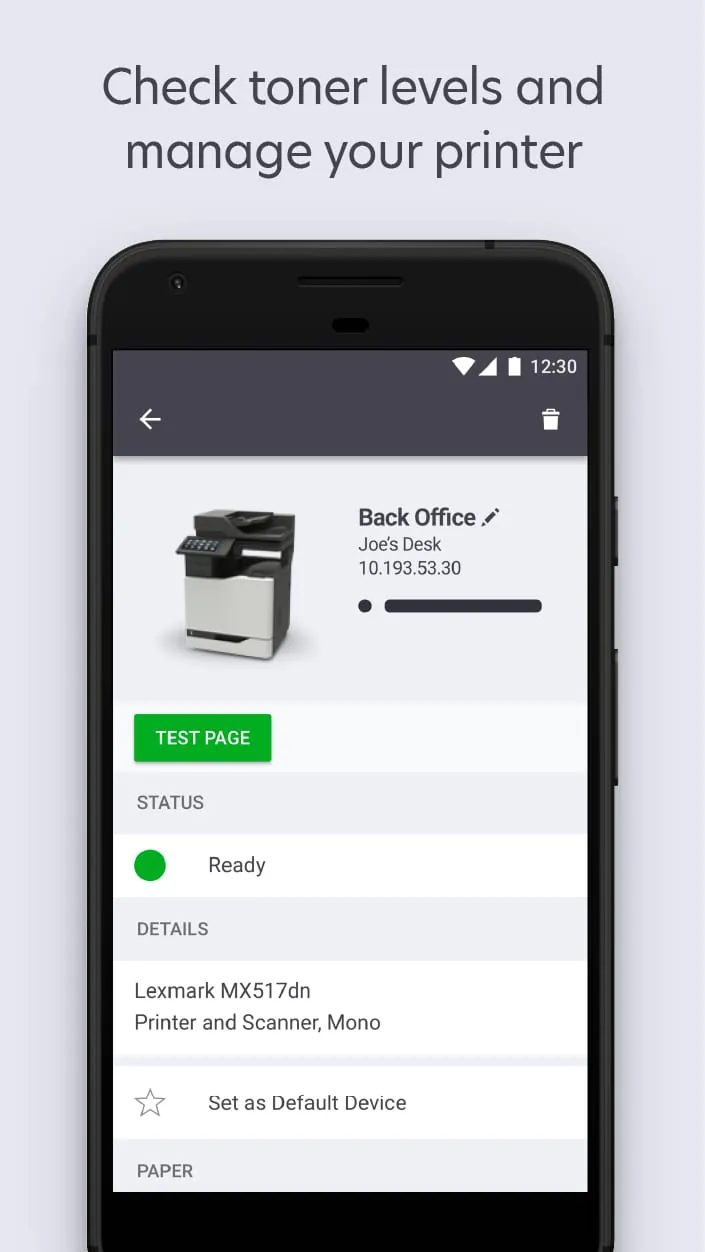
The Lexmark Print app represents a significant advancement in mobile printing solutions, offering users a streamlined and intuitive interface for managing their Lexmark printers directly from their mobile devices. This application effectively bridges the gap between mobile convenience and professional printing capabilities, empowering users with a comprehensive suite of features designed to simplify and enhance their printing experience. One of the key improvements is the enhanced printer discovery functionality, which simplifies the process of adding printers to the network. Instead of complex manual configurations, the app automatically detects compatible Lexmark printers on the Wi-Fi network, allowing users to quickly and easily connect their devices. This feature is particularly beneficial for users in dynamic network environments, such as homes and offices where devices are frequently added or removed. Furthermore, the Lexmark Print app provides robust support for printing a wide range of documents and photos directly from mobile devices. Users can effortlessly print documents in popular formats such as PDF, DOCX, XLSX, and PPTX, as well as images in formats like JPG, GIF, BMP, PNG, and TIFF. This comprehensive file format support ensures that users can print virtually any document or image they need, without having to transfer files to a computer first. The ability to print directly from mobile devices streamlines workflows and enhances productivity, allowing users to quickly and easily produce high-quality prints on the go. Beyond basic printing functionality, the Lexmark Print app offers a range of advanced features designed to optimize printer performance and manage printing tasks efficiently. Users can easily configure print settings such as paper size, print quality, and color mode, allowing them to customize their prints to meet their specific needs. The app also provides real-time information on toner levels, enabling users to proactively manage their toner supplies and avoid unexpected interruptions to their printing tasks. In addition, the Lexmark Print app supports server-based printing, allowing users to submit and release print jobs to and from a server. This feature is particularly useful in enterprise environments where print jobs are often managed centrally. The app also includes integrated scanning capabilities, enabling users to scan documents directly from their Wi-Fi connected Lexmark printer to their mobile device. The scanned documents can be previewed and managed within the app, allowing users to easily organize and share their scanned files. This feature eliminates the need for a separate scanning app and simplifies the process of digitizing documents. The app's compatibility with AppConfig standards also makes it easy to configure and manage in MDM environments. Overall, the Lexmark Print app offers a comprehensive and user-friendly solution for managing Lexmark printers from mobile devices, empowering users with a range of features designed to simplify and enhance their printing experience. By streamlining workflows and enhancing productivity, this app is an invaluable tool for both home and office users.
The Lexmark Print app's user-friendly interface is a testament to Lexmark's commitment to providing accessible and intuitive technology. The app’s design prioritizes ease of use, ensuring that even users with limited technical expertise can quickly and easily navigate its features. The main dashboard provides a clear overview of the connected printers and their status, allowing users to easily monitor toner levels, paper availability, and printer settings. The print settings menu is logically organized, with clear labels and intuitive controls that make it easy to adjust print parameters such as paper size, print quality, and color mode. The app also provides helpful tips and instructions throughout the interface, guiding users through various tasks and settings. This attention to detail ensures that users can quickly learn how to use the app effectively, without having to consult a manual or seek technical support. Furthermore, the Lexmark Print app’s integration with cloud storage services such as Google Drive and Dropbox allows users to easily access and print documents stored in the cloud. This seamless integration eliminates the need to download files to the mobile device before printing, streamlining the printing process and saving valuable time. Users can simply select the desired document from their cloud storage account and print it directly from the app. The app also supports printing from email attachments, allowing users to easily print documents received via email without having to save them to their device. This feature is particularly useful for printing important documents on the go. Beyond its user-friendly interface, the Lexmark Print app offers a range of customization options that allow users to tailor the app to their specific needs and preferences. Users can customize the app's settings to automatically save their preferred print settings, ensuring that their prints are always produced according to their desired specifications. The app also allows users to create custom profiles for different printing scenarios, such as printing documents, photos, or web pages. These profiles can be quickly accessed and applied, streamlining the printing process and ensuring consistent results. In addition to its functional features, the Lexmark Print app also incorporates several design elements that enhance the user experience. The app's color scheme is visually appealing and easy on the eyes, while the layout is clean and uncluttered. The use of intuitive icons and clear typography makes it easy to identify and access the app's various features. The app is also designed to be responsive and adaptive, ensuring that it looks and functions optimally on a wide range of mobile devices. Overall, the Lexmark Print app's user-friendly interface and customization options make it a joy to use, empowering users with a seamless and intuitive printing experience. The app's attention to detail and commitment to accessibility make it an invaluable tool for both home and office users.
The Lexmark Print app's ability to scan documents directly from a Wi-Fi connected Lexmark printer to a mobile device significantly enhances its utility as a comprehensive document management tool. This feature eliminates the need for a separate scanning app or device, streamlining the process of digitizing documents and making it more convenient for users to manage their paperwork. The app's scanning functionality is seamlessly integrated with its other features, allowing users to easily scan documents, preview them on their mobile device, and then print, save, or share them as needed. The scanning process is simple and straightforward, with clear instructions guiding users through each step. Users can choose from a variety of scanning options, such as single-sided or double-sided scanning, and can adjust the scan resolution to optimize image quality and file size. The app also supports scanning documents in color or black and white, depending on the user's needs. Once a document has been scanned, the Lexmark Print app provides a range of tools for managing and editing the scanned image. Users can crop, rotate, and adjust the brightness and contrast of the scanned image to improve its clarity and readability. The app also allows users to add annotations and highlights to the scanned document, making it easy to mark up important information or add comments. In addition to its editing capabilities, the Lexmark Print app also provides a range of options for saving and sharing scanned documents. Users can save scanned documents in a variety of formats, such as PDF, JPG, and TIFF, and can choose to save them to their mobile device, cloud storage account, or email them directly to recipients. The app also supports printing scanned documents directly from the mobile device, allowing users to easily create hard copies of their digitized documents. The Lexmark Print app's scanning functionality is particularly useful for businesses that need to manage large volumes of paperwork. By digitizing documents, businesses can reduce their reliance on paper, save storage space, and improve access to information. The app's scanning capabilities also make it easier for businesses to comply with regulatory requirements for document retention and security. Furthermore, the Lexmark Print app's scanning functionality is also beneficial for individuals who want to digitize their personal documents, such as receipts, invoices, and contracts. By scanning these documents and saving them to a secure location, individuals can protect them from loss or damage and easily access them from anywhere. The Lexmark Print app's scanning functionality is a valuable addition to its already impressive suite of features, making it an indispensable tool for anyone who needs to manage documents efficiently and effectively. The app's seamless integration of scanning, printing, and editing capabilities streamlines the document management process and empowers users with greater control over their paperwork.




 APK
APK  Google Play
  iOS
iOS  3.20
3.20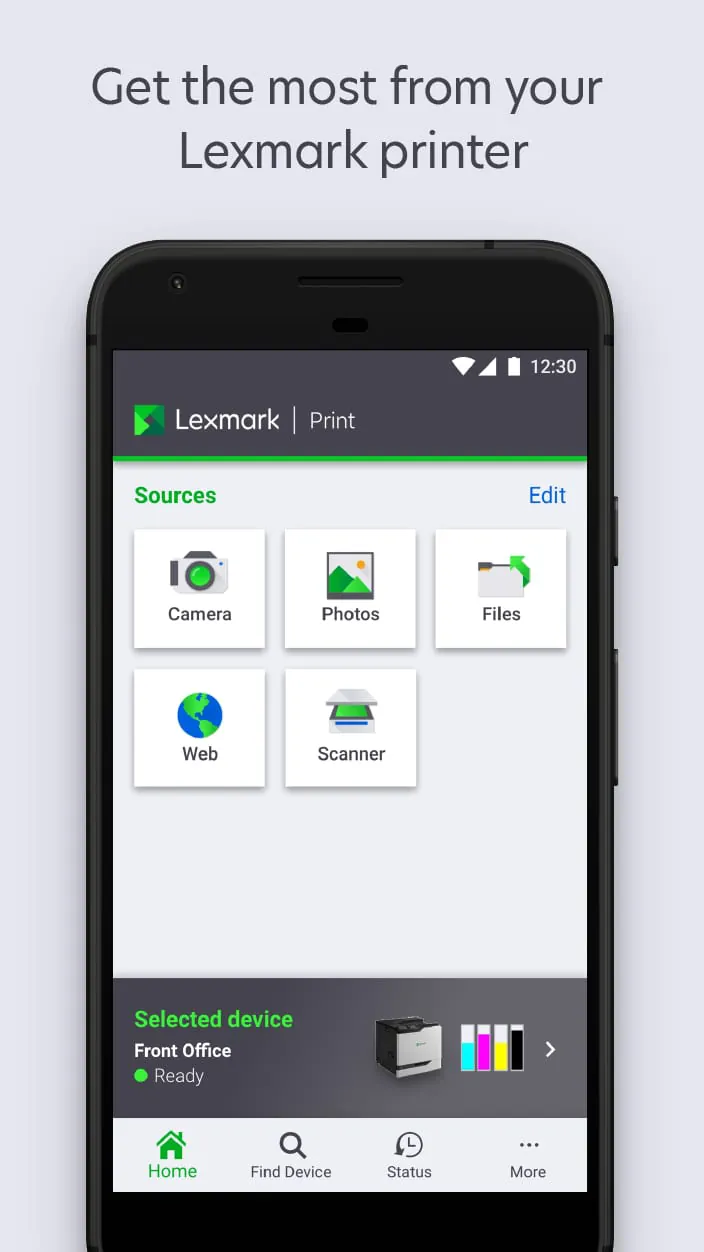
 Download








