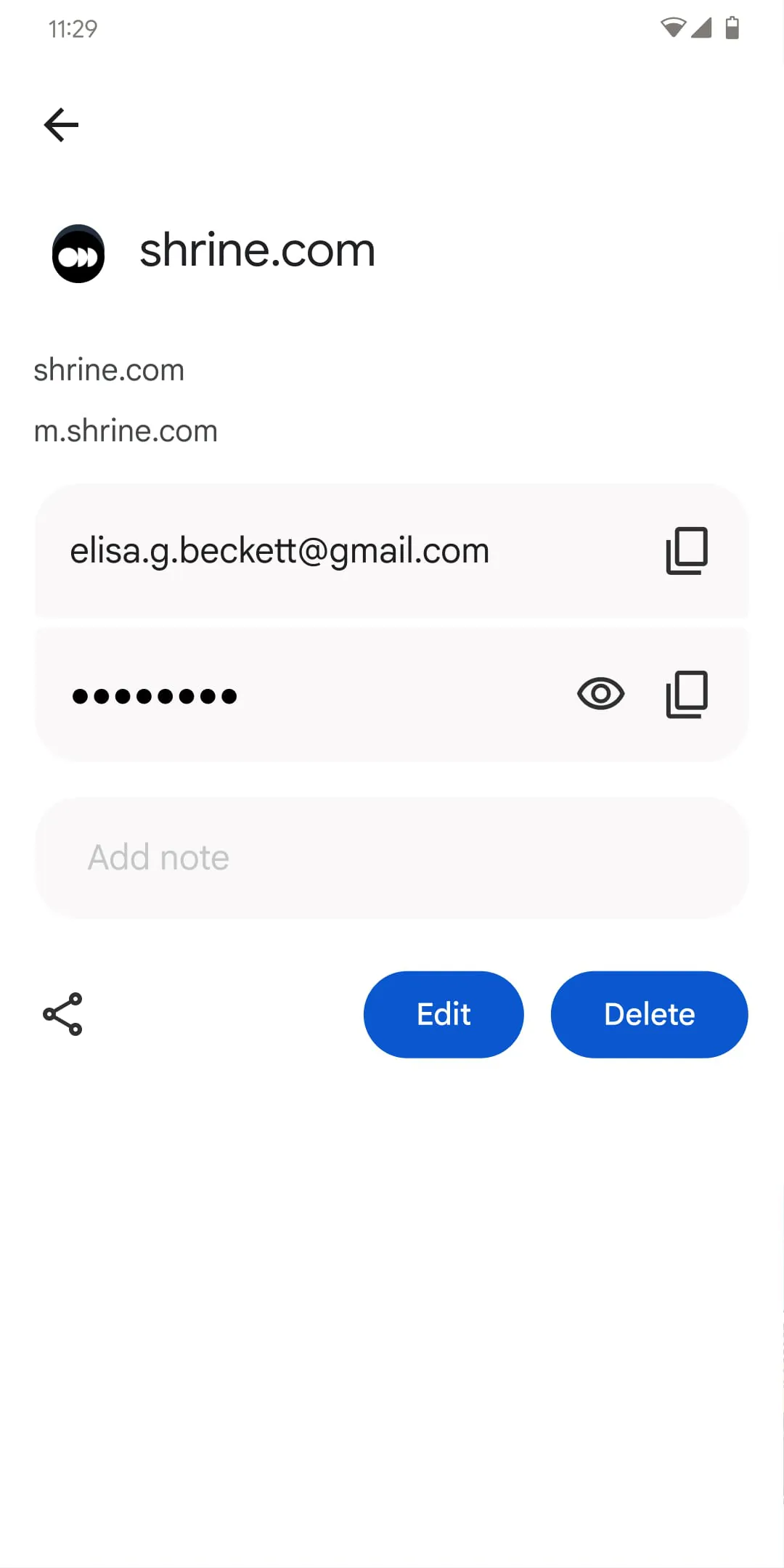
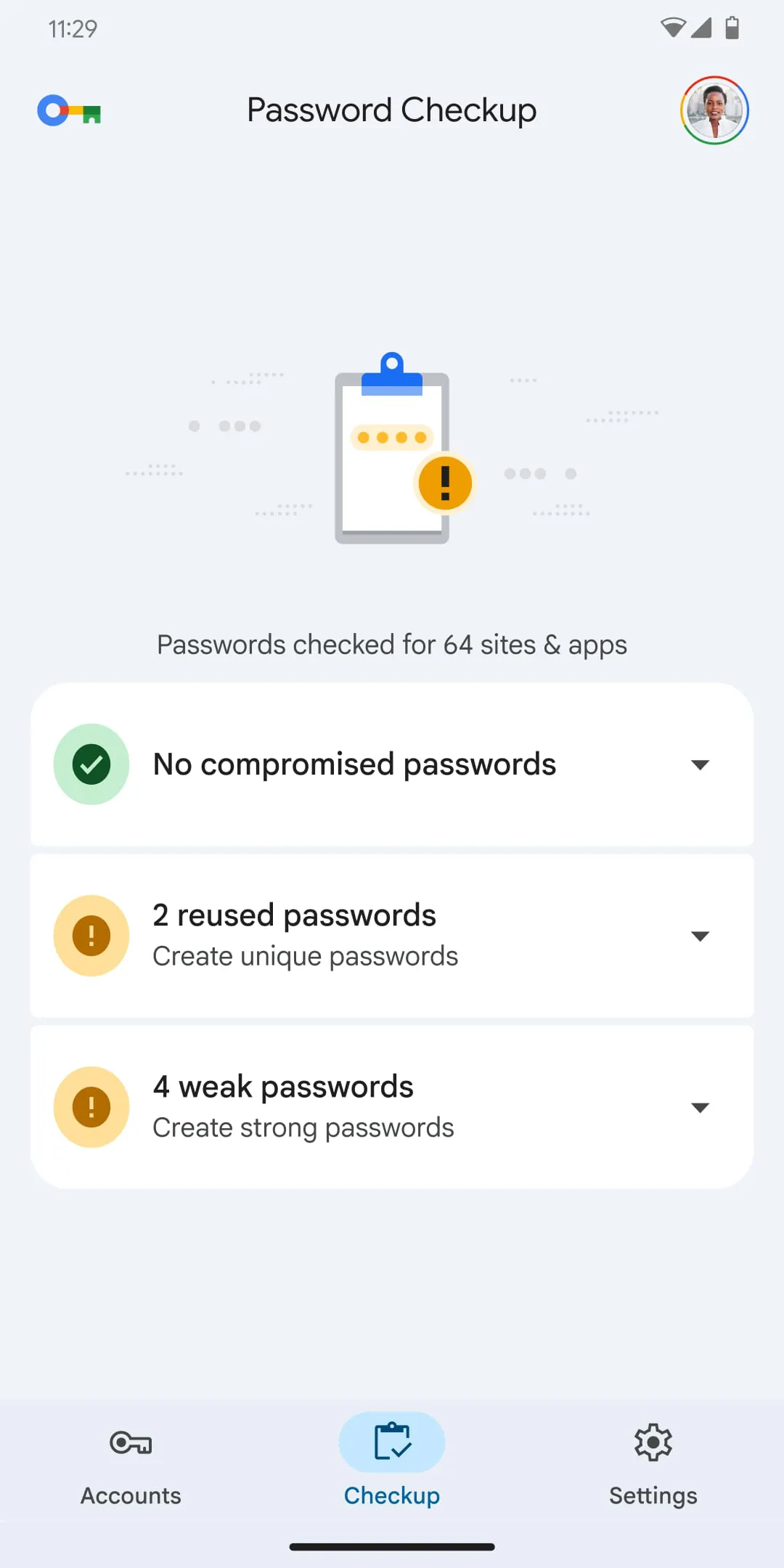
The Google Password Manager application offers users a swift and streamlined pathway to access and manage their stored passwords and passkeys directly from their smartphones. It simplifies the often complex process of password management by providing a secure and easily navigable interface, allowing users to quickly search, retrieve, and organize their credentials. This accessibility is crucial in today's digital landscape, where individuals juggle numerous online accounts, each requiring unique and strong passwords. The app's design emphasizes user-friendliness, ensuring that even those with limited technical expertise can effectively manage their password security. By integrating seamlessly with Android smartphones, the Google Password Manager becomes an indispensable tool for maintaining a robust online presence. The application not only facilitates easy access to stored passwords but also encourages the adoption of strong, unique passwords for each online account, mitigating the risks associated with password reuse and potential data breaches. Furthermore, the app provides a centralized location for all password-related activities, eliminating the need to rely on disparate and often insecure methods of password storage. The convenience and security offered by the Google Password Manager contribute significantly to a safer and more efficient online experience, empowering users to take control of their digital identities. The app's intuitive design and comprehensive features make it an essential tool for anyone looking to enhance their password management practices and protect their online accounts from unauthorized access. In addition to its core functionality, the Google Password Manager also offers features such as password generation, which suggests strong, unique passwords for new accounts or password updates. This feature is particularly valuable in promoting the creation of robust passwords that are difficult to crack, further bolstering the security of online accounts. The app also provides alerts and notifications regarding compromised passwords, prompting users to take immediate action to mitigate potential risks. These proactive security measures demonstrate Google's commitment to safeguarding user data and ensuring a secure online environment. The Google Password Manager is not merely a password storage tool; it is a comprehensive security solution designed to protect users from the ever-evolving threats in the digital world. By simplifying password management and promoting secure password practices, the app empowers users to navigate the online landscape with confidence and peace of mind. The continuous updates and enhancements to the Google Password Manager reflect Google's ongoing dedication to providing users with the best possible security and user experience. The app's integration with other Google services further enhances its functionality and convenience, making it an integral part of the Google ecosystem.
The inherent integration of Google Password Manager within Android smartphones positions it as a fundamental security feature, designed to securely store passwords and expedite the login process across various platforms and applications. This integration is not merely a convenience but a critical component of the Android operating system's security architecture, ensuring that users have access to a secure and reliable password management solution from the moment they activate their devices. The password manager's ability to seamlessly store and retrieve credentials eliminates the need for users to memorize or manually enter passwords, reducing the risk of phishing attacks and other security threats. By providing a centralized and secure repository for passwords, the Google Password Manager empowers users to adopt stronger and more unique passwords for each of their online accounts, significantly enhancing their overall security posture. The app's integration with Android also allows for seamless synchronization of passwords across multiple devices, ensuring that users have access to their credentials regardless of the device they are using. This synchronization is performed securely and transparently, without compromising the privacy or security of user data. Furthermore, the Google Password Manager is designed to be user-friendly and intuitive, making it accessible to users of all technical skill levels. The app provides clear and concise instructions on how to store, retrieve, and manage passwords, ensuring that users can effectively utilize its features without requiring extensive technical knowledge. The Google Password Manager also integrates with other security features of the Android operating system, such as biometric authentication, providing an additional layer of security for accessing stored passwords. By leveraging fingerprint or facial recognition technology, users can quickly and securely unlock their password manager, preventing unauthorized access to their credentials. The combination of seamless integration, user-friendly design, and robust security features makes the Google Password Manager an indispensable tool for protecting user data and enhancing the overall security of the Android ecosystem. The password manager's ability to proactively identify and alert users to compromised passwords further strengthens its security capabilities, enabling users to take immediate action to mitigate potential risks. The Google Password Manager is continuously updated with the latest security patches and enhancements, ensuring that it remains a robust and reliable solution for managing passwords in the ever-evolving threat landscape.
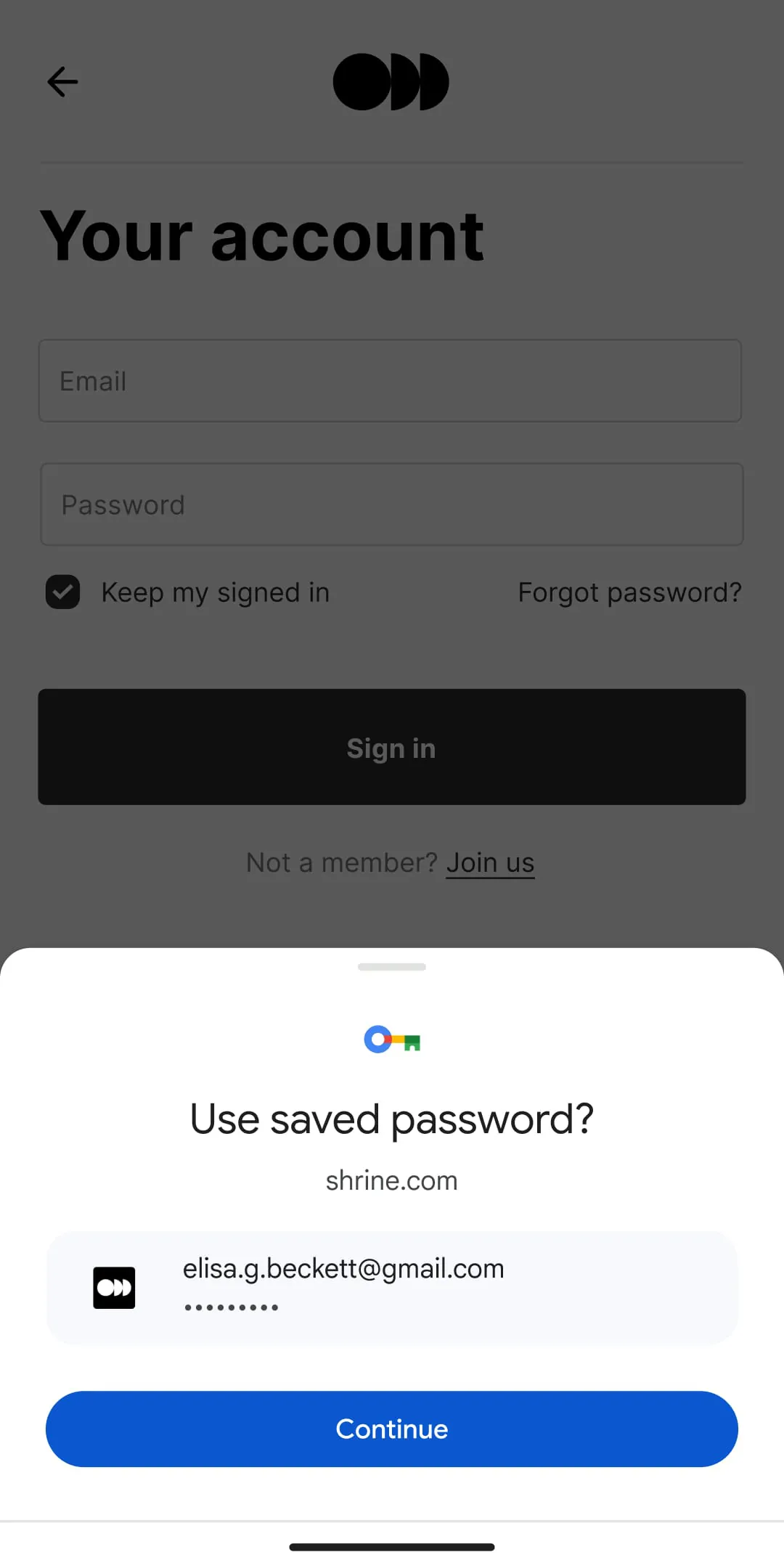
The ease of password management offered by the Google Password Manager eliminates the need for users to remember or reuse passwords, fostering a more secure online environment across all devices. This is achieved through its deep integration with Chrome across all platforms and Android, creating a unified and consistent experience for users regardless of their chosen device or operating system. By eliminating the burden of password memorization, the Google Password Manager encourages users to adopt stronger and more unique passwords for each of their online accounts, significantly reducing the risk of password-related security breaches. The app's ability to automatically generate strong passwords further simplifies the process of creating secure credentials, empowering users to enhance their security posture without requiring extensive technical knowledge. The integration with Chrome ensures that users have seamless access to their stored passwords whenever they browse the web, eliminating the need to manually enter credentials or rely on insecure methods of password storage. This integration also extends to mobile devices, allowing users to automatically log in to websites and apps without having to remember their passwords. The Google Password Manager's ability to synchronize passwords across multiple devices ensures that users have access to their credentials regardless of their location or the device they are using. This synchronization is performed securely and transparently, without compromising the privacy or security of user data. The app also provides features such as password sharing, allowing users to securely share passwords with family members or colleagues without revealing the actual credentials. This feature is particularly useful for managing shared accounts or subscriptions. The Google Password Manager is designed to be user-friendly and intuitive, making it accessible to users of all technical skill levels. The app provides clear and concise instructions on how to store, retrieve, and manage passwords, ensuring that users can effectively utilize its features without requiring extensive technical knowledge. The Google Password Manager also integrates with other Google services, such as Gmail and Google Account, providing a seamless and integrated experience for users. The combination of ease of use, robust security features, and seamless integration with other Google services makes the Google Password Manager an indispensable tool for protecting user data and enhancing the overall security of the online environment. The continuous updates and enhancements to the Google Password Manager reflect Google's ongoing commitment to providing users with the best possible security and user experience.





 APK
APK  Google Play
  iOS
iOS  4.30
4.30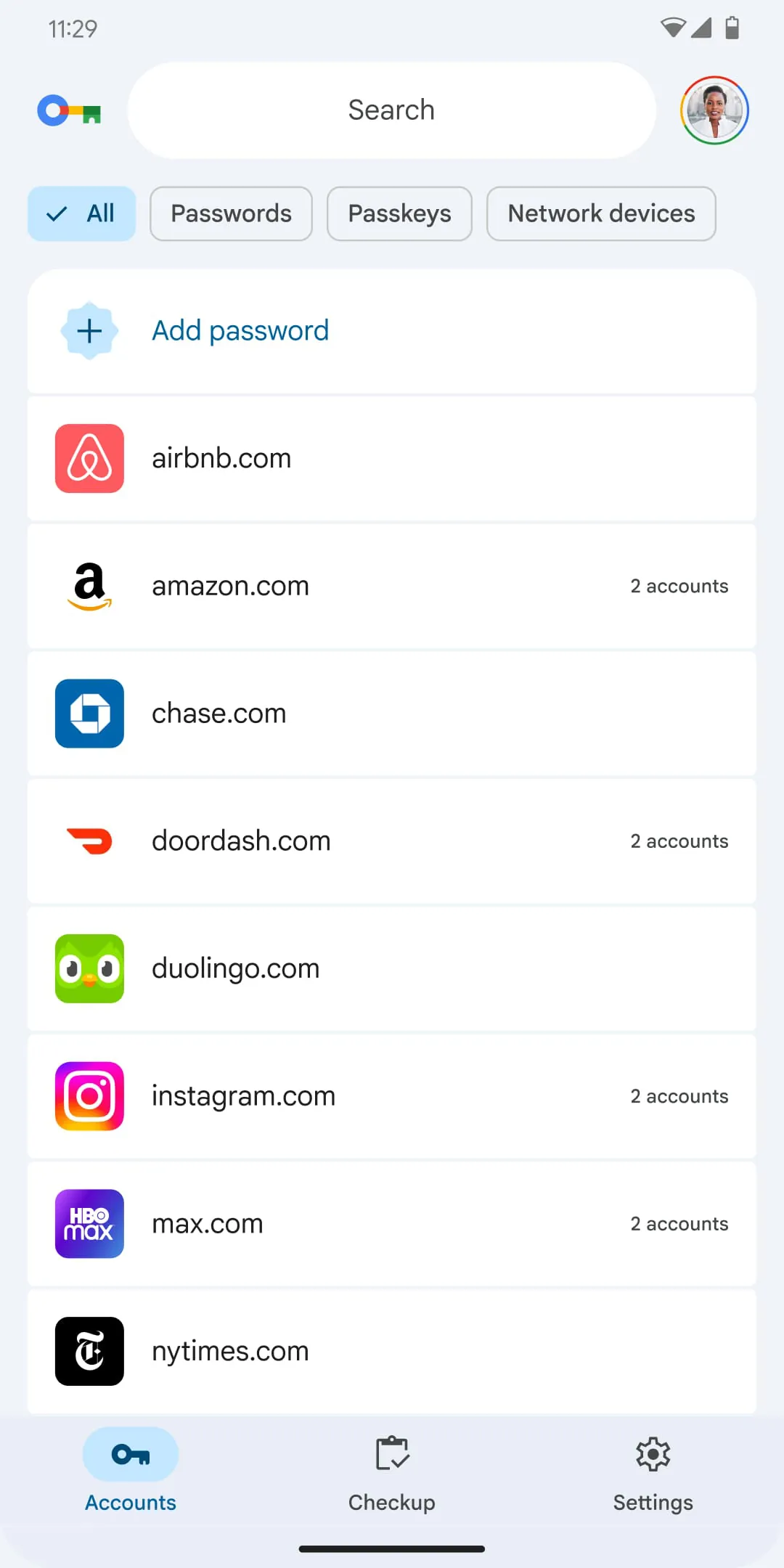
 Download








