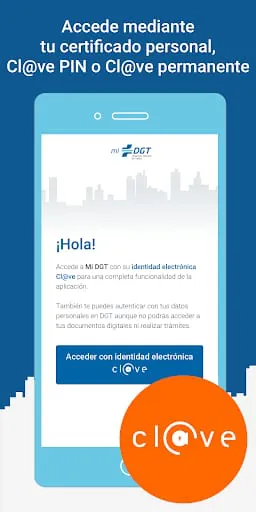
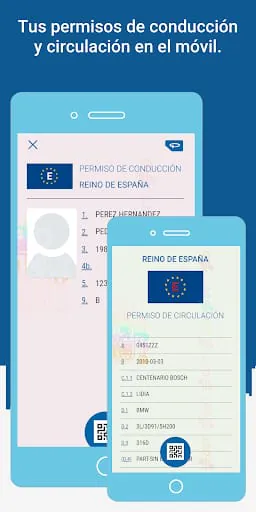
The General Directorate of Traffic (DGT) offers a free mobile application that allows you to carry your driving license and vehicle documentation in digital format on your phone. You can access it using the Cl@ve system (electronic identity for public administrations).
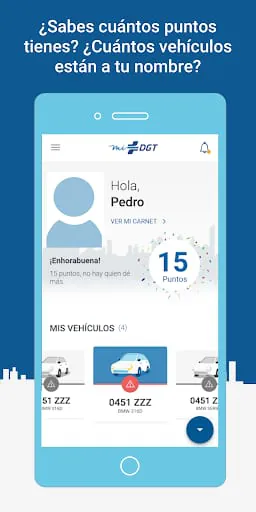
Currently, the application allows you to generate and consult your digital permits and your main data. The digital documentation generated by miDGT is valid for driving and circulating in Spain, according to the regulations approved by the DGT. However, we recommend that you continue to carry your physical documentation with you for added security, until the system becomes more widespread or in case your phone malfunctions or you lose coverage. Remember to also carry it if you travel abroad. Soon, we will incorporate new features such as notifications and payment of fines, fee purchases, appointment requests at our offices, or the main procedures related to your permits and vehicles.
The mobile application requires permission to access the device's camera for reading the QR code for verification of digital permits.
If you have access problems, please visit the website: _MIDGT_BACKEND/problemasTecnicos.html
The miDGT application requests certain permissions to perform necessary actions according to the functionality being used. Here are the main ones:
- Camera: The application requests access to the device's camera for reading verification codes of digital or physical documents, in order to display them on the device.
- Storage: The application requests access to the device's storage to save files that you can download from it, such as a CSV-verified document, a vehicle report, or a payment receipt for a fine.
- Location: The application requests access to the device's location to find the nearest offices to request an appointment or to access traffic incidents closest to your location, as these functionalities become available.
- Calendar: The application requests access to your calendar to save an appointment you obtained through the application or, in the future, reminders you want to create, as these functionalities become available.
Additionally, the application requires a data connection to function properly. But keep in mind that, in any case, this information, such as location, is only managed by the application within the device and is not sent to the General Directorate of Traffic.
As a user, you have full control over the permissions you grant to the application. From the application's settings menu, you can enable or disable notifications, and from your device's settings, you can enable or disable each of the requested permissions, in addition to the application's notifications. You can decide whether to allow them always, allow them only when the application is in use, or deny them. Please note that if you deny them, the functionalities associated with these permissions will stop working.





 APK
APK  Google Play
  iOS
iOS  2.00
2.00