This application is a comprehensive suite of network analysis and management tools designed to assist both novice home users and experienced IT professionals in maintaining and optimizing their network connections. It consolidates a variety of utilities typically found on desktop computers into a single, user-friendly mobile app, making network troubleshooting and configuration accessible from anywhere. The primary goal of the application is to empower users to quickly diagnose and resolve network issues, enhance Wi-Fi performance, and effectively manage their network infrastructure. By providing a centralized platform for essential network tools, the app streamlines the process of network administration, saving users time and effort. Its features cater to a broad spectrum of needs, from basic tasks like checking internet speed and identifying IP addresses to more advanced functions such as port scanning, DNS lookups, and Wi-Fi analysis. This versatility makes it an invaluable asset for anyone seeking to gain better control over their network environment. The app's interface is intentionally designed to be simple and intuitive, ensuring that users of all technical levels can easily navigate and utilize its various functions. The clear presentation of information, such as connection details, IP addresses (internal, external, and local), SSID, BSSID, DNS servers, ping times, Wi-Fi speed, signal strength, broadcast address, gateway, subnet mask, country, region, city, ISP provider’s geographical coordinates (latitude and longitude), WHOIS information, and netstat statistics, allows users to quickly assess the status of their network and identify potential problems. The inclusion of tools like Wake on LAN further extends the app's capabilities, enabling users to remotely power on or reboot devices within their home or corporate networks, adding a layer of convenience and control. This feature is particularly useful for managing devices that may be inaccessible or require remote intervention. Furthermore, the Wi-Fi analyzer provides a detailed view of the network's health, allowing users to check signal strength and identify potential sources of interference. By offering this comprehensive set of features within an accessible mobile app, IP Tools simplifies network management and empowers users to maintain optimal network performance, regardless of their location or technical expertise. The app's focus on usability and comprehensive functionality positions it as an essential tool for anyone who relies on a stable and efficient network connection.
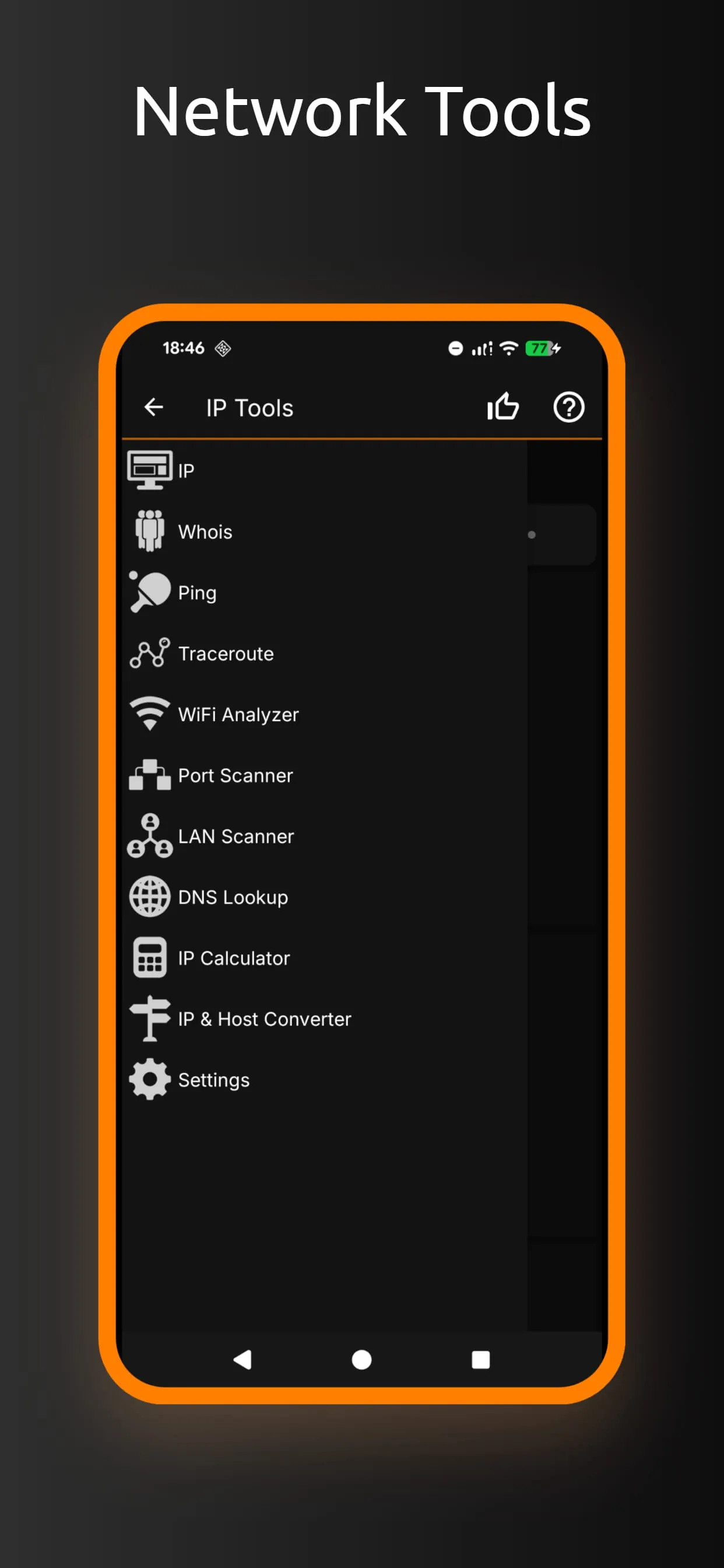
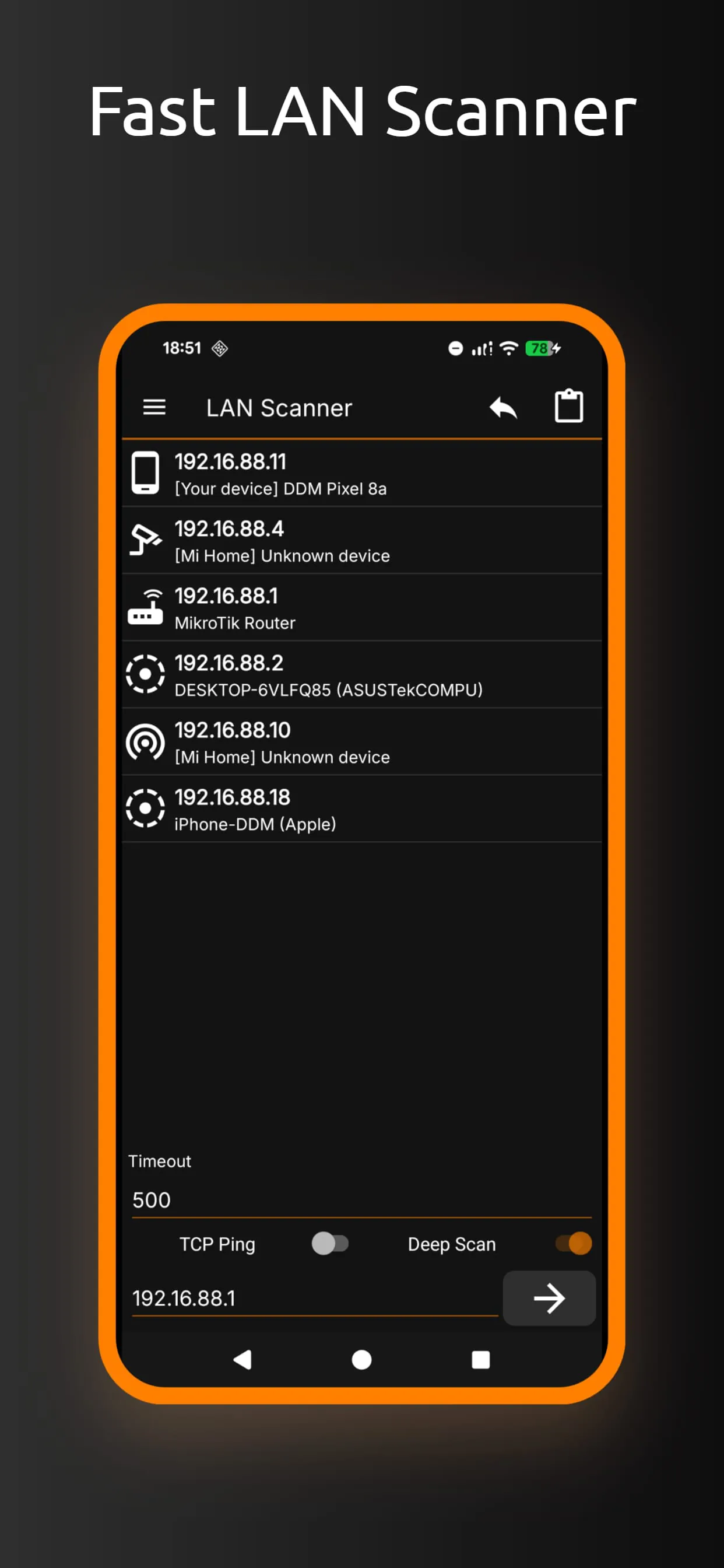
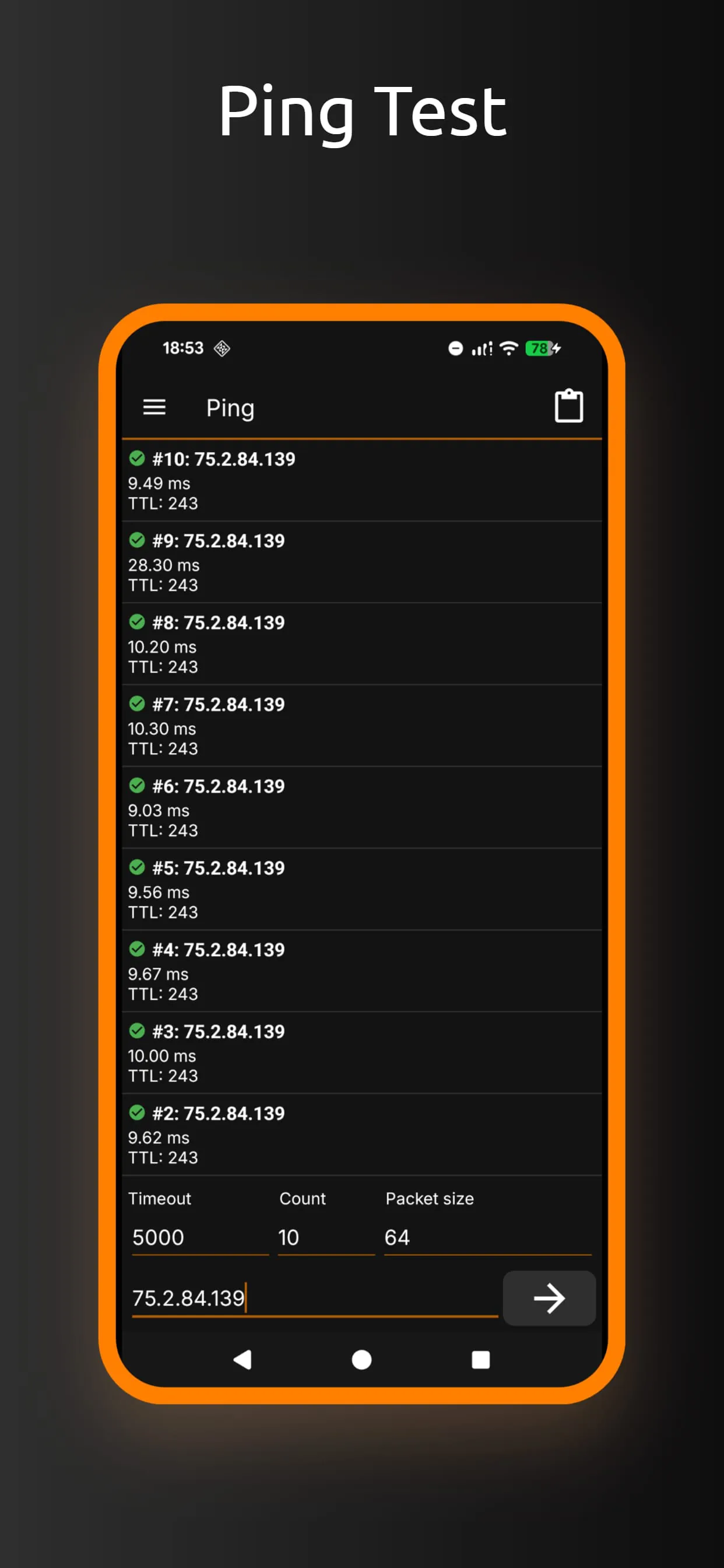
The functionality of the application extends to a variety of diagnostic and analytical tools, each designed to provide specific insights into network performance and security. The Ping tool, a fundamental network utility, allows users to test the reachability of a specific host on a network. By sending a series of ICMP echo request packets and measuring the time it takes to receive a response, the Ping tool helps users determine if a device is online and responsive. This is crucial for troubleshooting connectivity issues and identifying potential network bottlenecks. The Wi-Fi and LAN Scanner is another essential feature, enabling users to discover all devices connected to their network. By scanning the network's IP address range, the tool identifies active devices, providing information such as their IP address, MAC address, and hostname. This is particularly useful for identifying unauthorized devices or troubleshooting network conflicts. The Port Scanner allows users to identify open ports on a specific device, which can be helpful for assessing network security and identifying potential vulnerabilities. By scanning a range of ports, the tool determines which services are running on the device and whether they are properly secured. This is important for preventing unauthorized access and protecting sensitive data. The DNS Lookup tool provides information about a domain name, such as its IP address, DNS records, and registrar information. This is useful for troubleshooting DNS resolution issues and verifying the authenticity of a website. The WHOIS tool provides information about the owner of a website, including their contact information and registration details. This can be helpful for identifying potential phishing scams or verifying the legitimacy of a website. The Router Setup Page and router admin tool simplifies the process of configuring and managing a router. By providing a direct link to the router's configuration page, the tool allows users to easily change settings such as the Wi-Fi password, SSID, and firewall rules. The Traceroute tool traces the path that a packet takes from the user's device to a specific destination. By identifying each hop along the way, the tool helps users identify potential network bottlenecks and troubleshoot connectivity issues. The WiFi Analyzer provides a detailed view of the Wi-Fi network, including signal strength, channel utilization, and interference levels. This allows users to optimize their Wi-Fi settings and improve network performance. The "my ip" feature allows users to quickly identify their external IP address, which can be useful for troubleshooting network issues or accessing geo-restricted content. The Connection Log provides a history of network connections, including the time, duration, and destination of each connection. This can be helpful for identifying suspicious activity or monitoring network usage. The IP Calculator allows users to perform IP address calculations, such as determining the network address, broadcast address, and subnet mask. This is useful for configuring network devices and planning network layouts. The IP & Host Converter allows users to convert between IP addresses and hostnames. This is useful for troubleshooting DNS resolution issues and accessing devices by their IP address. The Netstat statistics tool provides information about network connections, including the protocol, local address, remote address, and connection state. This is useful for identifying active network connections and troubleshooting network performance issues. These features collectively make the application a powerful tool for network analysis and management.
In addition to the diagnostic and analytical tools, the application also offers a range of features designed to enhance network performance and security. The Wi-Fi analyzer is a key component, providing users with a comprehensive understanding of their wireless network environment. It assesses signal strength, channel utilization, and interference levels, enabling users to make informed decisions about optimizing their Wi-Fi settings. For example, if the analyzer detects that the current Wi-Fi channel is congested with other networks, users can switch to a less crowded channel to improve performance and reduce interference. This is particularly important in densely populated areas where multiple Wi-Fi networks may be competing for the same airspace. The application also includes tools for assessing and managing network security. The port scanner allows users to identify open ports on their devices, which can be potential entry points for malicious actors. By identifying and closing unnecessary open ports, users can significantly reduce their risk of being compromised. The WHOIS tool provides information about the owners of websites, which can be helpful in identifying phishing scams and other online threats. By verifying the legitimacy of a website before entering sensitive information, users can protect themselves from identity theft and financial fraud. The application's ability to remotely manage devices through the Wake on LAN feature also enhances security. By remotely powering on or rebooting devices, users can ensure that they are running the latest security updates and that any potential vulnerabilities are addressed promptly. This is particularly important for devices that may be left unattended for extended periods. Furthermore, the application's connection log provides a record of all network activity, which can be invaluable for identifying suspicious behavior and investigating security incidents. By monitoring the connection log, users can detect unauthorized access attempts or other anomalies that may indicate a security breach. The integration of these performance and security features into a single mobile application makes it an indispensable tool for anyone who relies on a stable and secure network connection. Whether it's optimizing Wi-Fi performance, identifying potential security threats, or managing devices remotely, the application provides users with the tools they need to take control of their network environment. The app’s benefits extend beyond the features listed above. The convenience of having these tools available on a mobile device allows network administrators and users to perform tasks from anywhere, at any time. This flexibility improves efficiency and reduces downtime, making it an essential tool for both home and professional use.





 APK
APK  Google Play
  iOS
iOS  4.60
4.60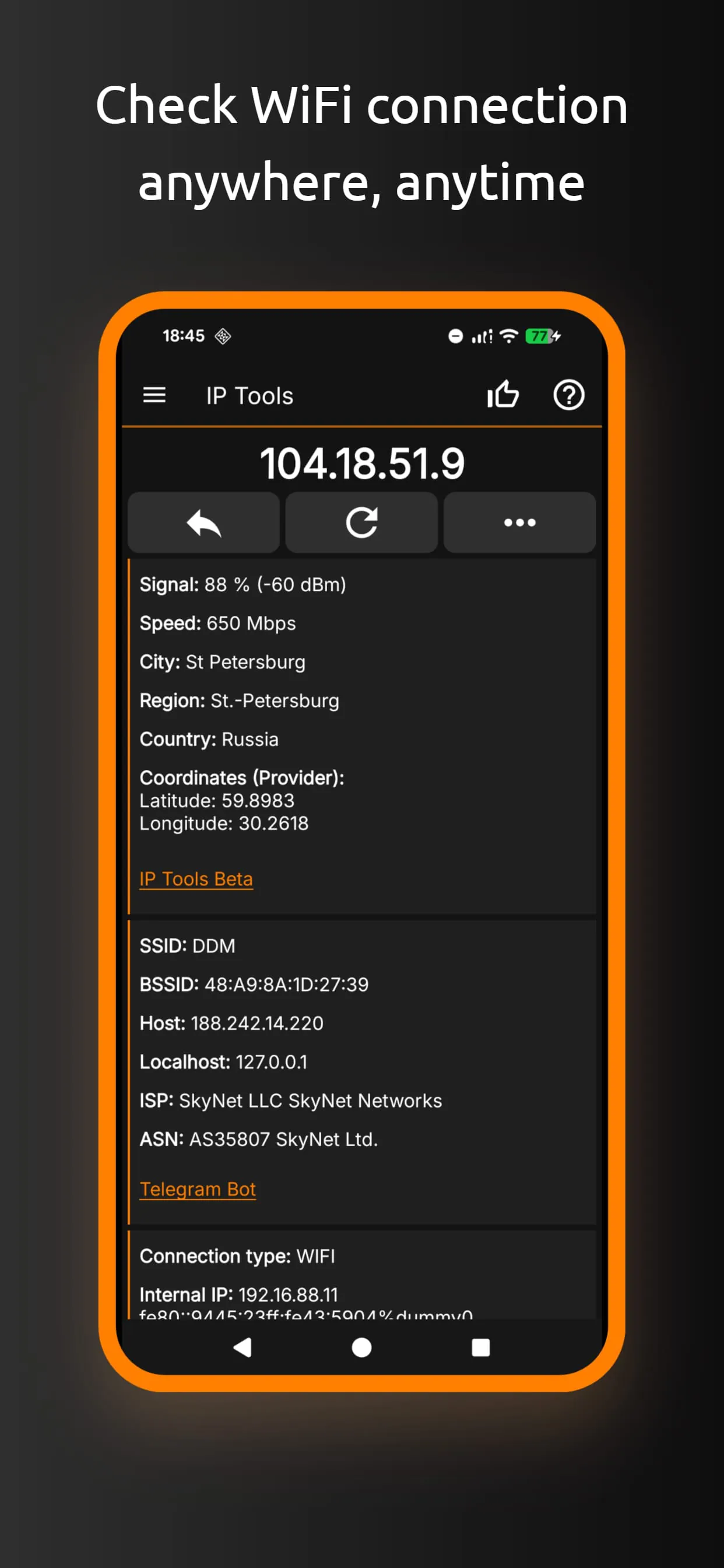
 Download








