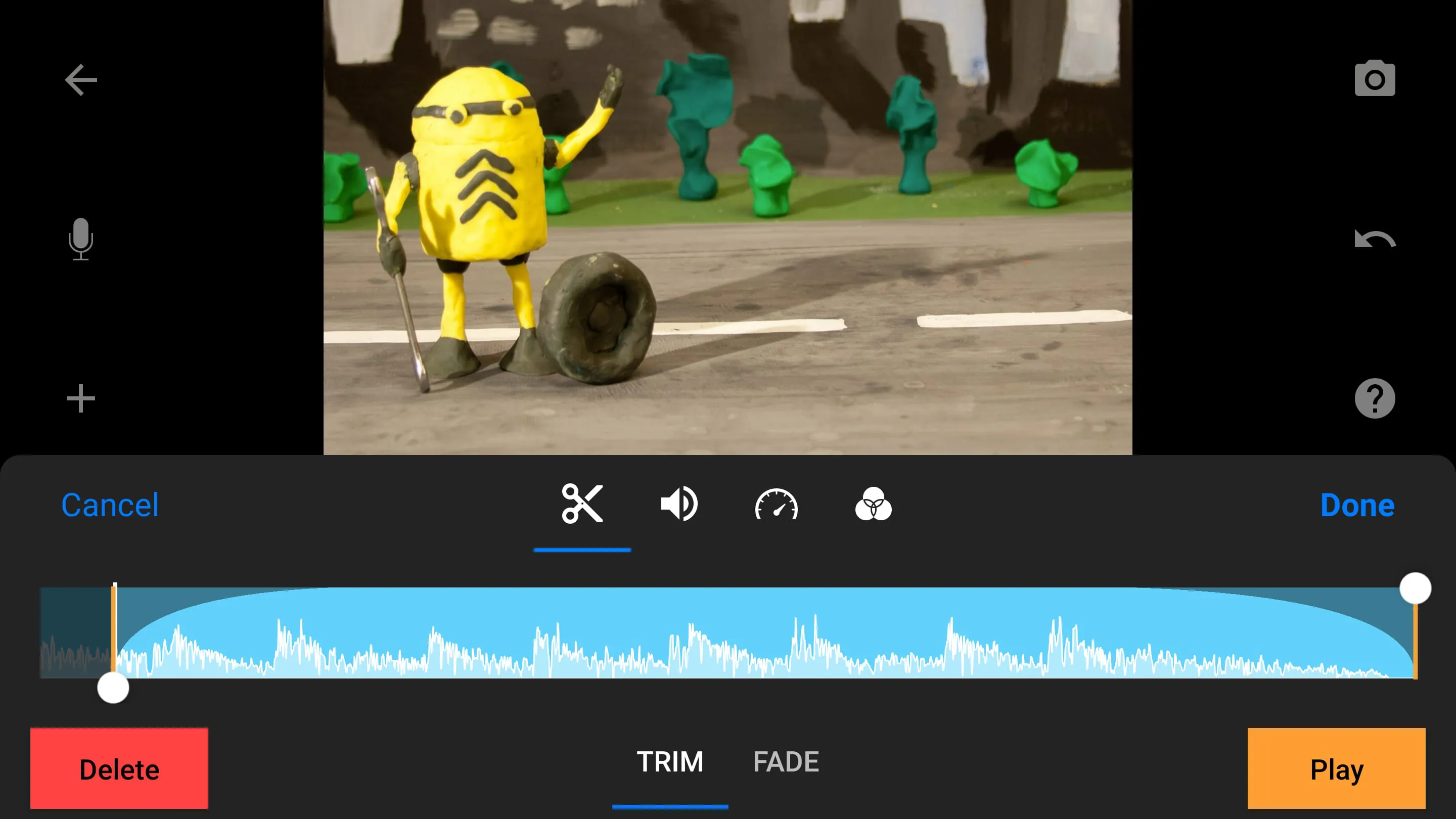
Stop Motion Studio is presented as an accessible and powerful application designed to introduce users to the world of stop motion moviemaking. The app prides itself on an easy-to-use interface that belies its comprehensive set of features, making it suitable for both beginners and more experienced animators. It draws a comparison to the professional-quality animations seen in productions like Wallace and Gromit and the popular Lego shorts on YouTube, suggesting that users can achieve similar results with this tool. The core concept revolves around simplifying the often complex process of stop motion animation, providing users with the tools they need to create visually appealing and engaging movies. The app emphasizes its full-featured movie editor capabilities, highlighting a range of functionalities such as an overlay mode to visualize differences between frames, animation guides for precise object positioning, and an interactive timeline for efficient project management, even with hundreds of frames. These features collectively aim to streamline the animation workflow and empower users to bring their creative ideas to life. The software is not just about the technical aspects of animation; it also focuses on enhancing the final product with various creative elements. Users can select from a variety of unique titles, credits, and text cards or design their own using the built-in editor, providing a personalized touch to their movies. Video filters are available to give movies a specific look and feel, while foregrounds, backgrounds, aspect ratios, and fade effects can further enhance the visual appeal. The app also offers robust audio capabilities, allowing users to create soundtracks using built-in music, sound effects, songs from their music library, or their own narration. Advanced features like rotoscoping and green screen functionality are also highlighted, enabling users to create sophisticated animations by drawing over video clips or changing the background of their scenes. Rotoscoping allows animators to import video footage and then meticulously draw over each frame, creating a unique animated style that blends live-action elements with hand-drawn animation. This technique can be used to achieve fluid and realistic movements, or to create surreal and dreamlike effects. Green screen functionality, on the other hand, enables users to replace the background of their scene with any image or video they choose. This opens up a world of possibilities for creating fantastical environments or placing characters in real-world locations that would otherwise be impossible to film. Animation guides provide additional support for animators, allowing them to add gridlines, draw markers, or set up movement paths to ensure smooth and consistent animation. The ability to import media from the photo library further expands the creative possibilities, allowing users to incorporate existing images into their stop motion movies. Finally, the app supports the use of a keyboard with simple shortcuts, enabling users to edit movies quickly and efficiently. The combination of all these features makes Stop Motion Studio a versatile and powerful tool for creating professional-looking stop motion animations.
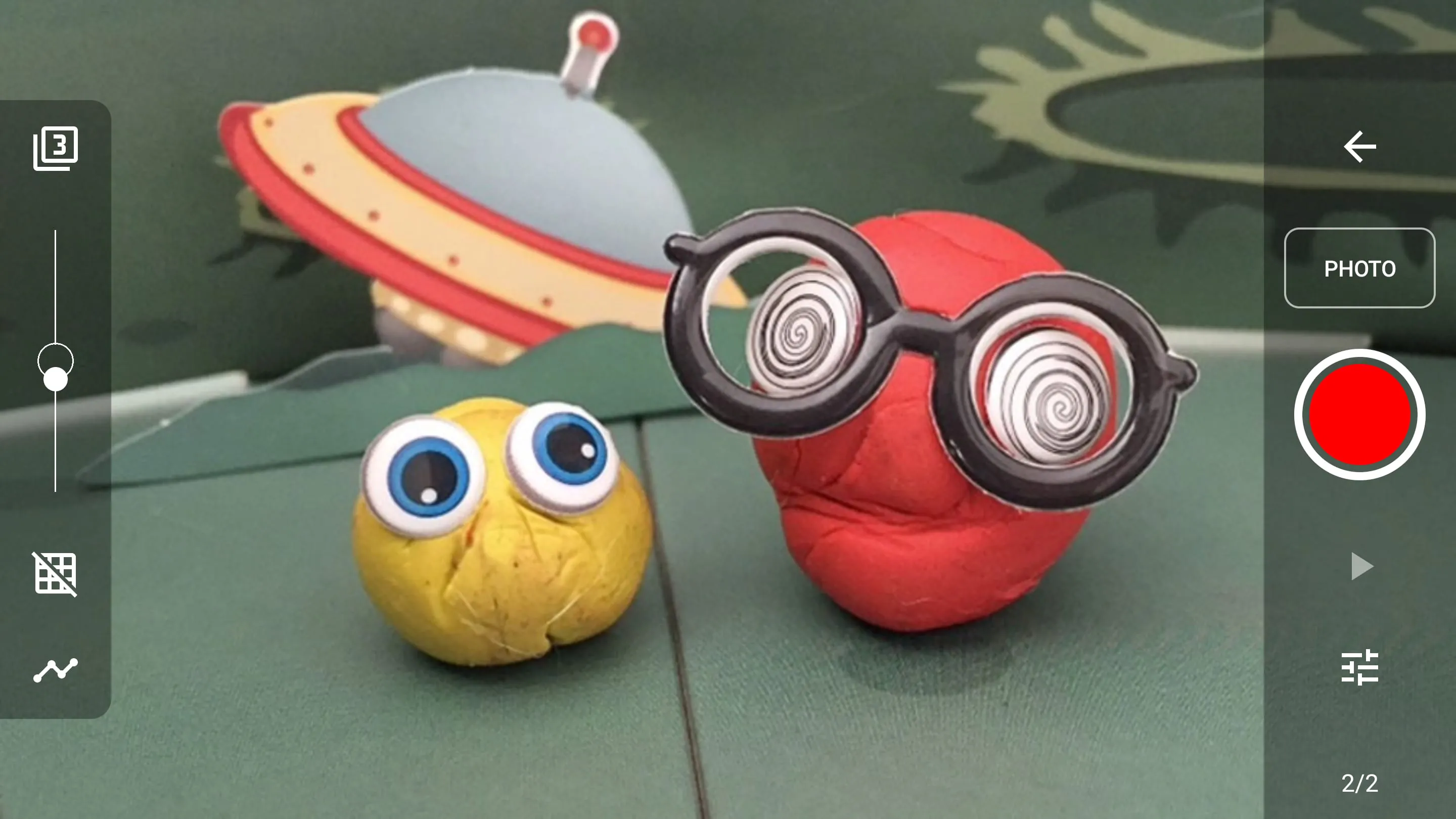
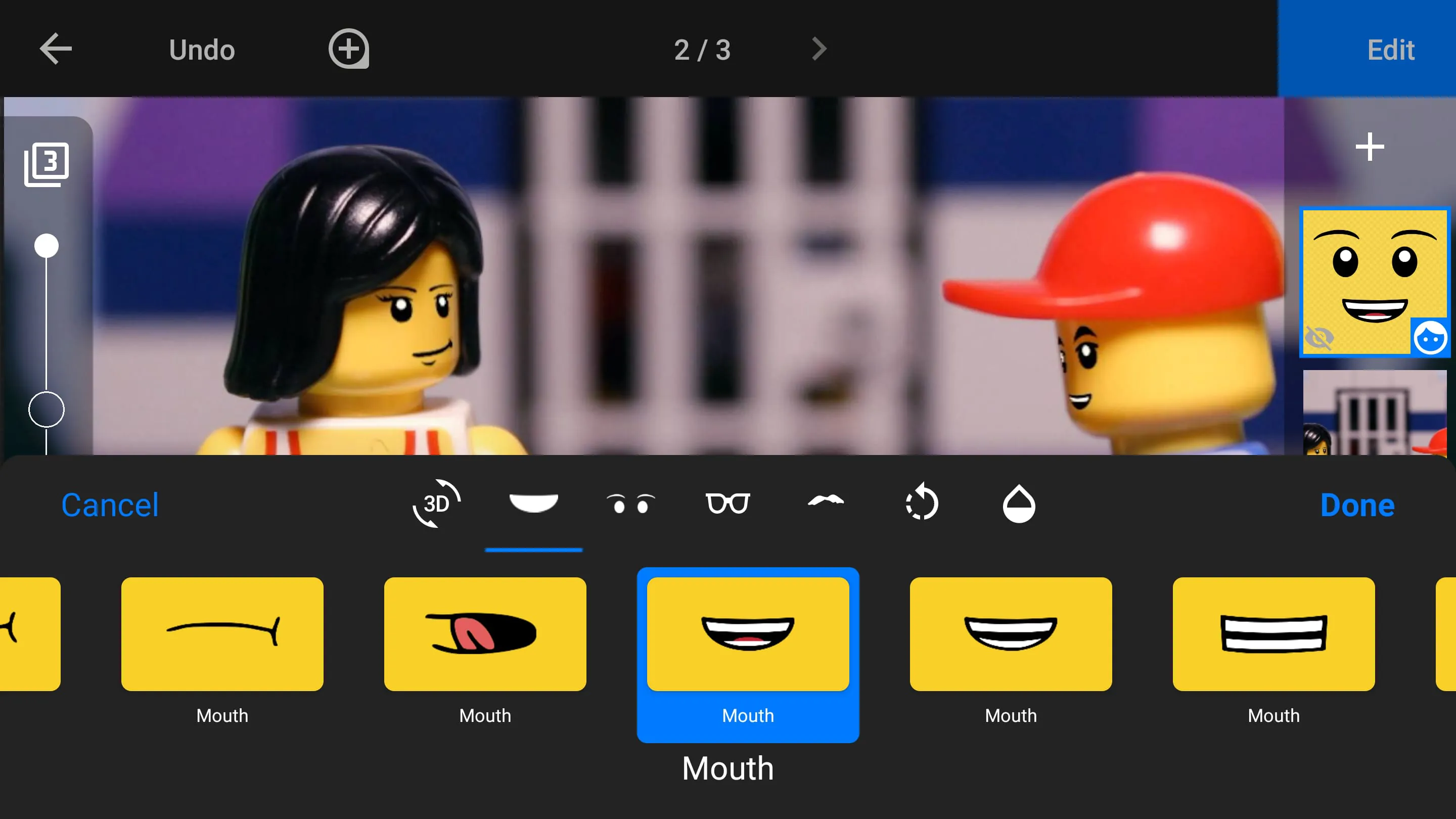
The app's capture capabilities are designed to mimic professional techniques, providing users with a range of controls to optimize their animation process. The adjustable time interval feature allows users to set the desired frame rate, while full camera control enables manual adjustments to white balance, focus, exposure, ISO, and shutter speed. These features give users greater control over the look and feel of their animations, allowing them to fine-tune the image quality and create the desired visual style. The option to use a second device as a remote camera is particularly useful for solo animators, allowing them to control the camera from a distance and avoid accidentally moving the set while capturing frames. This feature can also be used to achieve more dynamic camera angles and shots, adding another layer of visual interest to the animation. In addition to its capture and editing capabilities, Stop Motion Studio also boasts a powerful, built-in layer-based image editor. This editor allows users to add text and speech bubbles, create titles, add facial expressions to figures, touch up and enhance images, sketch and paint, wipe away unwanted objects with the eraser tool, and merge frames to simulate fast movement. The layer-based system provides flexibility and control over the image editing process, allowing users to make precise adjustments and create complex visual effects. The ability to add text and speech bubbles is essential for creating narratives and conveying dialogue, while the ability to add facial expressions to figures brings characters to life and adds emotional depth to the animation. The touch-up and enhancement tools can be used to improve the overall image quality, while the sketch and paint tools allow users to add unique artistic elements to their animations. The eraser tool is particularly useful for removing unwanted objects or mistakes, while the ability to merge frames can be used to create the illusion of fast movement. The application provides various options for sharing creations with friends and family. Users can save their movies to their photo library or share them directly to YouTube in 4K or 1080p resolution, ensuring high-quality playback on various devices. The option to save as an animated GIF is also available, allowing users to create short, looping animations for sharing on social media or other platforms. Users can also save all images for further processing in other editing software, providing flexibility for more advanced post-production workflows. The app facilitates easy project transfer between devices using Dropbox or Google Drive, enabling users to seamlessly switch between mobile and desktop devices. This feature is particularly useful for collaborative projects or for users who want to work on their animations in different locations.
The ability to start creating on a mobile device and continue on a desktop computer offers a seamless and flexible workflow for animators. This cross-platform compatibility ensures that users can work on their projects whenever and wherever they choose, without being limited by their device. To assist users in learning the art of stop motion animation, Stop Motion Studio provides a range of educational resources. The app includes tutorial videos that cover the basics of stop motion animation, as well as more advanced techniques. A comprehensive manual provides detailed information on all of the app's features and functionalities. Animation tips and tricks are also provided, offering guidance on how to improve animation skills and create more engaging movies. These resources are invaluable for beginners who are just starting out with stop motion animation, as well as for more experienced animators who want to improve their skills and learn new techniques. The combination of a user-friendly interface, powerful features, and comprehensive educational resources makes Stop Motion Studio an ideal tool for anyone who wants to create stop motion animations. The app's accessibility and versatility make it suitable for a wide range of users, from beginners to experienced animators. The app is designed to be easy to learn and use, while still providing the tools and features needed to create professional-looking animations. Whether you're a seasoned animator or just starting out, Stop Motion Studio can help you bring your creative ideas to life. The app emphasizes its ease of use and accessibility, suggesting that anyone can create impressive stop motion movies with its help. By providing a comprehensive set of features and educational resources, Stop Motion Studio aims to empower users to explore their creativity and share their stories through the art of stop motion animation. The app's cross-platform compatibility, sharing options, and educational resources make it a complete and versatile tool for animators of all levels. The promise of creating animations comparable to well-known productions serves as a strong incentive for potential users, highlighting the app's potential to deliver high-quality results with relative ease. The reference to the Pro version suggests that while the basic app provides a solid foundation for stop motion animation, the Pro version unlocks even more advanced features and capabilities, catering to the needs of more experienced animators.




 APK
APK  Google Play
  iOS
iOS  4.30
4.30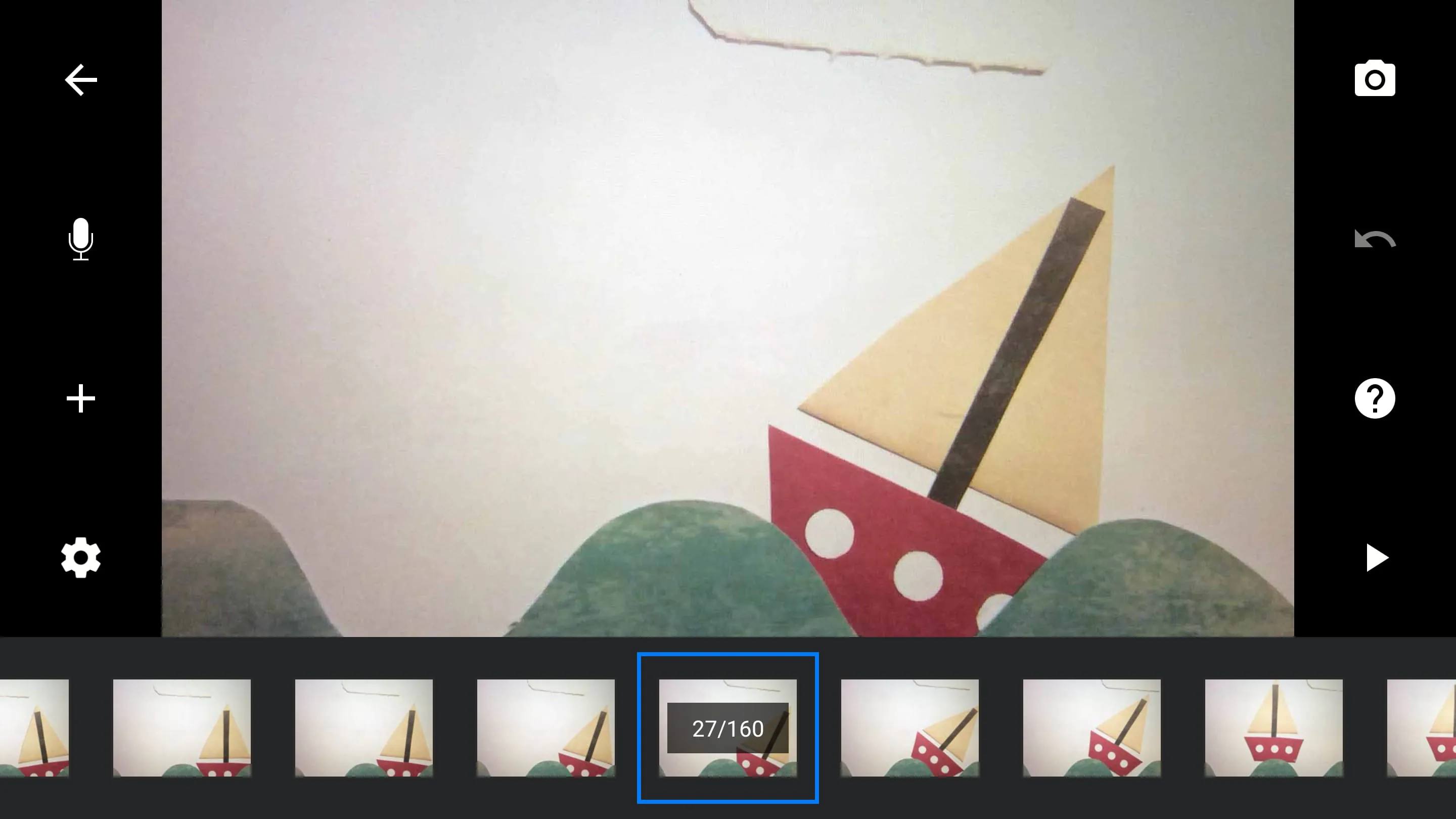
 Download








