




Listen Audiobook Player Listen Audiobook Player
Category
Music & AudioTag
audiobook player | DRM-free audio | playback customization | library management | user support
Rate
4.70
★★★★★
Reviews
500 +
Installs
100k +
Developer
acme-android.com
Content Rating
Everyone
Feature rich and easy to use player for your audio books.
 APK
APK  Google Play
  iOS
iOS  4.70
4.70 Author's Review
Appspicked Review
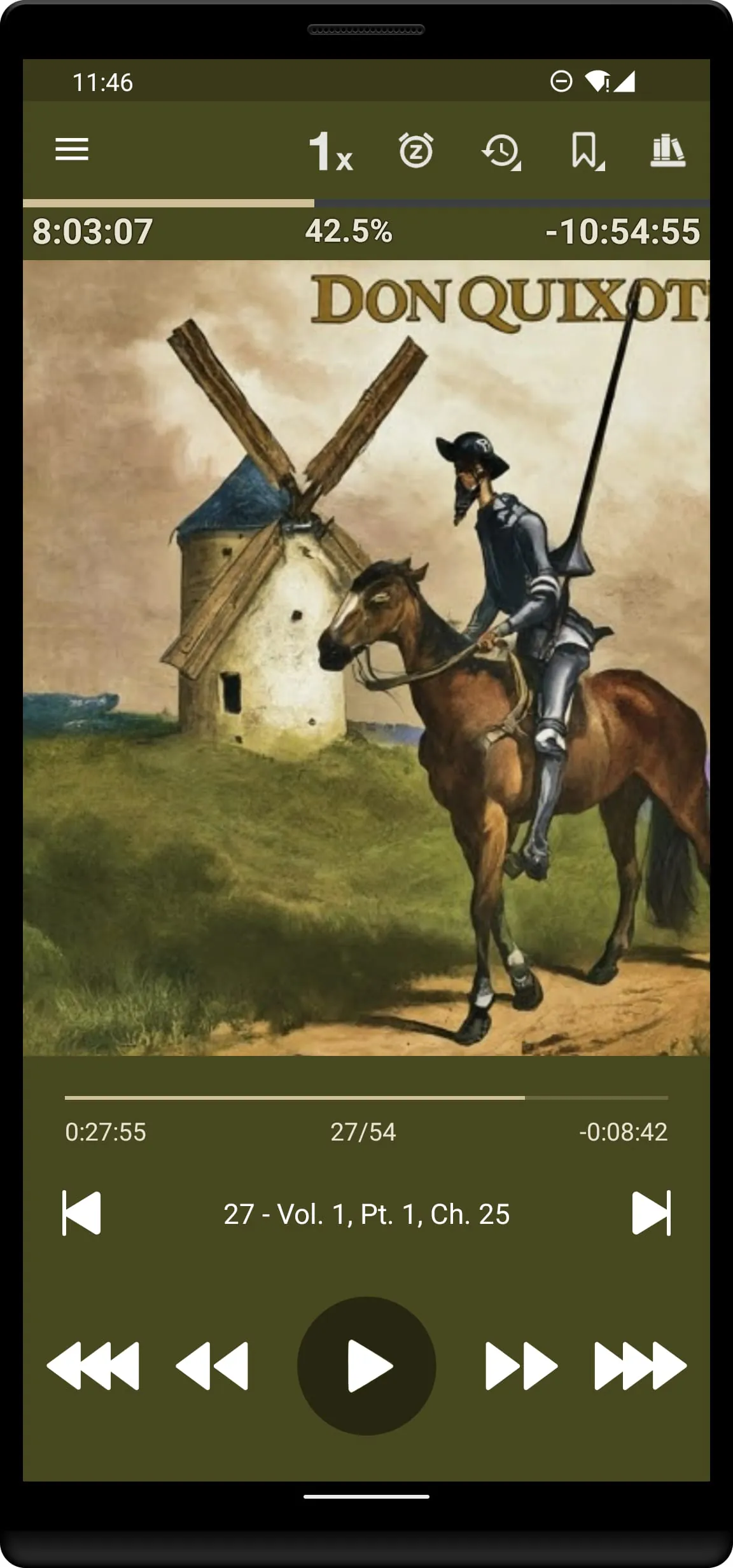
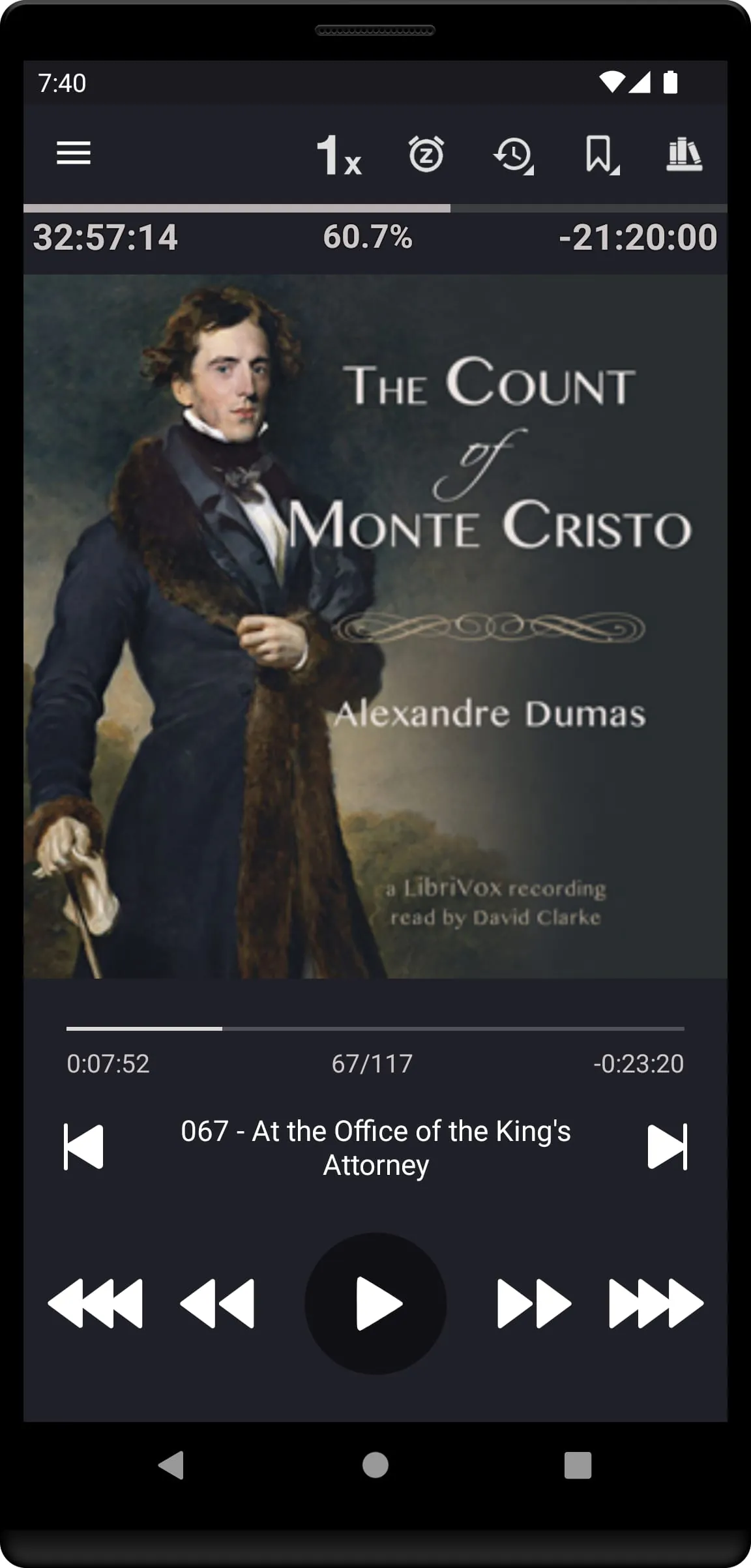
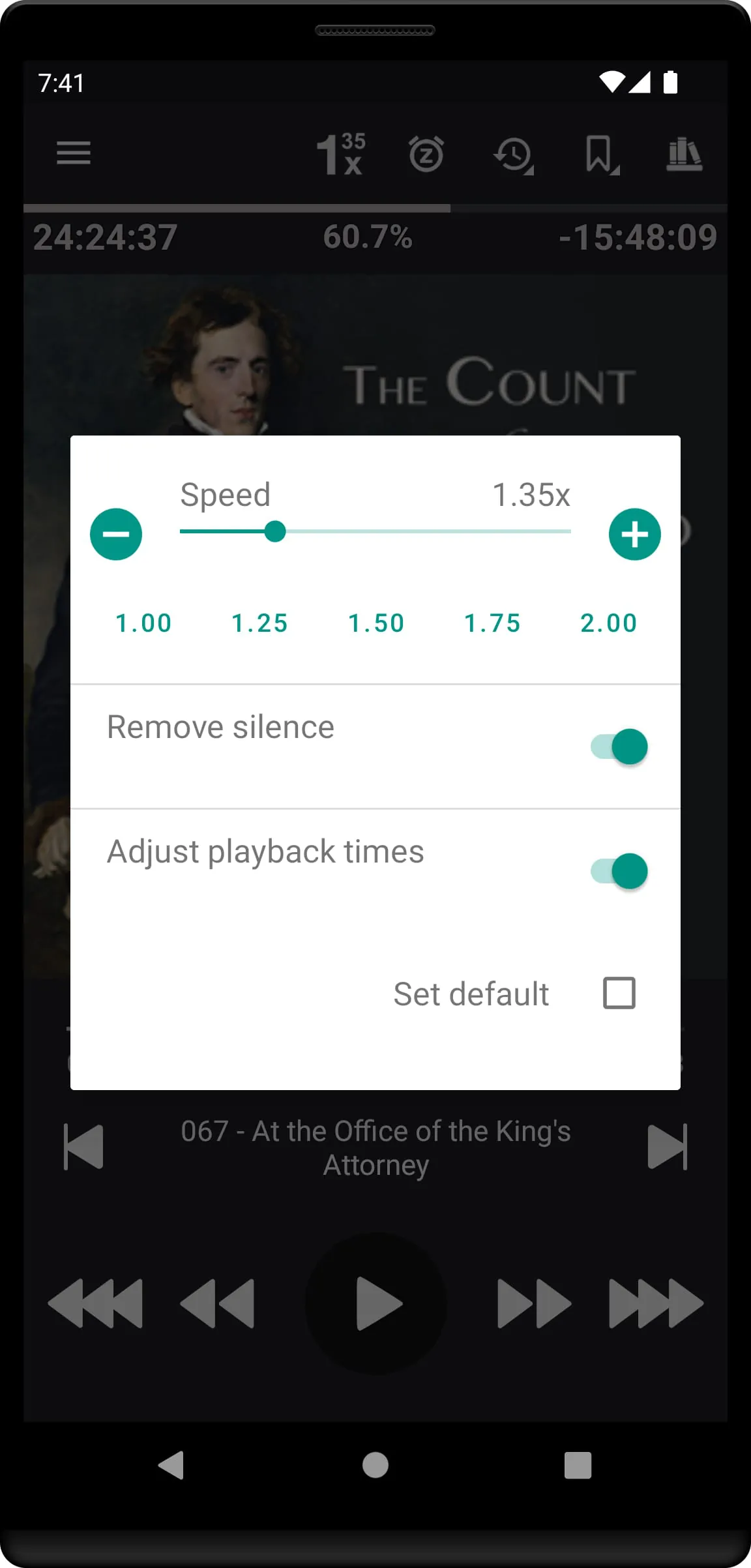
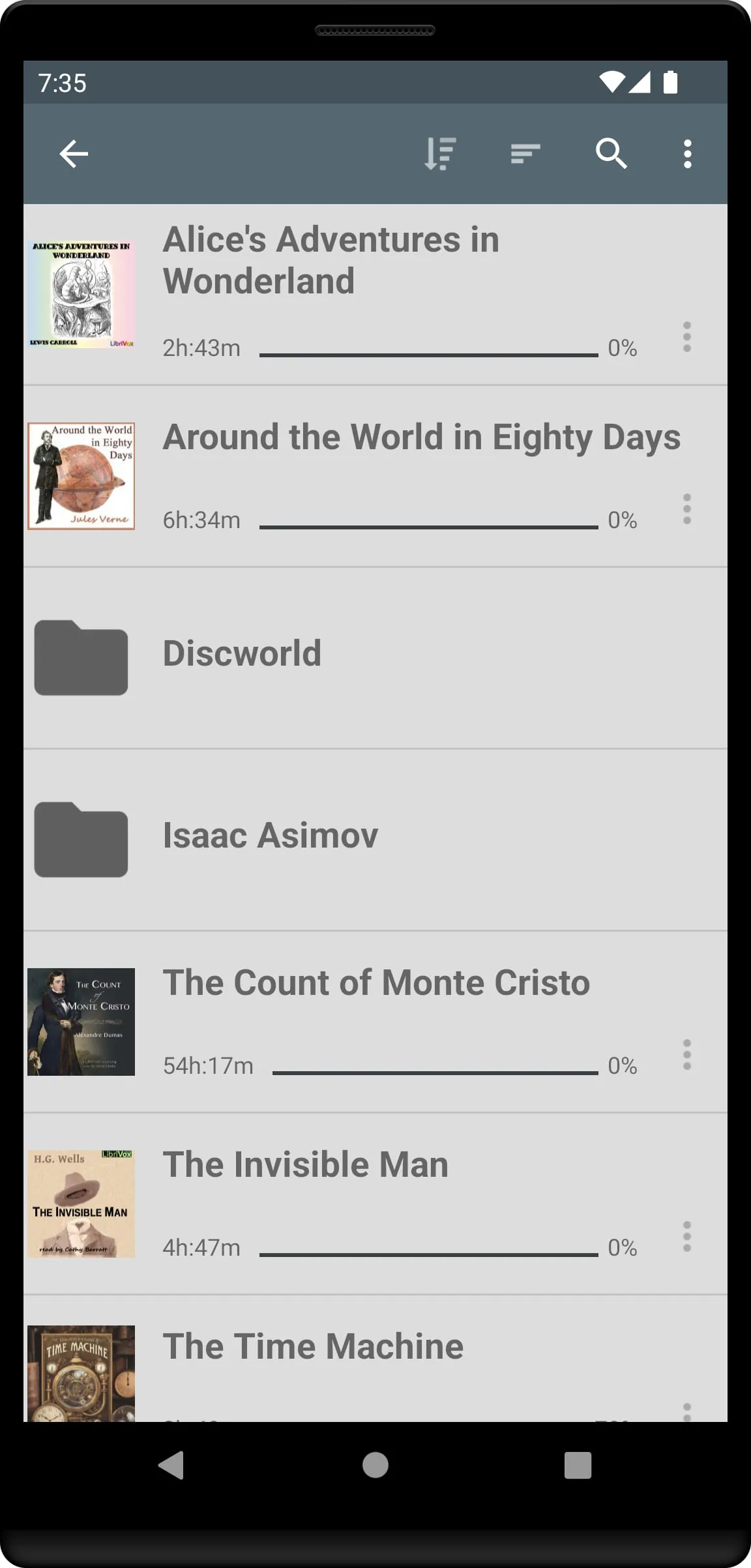
This document outlines the features, functionalities, and support information for an audiobook player application. It begins by detailing the refund policy, offering a 7-day risk-free trial period beyond Google's initial 2-hour automatic refund window. Users seeking a refund are instructed to email the order number from their Google receipt to the provided support email address. The document emphasizes user support, providing an email for addressing questions or issues related to the application. The application is designed to play user-provided content, specifically DRM-free audiobooks. It suggests several sources for obtaining such content, including Librivox, Downpour, and LoyalBooks, as well as any other platform that offers DRM-free audio files. Furthermore, the application offers a selection of curated books from Librivox that can be downloaded directly within the app, listing notable titles such as "The Count of Monte Cristo," "The Adventures of Sherlock Holmes," "Around the World in Eighty Days," "The Invisible Man," "The Time Machine," "The Call of the Wild," "Alice's Adventures in Wonderland," "Anne of Green Gables," "Sense and Sensibility," "Pride and Prejudice," "A Little Princess," "Frankenstein," "Marcus Aurelius - Meditations," "Bhagavad Gita," "Old Testament," "New Testament," "The Koran," and "Tao Teh King." These pre-selected titles provide users with immediate access to a diverse range of classic literature and philosophical works, enhancing the initial user experience. The document highlights the absence of advertisements and in-app purchases, ensuring a seamless and uninterrupted listening experience. The application boasts a folder-based library system that automatically synchronizes with the user's audiobook folder, allowing for organized storage and easy navigation. Users can arrange books within subfolders and browse the library by folder or view all books in a single list. A search button facilitates quick location of specific books within the library, streamlining the user's ability to find desired content. The application supports a wide range of audio formats, including mp3, m4b, m4a, opus, ogg, aac, and flac, provided the files are DRM-free. Embedded chapters within these audio codecs are also supported, enabling users to navigate through books with ease. Variable playback speed, ranging from 0.5 to 4x, allows users to customize their listening experience according to their preferences. Additional features include trim silence, pitch control, volume boost, equalizer, and balance, with options to set global defaults and per-book overrides. Cover art is automatically added from embedded art or images within the book folder, or can be manually downloaded from within the app. The application also supports Android Auto, enabling seamless integration with in-car entertainment systems. Plex integration allows users to download books from their Plex library directly to their local library within the app. An option to convert books to Opus format is available, reducing file sizes with minimal impact on sound quality. Built-in sync support enables users to synchronize their current position and bookmarks across multiple devices. Bookmarks can be created and viewed, with the ability to search bookmarks for all books in a single view. Users can also create audio clips of their bookmarks for saving or sharing. Position history is tracked, allowing users to easily return to previously listened points in a book. The application supports Bluetooth play/pause/skip functionality, remembers the last played volume, and offers widgets and lock-screen controls for convenient access. Integration with Tasker and Llama enables further customization and automation through user-defined actions. A book play queue allows users to curate a sequence of books for continuous playback. The sleep timer includes a shake-to-reset feature, custom notification sounds, and unique options. Auto-rewind functionality adjusts based on paused time, with customizable rewind times. Custom short and long skip times can be set, and users can personalize the colors of progress bars, action bars, and text. Headset button actions are user-definable, supporting 1x to 6x clicks. The application supports multiple languages, including English, German, Russian, Polish, Swedish, Ukrainian, French, Spanish, and Italian, catering to a diverse user base. The combination of these features makes the application a comprehensive and customizable audiobook player, designed to enhance the user's listening experience.
The audiobook player application is designed with a focus on user customization and control over their listening experience. The variable playback speed, ranging from 0.5x to 4x, allows users to adjust the pace of the narration to suit their individual preferences and comprehension levels. This is particularly useful for users who are learning a new language or who prefer a slower pace for complex narratives. The trim silence feature automatically removes periods of silence in the audio, creating a more seamless and engaging listening experience, especially for books with varying audio quality. Pitch control allows users to adjust the tone of the narration, which can be helpful for users who find certain voices difficult to listen to for extended periods. The volume boost feature amplifies the audio, ensuring that even quiet recordings are audible in noisy environments. The equalizer allows users to fine-tune the audio frequencies to their liking, enhancing the clarity and richness of the sound. The balance control adjusts the stereo output, compensating for any imbalances in the recording or the user's hearing. These audio customization options can be set globally for all books or individually for each book, providing users with maximum flexibility. The application's support for various audio formats, including MP3, M4B, M4A, Opus, Ogg, AAC, and FLAC, ensures compatibility with a wide range of audiobooks. The support for embedded chapters allows users to easily navigate through the book, jumping to specific sections or chapters as needed. The application also supports cover art, which can be embedded in the audio file, located in the book folder, or downloaded from within the app. This visual element enhances the user experience and makes it easier to identify books in the library. The Android Auto integration allows users to listen to audiobooks safely and conveniently while driving. The Plex integration allows users to access their audiobook library stored on their Plex server directly from the app. The option to convert books to Opus format reduces file sizes without significantly impacting audio quality, saving storage space on the user's device. The built-in sync support allows users to synchronize their listening progress and bookmarks across multiple devices, ensuring a seamless experience when switching between devices. The bookmark feature allows users to mark important passages in the book and easily return to them later. Users can also create audio clips of their bookmarks to share with others. The position history feature tracks the user's listening progress, allowing them to easily return to previously listened-to sections of the book. The Bluetooth play/pause/skip support allows users to control playback using their Bluetooth headphones or speakers. The application remembers the last played volume, ensuring that the audio is always at a comfortable level. The widgets and lock-screen controls provide quick and easy access to playback controls. The integration with Tasker and Llama allows users to automate various tasks, such as starting or stopping playback at specific times or locations. The book play queue allows users to create a playlist of books to listen to in a specific order. The sleep timer automatically stops playback after a specified period, helping users fall asleep without having to worry about manually stopping the audio. The auto-rewind feature automatically rewinds the audio after a pause, ensuring that users don't miss any important information. The customizable skip times allow users to quickly jump forward or backward in the audio. The customizable colors allow users to personalize the appearance of the app to their liking. The headset button actions can be customized to perform various functions, such as play/pause, skip forward, or skip backward.
The application further enhances user convenience and personalization through a suite of advanced features and customization options. The ability to set custom colors for progress bars, action bars, and text allows users to tailor the visual appearance of the app to their preferences, creating a more comfortable and engaging user interface. This level of personalization extends to the functionality of headset buttons, where users can define actions for single, double, triple, and even up to six clicks, providing a highly customizable control scheme for playback. This allows for seamless control without needing to access the device directly. The language support, encompassing English, German, Russian, Polish, Swedish, Ukrainian, French, Spanish, and Italian, broadens the accessibility of the application to a global audience. This multilingual support extends to the user interface and potentially to the metadata associated with audiobooks, allowing users to navigate and interact with the app in their preferred language. The absence of advertisements and in-app purchases is a significant advantage, providing an uninterrupted and focused listening experience. This commitment to a clean and distraction-free environment enhances user satisfaction and fosters a more immersive engagement with the audio content. The folder-based library system, which automatically synchronizes with the user's audiobook folder, simplifies the process of managing and organizing a large collection of audiobooks. This feature eliminates the need for manual importing or tagging of files, streamlining the user's workflow and ensuring that the library is always up-to-date. The search button provides a quick and efficient way to locate specific audiobooks within the library, saving time and effort. The support for DRM-free audio ensures that users have the freedom to access and enjoy their audiobooks without restrictions. This aligns with the principles of open access and user empowerment, allowing users to control their own digital content. The application's compatibility with Android Auto integrates seamlessly with in-car entertainment systems, providing a safe and convenient way to listen to audiobooks while driving. The Plex integration allows users to stream audiobooks from their Plex server, expanding the range of available content. The option to convert audiobooks to Opus format offers a practical solution for managing storage space, reducing file sizes without compromising audio quality. The built-in sync support ensures that users can seamlessly switch between devices without losing their place in the audiobook. The bookmark feature allows users to mark important passages and easily return to them later, while the position history feature tracks listening progress, making it easy to pick up where they left off. The sleep timer helps users relax and fall asleep while listening to audiobooks, automatically stopping playback after a specified time. The auto-rewind feature ensures that users don't miss any important information after pausing playback. The customizable skip times allow users to quickly navigate through audiobooks, skipping ahead or back as needed. These features collectively contribute to a highly customizable, user-friendly, and feature-rich audiobook listening experience.
Screenshots
 Download
 Additional Information
Category
Music & AudioVersion
Unknown
Tag
audiobook player | DRM-free audio | playback customization | library management | user support
Rate
4.70
★★★★★
Reviews
500 +
Installs
100k +
Developer
acme-android.com
Content Rating
Everyone
Feature rich and easy to use player for your audio books.
Previous Versions
ZIP files require a Split APKs Installer (e.g., SAI) from Google Play to install. Steps: 1. Download SAI from Google Play; 2. Open SAI and tap "Install APKs"; 3. Select the ZIP file; 4. Complete installation.
You Might Like









