



ADVERTISEMENT
ADVERTISEMENT

Camera Remote Watch Camera Remote Watch
Category
PhotographyTag
Camera Remote Watch | Smartwatch Camera Control | Remote Shutter | Hands-Free Photography | Wear OS
Rate
1.60
★★★★★
Reviews
500 +
Installs
10k +
Developer
AppMosaic
Content Rating
Everyone
Remote control the phone camera shutter from your smartwatch and take a picture
 APK
APK  Google Play
  iOS
iOS  1.60
1.60ADVERTISEMENT
ADVERTISEMENT
Author's Review
appspicked Review
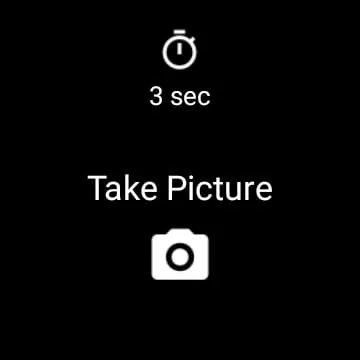
The Camera Remote Watch application offers users a convenient method to remotely control their smartphone's camera shutter directly from their smartwatch, enabling hands-free photography. This functionality is particularly useful in scenarios where physically touching the phone to take a picture is either inconvenient or impossible. The core operation involves installing the Camera Remote Watch application on both the smartphone and the smartwatch. Once installed, the user initiates the process by opening the application on their smartphone, which then displays the camera's viewfinder, allowing for adjustments to the camera's perspective and composition. Subsequently, on the smartwatch, the user opens the corresponding Camera Remote Watch application and simply taps the camera button to trigger the smartphone's camera shutter. This seamless interaction between the smartwatch and the smartphone eliminates the need for timers or physical manipulation of the phone, offering a more discreet and efficient way to capture photos. The images captured using this method are automatically saved in the smartphone's photo gallery, accessible via the standard Android Gallery application. Additionally, a preview of the captured photo is displayed on the smartwatch, providing immediate feedback on the image's quality and composition. This immediate feedback loop allows users to quickly assess whether the photo meets their expectations and whether another shot is required. To ensure optimal performance, it is crucial to establish a stable connection between the smartwatch and the smartphone before initiating the photo-taking process. Due to the relatively slower processing capabilities of smartwatches, users should exercise patience during the photo download process. If the smartwatch display dims or turns off during the download, a simple tap on the screen will reactivate it, allowing the download to continue uninterrupted. This feature addresses a common issue with smartwatch displays and ensures a smooth user experience. It is important to note that compatibility issues may arise with smartphones that are not officially supported by the Android operating system. In such cases, the Camera Remote Watch application may not function correctly, or at all. Users with unsupported devices should be aware of this limitation before attempting to use the application. The Camera Remote Watch application also supports Wear OS smartwatches, expanding its usability across a wider range of wearable devices. This cross-compatibility ensures that users with different smartwatch platforms can benefit from the remote camera control functionality. Overall, the Camera Remote Watch application provides a practical and user-friendly solution for remote camera shutter control, offering a convenient and efficient way to capture photos from a distance. The key features of this application include remote shutter control, real-time photo preview, and compatibility with Wear OS smartwatches. However, users should be aware of potential compatibility issues with unsupported devices and the relatively slower download speeds on smartwatches. By addressing these limitations, the Camera Remote Watch application can provide a seamless and enjoyable photography experience for smartwatch users. The application's simple interface and intuitive operation make it accessible to users of all technical skill levels, further enhancing its appeal. The combination of remote control, immediate feedback, and broad compatibility makes the Camera Remote Watch application a valuable tool for anyone who wants to take photos without physically interacting with their smartphone. This hands-free approach opens up new possibilities for capturing images in various situations, from group photos to discreet snapshots. The ability to remotely trigger the camera shutter also allows users to experiment with different angles and perspectives, further enhancing their creative control over the photography process. In conclusion, the Camera Remote Watch application offers a compelling solution for remote camera control, providing a convenient, efficient, and versatile tool for capturing photos from a distance. Its user-friendly interface, real-time feedback, and broad compatibility make it a valuable addition to any smartwatch user's toolkit, empowering them to capture stunning images with ease and precision.
The functionality of the Camera Remote Watch application extends beyond simply triggering the camera shutter; it enhances the overall photography experience by providing users with greater flexibility and control. One of the key advantages of using this application is the ability to capture photos from unique angles and perspectives. By positioning the smartphone in a strategic location and using the smartwatch to remotely trigger the shutter, users can achieve shots that would be impossible to capture otherwise. This is particularly useful for taking group photos, where the photographer can now be included in the picture without relying on timers or asking a stranger for assistance. Additionally, the remote shutter control allows for more discreet photography, enabling users to capture candid moments without drawing attention to themselves. This can be invaluable in situations where a more natural and unobtrusive approach is desired. The real-time preview feature on the smartwatch further enhances the user experience by providing immediate feedback on the captured image. This allows users to quickly assess the composition, lighting, and focus of the photo and make any necessary adjustments before taking another shot. This immediate feedback loop saves time and ensures that the final image meets the user's expectations. The convenience of having a preview on the smartwatch also eliminates the need to constantly check the smartphone, allowing users to stay focused on the subject matter. The application's compatibility with Wear OS smartwatches expands its usability to a wider range of users, ensuring that more people can benefit from its features. This cross-compatibility is a significant advantage, as it allows users to choose the smartwatch that best suits their needs without sacrificing the ability to remotely control their smartphone's camera. The simple and intuitive interface of the Camera Remote Watch application makes it easy to use for people of all technical skill levels. The straightforward design ensures that users can quickly learn how to operate the application and start taking photos without any hassle. This ease of use is a crucial factor in the application's overall appeal, as it makes it accessible to a broad audience. However, it is important to acknowledge the limitations of the application, particularly the potential compatibility issues with unsupported devices and the relatively slower download speeds on smartwatches. These limitations can impact the user experience and should be taken into consideration before using the application. Despite these limitations, the Camera Remote Watch application remains a valuable tool for anyone who wants to enhance their photography experience. Its ability to provide remote shutter control, real-time preview, and broad compatibility makes it a compelling choice for smartwatch users who are passionate about photography. The application's continuous development and improvement ensure that it will continue to evolve and meet the ever-changing needs of its users. In the future, we can expect to see even more advanced features and capabilities added to the Camera Remote Watch application, further solidifying its position as a leading solution for remote camera control.
The Camera Remote Watch application addresses a common need among smartphone users who also own smartwatches: the desire to seamlessly integrate their devices for enhanced functionality. By enabling remote control of the smartphone camera, the application bridges the gap between these two devices and provides users with a more convenient and versatile photography experience. One of the key benefits of this integration is the ability to simplify the process of taking selfies and group photos. With the Camera Remote Watch application, users can easily position their smartphone and use their smartwatch to trigger the shutter, eliminating the need for awkward arm extensions or reliance on timers. This allows for more natural and relaxed poses, resulting in better overall photos. The remote shutter control also provides users with greater creative control over their photography. By experimenting with different angles and perspectives, users can capture unique and compelling images that would be difficult to achieve otherwise. The ability to remotely trigger the shutter also allows for more precise timing, ensuring that the perfect moment is captured. The real-time preview feature on the smartwatch enhances this creative control by providing immediate feedback on the captured image. This allows users to quickly assess the composition, lighting, and focus of the photo and make any necessary adjustments before taking another shot. This immediate feedback loop saves time and ensures that the final image meets the user's expectations. The application's compatibility with Wear OS smartwatches further enhances its usability and appeal. By supporting a wide range of smartwatch devices, the Camera Remote Watch application ensures that more users can benefit from its features. This cross-compatibility is a significant advantage, as it allows users to choose the smartwatch that best suits their needs without sacrificing the ability to remotely control their smartphone's camera. The simple and intuitive interface of the Camera Remote Watch application makes it easy to use for people of all technical skill levels. The straightforward design ensures that users can quickly learn how to operate the application and start taking photos without any hassle. This ease of use is a crucial factor in the application's overall appeal, as it makes it accessible to a broad audience. However, it is important to acknowledge the limitations of the application, particularly the potential compatibility issues with unsupported devices and the relatively slower download speeds on smartwatches. These limitations can impact the user experience and should be taken into consideration before using the application. Despite these limitations, the Camera Remote Watch application remains a valuable tool for anyone who wants to enhance their photography experience. Its ability to provide remote shutter control, real-time preview, and broad compatibility makes it a compelling choice for smartwatch users who are passionate about photography. The application's continuous development and improvement ensure that it will continue to evolve and meet the ever-changing needs of its users. In the future, we can expect to see even more advanced features and capabilities added to the Camera Remote Watch application, further solidifying its position as a leading solution for remote camera control and device integration.
Screenshots


 Download
 Additional Information
Category
PhotographyVersion
Unknown
Tag
Camera Remote Watch | Smartwatch Camera Control | Remote Shutter | Hands-Free Photography | Wear OS
Rate
1.60
★★★★★
Reviews
500 +
Installs
10k +
Developer
AppMosaic
Content Rating
Everyone
Remote control the phone camera shutter from your smartwatch and take a picture
ADVERTISEMENT
ADVERTISEMENT
Previous Versions
ZIP files require a Split APKs Installer (e.g., SAI) from Google Play to install. Steps: 1. Download SAI from Google Play; 2. Open SAI and tap "Install APKs"; 3. Select the ZIP file; 4. Complete installation.
ADVERTISEMENT
You Might Like









