What
--------
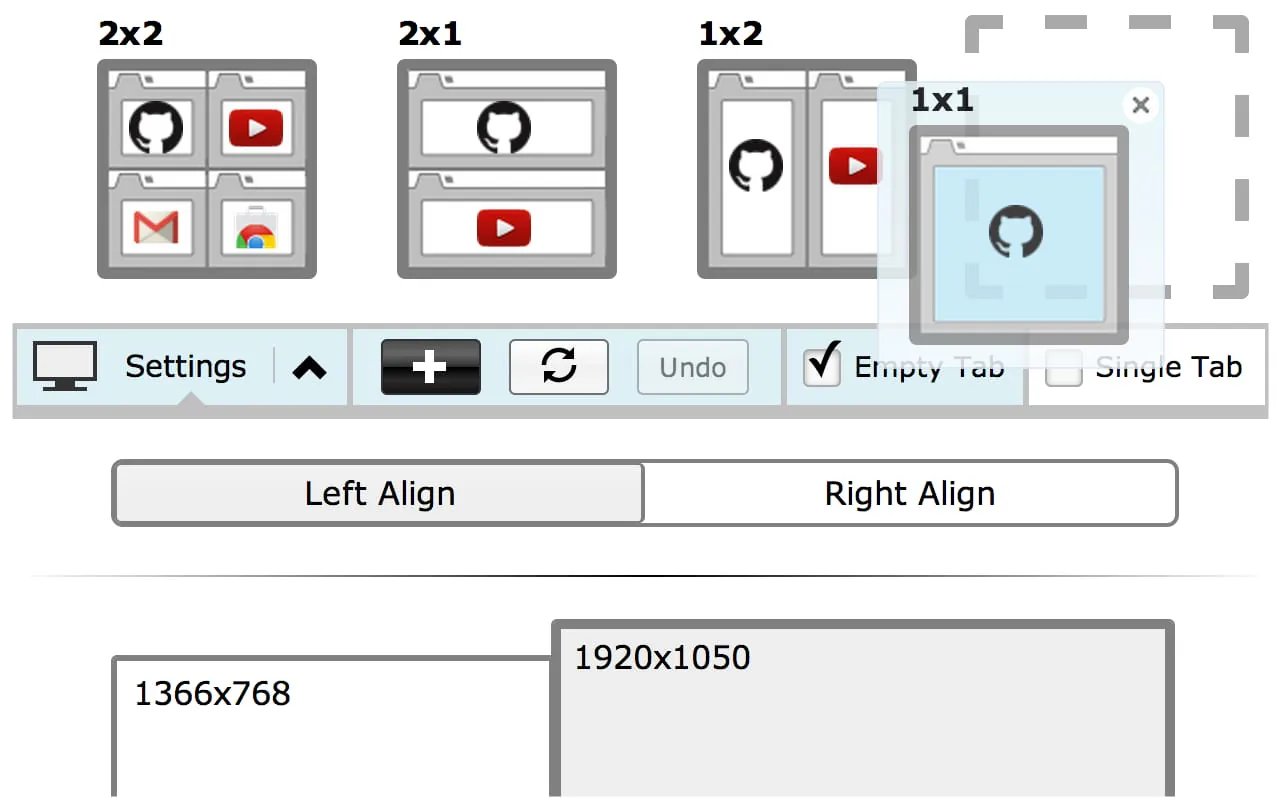
✓A simple extension designed to provide ease in resizing your tabs. A set of default layouts are provided but you can add and remove from the list of layouts to fit your needs. With multiple monitor support you can move windows from one screen to the next with ease.
✓Has the functionality of Tab Scissors and much much more!
Why
-------
✓Manually resizing windows is no fun.
✓You have a very large monitors and have more pixels than you know what do with.
✓Quick side by side comparisons.
How it works
-------------------
✓The selected/highlighted tab along with all tabs to the right of it will be considered. Whether you have more or less tabs than are needed the extension will resize only the available tabs.
✓Undo button will undo the previous layout resize. You can only perform undo once at any time.
✓In 'single tab' mode, only the selected/highlighted tab will considered. Only the current window/tab will change in size, all other tabs to the right will be ignored.
✓In 'empty tab' mode, new windows with empty tabs will be created if there are not enough tabs to fill your selected layout.
✓You can select left or right alignment for your resize
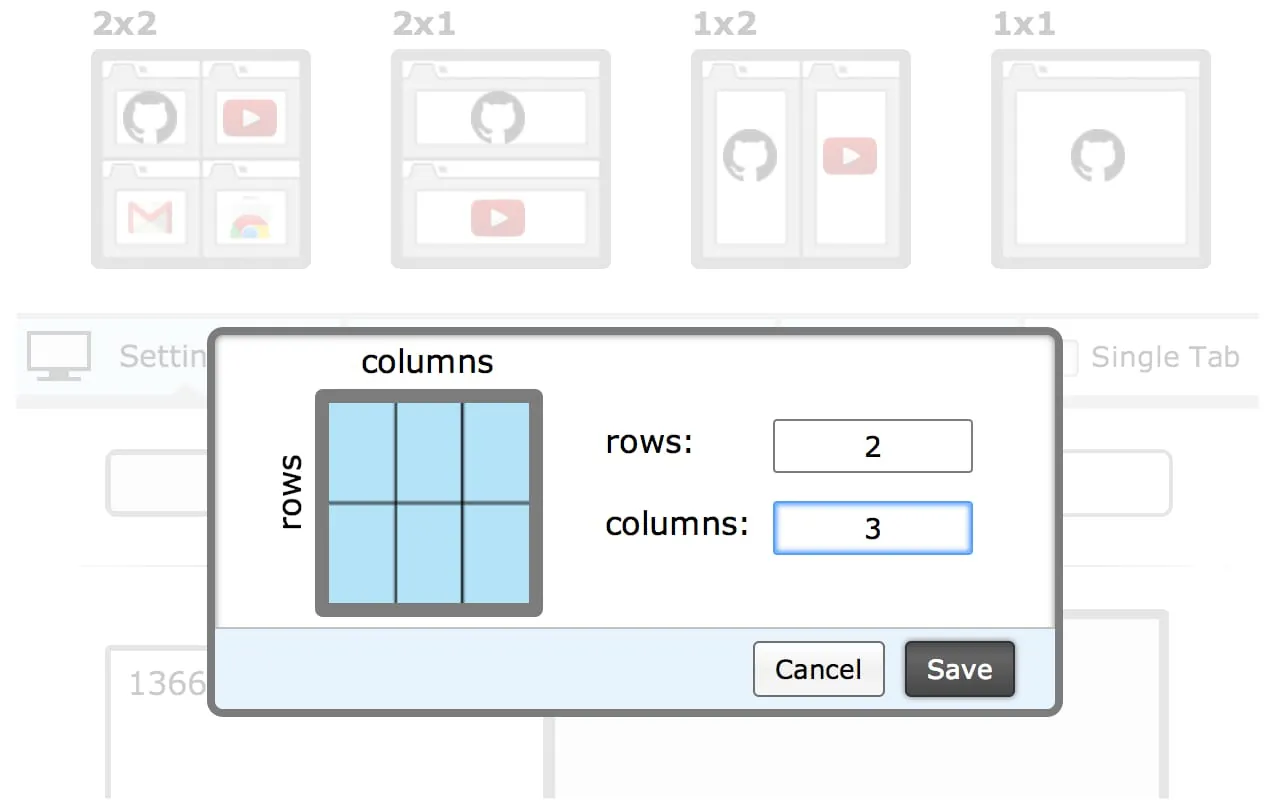
✓You can create your own custom layouts within reason and reset to default configurations if desired. Layouts are sorted most recently created on top right.
✓Click and hold on any layout and drag to rearrange order to your liking
✓Highlighted tabs now can be resized - when 2 or more tabs are highlighted, only these tabs will be considered for resize. Credit goes to F.C. for the idea. In Chrome, you can select multiple tabs by clicking on tabs while holding down the Ctrl (Command for Mac) key or select a range of tabs by holding down the Shift key and clicking.
Additional Notes
------------------------
Only tab/window id info is being used; browsing activity is not. Tabs and browsing activity access are bundled together. "tabs" permissions is one of the least invasive permissions that are available. Browsing activity you should note is NOT the same as Browsing History. "Browsing activity" means the current tabs that are open not your previously closed tabs. This permission is required because this extension needs to manipulate and move tabs around (an essential feature of this extension) If you feel uncomfortable with this basic permission please don't install it. Giving it a bad review because you don't understand or like the permissions doesn't do anything productive. All my code is open sourced on github (https://github.com/peterdotjs/tab-resize) so feel free to look at how I'm using this permission.





 APK
APK  Google Play
  iOS
iOS  4.30
4.30
 Download








