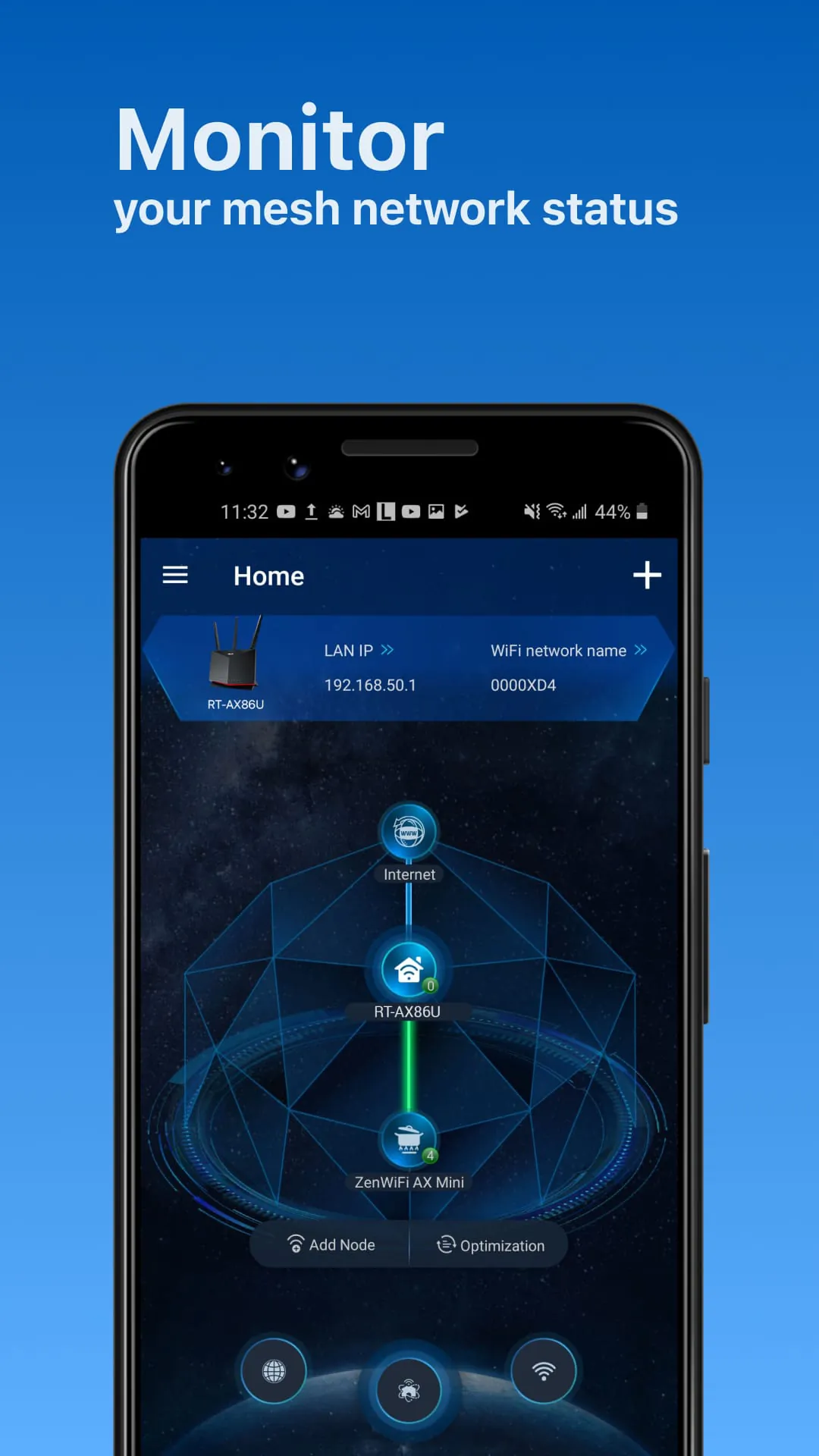
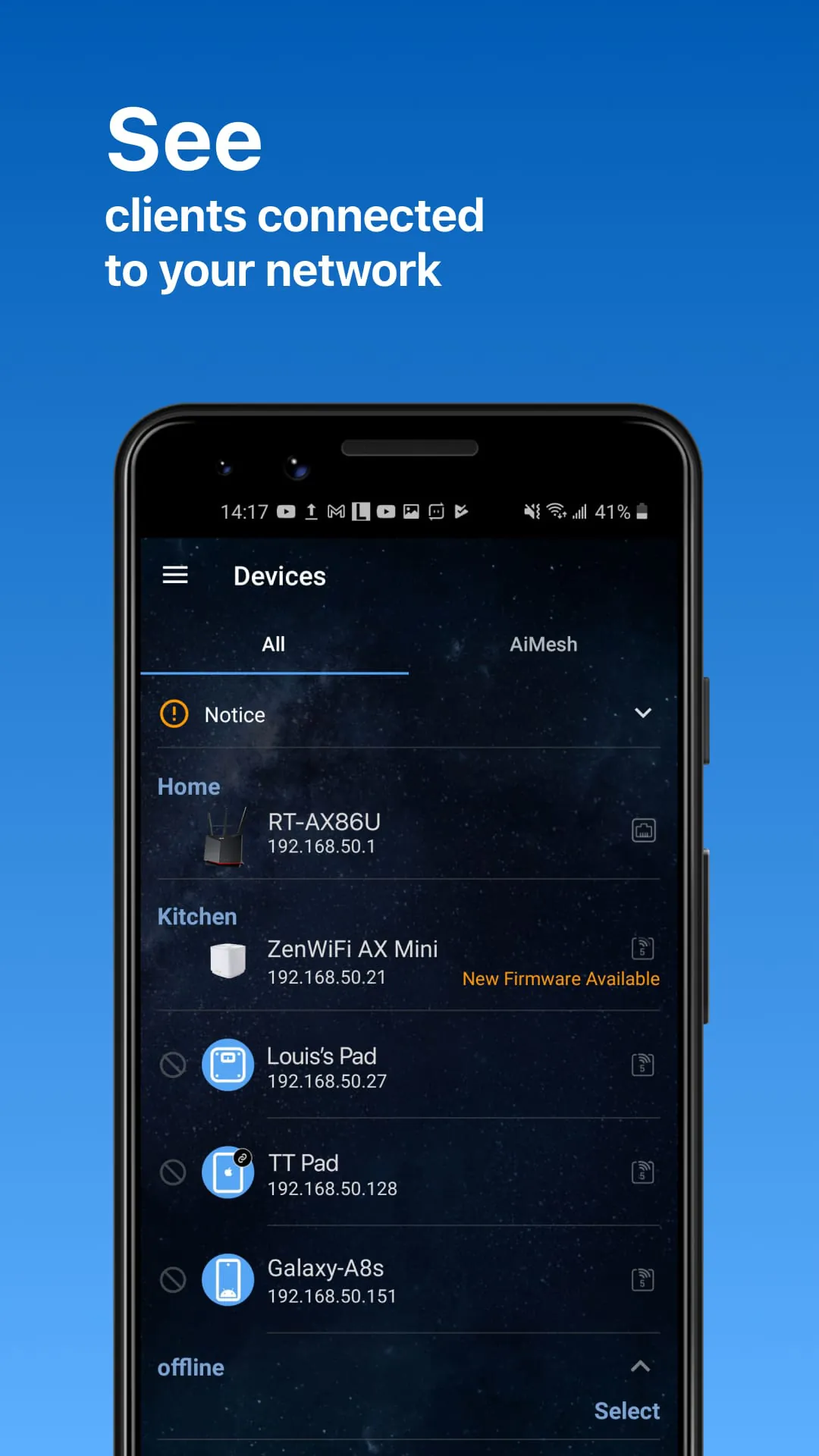
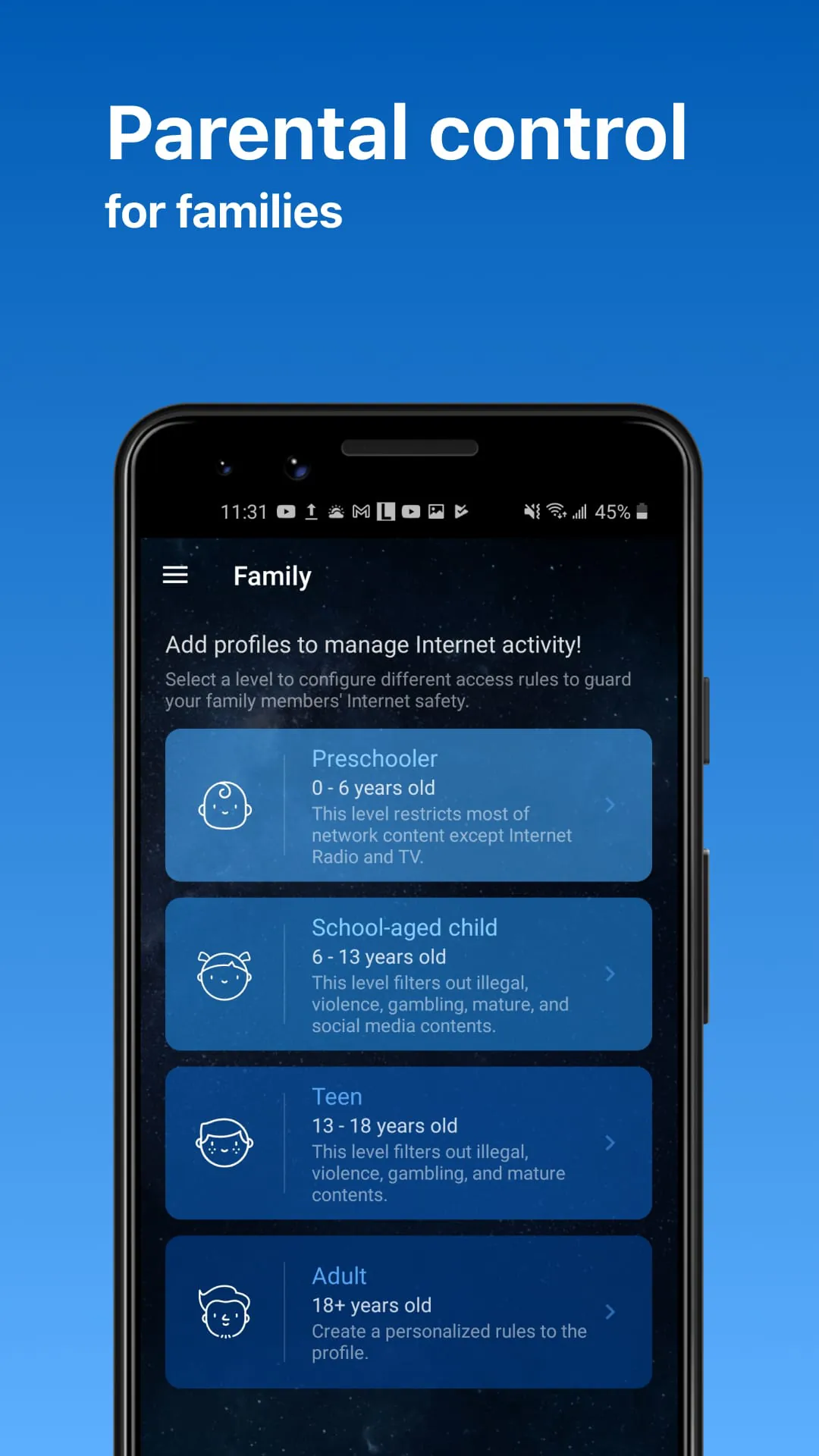
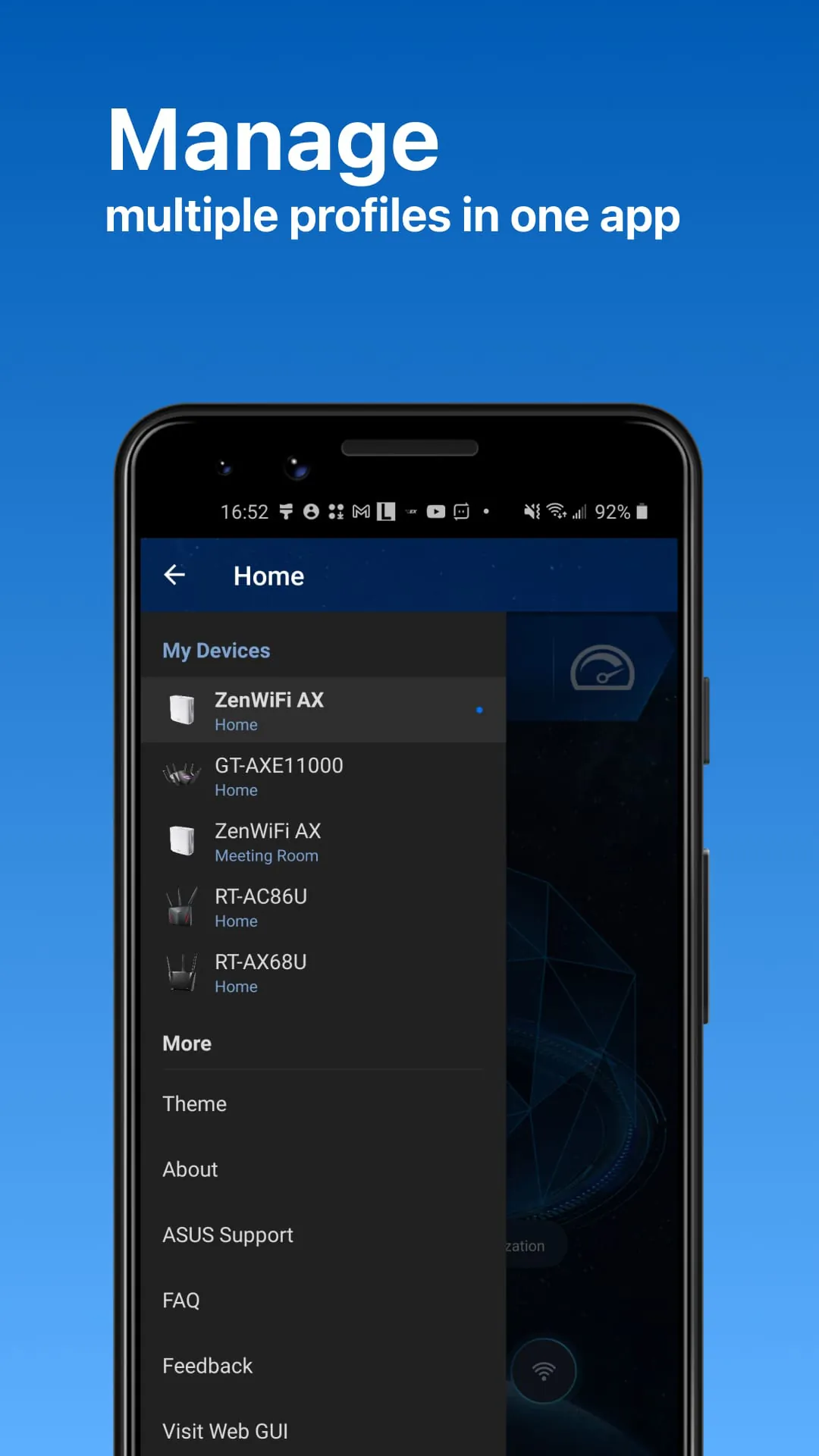
The ASUS Router App empowers users to effortlessly manage their home network with a few taps from anywhere, aiming to deliver unparalleled WiFi and internet experiences through its comprehensive suite of features. At its core, the app offers robust router monitoring and remote management capabilities, enabling users to oversee their network's performance, security, and settings regardless of their physical location. This remote accessibility is a game-changer for individuals who travel frequently, manage multiple properties, or simply desire the convenience of controlling their network from the comfort of their couch. The app's AiMesh functionality stands out as a particularly powerful tool, allowing users to create and manage a mesh network that blankets their entire home with seamless WiFi coverage. Users can easily add AiMesh nodes to expand their network, visualize the network topology, and optimize network performance for consistent and reliable connectivity throughout the home. The AiMesh feature also provides comprehensive network management and optimization tools, enabling users to fine-tune their network settings for optimal performance. This includes features like automatic channel selection, bandwidth allocation, and traffic prioritization, ensuring that all devices on the network receive the bandwidth they need for smooth and uninterrupted performance. Furthermore, the app facilitates AiMesh node monitoring and customized settings, allowing users to monitor the health and performance of each node in their mesh network and customize their settings as needed. This level of control is invaluable for maintaining a stable and efficient mesh network, ensuring that all devices receive optimal WiFi coverage and performance. The app supports full backhaul options, allowing users to connect their AiMesh nodes using either wired or wireless connections. This flexibility provides users with the freedom to choose the backhaul option that best suits their needs and home environment. Wired backhauls offer the most stable and reliable performance, while wireless backhauls provide greater flexibility in terms of node placement. The ASUS Router App also prioritizes online safety with its robust parental controls, empowering parents to create a safe and secure online environment for their children. These parental controls offer a range of features, including time scheduling and content blocking, allowing parents to limit their children's screen time and block access to inappropriate websites and content. The time scheduling feature allows parents to set specific time limits for their children's internet access, ensuring that they have a healthy balance between online and offline activities. Content blocking allows parents to block access to specific websites or categories of websites, preventing their children from being exposed to inappropriate or harmful content. In addition to parental controls, the ASUS Router App also offers client device management features, allowing users to monitor and manage all devices connected to their network. This includes features like safe browsing, bandwidth limiter, and the ability to block internet access to specific devices. Safe browsing helps protect users from malicious websites and online threats, while the bandwidth limiter allows users to control the amount of bandwidth that each device on the network can consume. This is particularly useful for preventing bandwidth-hogging devices from slowing down the overall network performance. The ability to block internet access to specific devices provides an additional layer of security, allowing users to prevent unauthorized devices from accessing their network.
The ASUS Router App goes beyond basic network management, providing a comprehensive suite of features designed to enhance the user experience and optimize network performance. The app's guest network functionality simplifies the process of creating a separate network for guests, providing them with internet access without compromising the security of the main network. Users can easily create a guest network with a unique name and password, and even share the WiFi credentials with guests via a QR code. This eliminates the need to share the main network password with guests, enhancing security and preventing unauthorized access to sensitive data. The app also offers a wide range of additional features, including account binding, 4G/5G auto mobile tethering, port status monitoring, VPN Fusion, VPN Server, AiProtection, firmware updates, QoS, mobile game mode, DNS settings, VPN clients, wireless settings, compatibility with Alexa and Google Assistant, router setting backup, IP Binding, WOL (Wake-on-LAN), port forwarding (RT models)/OpenNAT (ROG Models), schedule reboot, and ASUS Notice. Account binding allows users to link their ASUS account to the app, providing seamless access to their network settings and data across multiple devices. 4G/5G auto mobile tethering allows the router to automatically connect to a mobile network when the primary internet connection is unavailable, ensuring uninterrupted internet access. Port status monitoring provides users with real-time information about the status of each port on the router, helping them troubleshoot network connectivity issues. VPN Fusion allows users to connect to multiple VPN servers simultaneously, enhancing privacy and security. VPN Server allows users to create their own VPN server on their router, providing secure remote access to their home network. AiProtection provides comprehensive network security, protecting users from malware, viruses, and other online threats. Firmware updates ensure that the router is running the latest software, incorporating the latest security patches and performance improvements. QoS (Quality of Service) allows users to prioritize network traffic, ensuring that critical applications and devices receive the bandwidth they need for optimal performance. Mobile game mode optimizes network settings for online gaming, reducing latency and improving responsiveness. DNS settings allow users to customize their DNS servers, enhancing privacy and security. VPN clients allow users to connect to VPN servers through their router, protecting their online activity from prying eyes. Wireless settings allow users to customize their WiFi network settings, including the network name, password, and security protocol. Compatibility with Alexa and Google Assistant allows users to control their router with voice commands, making it easier to manage their network. Router setting backup allows users to create a backup of their router settings, making it easy to restore their settings in case of a factory reset or other issue. IP Binding allows users to assign static IP addresses to specific devices on their network, simplifying network management. WOL (Wake-on-LAN) allows users to remotely wake up devices on their network, even when they are powered off. Port forwarding (RT models)/OpenNAT (ROG Models) allows users to forward specific ports to specific devices on their network, enabling them to host online games or other services. Schedule reboot allows users to schedule their router to reboot automatically on a regular basis, ensuring optimal performance. ASUS Notice provides users with important updates and information about their router and network.
The ASUS Router App supports a wide range of ASUS router models, including the ZenWiFi line, 802.11ax line, ROG Rapture line, ROG Strix line, TUF Gaming line, and Lyra line. The app also supports a variety of individual router models, including the Blue Cave, RT-AC5300, RT-AC3100, RT-AC88U, RT-AC3200, RT-AC2900, RT-AC2600, RT-AC2400, RT-AC2200, RT-AC87U/R, RT-AC86U, RT-AC85U, RT-AC85P, RT-AC65P, RT-AC57U, RT-AC68U/R/P/W/UF, RT-AC65U, RT-AC1900, RT-AC1900P/U, RT-AC1750, RT-AC1750 B1, RT-AC66U/R/W, RT-AC66U B1, RT-AC66U+, RT-AC1300UHP/ G+, RT-AC1200, RT-AC1200G/HP/G+/ E/ GU, RT-AC58U, RT-AC56U/R/S, RT-AC55U, RT-AC55UHP, RT-AC53, RT-AC52U B1, RT-AC51U/ U+, RT-ACRH17, RT-ACRH13, RT-N66U/R/W/C1, RT-N18U, RT-N19, RT-N14UHP, RT-N12E B1/C1, RT-N12HP B1, RT-N12VP B1, RT-N12+ B1, RT-N12D1, 4G-AC53U, and 4G-AC68U. The app also supports selected DSL models, including the DSL-AX5400, DSL-AX82U, DSL-AC68U, DSL-AC68R, DSL-AC52U, DSL-AC55U, DSL-AC56U, DSL-AC51, DSL-AC750, DSL-N17U, DSL-N16, DSL-N16P, DSL-N16U, DSL-N14U, DSL-N14U_B1, DSL-N55U_C1, DSL-N55U_D1, DSL-N12U_C1, DSL-N12U_D1, DSL-N12E_C1, DSL-N10_C1, and DSL-N66U. However, the app does not support all cable modem models. ASUS is committed to continuously adding new features to the ASUS Router App, ensuring that users have access to the latest and greatest network management tools. Users are encouraged to stay tuned for future updates and enhancements. It is important to note that some features of the ASUS Router App are only available on supported models or firmware later than 3.0.0.4.388.xxxxx. Users are advised to visit the official ASUS website to view the latest list of supported models and ensure that their router is running the latest firmware. By providing a comprehensive suite of features, a user-friendly interface, and support for a wide range of ASUS router models, the ASUS Router App empowers users to take control of their home network and enjoy a seamless and secure online experience. The app's remote management capabilities, AiMesh functionality, parental controls, and client device management features provide users with the tools they need to optimize network performance, enhance security, and create a safe online environment for their families. The ASUS Router App is an essential tool for anyone who wants to get the most out of their ASUS router and experience the best possible WiFi and internet experience.