



ADVERTISEMENT
ADVERTISEMENT

Android Proxy Server Android Proxy Server
Category
ToolsTag
Android proxy server | Network sharing | VPN sharing | HTTP/HTTPS proxy | Socks5 proxy
Rate
4.70
★★★★★
Reviews
500 +
Installs
500k +
Developer
WellDoMax
Content Rating
Everyone
Run proxy server on phone (Share VPN|HTTP/Socks5/SS|Hotspot&Intranet|TCP Relay)
 APK
APK  Google Play
  iOS
iOS  4.70
4.70ADVERTISEMENT
ADVERTISEMENT
Author's Review
appspicked Review
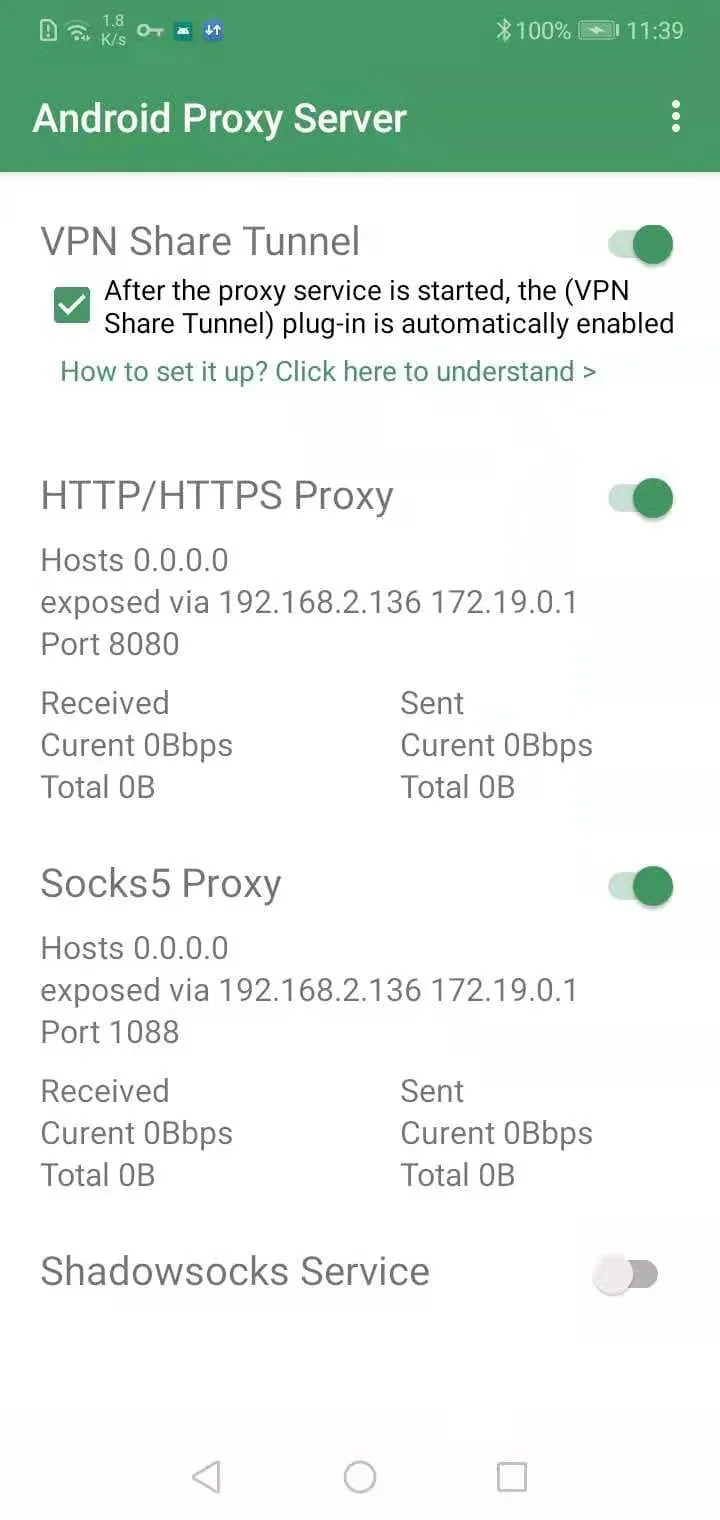
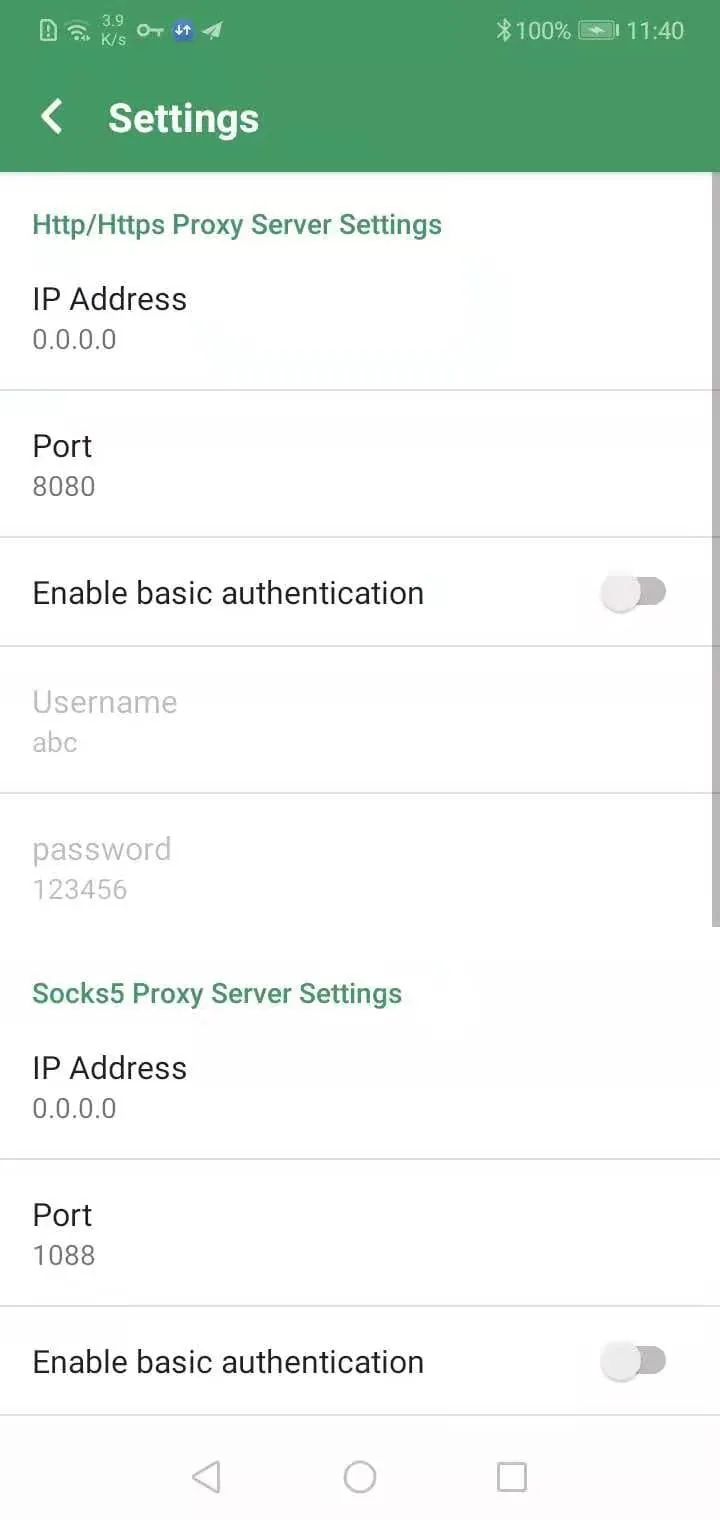
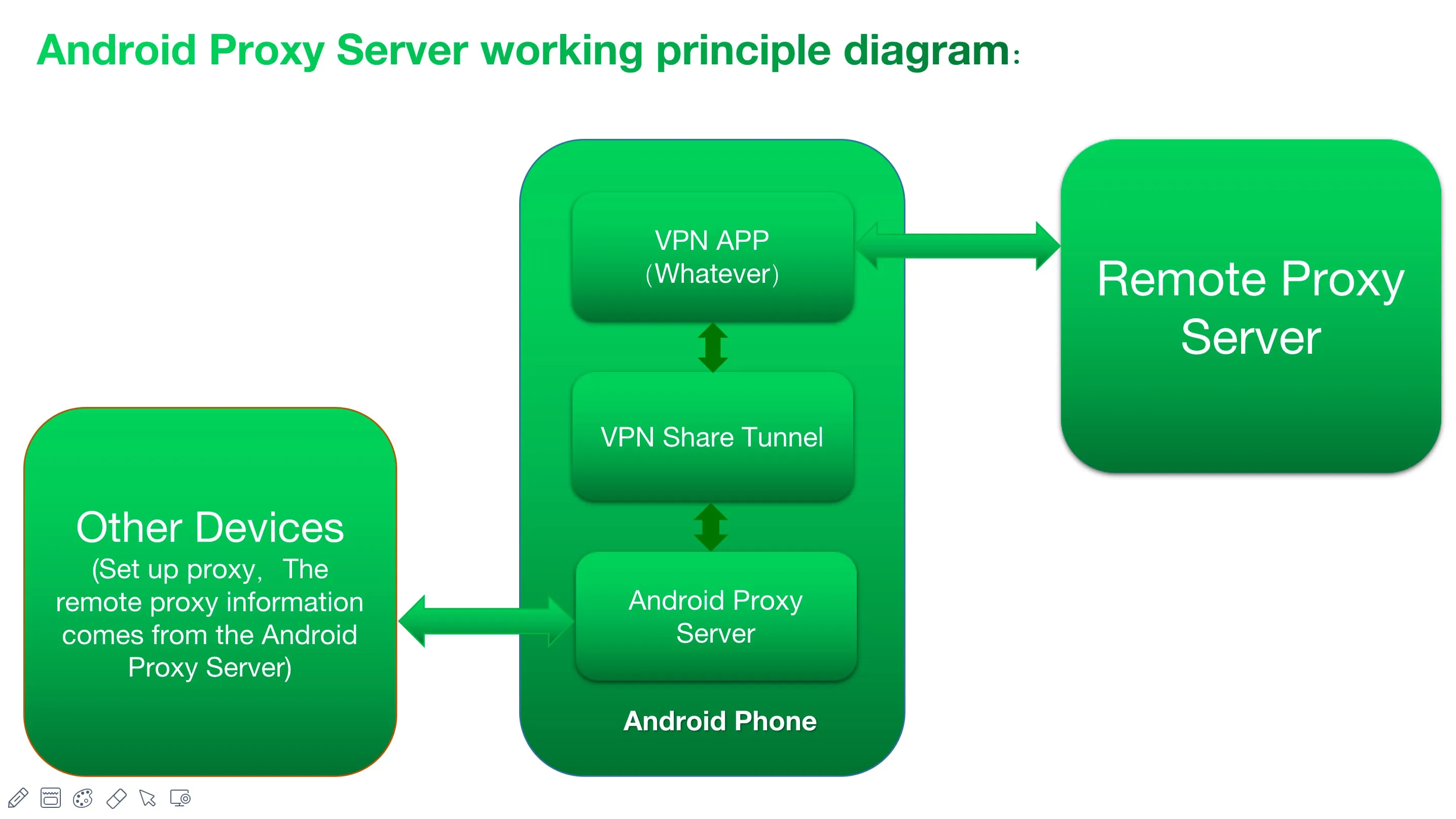
This Android application enables users to run their own proxy server directly on their Android devices, facilitating the sharing of the device's network connection with other devices, such as those used by family, friends, or colleagues. The application boasts compatibility with multiple protocols, including HTTP/HTTPS, Socks5, and Shadowsocks, catering to a wide range of user preferences and security requirements. A particularly noteworthy feature is its TCP relay function, which allows users to share connections from applications like Orbot, effectively turning the Android device into a TCP protocol relay. To enhance security, the application supports authentication for all proxy types (HTTP/HTTPS/Socks/Shadowsocks), ensuring that only authorized users can access the shared network connection. Impressively, the application operates without requiring root permissions, making it accessible to a broader audience of Android users. The primary use case for this application is to extend an Android device's network connection, especially a VPN connection, to other devices connected via hotspot or within a Local Area Network (LAN). This is particularly useful when a user wants to route all traffic from other devices through the VPN connection established on their Android device, adding an extra layer of security and privacy. Furthermore, the application can serve as a proxy for software on other devices, such as Telegram, allowing users to bypass geographical restrictions or enhance their online privacy. In scenarios where the Android device is connected to Wi-Fi, the application can also share the device's cellular data connection with other devices within the LAN. This functionality requires the installation of the "Network Share Tunnel" plug-in (version 2.2 or higher) and enabling the "Force plug-in to use mobile network (Beta)" option. However, users are advised to close any VPN-related applications on their phone before enabling this option to avoid potential conflicts or connectivity issues. The application's versatility extends to network packet capture, allowing users to intercept and capture network requests and responses from other devices when combined with a network packet capture application. This can be invaluable for debugging network issues, analyzing application behavior, or ensuring network security. The application addresses a common problem where the proxy service opened on an Android phone becomes inaccessible after a VPN service is activated. By utilizing plug-ins, the application ensures that the proxy service remains accessible even when a VPN is running, effectively enabling VPN sharing. Users are cautioned that if they employ the VPN Share Tunnel plugin, they must configure their VPN app to bypass the Android Proxy Server app to prevent conflicts. To guide users in setting up proxy settings on other devices, the application suggests searching for relevant tutorials online, such as "configure proxy settings on browser (or Android/iOS/Mac/Windows)." The proxy server binds to the IP address assigned to the Android device, but users can also configure it to bind to "0.0.0.0" to expose the proxy on all currently assigned IP addresses, although this is generally recommended for advanced users only. The application also supports dark mode, providing a more comfortable user experience in low-light environments. The application's Telegram group is provided for users to seek support and share their experiences. The developer emphasizes that this is professional software, requiring users to have a basic understanding of networking and proxy concepts. The application functions as a proxy server on the Android system, not as a client for connecting to a remote proxy server. The developer expresses regret if the application does not meet user expectations and encourages users to provide feedback for improvement. Users are invited to contact the developer via email or Telegram for assistance with any issues or confusion encountered during use. The inclusion of advertising is explained as a means for the developer to maintain and update the product, with assurances that it will not affect the user experience.
The Android proxy server application distinguishes itself through its comprehensive feature set and user-friendly design, catering to both novice and advanced users seeking to share their Android device's network connection. Its multi-protocol support, encompassing HTTP/HTTPS, Socks5, and Shadowsocks, provides flexibility for various networking needs and security preferences. The inclusion of authentication for all proxy types further enhances security, preventing unauthorized access to the shared network. The application's TCP relay function opens up possibilities for sharing connections from applications like Orbot, making it a valuable tool for users who require enhanced privacy or access to restricted content. One of the application's key strengths is its ability to share an Android device's VPN connection with other devices, effectively extending the benefits of the VPN to the entire local network. This is particularly useful for users who want to protect all their devices with a VPN but only have a VPN subscription for their Android device. The application simplifies the process of setting up a proxy server, eliminating the need for complex configurations or technical expertise. It also addresses a common issue where VPN services interfere with proxy server functionality, ensuring seamless operation even when a VPN is active. The "Network Share Tunnel" plug-in provides additional functionality, allowing users to share their device's cellular data connection with other devices over Wi-Fi. This feature is particularly useful in situations where Wi-Fi connectivity is unreliable or unavailable. The application's network packet capture capabilities, when combined with a suitable packet capture application, offer valuable insights into network traffic, enabling users to diagnose issues, analyze application behavior, and identify potential security threats. The application's support for dark mode enhances user comfort, especially during nighttime usage. The developer's commitment to user support is evident through the provision of a Telegram group and email contact, ensuring that users have access to assistance when needed. The application's non-root operation is a significant advantage, making it accessible to a wider range of Android devices and users. The developer's transparency regarding advertising and its purpose is commendable, fostering trust and understanding with users. The application's professional design and comprehensive feature set position it as a valuable tool for anyone seeking to share their Android device's network connection securely and efficiently. The application's ability to function as a proxy server without requiring root access is a major advantage, as it makes it accessible to a larger audience of Android users. Rooting an Android device can be a complex and risky process, and many users are hesitant to do so. By not requiring root access, this application eliminates this barrier to entry and makes it easy for anyone to set up a proxy server on their Android device. The application's support for multiple proxy protocols, including HTTP/HTTPS, Socks5, and Shadowsocks, provides users with a high degree of flexibility. This allows users to choose the proxy protocol that best suits their needs and preferences. For example, HTTP/HTTPS proxies are commonly used for web browsing, while Socks5 proxies are often used for more general-purpose applications. Shadowsocks proxies are designed to be more resistant to censorship, making them a good choice for users who live in countries with strict internet controls. The application's authentication feature adds an extra layer of security to the proxy server. This ensures that only authorized users are able to connect to the proxy server and use its resources. The authentication feature supports multiple authentication methods, including username/password authentication and IP address-based authentication. The application's TCP relay function allows users to share their Android device's internet connection with other devices on their network. This can be useful in a variety of situations, such as when you want to share your VPN connection with other devices or when you want to use your Android device as a mobile hotspot.
In conclusion, this Android application presents a robust and versatile solution for users seeking to establish and manage a proxy server directly from their Android devices. Its compatibility with multiple protocols, including HTTP/HTTPS, Socks5, and Shadowsocks, provides users with the flexibility to tailor their proxy configuration to their specific needs and security requirements. The inclusion of authentication mechanisms further strengthens the security posture of the proxy server, ensuring that only authorized users can access and utilize the shared network connection. The application's TCP relay function expands its utility, enabling users to share connections from applications such as Orbot, effectively transforming the Android device into a TCP protocol relay. One of the primary advantages of this application is its ability to extend an Android device's network connection, particularly a VPN connection, to other devices connected via hotspot or within a Local Area Network (LAN). This capability is invaluable for users who wish to route all traffic from their other devices through the VPN connection established on their Android device, thereby enhancing their overall security and privacy. Furthermore, the application can function as a proxy for software running on other devices, such as Telegram, allowing users to bypass geographical restrictions or enhance their online anonymity. The application's ability to share the Android device's cellular data connection with other devices within the LAN, when the device is connected to Wi-Fi, is a notable feature. This functionality requires the installation of the "Network Share Tunnel" plug-in and the activation of the "Force plug-in to use mobile network (Beta)" option. However, users are cautioned to disable any VPN-related applications on their phone before enabling this option to prevent potential conflicts or connectivity issues. The application's versatility extends to network packet capture, enabling users to intercept and capture network requests and responses from other devices when used in conjunction with a network packet capture application. This can be highly beneficial for debugging network issues, analyzing application behavior, and ensuring network security. The application effectively addresses the common problem of proxy service inaccessibility after a VPN service is activated by utilizing plug-ins to ensure that the proxy service remains accessible even when a VPN is running. Users are advised to configure their VPN app to bypass the Android Proxy Server app when using the VPN Share Tunnel plugin to avoid conflicts. The application provides guidance to users on setting up proxy settings on other devices through online tutorials. The proxy server binds to the IP address assigned to the Android device, but users have the option to configure it to bind to "0.0.0.0" to expose the proxy on all currently assigned IP addresses. The application's support for dark mode enhances user comfort in low-light environments. The availability of a Telegram group facilitates user support and community interaction. The developer emphasizes that the application is intended for professional use and requires users to have a basic understanding of networking and proxy concepts. The application functions as a proxy server on the Android system and is not designed to connect to a remote proxy server. The developer expresses regret if the application does not meet user expectations and encourages users to provide feedback for improvement. Users can contact the developer via email or Telegram for assistance with any issues or confusion encountered during use. The inclusion of advertising is explained as a means to support the ongoing maintenance and updates of the product. Overall, this Android application provides a comprehensive and user-friendly solution for establishing and managing a proxy server on an Android device, catering to a wide range of user needs and technical expertise levels.
Screenshots
 Download
 Additional Information
Category
ToolsVersion
Unknown
Tag
Android proxy server | Network sharing | VPN sharing | HTTP/HTTPS proxy | Socks5 proxy
Rate
4.70
★★★★★
Reviews
500 +
Installs
500k +
Developer
WellDoMax
Content Rating
Everyone
Run proxy server on phone (Share VPN|HTTP/Socks5/SS|Hotspot&Intranet|TCP Relay)
ADVERTISEMENT
ADVERTISEMENT
Previous Versions
ZIP files require a Split APKs Installer (e.g., SAI) from Google Play to install. Steps: 1. Download SAI from Google Play; 2. Open SAI and tap "Install APKs"; 3. Select the ZIP file; 4. Complete installation.
ADVERTISEMENT
You Might Like









