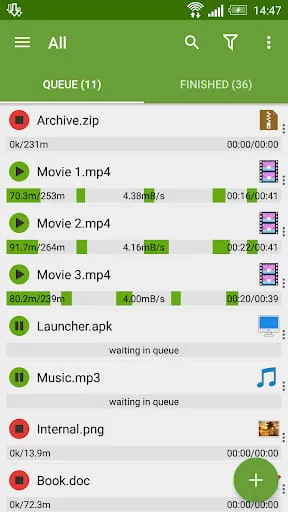
Advanced Download Manager, commonly abbreviated as ADM, is a powerful and versatile mobile application designed to significantly enhance and accelerate the downloading process on Android devices. It functions as a comprehensive replacement for a device's default downloader, allowing users to manage internet file retrieval with greater control, speed, and organization. Beyond simple downloads, it supports pausing and resuming transfers, downloading in the background, and fetching files from a wide array of online sources, including video platforms and cloud storage services, making it an essential tool for efficient digital content management.
Key Features
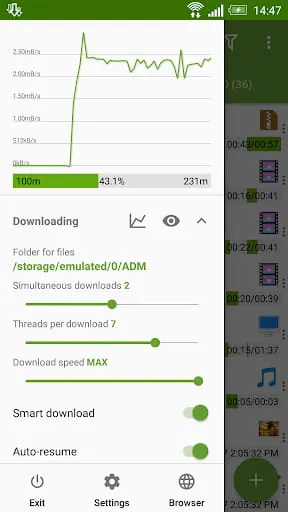
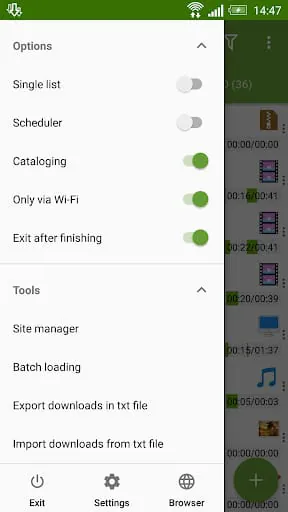
The core appeal of Advanced Download Manager lies in its robust set of features engineered for performance and convenience. It excels at accelerating downloads by segmenting files into multiple parts and downloading them simultaneously, which can drastically reduce total download time. The application includes a reliable browser for directly navigating to and capturing download links. Furthermore, it boasts a built-in video finder that detects media streams on web pages for easy downloading. Its support for downloading via magnet links and torrents expands its functionality beyond typical direct downloads, while the scheduler feature allows users to plan downloads for specific times, optimizing bandwidth usage.
Pros & Cons
Like any software, Advanced Download Manager presents a mix of strengths and weaknesses that users should consider.
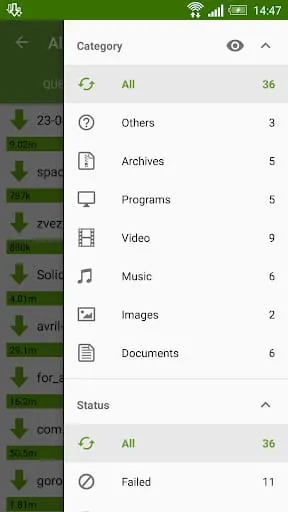
- Pros: The download acceleration technology provides noticeably faster speeds. The intuitive and clean user interface makes managing multiple downloads straightforward. Background downloading and pause/resume capabilities offer great flexibility. Support for a vast range of file types and protocols, including torrents, is a major advantage. The built-in file manager and category system help keep downloaded content well-organized.
- Cons: The free version includes advertisements, which can be intrusive for some users. Occasional stability issues with very large downloads or certain servers have been reported. The advanced features, such as unlimited parallel downloads and ad-free experience, require purchasing the pro version. Some users might find the array of options and settings slightly overwhelming initially.
Functions
The application performs several critical functions that streamline the downloading experience. Primarily, it acts as a high-speed download engine, taking over all download tasks from the system. Its intelligent download logic includes error recovery and resume capability from supported servers. The app also functions as a download scheduler and queue manager, letting users prioritize, pause, or stop downloads as needed. Additionally, it serves as a simple media player and file explorer for accessing completed downloads. The ability to import download lists from browsers and the clipboard integration for detecting links are practical functions that save considerable time and effort.
How to Use
Click the button "Check All Versions" below to download and install it. After installation, launch the app and grant the necessary storage permissions. To start a download, you can either paste a direct download link into the app's "Add URL" section, use the built-in browser to navigate to a file, or simply copy a link from your regular browser—ADM will typically catch it and prompt you to start the download. You can manage all active and queued downloads from the main "Downloading" tab, where you can pause, resume, or cancel tasks. Completed files are neatly categorized in the "Downloads" section by file type, such as videos, music, or archives. For optimal performance, explore the settings to customize the number of download threads, set bandwidth limits, and configure the download scheduler according to your preferences.





 APK
APK  Google Play
  iOS
iOS  4.30
4.30