



JAVA EDITION Mod for Minecraft JAVA EDITION Mod for Minecraft
Category
EntertainmentTag
User Interface | Minecraft PE | Java Edition Mod | Addon Installation | Vanilla Deluxe UI
Rate
4.10
★★★★★
Reviews
500 +
Installs
1M +
Developer
Project MCPE Addons
Content Rating
Everyone
Easy Way to Download & Install Java Edition UI Mod to your Minecraft Game!
 APK
APK  Google Play
  iOS
iOS  4.10
4.10 Author's Review
Appspicked Review
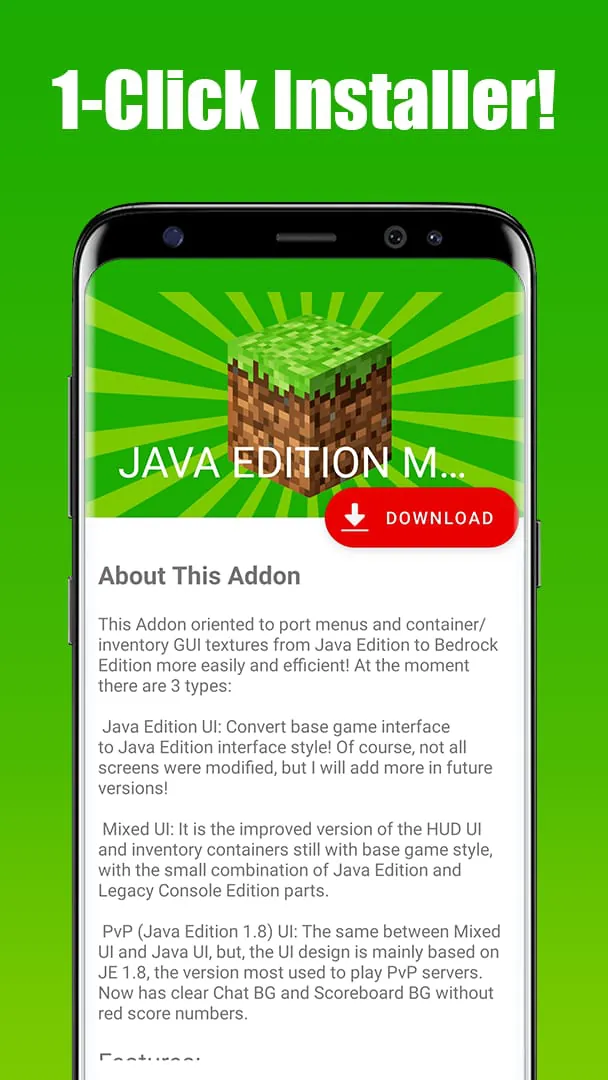
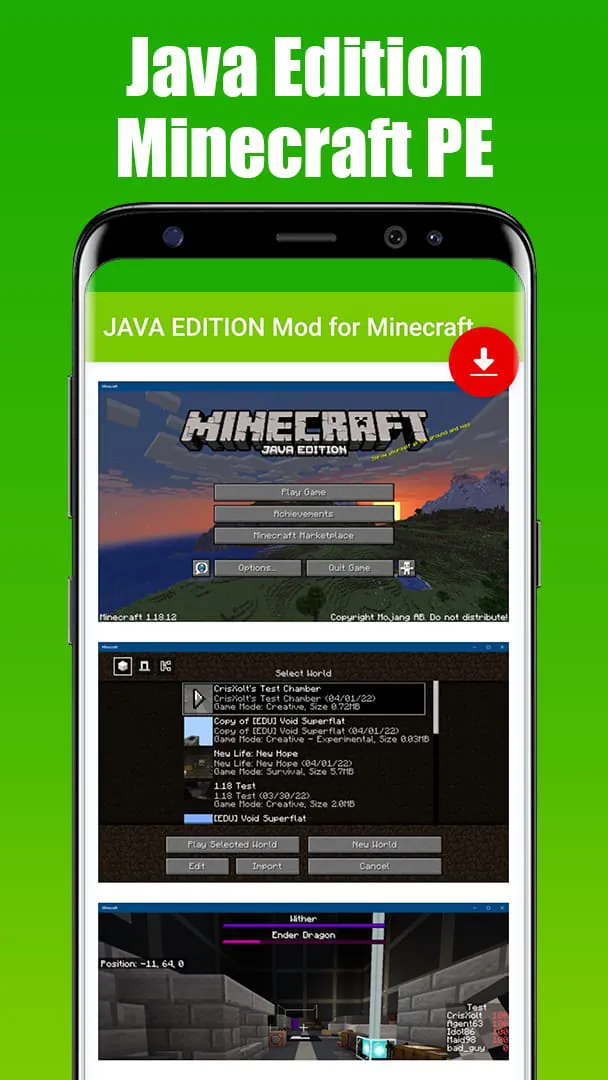
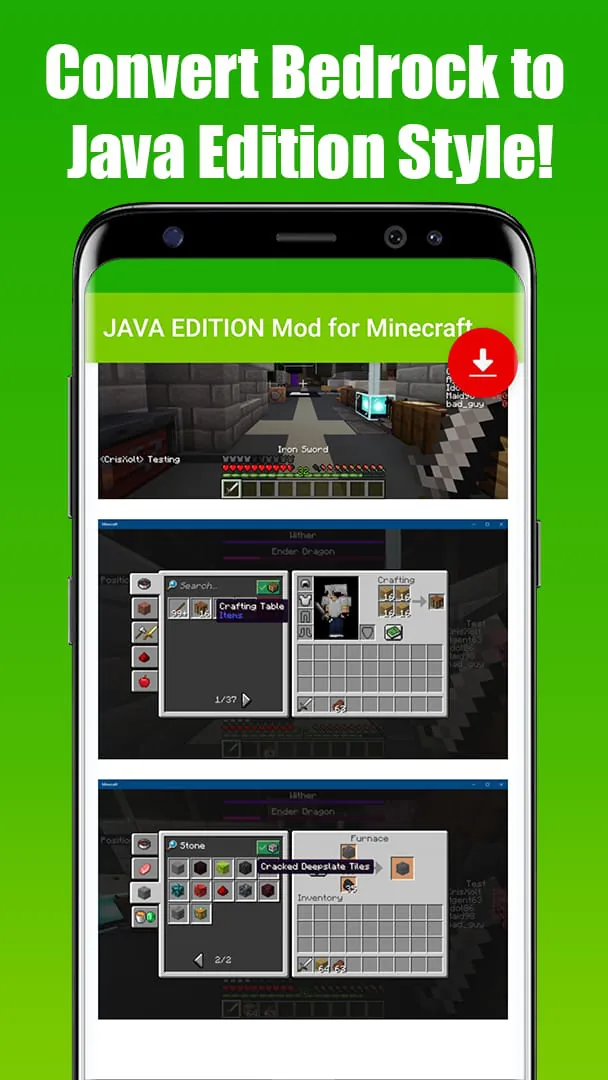
This application serves as a streamlined solution for Minecraft Pocket Edition users eager to incorporate Java Edition modifications into their mobile gaming experience. It addresses the common desire among players to enhance their Minecraft PE with features and aesthetics reminiscent of the Java Edition, which is widely regarded for its extensive modding capabilities and distinctive user interface. The core functionality of the application revolves around simplifying the installation process, transforming what could be a complex and potentially daunting task into a user-friendly, one-click operation. This ease of use is particularly appealing to players who may lack the technical expertise or patience to navigate the intricacies of manual mod installation. By automating the process, the application broadens the accessibility of Java Edition-style mods to a wider audience, including casual gamers and those new to the world of Minecraft modding. The application's primary offering is the 'Vanilla Deluxe' addon, which focuses on replicating the Java Edition user interface within the Minecraft PE environment. This includes three distinct UI options: the standard Java Edition UI, a Mixed UI that blends elements of both Java and Bedrock Editions, and a PvP-focused UI inspired by Java Edition 1.8, a version popular among competitive players. Each UI option provides a unique visual and functional experience, allowing players to customize their game to their preferences. The Java Edition UI aims to provide a faithful recreation of the original Java Edition interface, offering a familiar and nostalgic experience for players who have transitioned from or are familiar with the desktop version of Minecraft. The Mixed UI offers a compromise between the two editions, retaining some of the unique features of the Bedrock Edition while incorporating key elements of the Java Edition UI. This option may appeal to players who appreciate the improvements and optimizations of the Bedrock Edition but still desire a touch of the Java Edition's aesthetic. The PvP UI, based on Java Edition 1.8, caters to players who engage in player-versus-player combat. This UI typically includes features such as a simplified inventory display, clearer health indicators, and improved visibility of critical information during combat situations. The application's emphasis on user-friendliness extends beyond the one-click installation process. It also provides comprehensive addon descriptions, screenshots, usage instructions, and activation guides. This wealth of information ensures that users are well-informed about the features and functionality of the addon before installing it. The inclusion of screenshots allows users to visually assess the addon's impact on the game's appearance, while the usage instructions provide clear guidance on how to utilize the addon's features effectively. The activation guide simplifies the process of enabling the addon within the Minecraft PE settings, preventing confusion and ensuring a smooth installation experience. Furthermore, the application boasts a 'friendly UI,' indicating a design that prioritizes ease of navigation and intuitive operation. This is crucial for attracting and retaining users, particularly those who may be less tech-savvy. A well-designed interface reduces the learning curve and allows users to quickly access and utilize the application's features without frustration. The fact that the application is available for free further enhances its appeal, removing any financial barriers to entry. This allows users to explore and experiment with Java Edition-style mods without incurring any costs. The developer encourages users to provide feedback through ratings and reviews, highlighting the importance of community input in shaping the application's future development. Positive reviews and high ratings can help to increase the application's visibility and attract new users. The developer also expresses a commitment to creating more Minecraft content, including maps, mods, addons, texture packs, and skins, suggesting a long-term vision for the application and its potential to become a comprehensive resource for Minecraft PE players seeking to customize their gaming experience. The disclaimer explicitly states that the application is not an official Minecraft product and is not affiliated with Mojang, the developer of Minecraft. This is a standard disclaimer for third-party applications that modify or enhance Minecraft, ensuring that users are aware of the application's independent status. This application effectively addresses the demand for Java Edition-style modifications in Minecraft Pocket Edition by providing a simple, user-friendly, and free solution for installing the Vanilla Deluxe addon. Its focus on ease of use, comprehensive information, and a friendly UI makes it an attractive option for players of all skill levels who wish to enhance their Minecraft PE experience with Java Edition aesthetics and features.
The core value proposition of this application lies in its ability to bridge the gap between the Java Edition and Bedrock Edition of Minecraft, specifically in terms of user interface and modding capabilities. While both editions offer the same fundamental gameplay experience, they differ significantly in their visual presentation, features, and modding ecosystems. The Java Edition is renowned for its open-source nature, which has fostered a vibrant community of mod developers who have created countless modifications that add new content, alter gameplay mechanics, and enhance the overall user experience. The Bedrock Edition, on the other hand, has a more curated and controlled modding environment, with a focus on official addons and marketplace content. This application caters to players who appreciate the extensive modding options and distinctive user interface of the Java Edition but prefer to play Minecraft on their mobile devices using the Bedrock Edition. By providing a simple and convenient way to install Java Edition-style UI modifications, the application allows players to enjoy a more familiar and visually appealing experience on their mobile devices. The selection of three UI options – Java Edition UI, Mixed UI, and PvP UI – demonstrates a commitment to catering to a diverse range of player preferences. The Java Edition UI aims to replicate the exact look and feel of the original Java Edition interface, providing a sense of nostalgia for players who have spent countless hours playing the desktop version of Minecraft. This option includes all the familiar elements of the Java Edition UI, such as the inventory screen, crafting interface, and in-game menus. The Mixed UI offers a more balanced approach, combining elements of both the Java and Bedrock Editions. This option may appeal to players who appreciate the improvements and optimizations of the Bedrock Edition but still want to incorporate some of the key features and aesthetics of the Java Edition UI. For example, the Mixed UI might retain the Bedrock Edition's smoother performance and mobile-friendly controls while incorporating the Java Edition's inventory screen and crafting interface. The PvP UI, based on Java Edition 1.8, is specifically designed for players who engage in player-versus-player combat. This UI typically includes features such as a simplified inventory display, clearer health indicators, and improved visibility of critical information during combat situations. The goal is to provide players with a competitive edge by minimizing distractions and maximizing situational awareness. The application's one-click installation process is a major selling point, as it eliminates the need for manual mod installation, which can be a complex and time-consuming task. Manual mod installation typically involves downloading mod files from various sources, extracting them to the correct folders, and configuring the game settings to enable the mods. This process can be daunting for inexperienced users, and it carries the risk of corrupting the game files or introducing malware. The application simplifies this process by automating all the necessary steps, allowing users to install the Vanilla Deluxe addon with a single tap. This ease of use makes the application accessible to a wider audience, including casual gamers and those who are new to the world of Minecraft modding. The inclusion of full addon descriptions, screenshots, usage instructions, and activation guides further enhances the user experience. These resources provide users with all the information they need to understand the features and functionality of the addon, install it correctly, and use it effectively. The screenshots allow users to visually assess the addon's impact on the game's appearance before installing it. The usage instructions provide clear guidance on how to utilize the addon's features. The activation guide simplifies the process of enabling the addon within the Minecraft PE settings. The friendly UI contributes to the overall user-friendliness of the application. A well-designed interface makes it easy for users to navigate the application, find the features they need, and complete tasks quickly and efficiently. The application's free availability makes it accessible to all Minecraft PE players, regardless of their budget. This is a significant advantage, as many other Minecraft modification tools and addons are payware. The developer's request for ratings and reviews demonstrates a commitment to continuous improvement and user feedback. By soliciting feedback from users, the developer can identify areas for improvement and make changes that enhance the user experience. The developer's promise to create more Minecraft content in the future suggests a long-term commitment to the Minecraft community. This includes plans to create more maps, mods, addons, texture packs, and skins, providing players with a wide range of options for customizing their Minecraft PE experience. The disclaimer serves to protect the developer from liability and ensure that users are aware that the application is not an official Minecraft product. This is a standard practice for third-party applications that modify or enhance Minecraft.
In essence, this application presents itself as a user-centric solution designed to simplify the process of customizing Minecraft Pocket Edition with Java Edition-inspired elements. Its core offering, the 'Vanilla Deluxe' addon, focuses primarily on replicating the Java Edition's user interface within the Bedrock Edition environment. This addresses a common desire among players who appreciate the visual style and interface design of the Java Edition but prefer to play Minecraft on their mobile devices. The application distinguishes itself through its emphasis on ease of use, providing a one-click installation process that eliminates the complexities typically associated with manual mod installation. This feature is particularly appealing to less tech-savvy users or those who prefer a streamlined and hassle-free experience. By automating the installation process, the application lowers the barrier to entry for players who might otherwise be intimidated by the technical aspects of modding. The inclusion of detailed addon descriptions, screenshots, usage instructions, and activation guides further enhances the user experience. These resources provide users with a comprehensive understanding of the addon's features and functionality, ensuring that they are well-informed before installation. The screenshots offer a visual preview of the changes the addon will make to the game's appearance, while the usage instructions provide clear guidance on how to utilize the addon's features effectively. The activation guide simplifies the process of enabling the addon within the Minecraft PE settings, minimizing confusion and ensuring a smooth installation process. The availability of three distinct UI options – Java Edition UI, Mixed UI, and PvP UI – allows players to tailor their gaming experience to their specific preferences. The Java Edition UI aims to provide a faithful recreation of the original Java Edition interface, appealing to players who are nostalgic for the desktop version of Minecraft. The Mixed UI offers a blend of elements from both the Java and Bedrock Editions, catering to players who appreciate the improvements and optimizations of the Bedrock Edition but still desire a touch of the Java Edition's aesthetic. The PvP UI, based on Java Edition 1.8, is designed for players who engage in player-versus-player combat, providing a streamlined and optimized interface for competitive gameplay. The application's friendly UI and free availability further contribute to its appeal. A well-designed interface ensures that the application is easy to navigate and use, while the free availability removes any financial barriers to entry. The developer's request for ratings and reviews indicates a commitment to continuous improvement and user feedback. By actively soliciting feedback from users, the developer can identify areas for improvement and make changes that enhance the user experience. The developer's promise to create more Minecraft content in the future suggests a long-term commitment to the Minecraft community. This includes plans to create more maps, mods, addons, texture packs, and skins, providing players with a wide range of options for customizing their Minecraft PE experience. The disclaimer serves to protect the developer from liability and ensure that users are aware that the application is not an official Minecraft product. In conclusion, this application offers a convenient and user-friendly solution for Minecraft Pocket Edition players who wish to customize their game with Java Edition-inspired elements. Its focus on ease of use, comprehensive information, and a variety of UI options makes it an attractive choice for players of all skill levels.
Screenshots
 Download
 Additional Information
Category
EntertainmentVersion
Unknown
Tag
User Interface | Minecraft PE | Java Edition Mod | Addon Installation | Vanilla Deluxe UI
Rate
4.10
★★★★★
Reviews
500 +
Installs
1M +
Developer
Project MCPE Addons
Content Rating
Everyone
Easy Way to Download & Install Java Edition UI Mod to your Minecraft Game!
Previous Versions
ZIP files require a Split APKs Installer (e.g., SAI) from Google Play to install. Steps: 1. Download SAI from Google Play; 2. Open SAI and tap "Install APKs"; 3. Select the ZIP file; 4. Complete installation.
You Might Like









